1. Opening: from pain to payoff, one project away
Every week the marketing folks dig the same weekly report out of Confluence, re-format it and push it to WeCom. On the first of every month the finance team checks a dozen invoices one by one and keys them into the ERP. On every release, engineers run the deploy process by hand and click through a dozen screens. Everyone does this kind of "three repeated steps" work every week — but actually handing it to an AI still costs hours of pulling the workflow apart, writing scripts and testing them.
The more practical problem: many of these tasks have no API at all. They only exist as clicks inside a browser or a desktop app, and classic automation tooling is expensive and hard to learn. Skill Recorder closes that gap outright: demo it once, the AI learns to do it, and it can generalize instead of parroting.
2. What it is, in one sentence
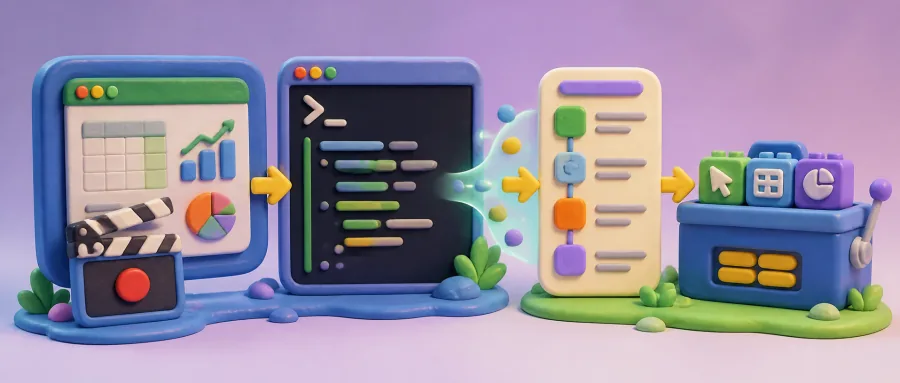
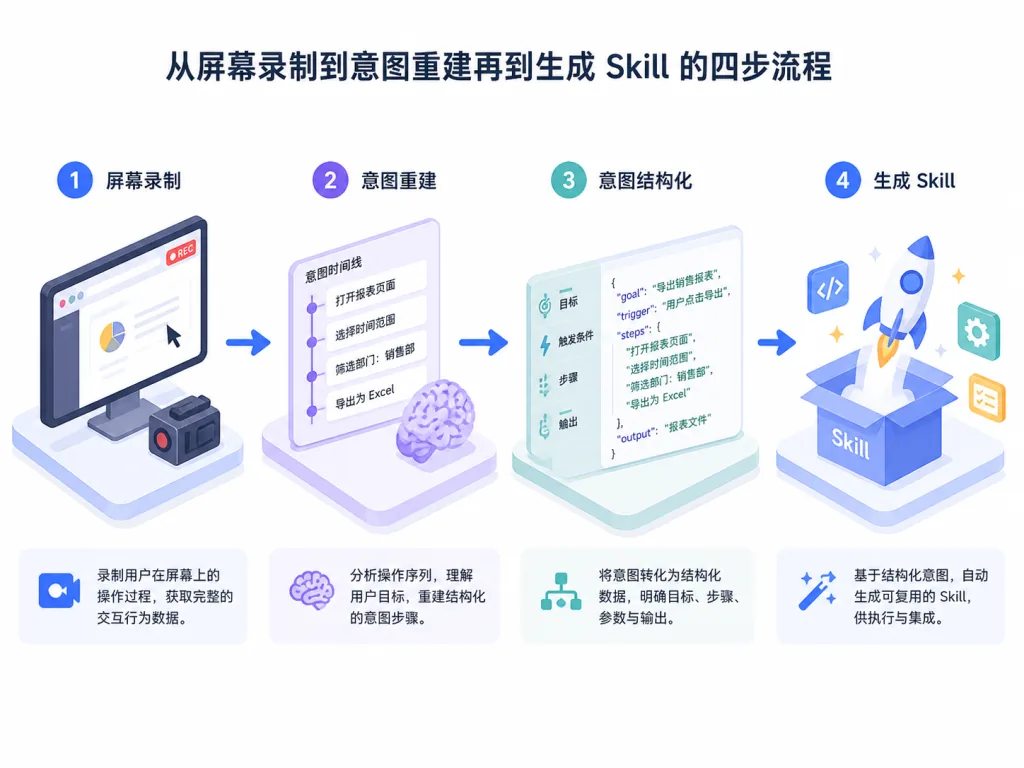
Skill Recorder is Microsoft's open-source desktop screen recorder. It takes a single on-screen session and automatically rebuilds it into an "intent plus ordered steps" structure, then generates a reusable Skill (run on demand) or an Automation (run on a schedule or trigger), targeting Microsoft Scout, Copilot Cowork or Copilot Studio.
Core features: screen recording plus intent reconstruction, driven by Copilot CLI, reusable Skills and Automations, and cross-platform support (macOS is the primary target, Windows 11 is verified). The repo has already passed 3,007 stars, and the main language is TypeScript.
3. Core features in depth
1. End-to-end recording and activity tracking
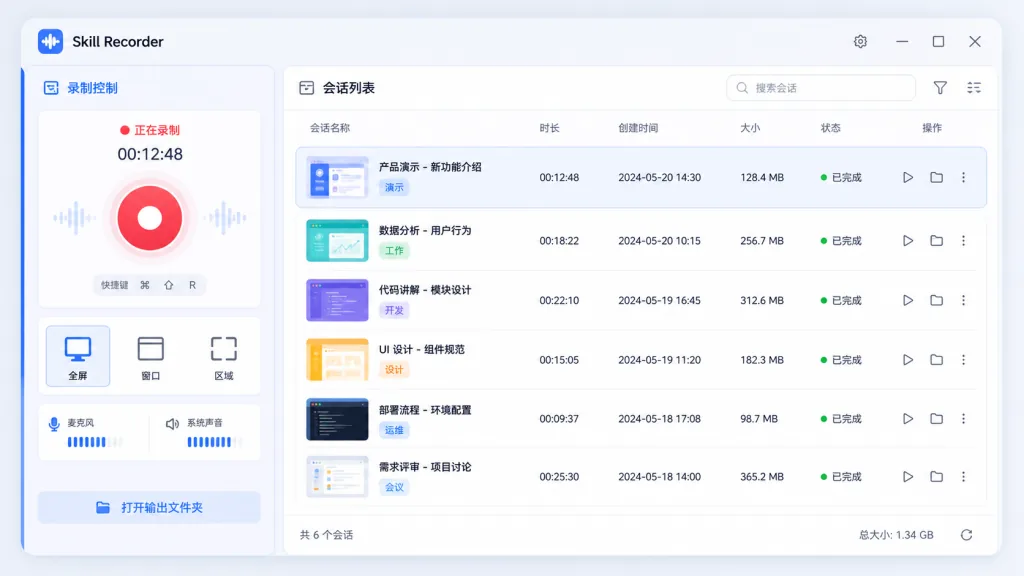
Skill Recorder records the screen, app switches, browser URLs, clipboard pre-captures and optional voice narration silently in the background. Video is captured by Chromium, and low-frame-rate snapshots are kept only when the picture changes or a heartbeat fires — enough to keep every step, small enough to stay portable. The clipboard only stores short text pre-captures, used to stitch steps together.
2. Local-first, with intent reconstruction
Recording, storage, frame extraction and narration transcription all happen locally. Narration is transcribed on-device with Whisper across 99 languages, and the first run downloads a model of roughly 252 MB. Only when you hit "Analyze" does the timeline (window and document titles, URLs, clipboard pre-captures), key screenshots and narration text go to GitHub's cloud, where GitHub Copilot CLI rebuilds them into "one intent plus ordered steps".
3. Two outputs: Skill and Automation
From a single analysis you can generate a Skill (written as SKILL.md, called on demand by the agent) or an Automation (run on a schedule or trigger) in one click. The key design choice: prefer the agent's native tools (such as the gh CLI or web_fetch) over dumb replay of UI clicks. Demo submitting one form, and the agent generalizes to "submit every form of this kind".
4. Recording controls and privacy
A global shortcut — ⌘⇧R on macOS, Ctrl+Shift+R on Windows — starts recording at any time; the floating control bar lets you mute, switch microphone or throw the recording away. Every recording starts with a reminder not to capture passwords, tokens or API keys, and you can hand-edit the reconstruction before analysis.
4. Technical highlights and performance data
- Local-first architecture: recording, frame extraction and Whisper transcription all run locally, and only the analysis stage uploads anything — better privacy and less bandwidth.
- Intent reconstruction and generalization: GitHub Copilot CLI provides both a describer and a builder, paired with the fixture suite in
evals/(npm run eval/npm run eval:builder) so reconstruction quality and generalization can be measured, not guessed. - Deterministic distribution: shipped as source pinned to a 40-character commit hash, so the whole path from script to source is locked and supply-chain drift is off the table; nothing is installed globally, and uninstalling leaves no residue.
- Cross-platform: macOS first, Windows 11 verified (x64 and ARM64); depends on Node.js 24 and Electron, with Vite hot reload in dev mode.
5. Who it is for
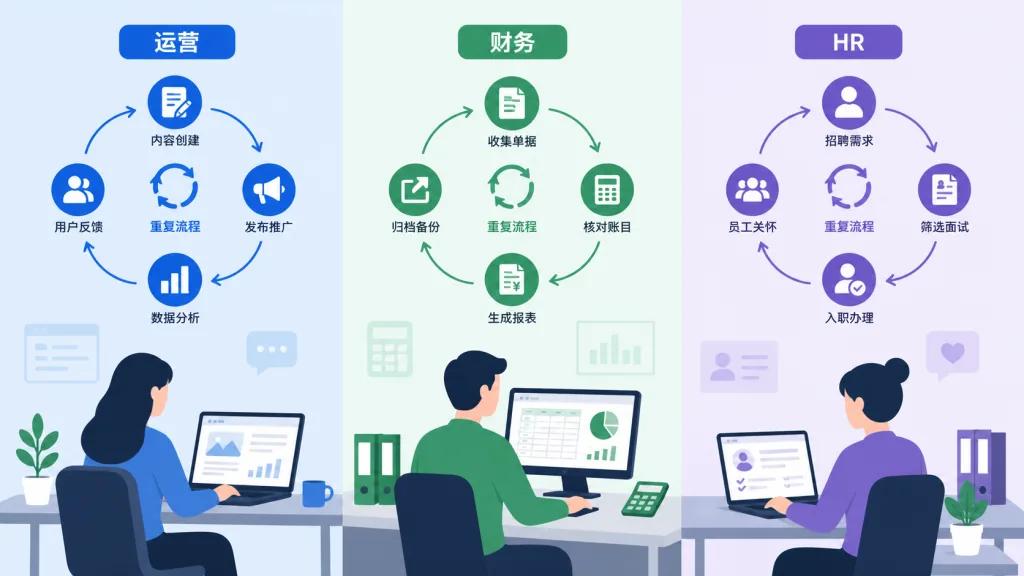
- Repetitive office work in ops, finance and HR: moving weekly reports, checking invoices, rolling up spreadsheets, submitting forms in bulk — demo it once and let the AI repeat it.
- Personal automation tinkerers: freeze the daily "open page, click menu, fill field" routine into something Copilot Cowork can trigger on a schedule.
- Enterprise IT and business teams: turn scattered "I know how to do this" knowledge into auditable, shareable Skill docs, and lose less tribal knowledge when people leave.
Not a fit for: tasks a plain command-line script already solves (just write the script), anything demanding millisecond-level real-time behavior, or accounts without Copilot access.
6. How it compares
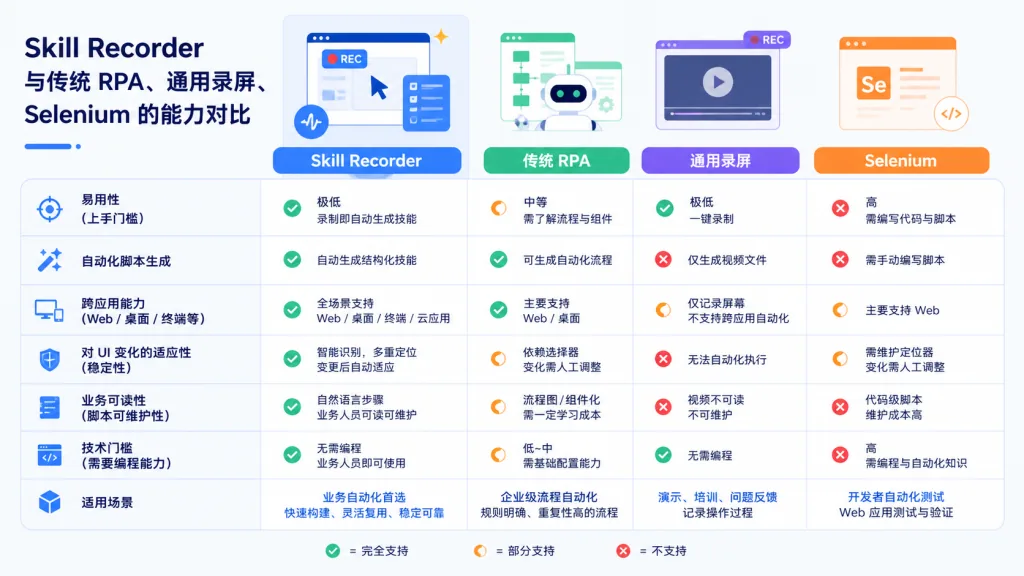
| Tool | Capture method | Output | Generalization | Privacy |
|---|---|---|---|---|
| Skill Recorder | Screen + app switches + URL + narration | SKILL.md / Automation, native tools first | Strong (one demo generalizes to similar tasks) | Local processing, upload only on Analyze |
| Classic RPA (e.g. UiPath) | UI recording + selectors | Proprietary scripts | Weak (replays fixed coordinates/selectors) | Usually local, but scripts are costly to maintain |
| General recorders (OBS etc.) | Video only | Video files | None | Fully local, but no AI reconstruction |
| Selenium / Playwright | Scripts written by hand | Code | Strong, but a high bar | Local |
The reason to pick Skill Recorder: the lowest barrier (just demo it), the most AI-friendly output (it plugs straight into Copilot), and real generalization.
7. Getting started fast
Install (macOS / Ubuntu)
Open the latest release, copy the command for your platform. It looks like this:
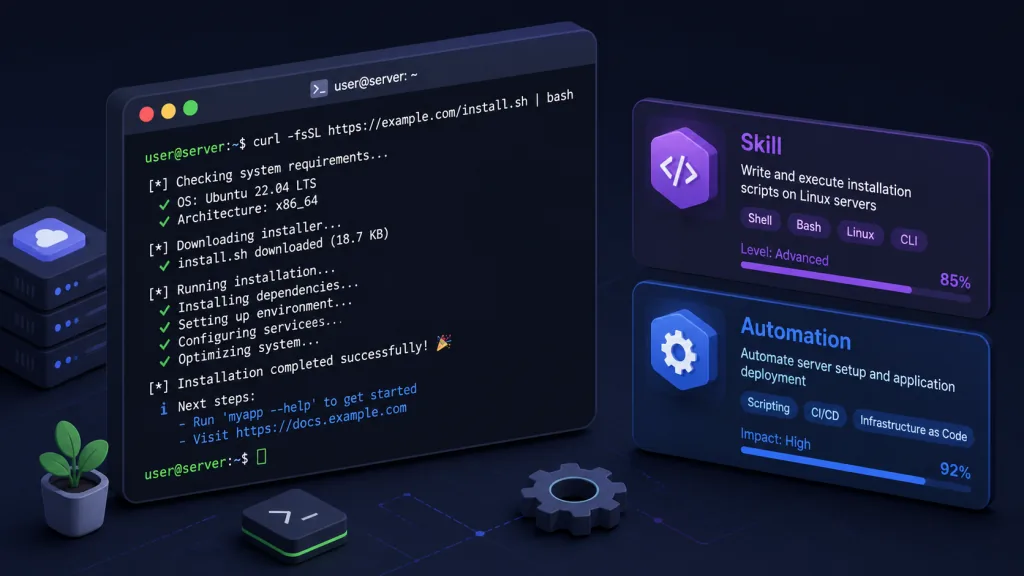
commit="<40-character-release-commit>"; curl -fsSL "https://raw.githubusercontent.com/microsoft/skill-recorder/$commit/install.sh" | SKILL_RECORDER_COMMIT="$commit" bash
If you want it to keep running after you close the terminal, add SKILL_RECORDER_DETACHED=1. On macOS you get "Skill Recorder (Source)" in ~/Applications; on Ubuntu an app entry is added.
Windows (PowerShell)
$commit="<40-character-release-commit>"; $env:SKILL_RECORDER_COMMIT=$commit; irm "https://raw.githubusercontent.com/microsoft/skill-recorder/$commit/install.ps1" | iex
This creates shortcuts on the desktop and in the Start menu.
First recording in three steps
- Launch it and grant the "Screen Recording" permission.
- Press
⌘⇧R/Ctrl+Shift+Rto start recording, then just do your task as usual. - Click Analyze — the first time you will be asked to sign in to Copilot; review the reconstruction and generate a Skill or Automation in one click.
Going further
- Local development: clone the release revision, then
npm ci && npm run dev— Vite + Electron hot reload works out of the box. - Evaluate reconstruction quality:
npm run evalruns the describer,npm run eval:buildermeasures generalization.
8. Takeaways and what to do next
Skill Recorder's value in one line: it turns "I know how to do this" into "the AI knows how to do this", after a single demo. Local-first recording drops the privacy worry, Copilot CLI's intent reconstruction and generalization turn one session into a reusable asset, and Scout / Cowork / Copilot Studio complete the loop.
Start with one high-frequency, low-risk repetitive task — moving the weekly report, say — and feel the leverage of recording once and reusing many times.
Project: github.com/microsoft/skill-recorder; install details are in INSTALL.md. The one-line pitch: demo once, let the AI do it for the rest of your life.