
Title options (pick 1 of 3)
10 GitHub gems I keep to myself: the best partners for actually putting AI agents to work
10 open-source projects I use every day: covering agent memory, review and parallel orchestration
A year of writing with agents — these open-source projects finally made my workflow run
1. Opening: if only something would take over this one step…
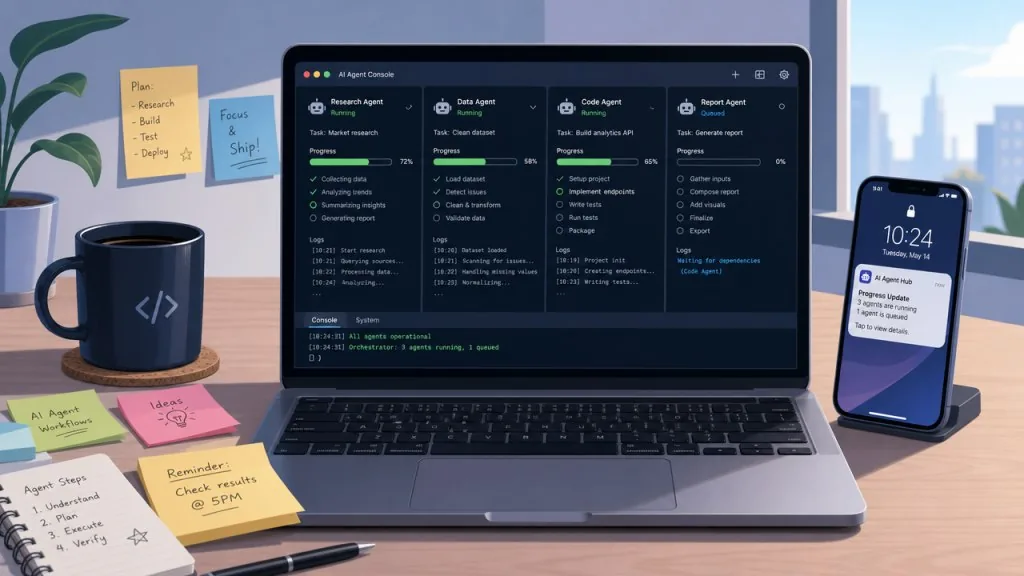
Your PM drops a line: "Go research what's blowing up in AI agents lately." You open three browser tabs, scroll Twitter for half an hour, and end up with half a page of thin notes. You finish the code and only then remember a security audit is due, staring at hundreds of files with no idea where to start. You run several Codex windows in parallel, come back, and can't tell which one produced results and which one is stuck. These are the most common friction points in daily work — it's not that you can't do it, it's that nobody takes over that "mandatory but repetitive" step for you. The 10 projects below are the private list I've built up recently, aimed squarely at this class of problem.
2. Project overview
| Repository | Stars | Main language | One-line pitch |
|---|---|---|---|
| vectorize-io/hindsight | 34.7K | Python | A long-term memory system that lets agents actually remember and learn |
| stablyai/orca | 79.2K | TypeScript | A desktop orchestrator that runs multiple coding agents in parallel |
| cloudflare/security-audit-skill | 22.1K | JavaScript | A six-phase structured code security audit skill |
| affaan-m/ECC | 268K | JavaScript | An Agent Harness performance system with skills/memory/security |
| paperclipai/paperclip | 88.3K | TypeScript | An open-source platform for managing agents the way you manage a company |
| dream-num/univer | 19.8K | TypeScript | One SDK for spreadsheets, docs and slides at once |
| alibaba/open-code-review | 41.7K | Go | An AI code review CLI incubated inside Alibaba |
| Tencent/WeKnora | 30.5K | Go | A knowledge platform: docs → RAG → agent → self-maintaining wiki |
| anthropics/financial-services | 37.8K | Python | Claude agent templates for investment banking/PE/wealth management |
| addyosmani/agent-skills | 99.4K | JavaScript | A senior engineer's workflow packaged as 25 agent skills |
3. Project deep dives
01 | vectorize-io/hindsight — letting agents actually remember and learn
Hindsight is a long-term memory system built for agents. Its goal isn't "recall the conversation history" but to let an agent keep learning while it works. It sidesteps the usual weak spots of RAG and knowledge graphs, hit SOTA on the LongMemEval benchmark, and its results were independently reproduced by Virginia Tech and The Washington Post. The core capability is the three-part "retain / recall / reflect" loop: keep facts, recall what's relevant, reflect and generalize — with isolation per memory bank.
- Technical highlights: native integration with 25+ LLM providers; an embedded Python mode that needs no server; one-line Docker startup (port
8888is the API,9999is the UI). - Who it's for: developers building long-running assistants with Codex/Claude Code; small teams who want to give their agent cross-session memory.
- Who it's not for: one-off Q&A scenarios that don't need long-term context.
Minimal setup
Just tell your agent:
帮我安装这个 skill:https://github.com/vectorize-io/hindsight
Or install the docs skill manually:
npx skills add https://github.com/vectorize-io/hindsight --skill hindsight-docs
Once installed, tell the agent "remember that I prefer TypeScript" and next time it reuses that context directly.
Repository: https://github.com/vectorize-io/hindsight
02 | stablyai/orca — a desktop orchestrator for running a fleet of coding agents
Orca is an "agent mothership", built for the problem of "I have N Codex windows open and can't tell who's doing what." It runs Codex, Claude Code, OpenCode and Pi in parallel, each in its own isolated git worktree, tracked from a single pane. The core capability is "parallel worktrees + split terminals + mobile remote control": fan one prompt out to five agents, each on its own branch, then merge the winner; your phone gets a completion notification and you can keep sending instructions.
- Technical highlights: a WebGL-rendered terminal with unlimited splits and scrollback replay; Design Mode lets you click real elements on a Chromium page and feed the HTML/CSS/screenshot straight to the agent; SSH worktrees let you run tasks on a big remote box with automatic reconnection.
- Who it's for: senior engineers who write code with AI all day and want to compare outputs from multiple approaches; tech leads juggling several parallel tasks.
- Who it's not for: casual users who only chat in the ChatGPT web UI and never run local agents.
Minimal setup
Download the desktop app from the site:
https://www.onorca.dev/download
Then drag in your existing Codex/Claude Code directories, type one prompt, and Orca dispatches it to multiple agents across different worktrees. When they're done, compare the diffs right in the panel.
Repository: https://github.com/stablyai/orca
03 | cloudflare/security-audit-skill — six-phase structured security auditing
This is the single-repo starting point of Cloudflare's internal vulnerability discovery platform, breaking a security audit into six phases: reconnaissance → coverage-driven hunting → candidate validation → structured output → independent record review → target-neutral reporting. Each phase hands off to its own agent, findings.json is validated against a JSON Schema, and the final report is derived backwards from the coverage ledger. The core capability is "coverage ledger + three verdicts": confirmed (with full source provenance), needs_validation (unresolved facts, no severity), rejected (disproven).
- Technical highlights: ships zero-dependency validators
validate-findings.cjs/validate-coverage-ledger.cjs; repeated runs on the same repo are "additive" — existing ledgers are reused to fill gaps; provides 12 specialized hunting prompts (web protocols, client-side, supply chain, cloud deployment, etc.). - Who it's for: teams maintaining medium-to-large codebases who need security audits at the PR stage; independent researchers doing vulnerability work.
- Who it's not for: personal projects that just want a simple linter and don't need structured reporting.
Minimal setup
Just tell your agent:
帮我安装这个 skill:https://github.com/cloudflare/security-audit-skill
Or manually:
npx skills add https://github.com/cloudflare/security-audit-skill --skill security-audit
Then open the agent inside the repo you're auditing and say:
security audit this codebase
The agent runs the six phases automatically and hands you REPORT.md plus a structured findings.json.
Repository: https://github.com/cloudflare/security-audit-skill
04 | affaan-m/ECC — a performance system for the agent harness
ECC packages "how a senior engineer works" into skills + instincts + memory + safety rails that an agent can copy outright; its positioning is the "operating system" of the agent harness. It spans Claude Code, Codex, OpenCode, Cursor and other IDEs, covering the full workflow from planning and coding to testing and security auditing. The core capability is the three layers of "instincts + skills + memory": at the bottom are small auto-triggered habits, in the middle are callable workflows, on top is cross-session context.
- Technical highlights: ships two npm packages,
ecc-universalandecc-agentshield; one-click install via a GitHub App; scaffolds in seven languages (Bash/TypeScript/Python/Go/Java/Perl/Markdown). ==Note: always install from the official repo, the official npm package or the GitHub App — third-party mirrors may contain malicious code== - Who it's for: full-stack engineers who rely on AI to write code every day and want to codify their workflow; teams doing AI IDE integration.
- Who it's not for: light users who occasionally ask AI to complete a function and don't need memory or habits.
Minimal setup
Easiest for Claude Code users:
/plugin marketplace add affaan-m/ecc
/plugin install ecc@ecc
Or install the whole set with one command:
npx skills add affaan-m/ecc
After that the agent calls instincts and skills automatically at the right moments.
Repository: https://github.com/affaan-m/ECC
05 | paperclipai/paperclip — manage an agent team like a company
Paperclip abstracts agent collaboration as "company management": CEO, CTO, engineer, designer, marketing — every role is an agent, driven by goals rather than PRs. The core capability is its "four pillars": task management (with approval gates), org structure, training loops and infrastructure, with cost, budget and progress monitored from a single dashboard.
- Technical highlights: Node.js + React full stack; compatible with any agent that "can receive a heartbeat" (OpenClaw, Codex, Claude Code, Cursor, Bash, HTTP); supports 24/7 autonomous operation while keeping a human-in-the-loop channel; mobile dashboard access.
- Who it's for: tech leads running 20+ Claude Code terminals at once who need to coordinate; founders who want to assemble several different agents into a "virtual company."
- Who it's not for: solo developers using one or two agents.
Minimal setup
Simplest start:
git clone https://github.com/paperclipai/paperclip
cd paperclip && npm install && npm run dev
Once it's running, define a goal in the UI (say, "build an AI notes app and drive it to $1M MRR"), pick a few agent roles to come online, and the dashboard assigns tasks automatically.
Repository: https://github.com/paperclipai/paperclip
06 | dream-num/univer — one SDK for spreadsheets, docs and slides
Univer is an Office harness for AI agents, packing spreadsheets, docs, slides, canvas, relational tables and PDF into a single runtime. The core capability is "plugin architecture + canvas rendering + formula engine + Facade API": install whatever plugin gives you the feature you need, and the same architecture serves everything from embedded SaaS editing to server-side Node.js processing.
- Technical highlights: canvas rendering keeps 10K+ cells smooth; the Facade API works in both browser and Node.js; cells bind bidirectionally to charts and controls, which suits dashboards; the sibling product Univer Workspace is a complete reference implementation.
- Who it's for: SaaS teams embedding Office-style editing in their product; engineers building BI/reporting/AI apps.
- Who it's not for: users who just want to open a local Excel file and already have Office 365.
Minimal setup
Quick try in the browser:
npm install @univerjs/presets @univerjs/preset-sheets-core
import { createUniver } from '@univerjs/presets';
import '@univerjs/preset-sheets-core/lib/index.css';

const univer = createUniver({ theme: 'default' });
univer.createUniverSheet({});
What you get is a spreadsheet embedded in a web page; add @univerjs/preset-docs-core to bring in document features.
Repository: https://github.com/dream-num/univer
07 | alibaba/open-code-review — precise code review incubated inside Alibaba
Open Code Review is the official AI review tool Alibaba has used internally for two years, doing line-level precise comments based on the Git diff plus an LLM agent. It reads the full file, searches the codebase and consults other changed files, producing a deep review rather than surface-level diff feedback. The core capability is a hybrid "deterministic pipeline + LLM agent" architecture: built-in multi-language rule sets for NPE, thread safety, XSS, SQL injection and more, with support for OpenAI / Anthropic compatible endpoints.
- Technical highlights: on the AACR-Bench benchmark, at the same model it scores significantly higher Precision and F1 than a general-purpose agent, using only about 1/9 the tokens; the
ocr scanmode audits entire files (handy for unfamiliar codebases); works with Claude Code / Codex / Cursor / Kimi Code. - Who it's for: code review pipelines in medium-to-large teams; engineers who want a high signal-to-noise ratio and refuse to drown in AI noise.
- Who it's not for: purely personal side projects that get reviewed once in a while.
Minimal setup
Install the CLI globally:
npm install -g @alibaba-group/open-code-review
Review the current PR:
export OPENAI_API_KEY=sk-xxx
ocr review --base main --head feat/new-api
Results go to findings.json with line numbers and severity levels.
Repository: https://github.com/alibaba/open-code-review
08 | Tencent/WeKnora — turn company docs into a knowledge base you can reason over
WeKnora pulls a team's docs, wikis and data sources into one place, offering three ways to use them: direct RAG Q&A, multi-step agent tasks, and a self-maintaining wiki for knowledge organization. The core capability is "one knowledge base + three consumption modes": the same knowledge can be queried, reasoned over and organized into a wiki, with all three sharing retrieval and indexing.
- Technical highlights: automatic sync from Feishu/Confluence/Notion/Yuque/GitLab and more; parses 10+ formats including PDF/Word/images/Excel/XMind; agents run in Docker/E2B/Cube sandboxes and can drive the user's own Chrome/Edge via a browser extension; supports cross-session long-term memory and rollback of retrieved snippets.
- Who it's for: teams building internal knowledge Q&A, compliance search and automated wiki maintenance; ops teams who want agents to own multi-step document tasks.
- Who it's not for: light needs — a handful of docs that a ChatPDF install would solve.
Minimal setup
One-command Docker start:
git clone https://github.com/Tencent/WeKnora
cd WeKnora
docker compose up -d
Open http://localhost:3000 in a browser, upload a PDF/Word file or a Feishu link, and try the RAG/Agent/Wiki modes.
Repository: https://github.com/Tencent/WeKnora
09 | anthropics/financial-services — Claude templates for investment banking/PE/wealth management
This is Anthropic's official open-source collection of financial services agents, covering four scenarios: investment banking, equity research, PE and wealth management. Each agent ships in two forms at once: a Cowork plugin (works out of the box) and a Managed Agents API template (private deployment). The core capability is "self-contained agents + vertical skill packs": installing one agent means installing a whole set of related skills and MCP connectors.
- Technical highlights: ships 10 agents including Pitch Agent (comps/precedents/LBO straight to a pitch deck), Market Researcher, Earnings Reviewer, Model Builder and GL Reconciler; supports slash commands like
/comps,/dcf,/earnings; explicitly separates out the "human sign-off" step, with all output pending review. ==Note: every output is a draft only and must be signed off by a licensed professional== - Who it's for: analysts, fund operations and compliance staff in financial services; teams who want AI to draft due diligence materials, models and research reports.
- Who it's not for: non-financial scenarios; individual investors who want to take the output straight into decisions.
Minimal setup
Cowork is simplest — paste the repo URL into the plugin marketplace:
https://github.com/anthropics/financial-services
On the Claude Code side:
claude plugin marketplace add anthropics/financial-services
claude plugin install pitch-agent@claude-for-financial-services
claude plugin install market-researcher@claude-for-financial-services
Then run comparable company analysis with /comps and a DCF model with /dcf.
Repository: https://github.com/anthropics/financial-services
10 | addyosmani/agent-skills — a senior engineer's workflow as 25 skills
Addy Osmani packaged a senior engineer's development workflow into 9 slash commands and 25 skills, covering the full Define→Plan→Build→Verify→Review→Ship cycle. Every skill embeds quality gates and best practices, and the agent activates them automatically at the right moment. The core capability is "lifecycle slash commands + on-demand skills": /spec writes the spec first, /plan breaks down the tasks, /build implements incrementally, /test proves it works, /review guards the quality gate, /ship releases safely.
- Technical highlights:
/build automode runs every task automatically after a single approval; skills activate by scenario (designing an API triggersapi-and-interface-design, building UI triggersfrontend-ui-engineering); one skills CLI command installs them into 70+ agents (Claude Code, Cursor, Codex, Copilot, Cline and more). - Who it's for: any developer who writes code heavily with AI and wants a standardized process; tech leads who want one shared engineering standard for the team.
- Who it's not for: the extremely light user who only completes a line of code in the ChatGPT web UI.
Minimal setup
Install the whole set into any agent with one command:
npx skills add addyosmani/agent-skills
Or try a single skill first:
npx skills add addyosmani/agent-skills --skill code-review-and-quality
Then kick off a full run with /spec: write the requirements, break down the tasks, write the code, test it, review it, ship it.
Repository: https://github.com/addyosmani/agent-skills
4. Summary and what to do next
If I had to pick only two to install first, I'd recommend addyosmani/agent-skills and affaan-m/ECC — the first standardizes your development process immediately, the second puts memory and instincts into the agent's foundation. Everything else plugs in as needed. If you're working on an enterprise knowledge base, start with Tencent/WeKnora; for financial scenarios, go straight to anthropics/financial-services; to give an agent long-term memory, install vectorize-io/hindsight; to run tasks in parallel, use stablyai/orca; for code review, bring in alibaba/open-code-review; to embed Office editing, choose dream-num/univer; to manage a fleet of agents, use paperclipai/paperclip; and for security audits, cloudflare/security-audit-skill.
#AIVideoEditing #ScriptedVideo #TalkingHeadVideo #Hindsight #Orca #SecurityAuditSkill #Ecc #Paperclip #Univer #OpenCodeReview