Title options (pick 1 of 3)
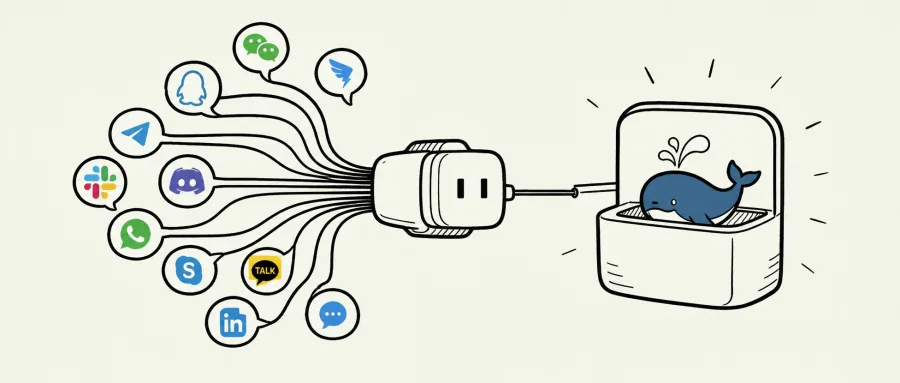
11 IM platforms, 11 adapters? dsh-im wires them all into DeepSeek Harness with a single plugin
dsh-im is live: scan a QR code to connect Feishu, WeChat, DingTalk and eight other IM channels, now officially recognized
Zero lines of SDK code, yet DeepSeek Harness now lives inside 11 chat apps
1. Introduction: why you need this tool
Plenty of DeepSeek Harness users hit the same wall: Harness runs fine locally, but the moment you want to push AI into WeChat, Feishu or DingTalk, you either write a separate adapter for every platform or bounce between a pile of plugins. Each channel ends up with its own credentials, its own sessions, its own workspace. Debugging means walls of logs, deployment means endless ops — and when a team has to manage several bots at once, the complexity of the traditional approach grows exponentially.
The nastier part is the table-stakes IM features: streaming replies, file delivery, re-sending after a timeout. Once the vendor SDK stops covering you, you are hand-building card messages out of webhooks, then wrestling with 1,800-character chunking, streaming progress placeholders and per-platform permission quirks.
dsh-im (DSH-IM) targets that entire gap: one plugin, one settings page, 11 mainstream IM channels — plus official recognition from DeepSeek Harness and a 1,000 CNY token grant.
2. In one sentence: what this project is
dsh-im is the officially certified IM connector plugin for DeepSeek Harness. The positioning, in short:
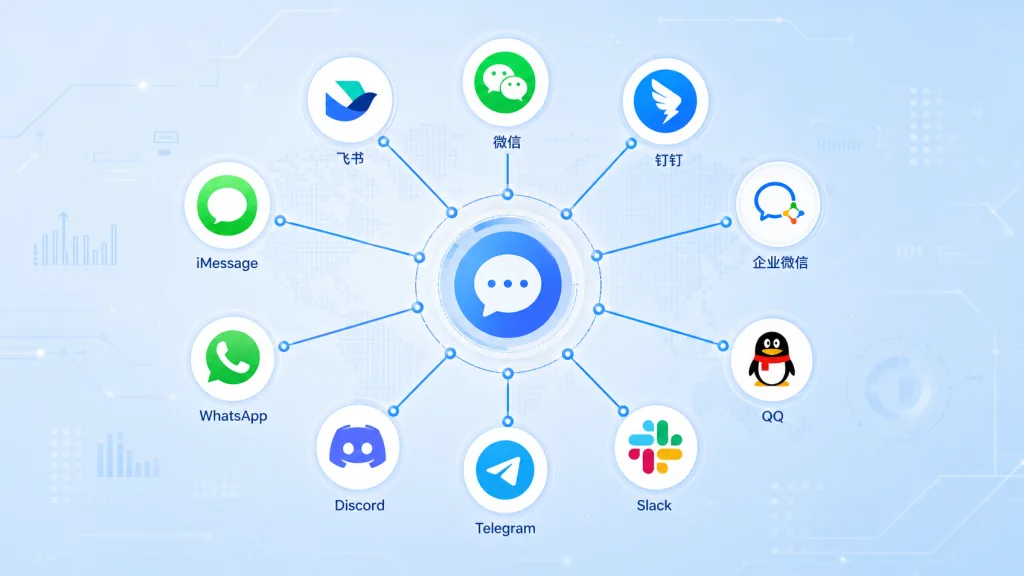
- One-stop onboarding: 11 built-in channels — Feishu, WeChat, DingTalk, WeCom (including custom apps), QQ, Slack, Telegram, Discord, WhatsApp and iMessage;
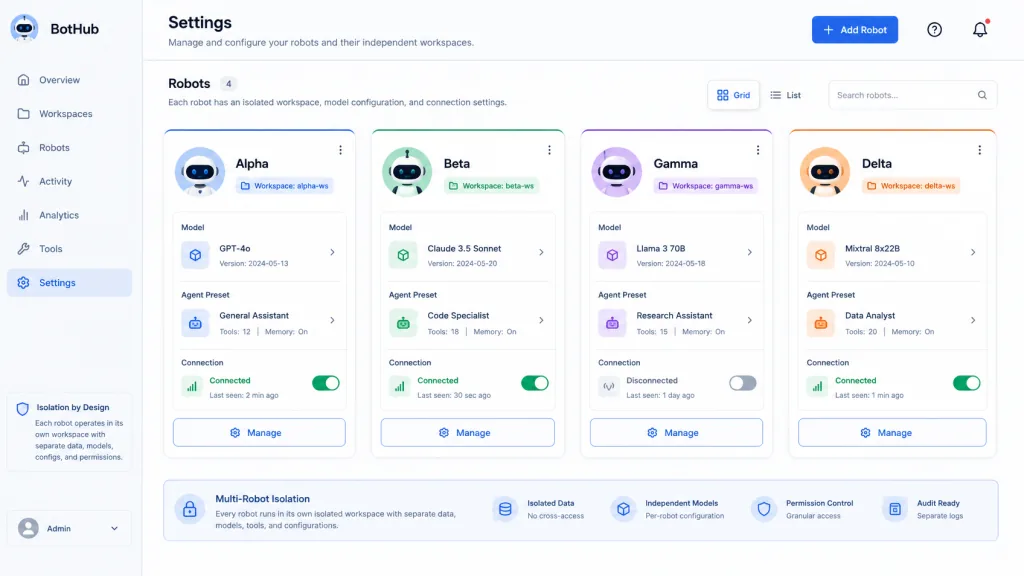
- Independent multi-bot management: several bots per channel, each with its own credentials, connection state, workspace, model, Agent Preset and session bindings;
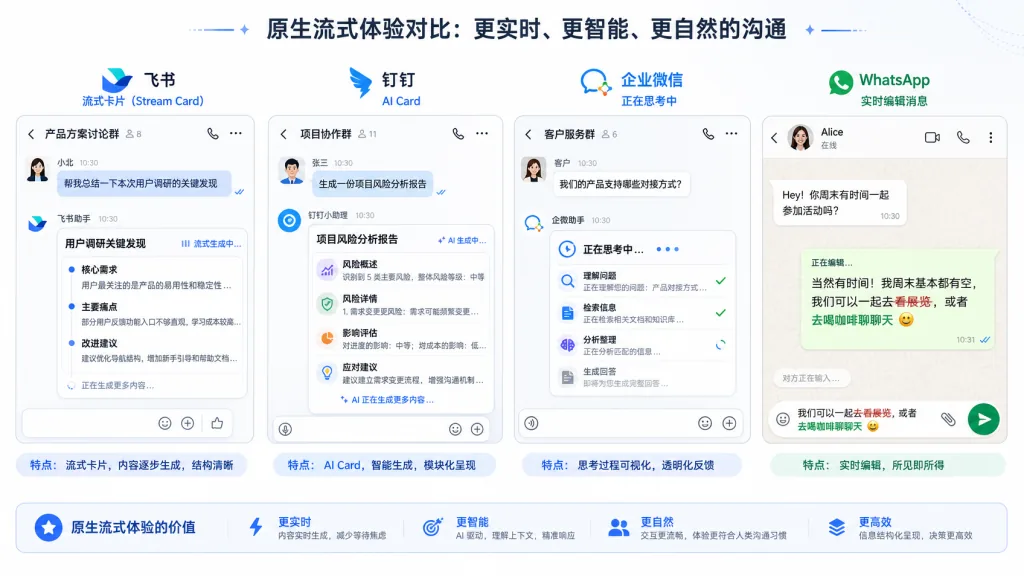
- Native experience: "typing" indicators, tool progress and streaming replies follow each platform's own capabilities; platforms without native streaming fall back to editing messages or updating cards;
- AI Office Connector: lets the local Harness actively connect to a public AI Office and deliver task results to a remote execution environment.
3. Core features in depth
1. Dual-mode onboarding: QR code or credentials
Every channel ships a built-in QR onboarding flow: scan with Feishu to auto-create a bot, scan with WeChat to bind, link a device on WhatsApp, or use a Developer Portal token on Discord. Existing bots can also bind directly with App ID + Secret, no rebuild needed. Secret and token are submitted one-way to the local Harness Host only and written into protected credential storage; no RPC response ever carries the raw credentials back, and the browser only ever sees the QR code, the manifest and redacted state.
2. Streaming replies plus timeout re-delivery
The plugin calls each platform's official streaming API according to what it supports: streaming cards on Feishu, AI Card on DingTalk, the native "thinking" indicator on WeCom, Rich Message Draft streaming previews on Telegram with the final rich message persisted, and on WhatsApp an edit-every-second loop on the same message to show tool progress and an answer that grows in place. Platforms without native streaming fall back to message edits or a final message.
When Harness reports "timed out waiting for the model", the plugin keeps tracking the original task and delivers the final text to the original chat or thread once it completes. It also resumes checking after a restart or a reconnection. Explicit send failures are retried at most 3 times; when the outcome is uncertain it stops retrying to avoid duplicate messages.
3. Image recognition and file delivery
Channels that accept image input handle JPEG, PNG, WebP and GIFs sent as images uniformly, at 5 MB per image and 20 MB per message. Outgoing files prefer the channel's native attachment (images are presented as native image messages first, falling back to a file attachment if the platform rejects them). No toggles, no allowlists, and existing text, streaming, command and session behavior stays untouched.
4. Multiple bots, separate workspaces
One channel can host several bots, each storing its own connection state, workspace (defaults to $DSH_HOME/im, created automatically), model and reasoning-effort selection, Agent Preset binding and chat-to-session mapping. Switching a workspace only clears that bot's old chat mappings; old sessions are neither deleted nor archived.
5. Context enhancement and access modes
Each bot card toggles "context enhancement" separately for group chats and direct messages (both off by default), and upgrading an old bot never turns them on automatically. Access mode decides whether WhatsApp only responds to the account's own chat, and whether Telegram enables the DM allowlist security mode.
6. AI Office Connector
Lets the local Harness actively connect to a public AI Office and manage device credentials, job leases, approval waits and concurrency limits. It is fully isolated from the IM channels' RPC, credentials and supervision logic, so the two never interfere.
4. Technical highlights and performance data
- Official recognition: recognized by DeepSeek Harness with a 1,000 CNY token grant; ranked in the deepseek1024 download Top 10 and first in its dshfind category;
- Compatibility matrix: the Web profile is verified against stock DSH
0.1.2-alpha.4through0.1.5-alpha.1, working through the Connection-exposed/apiFetch interface — no patching or rebuilding DSH; - Image and file limits: 5 MB per image, 20 MB of images per message; the Feishu file API caps at 30 MB, and QQ bots are bound by the daily upload quota;
- Retry policy: at most 3 re-delivery attempts, stopping as soon as the outcome is uncertain, so nobody gets spammed twice;
- Architecture: built-in channel hosts, clients and runtime are all maintained in a single repo with no dependency on external plugins; the browser only receives the QR code, manifest, redacted state and the access modes/allowlists the user saves deliberately;
- Language follows the UI: bot replies, command help and the Telegram command menu switch instantly with the DSH interface language, with Chinese always as the fallback; operators can pin the language via the
languageconfig or theDSH_IM_LANGUAGEenvironment variable; - Proxy compatibility: Feishu uses an SDK proxy-aware HTTP client and its long-lived message connection explicitly honors
HTTPS_PROXY; Telegram requires Node.js ≥ 22.21 withNODE_USE_ENV_PROXYenabled; - Security boundary:
rpcAuthority: loopbackcan additionally require a loopback Host/Origin, while--trusted-hostgoes through DSH's native validation.
5. Where it fits, and for whom
Who it's for:
- Engineering and product teams that need to project DeepSeek Harness capabilities into IM work groups;
- Admins running several Feishu / WeChat / DingTalk bots at once, each bound to its own workspace and model;
- Automation script authors who want to push Harness task results into IM direct messages proactively;
- Individual users who prefer scanning a QR code over hand-wiring webhooks and encrypted callbacks.
Who it's not for:
- People who only talk to Harness through the Web UI (the plugin adds nothing there);
- Teams needing native integration with niche IM platforms such as Matrix or KakaoTalk (11 channels ship built in; you can extend it following the adapter structure, but it isn't covered out of the box);
- Compliance setups that require OAuth enterprise authorization server-side instead of QR binding.
6. Comparison
| Dimension | dsh-im | Per-platform native SDK integration | Generic chat-to-IM middleware |
|---|---|---|---|
| Channel coverage | 11 built in, unified UI | One SDK per platform | 1-2 mainstream channels |
| Multi-bot management | Native, per-bot isolation of state/workspace/session | Isolation logic is your problem | Usually single-instance only |
| Streaming replies | Native per platform, auto-degrades to message edits | You implement it | Mostly a single final reply |
| Timeout re-delivery | Built in, 3 retries, stops when the outcome is uncertain | You implement it | Mostly unsupported |
| File delivery | Native attachments, falls back when the platform refuses | You wire up the upload API yourself | Unsupported |
| DeepSeek Harness integration | Officially recognized, dedicated settings page | You build the adapter layer | Needs a bridging layer |
| Installation | One npm command | Deploy each one | Depends on the project |
7. Getting started fast
npm install (recommended stable release):
dsh plugin --profile web add -w @xmanrui/dsh-im
Restart dsh web, refresh the browser, then open Settings → IM Bots. IM Bots uses order: 21, placing it right after Agent Presets in the top-level settings menu; upgrading from an older version leaves existing bots, credentials, workspaces, Agent Presets and session bindings untouched.
Install from the GitHub source (bleeding edge):
npx -y github:xmanrui/dsh-im install
A GitHub install pulls and builds the Git dependency directly; pnpm 10 and later may require you to allow that dependency to run build scripts in the profile's pnpm-workspace.yaml first.
Minimal working example: after installing, open the settings page, pick a channel (Feishu, say), hit "Create bot by QR code", and scan with the Feishu app to authorize. Back on the settings page, give the bot a workspace, model and Agent Preset, send /help in a direct message to see the command list, then send any ordinary message to start a Harness session.
Further suggestions:
- Proxy environments: set
HTTPS_PROXY=http://proxy:8080before startingdsh web; Telegram users should also enableNODE_USE_ENV_PROXY=1; - Private-network security: switch Telegram to the DM allowlist security mode;
- LAN access with an allowlist:
dsh web --trusted-host dsh.example.com; - Local-only access: set
rpcAuthority: loopbackincordis.patch.yml; - Force English replies: set
language: enin the plugin config orDSH_IM_LANGUAGE=enin the environment.
8. Wrap-up and what to do next
dsh-im solves the DeepSeek Harness ↔ 11 mainstream IM platforms problem with one plugin and one settings page: multi-bot isolation, native streaming replies, timeout re-delivery, file delivery, dual-mode QR/credential onboarding, context enhancement, access modes, proactive delivery, AI Office Connector. Every one of those has a concrete platform adaptation and a concrete degradation path, instead of stalling at "theoretically supported".
If you are building a team AI assistant on DeepSeek Harness, or you are tired of IM channels scattered across multiple plugins and multiple config pages, give dsh-im a try. One npm command to install, a QR scan to use, and your existing bots and session bindings stay fully intact.
- GitHub repo:
xmanrui/dsh-im - Documentation: the
docs/subdirectory in the repo (includingAI-Office-Connector.md,机器人命令.md,上下文增强.md,访问模式.md,检查与安装更新.mdand more) - Contact: email
longmanr307@gmail.com; there are also WeCom group, WeChat, Xiaohongshu and WhatsApp channels (QR codes at the end of the README)
#dsh-im #DshIm #xmanrui #FrontendDev #WebDev #OpenSource #GitHub