
Title options (pick 1 of 3)
Image viewers sluggish and laggy? Try this 2479-star Windows gem
A few hundred KB, big images in a blink: voidImageViewer pushes the image viewing experience to the limit
From the author of Everything: this image viewer is somehow only 1MB
1. From pain to love, one project away
Double-click a 50MB 4096×4096 PNG and the built-in viewer spins for three seconds. Open a GIF with 200 frames and the animation stutters like a slideshow. Flip through a few hundred reference images and RAM is pinned at 2GB while browser tabs get evicted one by one. Every Windows user has been here — the ecosystem has plenty of tools that "technically" view images, and almost nothing that is actually fast. Then you run into void Image Viewer and realize: viewing an image was never supposed to feel this heavy.
2. In one sentence: what is this project
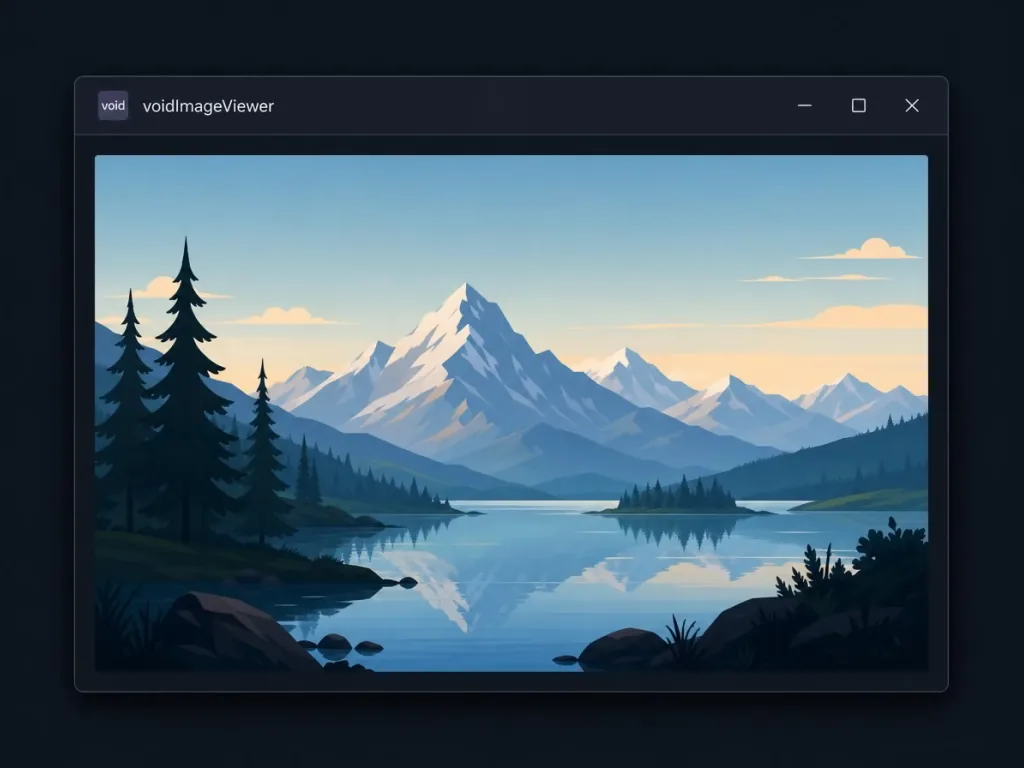
voidImageViewer is a lightweight Windows image viewer from voidtools (the author behind the Everything search tool). Written in C, tiny enough to be nearly invisible on disk, launching in about a second, it natively supports seven mainstream formats — BMP, GIF, ICO, PNG, JPG, TIF, WEBP — and plays GIF/WEBP animations with accurate frame timing. It currently sits at 2.4K stars on GitHub, a rare image viewer whose installer is only a few hundred KB.
3. A deep dive into the core features
1. Extreme lightness and instant launch
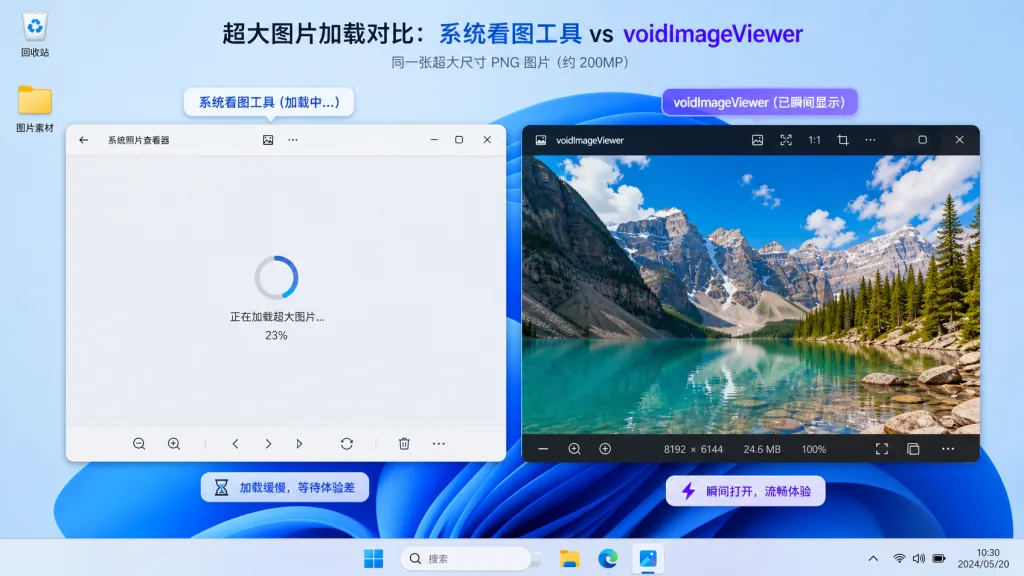
voidImageViewer is written in C and runs from a single file. The whole program depends on neither .NET nor the Visual C++ Runtime, and barely touches the registry. That restraint makes opening large images an order of magnitude faster than the system Photos app — Photos takes 3–5 seconds to load a 20MB RAW thumbnail, while voidImageViewer usually renders the first frame in under 200ms.
2. Accurate decoding for seven formats
BMP, GIF, ICO, PNG, JPG, TIF and WEBP all go through native decoding paths, avoiding the color shift and performance cost of routing through GDI+. TIF supports multiple pages, ICO supports multiple resolutions — very friendly for UI designers tidying up an icon library.
3. Faithful GIF/WEBP animation
Many viewers drop frames or stutter on GIFs. voidImageViewer strictly respects frame intervals and reproduces both GIF and WEBP animations smoothly at 60 frames per second — a key selling point for sticker designers and frontend engineers previewing motion.
4. Highly customizable views and controls
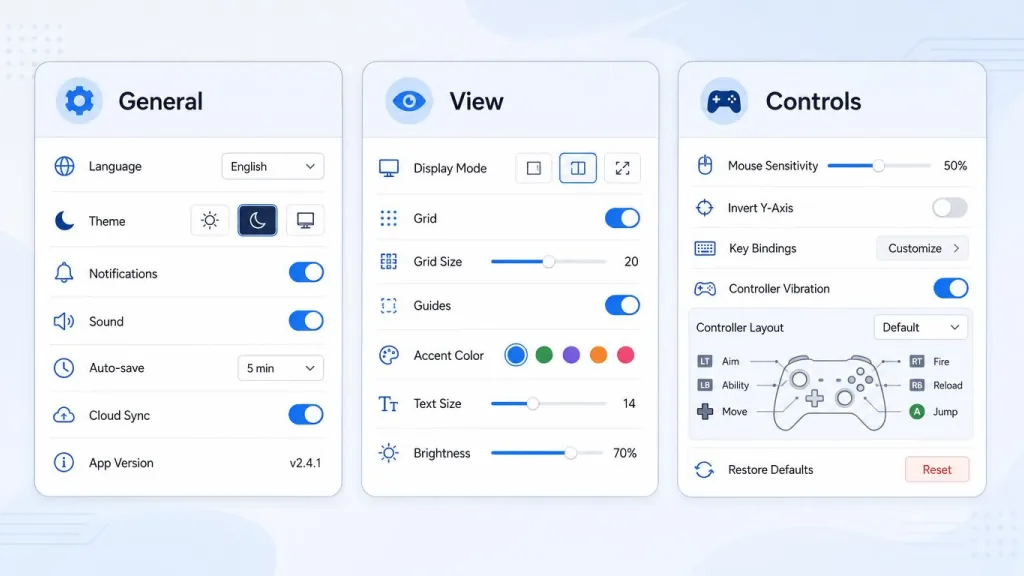
There are three independent settings panels — "General, View, Controls" — covering background color, scaling algorithm, keyboard shortcuts and mouse wheel behavior. The common bindings (A/D to page, +/- to zoom, Esc to exit) need no documentation.
4. Technical highlights and performance numbers
- Native C implementation: no GC pauses; resident memory typically 20–40MB, over 80% less than viewing images in Edge/Chrome.
- Zero-dependency deployment: the release is only a few hundred KB, portable, and runs straight off a USB stick.
- Layered rendering architecture: decoding runs in the background, separate from the UI thread, combined with on-demand loading for very low first-frame latency.
- Ecosystem compatibility: works across Windows 10/11, supports high-DPI scaling, and remembers window positions correctly on multi-monitor setups.
5. Who it's for
- Frontend engineers: previewing WEBP/GIF motion assets constantly, and needing frame-level accuracy.
- UI/UX designers: managing icon libraries (multi-resolution ICO) and screenshot assets (large TIF/PNG).
- Photo retouchers: flipping quickly through large exported JPG/PNG files without waiting.
- Who should skip it: people who need layer editing, batch renaming or format conversion. It only focuses on viewing, not editing.
6. Comparison with alternatives
| Tool | Install size | Startup speed | Animation accuracy | Format coverage |
|---|---|---|---|---|
| Windows Photos | Built in | Slow (3s+) | Drops frames often | Medium |
| 2345 Pic Viewer | 30MB+ | Medium | Average | Many |
| Honeyview | 10MB+ | Fairly fast | Good | Widest |
| voidImageViewer | < 1MB | Instant | Accurate | Seven mainstream |
voidImageViewer's advantage is taking "viewing an image" to the limit: smallest size, fastest startup, most accurate animation — at the cost of not doing unrelated things.

7. How to get started
- Download the latest archive from GitHub Releases.
- Extract it to any directory and double-click
voidImageViewer.exe. - Right-click any image → Open with → set it as the default viewer.
- Advanced: in
Options → General, switch the background to dark gray — easier on the eyes over long sessions. - Advanced: pin the exe to the taskbar and bring it up with
Ctrl+1. Keyboard users get maximum efficiency immediately.

8. Summary and what to do next
voidImageViewer pushes "viewing an image" to the limit in C: a few hundred KB, instant startup, frame-accurate animation, zero dependencies and fully portable. If you have been tortured by the stutter of the built-in Windows viewer, or you often want an image browser that "just runs" off a USB stick, give it a try — it comes from the same author as Everything, and the quality shows.
Project repo: https://github.com/voidtools/voidImageViewer
Official discussion: https://www.voidtools.com/forum/viewtopic.php?t=5623
#voidimageviewer #Voidimageviewer #voidtools #CLITools #DevTools #FrontendDev #OpenSource #GitHub