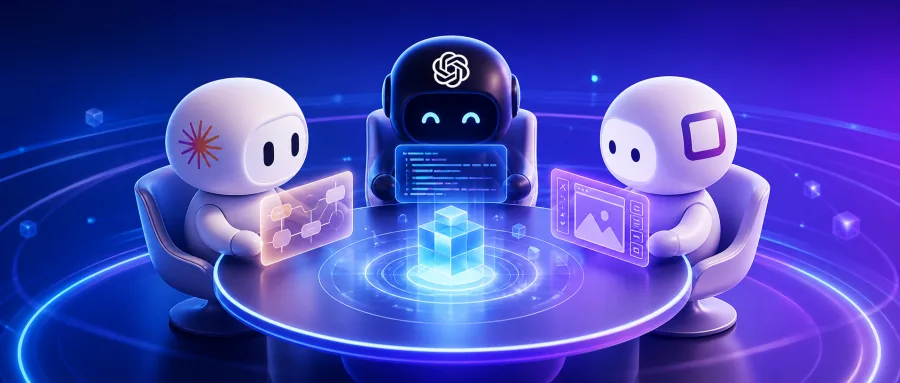
1. Opening: why you need this tool
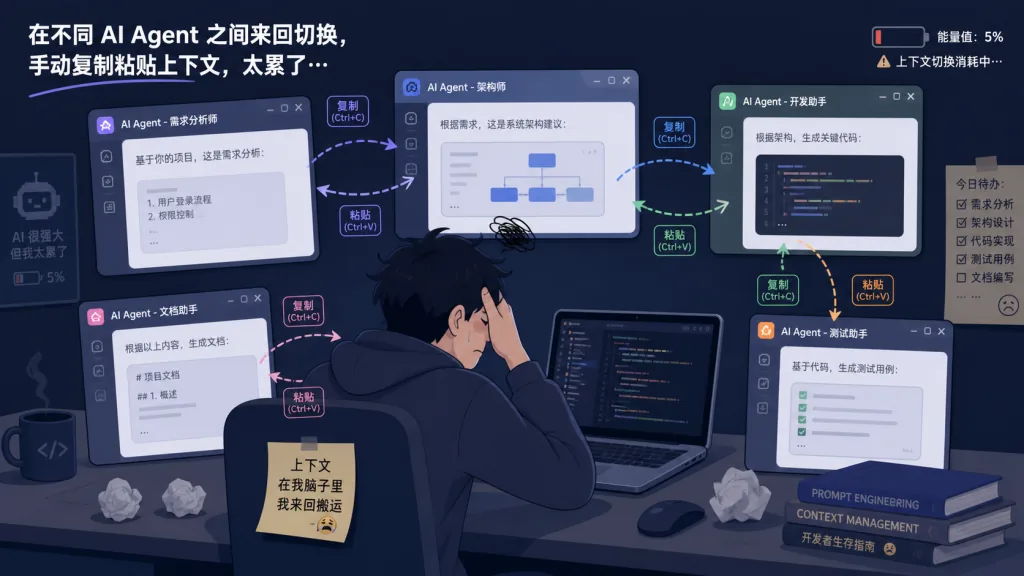
If you run Claude Code, Codex and Canvas on the same project, this scene will be familiar: Claude finishes the API backend, Codex picks up the frontend, and you have to paste the API docs in again and explain the context all over. Then, to generate UI assets, you open an image tool, download the result, upload it somewhere, and restate the requirements to the next agent.
You aren't doing the work — you're a courier for information. Multiple agents should form an automated pipeline, but split context, incompatible file formats and separate subscriptions turn them into a manual conveyor belt full of rework. Tutti (3255+ stars on GitHub, main language TypeScript) exists to fix exactly this: a real-time shared workspace that connects agents, files, apps and tasks.
2. Project intro: what it is in one sentence
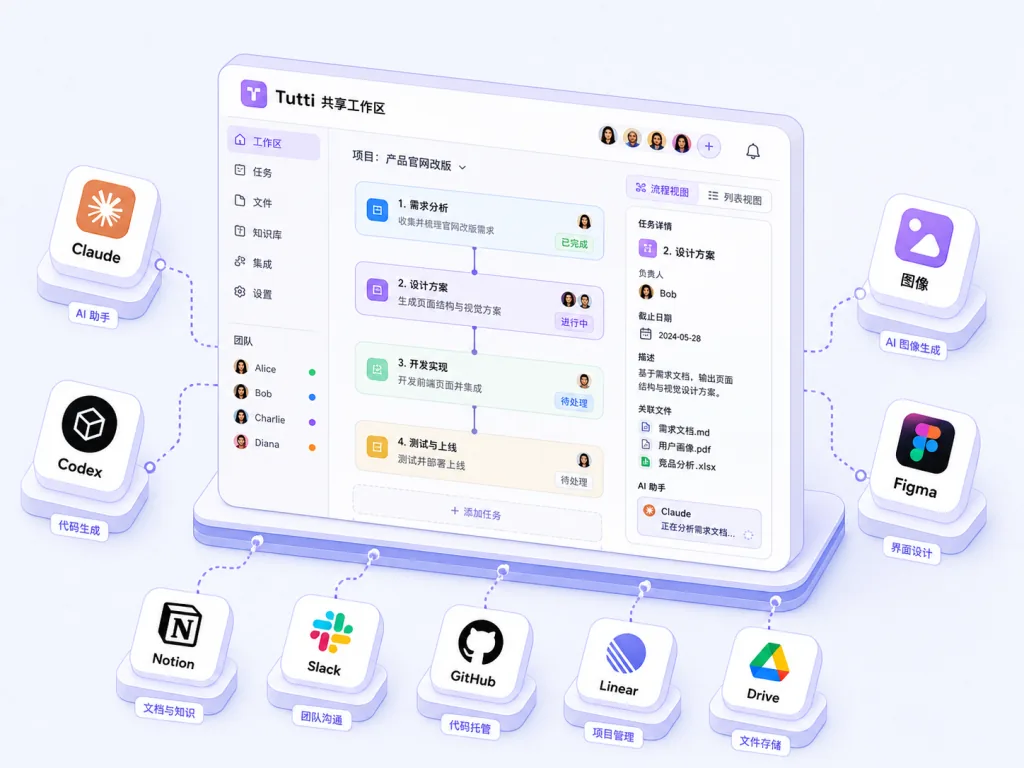
Tutti positions itself as a real-time shared workspace for humans and agents building together. License: Apache-2.0. Site: tutti.sh. Four keywords define it: real-time shared workspace, Big @ cross-context references, an app ecosystem (image, design, docs, PPT), and reuse of your existing subscriptions. It doesn't replace your Claude Code or Codex — it puts those agents on one workbench so Codex can see what Claude changed, what's running, and where the output landed. A local macOS client is available now, Windows is on the way, and the multi-user Tutti · VM edition has an open waitlist.
3. Core features in depth
1. Real-time shared workspace: one brain for every agent
Tutti is built on a real-time workspace that every agent can see: context, files, running tasks and app outputs all sync live. Codex no longer has to ask the user what Claude just changed — it reads workspace state directly. The sharpest capability is called Big @: inside Codex's chat box you can @ any earlier conversation, file, app call or task result, even a Claude Code session that ran on another machine, and keep building on top of it. Alongside the "+" button next to the input, local files and app output can be referenced in one click — zero copy-paste throughout.
2. An app ecosystem shared by humans and agents
A real workflow usually spans prototyping, visual generation, document writing and PPT output. The traditional approach means subscribing to Claude Design, Midjourney, Notion AI and Gamma separately, then hauling artifacts around by hand. Tutti ships official apps for image generation (AI Canvas), UI/UX design, docs and PPT. These apps run on top of the Claude / Codex subscription you already have, with no extra bundle fee. You can use them, and so can your agents — for example, have Codex call the prototype-design app to generate a UI sketch. The effect is equivalent to giving Codex the capabilities of Claude Design, and the result feeds straight into the next coding step.
3. Less "work about work": goals to tasks, control center, full GUI
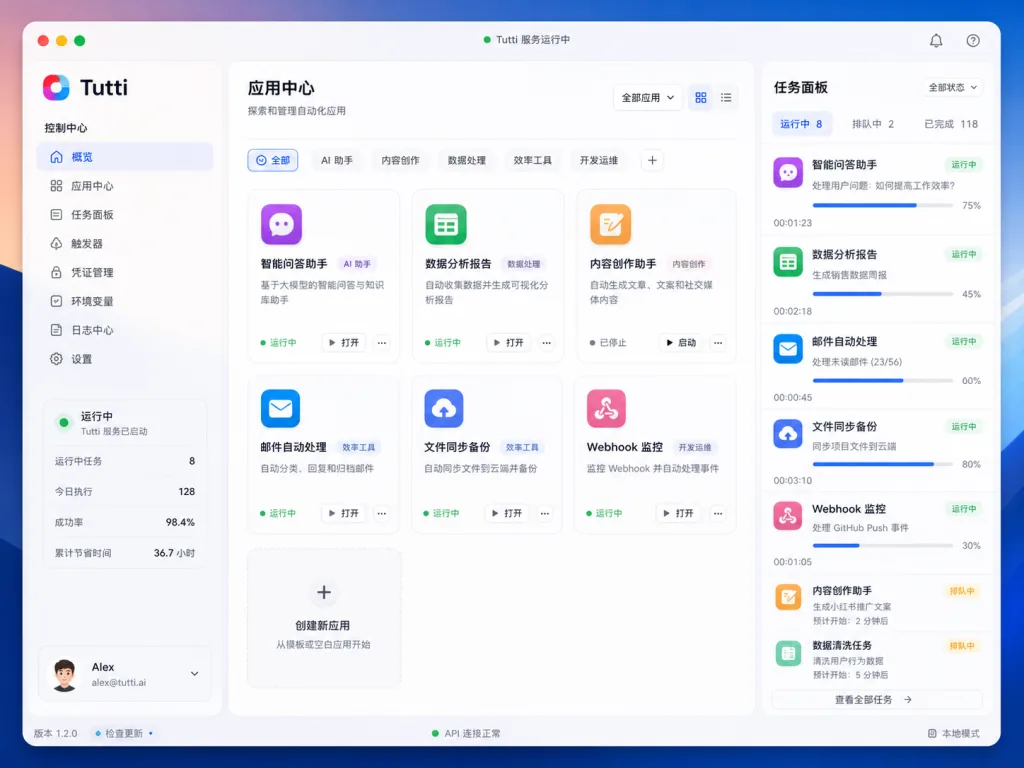
Tutti turns the three things that most often break your flow — breaking down tasks, approving actions, monitoring runs — into three visual panels. Goals to Tasks: you describe only the goal, e.g. "I want to build a marketing site," and Tutti breaks it into a subtask list; you review it and assign tasks to the most suitable agent. Control Center: one view aggregates every agent conversation, every action waiting for your approval and every running task; anything that needs you is highlighted and handled in one click. GUI Interface: a fully graphical interface with zero command line, so designers, PMs and content creators can start immediately.
4. Technical highlights and performance
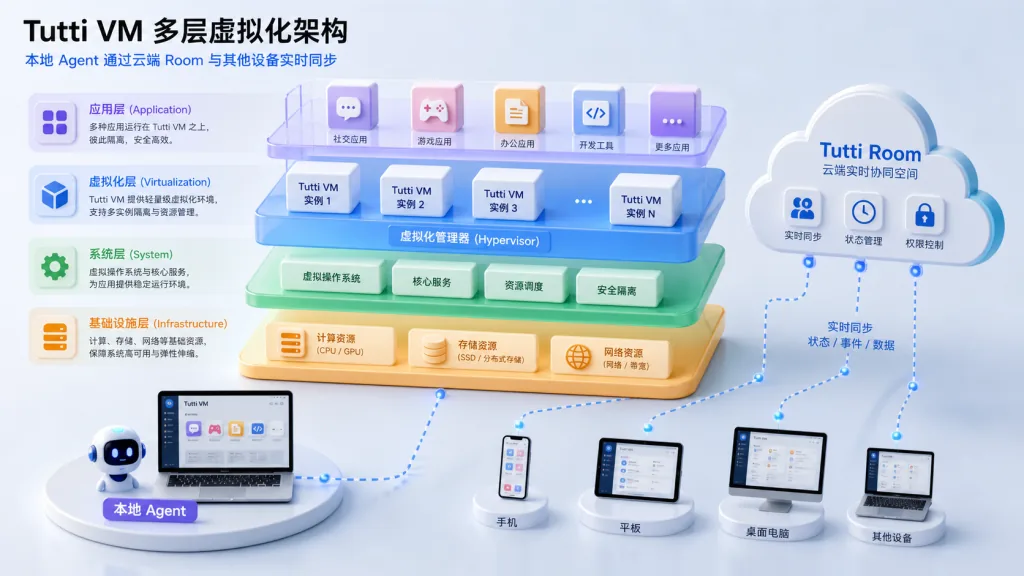
Tutti · VM introduces multi-layer virtualization that syncs a local agent's working state to a cloud "Room" in real time, enabling multi-user collaboration across devices and people while agents keep running locally with their subscriptions and config untouched. Supported agents currently include Claude Code, Codex and Hermes; OpenClaw (built on DeepSeek) is in development. Key architectural decisions: all app output settles in the workspace instead of scattering across local folders, so Big @ and "+" references need no re-upload; the subscription layer adds zero extra cost and doesn't mark up capabilities on top of the model. On ecosystem compatibility, official apps, community apps and your own apps can all connect.
5. Use cases and audience
Tutti targets every role in multi-agent collaboration. Indie developers: let Claude draft the plan and Codex carry the build forward without re-explaining the project background. Designers: produce a mockup in the design app and have Codex turn it into working code, skipping manual annotations. Product managers: after Codex writes the PRD, have it call the UI/UX app to generate a prototype without opening Figma. Content creators: scripting, illustrations and layout in one place. Who it's not for: very light users running a single agent with no cross-context needs.
6. Comparison with alternatives
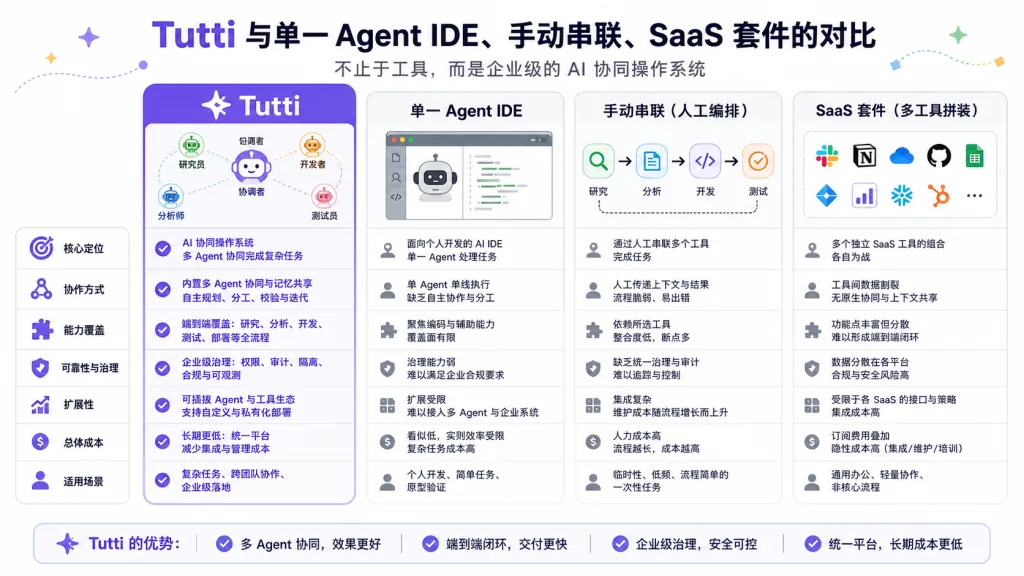
| Dimension | Tutti | Single-agent IDE (e.g. Cursor) | Agents chained by hand | SaaS-suite AI workbench |
|---|---|---|---|---|
| Multi-agent collaboration | Native, shared context in real time | Not supported | Manual hauling | Partial, context is siloed |
| App ecosystem | Built-in image/design/docs/PPT | None | Integrate it yourself | First-party apps, subscription lock-in |
| Subscription cost | Reuses your Claude/Codex subscription, zero extra | Requires an IDE subscription | Separate subscriptions | Extra bundled fees |
| Cross-device, multi-user | Supported via Tutti · VM | Not supported | Not supported | Partial |
| Open source | Apache-2.0 | Closed | Depends on the tool | Closed |
Tutti's difference is that it doesn't take work away from the agents — it only provides the workbench. Shared workspace, Big @ and the app ecosystem together cut collaboration friction between agents to a minimum.
7. Getting started quickly
First, go to tutti.sh/desktop/download and grab the macOS client (universal build for Apple Silicon and Intel). Second, launch Tutti and connect your existing Claude Code, Codex or Hermes subscription. Third, create a workspace and describe a goal, e.g. "build a product landing page" — Tutti breaks it into subtasks and shows them in the control center. Fourth, click "assign" on a task card, pick the agent and app to use, and watch how Big @ and "+" references chain the context together. Going further: try @-ing a past Claude Code session inside Codex to verify the zero-copy-paste handoff, and join the Tutti · VM waitlist for multi-user collaboration.
8. Takeaways and next steps
Tutti frees multi-agent collaboration from manually hauling context around and turns it into a real-time shared workspace. The value boils down to three words: share, reference, reuse. Anyone using two or more AI agents at once should download it and try. Repo: github.com/tutti-os/tutti; site and download: tutti.sh; collaboration waitlist: tutti.sh/waitlist. One-line pitch: the first time Codex, Claude and Canvas actually sit at the same table.