Title options (pick 1 of 3)
Still picking colors by hand for photo editorial layouts? Try the 4K-star Photo Abstract Editorial
Three images a night vs. a dozen in the time it takes to drink a coffee — with this Skill
Neither a filter nor style transfer: how Photo Abstract Editorial splits a photograph into two semantic layers
1. Opening: stop fiddling with this by hand
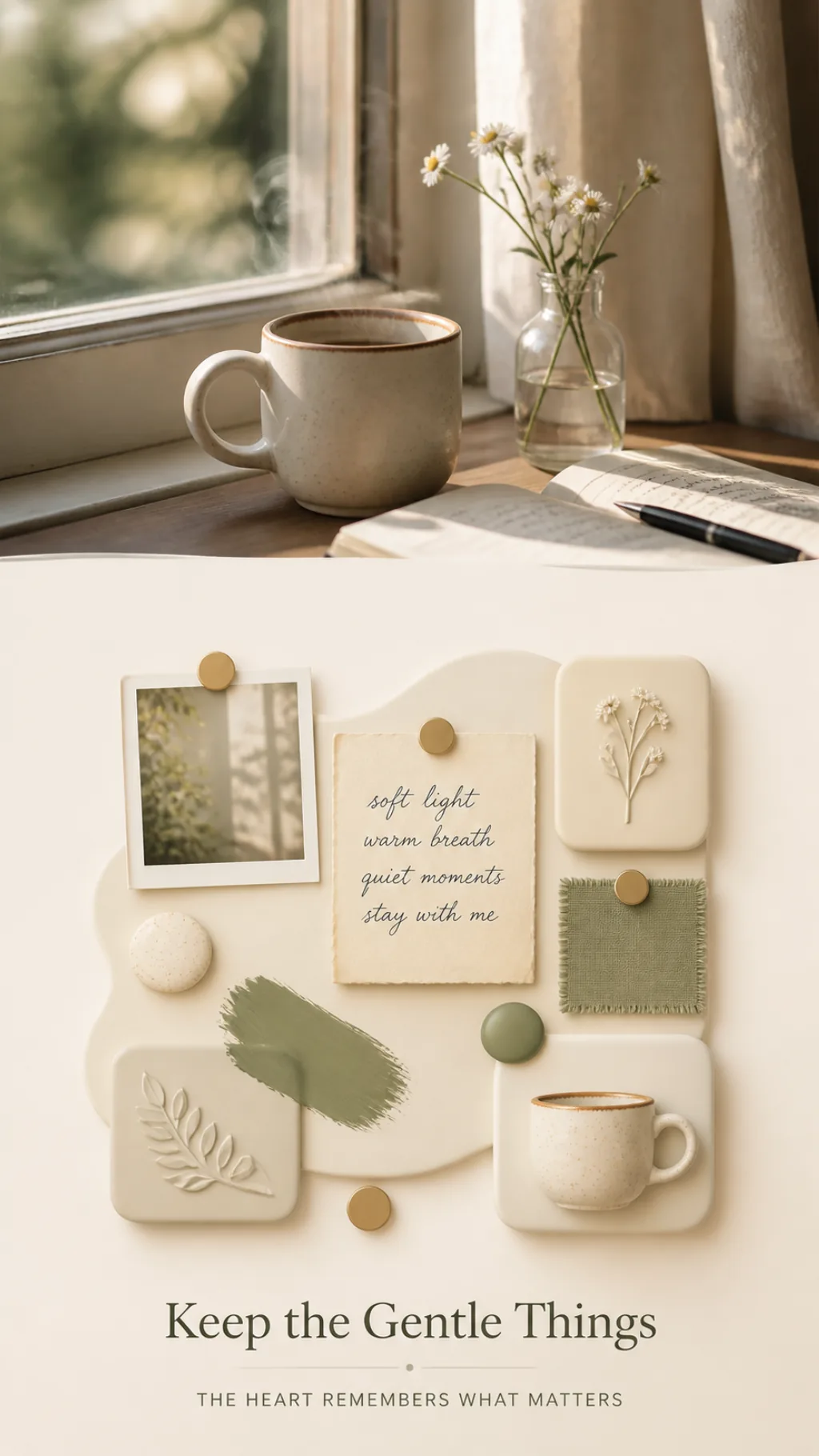
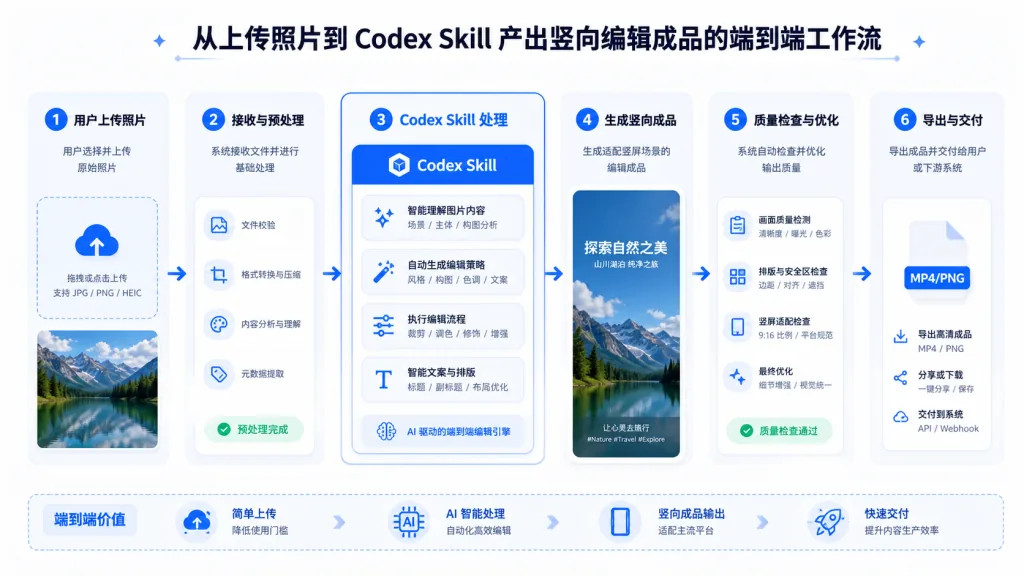
Anyone doing editorial work for Xiaohongshu, Instagram or a Verse column has been through this moment: you've built up a set of carefully shot photos, and you want to publish them as a vertical editorial layout — original photo on top, abstract color blocks below, one poetic English line in between. So you open PS or Figma and start picking colors by hand, drawing blocks, hunting for a typeface, tuning the layout, adjusting the stacking order — that's 40 minutes per image, minimum. Six images and the whole evening is gone.
The result is the more awkward part: the abstract panel often doesn't match the photo's character at all. The colors look randomly sampled, the composition feels like it was started from scratch, and you end up consoling yourself with "well, it's a different reading." Once this kind of extracted re-creation isn't standardized, the work starts to look cheap. Photo Abstract Editorial, a 4K+ star project, exists precisely to fix that: it distills the generation of that abstract panel into a reusable prompt pipeline.
2. Project overview: in one sentence
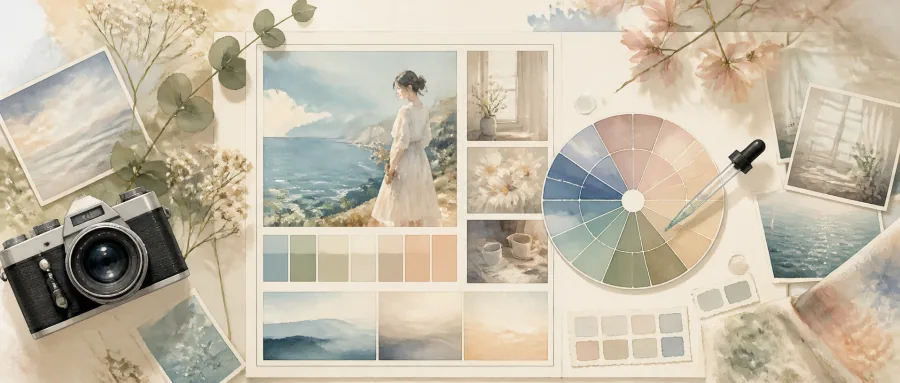
Photo Abstract Editorial is a Skill for Codex that turns a single photograph into a vertical editorial piece — an original photography region, an abstract memory panel, and a poetic English title. It's tightly scoped around three things: ① preserving what the photograph actually contains; ② deriving only spatial relationships, compositional rhythm and color relationships from the photo itself; ③ shipping a complete bilingual prompt that works out of the box.
It has passed 4035+ stars on GitHub and is one of the more representative entries in the "the prompt is the product" category.
3. Core features in depth
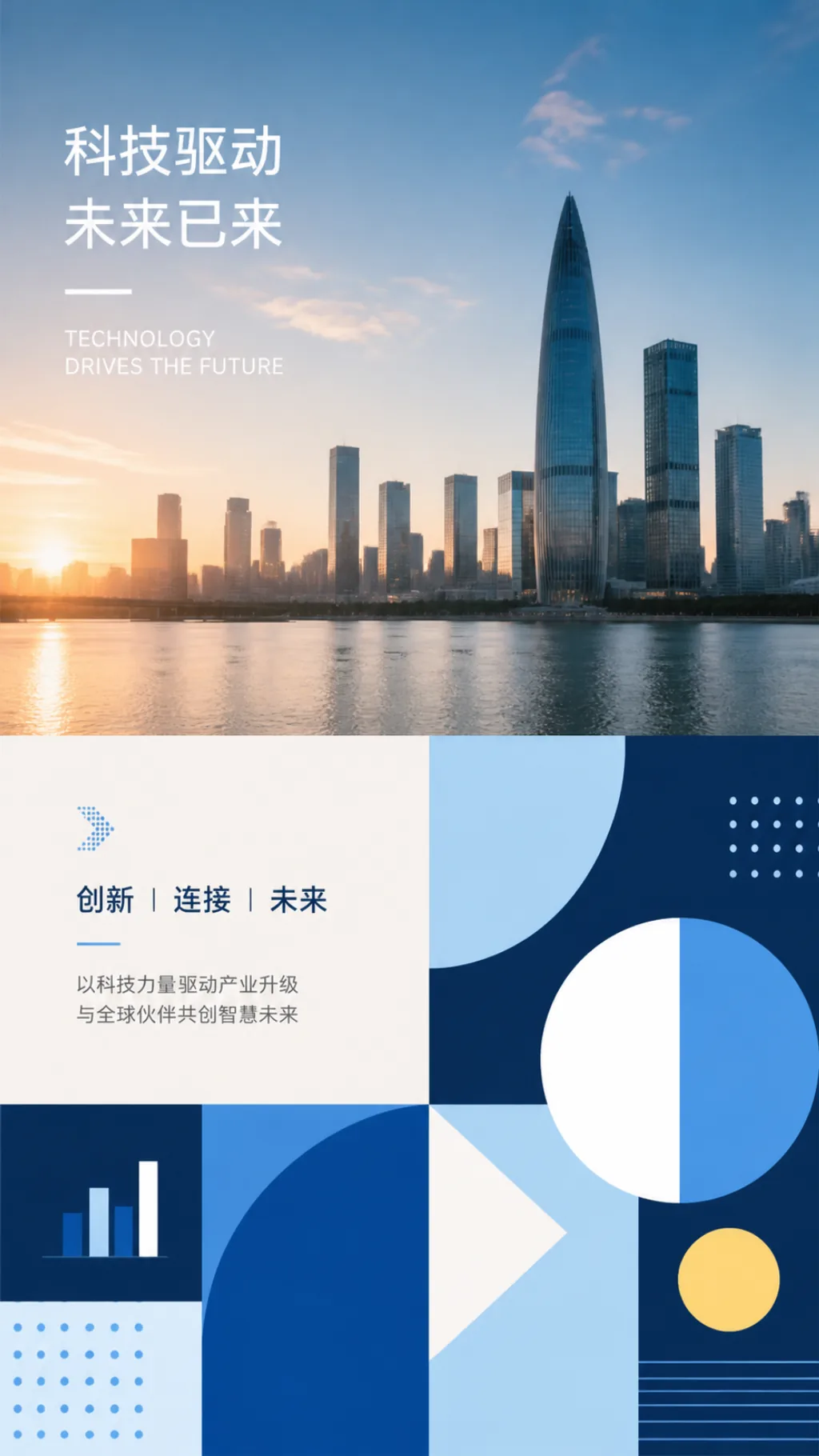
1. Layout constraints for the photo region and abstract panel
The Skill's prompt spells out the physical structure of the output: the original photo stays in the "upper or main region" of the piece, an extremely minimal abstract panel derived from relationships in that photo goes below, and the whole piece keeps only one original English title (with an optional subtitle). That "photo on top, panel below" rule exists to make the result feel predictably editorial, so AI improvisation doesn't let the layout drift.
2. A "traceable" abstraction principle
This is the most praiseworthy part of the Skill. The prompt states strictly that every significant element in the abstract panel must be traceable to a real spatial, color or structural fact in the original photograph. In other words, you can't invent a red block out of thin air and stick it under the photo — the red has to come from the photo.
That's fundamentally different from the usual "filter" and "style transfer": a filter applies a uniform effect, style transfer repaints the photo, while Photo Abstract Editorial insists on "reproducing relationships, not details." Prioritizing relationships is what gives the output both recognizability and an editorial feel.
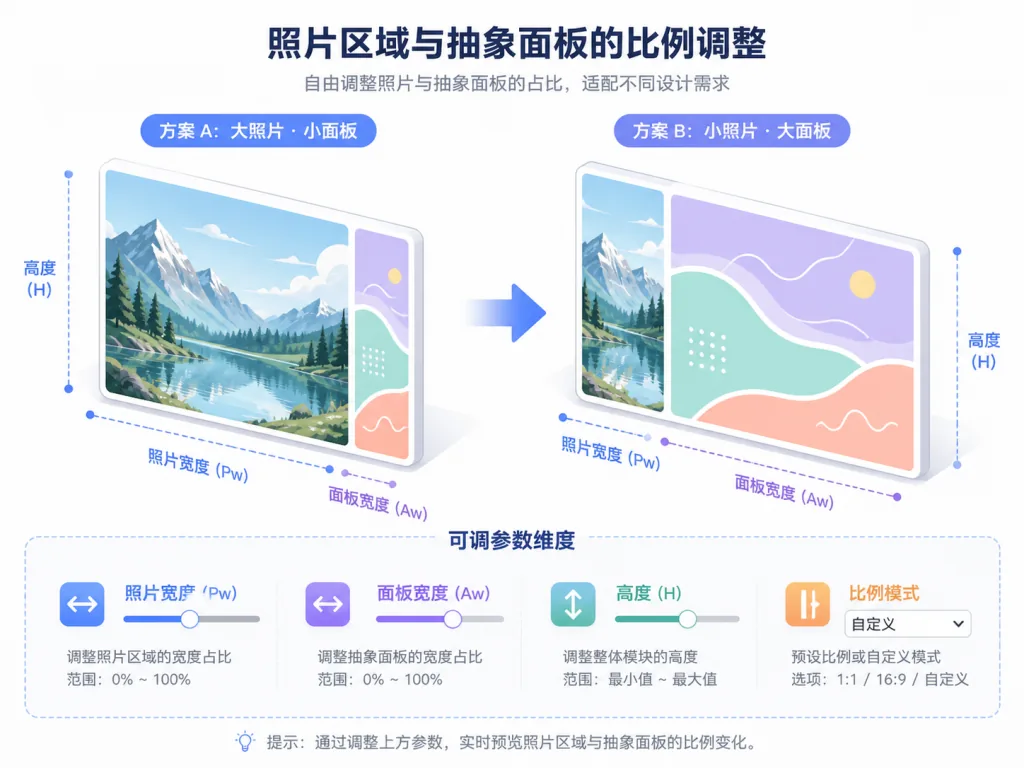
3. Highly adjustable abstraction parameters
The prompt is not a rigid rulebook but a "high-quality starting point." Users can freely adjust five dimensions: ① the height ratio of photo to panel and the canvas aspect ratio; ② the ivory panel background, extracted color saturation and number of dominant colors; ③ the mix ratio of abstract forms (color blocks, organic texture, curved strokes, short bars, layered color bands, simplified architectural texture, fine lines, dot markers); ④ motif position, title position, typeface character, whether to use a subtitle; ⑤ the degree of abstraction, sliding between "relationships first" and "retain a few identity cues" — for a landmark building, for instance, you can keep more recognizable detail.
4. Complete bilingual prompt assets
The repo ships full prompts in both Chinese and English: photo-abstract-editorial-prompt.zh-CN.md and photo-abstract-editorial-prompt.en.md. That means even without a Codex environment you can copy either prompt into Midjourney, DALL·E, Stable Diffusion or any other image generator and reuse it — the migration cost is close to zero.
4. Technical highlights and performance data
This project is essentially "prompt engineering + workflow specification." Its technical highlights come down to four points:
- Constraint-based prompt design: explicit textual prohibitions plus structural description lock down the layout, compressing the AI's freedom to "you may only adjust the specified parameters," which is what keeps output stable.
- The traceability principle: every abstract element must trace back to the original photo, which significantly reduces the visual dissonance caused by "AI hallucination."
- Parameterized abstraction freedom: a continuously adjustable slider between "total free rein" and "fully locked down," balancing creative quality and efficiency.
- Ecosystem compatibility: beyond native Codex support, the prompt itself is model-agnostic and works with any LLM that supports image generation or multimodality, including GPT-4V, Gemini and Claude.
One clarification: this isn't a code project in the traditional sense, so there are no QPS or response-time metrics. Its "performance" shows up in prompt stability, reusability and cross-platform compatibility.
5. Use cases and audience
Who it's for: ① content creators who keep publishing photo-plus-caption layouts for Xiaohongshu, Instagram, Verse, Jike and similar platforms; ② visual designers who want to quickly produce "photography + editorial design" two-layer material; ③ photography enthusiasts who want to add an editorial layer to their portfolios; ④ AI art players looking for a reusable prompt template with stable style.
Who it's not for: ① users who just want traditional film tones or retro filters — this isn't a filter; ② users who want to turn photos into illustrations, anime or oil paintings — this isn't style transfer; ③ scenarios that need outpainting, restoration or repainting of the original — this Skill explicitly forbids altering the photo region.
6. Competitor comparison
| Dimension | Photo Abstract Editorial | Generic LLM prompt templates | Midjourney built-in styles |
|---|---|---|---|
| Layout constraints | ✅ Photo on top, panel below, mandatory | ❌ No layout constraints | ❌ No layout constraints |
| Traceable abstract elements | ✅ Must come from the original photo | ❌ No such requirement | ❌ No such requirement |
| Parameterized adjustment | ✅ Five adjustable dimensions | ❌ Usually hardcoded | ⚠️ Basic parameters only |
| Alters the original photo | ❌ Strictly forbidden | ⚠️ Depends on the prompt | ✅ Usually yes |
| Bilingual prompt | ✅ Full Chinese and English | ⚠️ Depends on the project | — |
7. How to get started fast
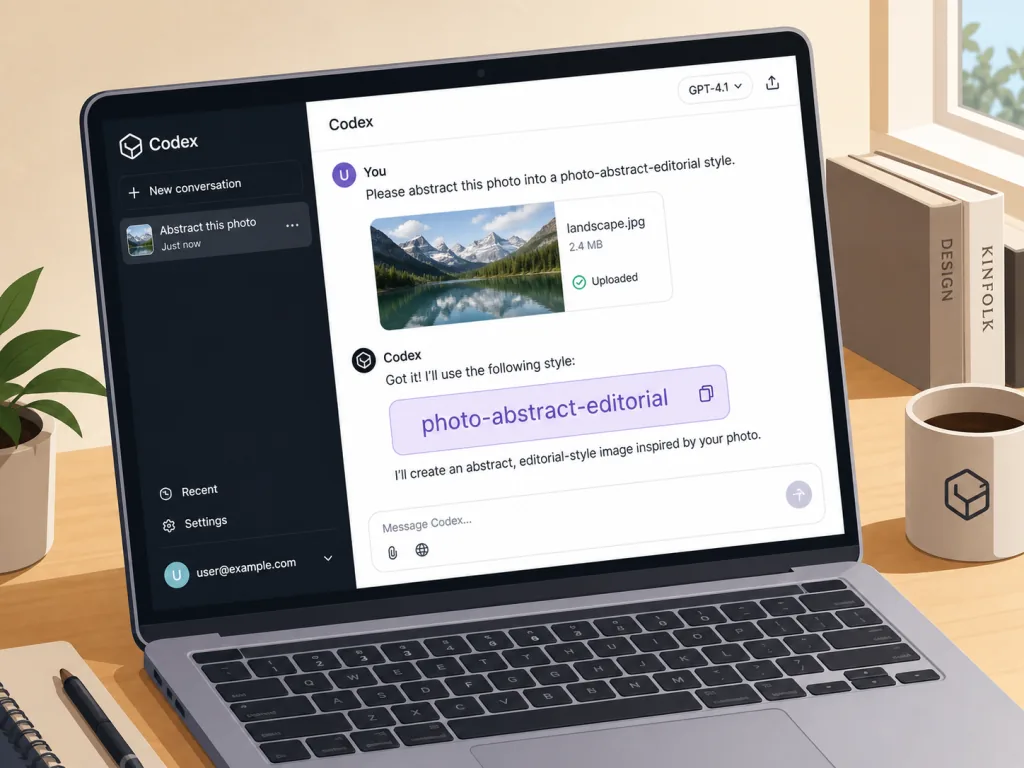
Option one: use it as a Codex Skill
- Copy the entire
photo-abstract-editorialfolder into Codex's skills directory, for example~/.codex/skills/; - Start a new Codex conversation and upload a photo you want to process;
- Ask directly: "Use photo-abstract-editorial to turn this photo into an editorial piece combining the photograph and an abstract panel."
Option two: use the prompt directly
Open references/photo-abstract-editorial-prompt.zh-CN.md or the English version, paste the contents into any image generation tool, and submit it together with the photo you uploaded.
Advanced tip: run it once with the default parameters, then fine-tune the "degree of abstraction" against the subject matter — landscapes do better with "relationships first," while landmarks or a clear subject do better with "retain a few identity cues."
8. Summary and next steps
With a prompt that has been refined over many iterations, Photo Abstract Editorial turns "photography + abstract editorial layout" into a reusable, parameterized, traceable, standardized process. For content creators that means a workflow that used to produce three layouts a night can now produce a dozen in the time it takes to drink a coffee, all with a consistent character.
How to use it: treat it as a "LUT for editorial design" — run the defaults first to establish a baseline, then fine-tune the five dimensions to match your own taste.
Why it's worth a try: 4K+ stars validated, 4035 real users behind it, a complete bilingual prompt, no coding required, and cross-platform compatibility.
Project: https://github.com/ZzzLc0405/photo-abstract-editorial
License: CC BY-NC-SA 4.0 (free for personal, educational and non-commercial use; commercial use requires authorization)