Title options (pick 1 of 3)
5 open-source tools I use every day for article images and color palettes
5 open-source projects that let me log off earlier, all in one go
Essential for article covers: 5 open-source illustration and palette tools that actually deliver
1. Intro: almost every developer has been here
You're halfway through a technical article and need one diagram to explain the mechanism. You want a flowchart for a product proposal and spend twenty minutes fiddling with colors before drawing anything. You wrote a script and want the SVG to "draw itself stroke by stroke," only to end up wrestling Canvas in the browser. You want a set of short-video covers in one consistent style, and you're stuck on "which color first." None of these are big problems, but repeat them daily and the time quietly disappears. The five open-source projects below are my private stash for exactly this kind of small-but-frequent annoyance.
2. The lineup
| Project | Stars | Language | One-line pitch |
|---|---|---|---|
| op7418/guizang-material-illustration | 1.16k | — | Material illustration skill with Chinese labels, built for "that middle image that actually explains things" |
| adrianpunk/punk-ip-illustrations | 198 | Python | Upload a photo to build a personal IP character, then illustrate articles in one consistent style |
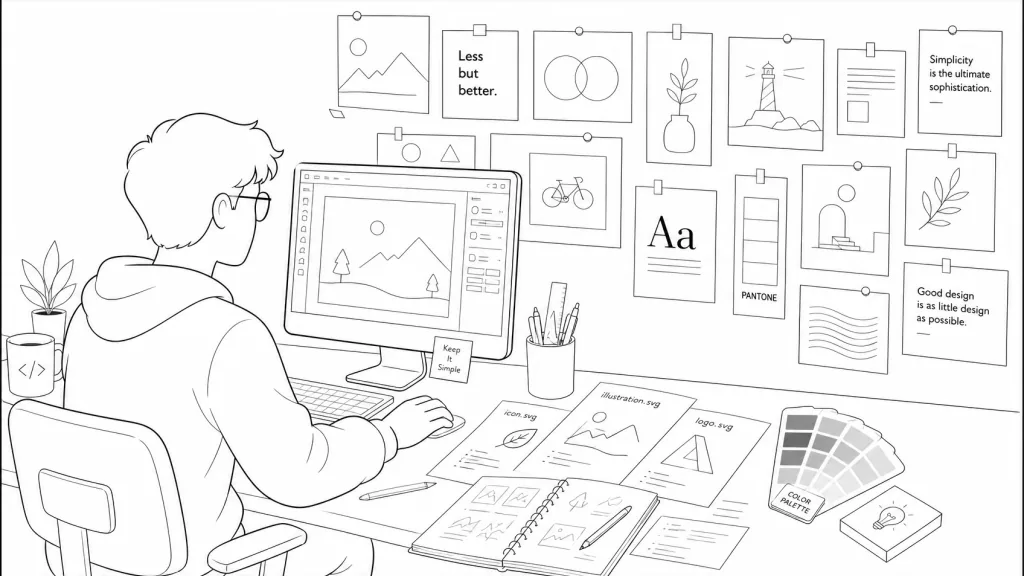
| shaom/svg-hand-drawn-skill | 252 | JavaScript | Turns any SVG into a one-click playable hand-drawn animation |
| cathrynlavery/diagram-design | 41.5k | HTML | Editorial-grade diagram skill: self-contained HTML+SVG, no more cheap-looking Mermaid |
| irenerachel/style-pack-skill | 55 | Python | Extracts visual DNA from reference images and enforces annotated + flat-color palette cards |
3. Project breakdown
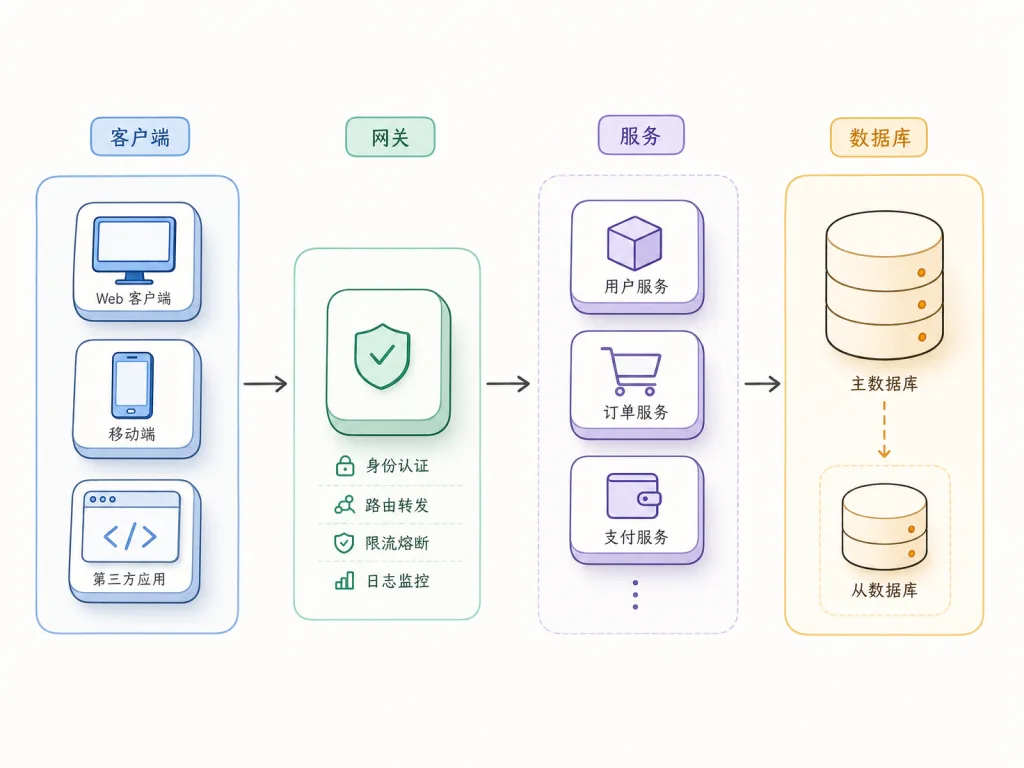
op7418/guizang-material-illustration — labeled material illustrations that make "the middle image" explain something
This is an illustration skill for Claude Code / Codex. It solves how to draw "the middle image" in articles, slides and Xiaohongshu cards — it can't be an abstract mood board nobody understands, and it can't be a pretty but useless pile of unlabeled decoration. It generates material illustrations with Chinese labels, covering flowcharts, mechanism diagrams, comparisons, hierarchy diagrams, scenario explainers, and material-style restyling of charts like bar and Sankey diagrams. Restrained Swiss editorial composition, soft 3D materials, a few accent colors — that's its default visual language.
Who it's for: authors writing technical blogs, product docs, teaching material, WeChat/Xiaohongshu long images, or anyone who needs to visualize niche concepts (PKCE, Zettelkasten, Andon, etc.). Who it's not for: publication-grade scientific data figures, full Xiaohongshu card layouts (that's the companion Social Card skill's job), or portrait photography.
Minimal setup
Just tell the agent:
Install this skill for me: https://github.com/op7418/guizang-material-illustration
Or do it manually:
git clone https://github.com/op7418/guizang-material-illustration.git ~/.claude/skills/guizang-material-illustration
Once installed, just say:
Use the Guizang material illustration skill to turn this PKCE explanation into a flowchart with Chinese labels.
Repo: https://github.com/op7418/guizang-material-illustration
adrianpunk/punk-ip-illustrations — build the character once, reuse it across the whole article
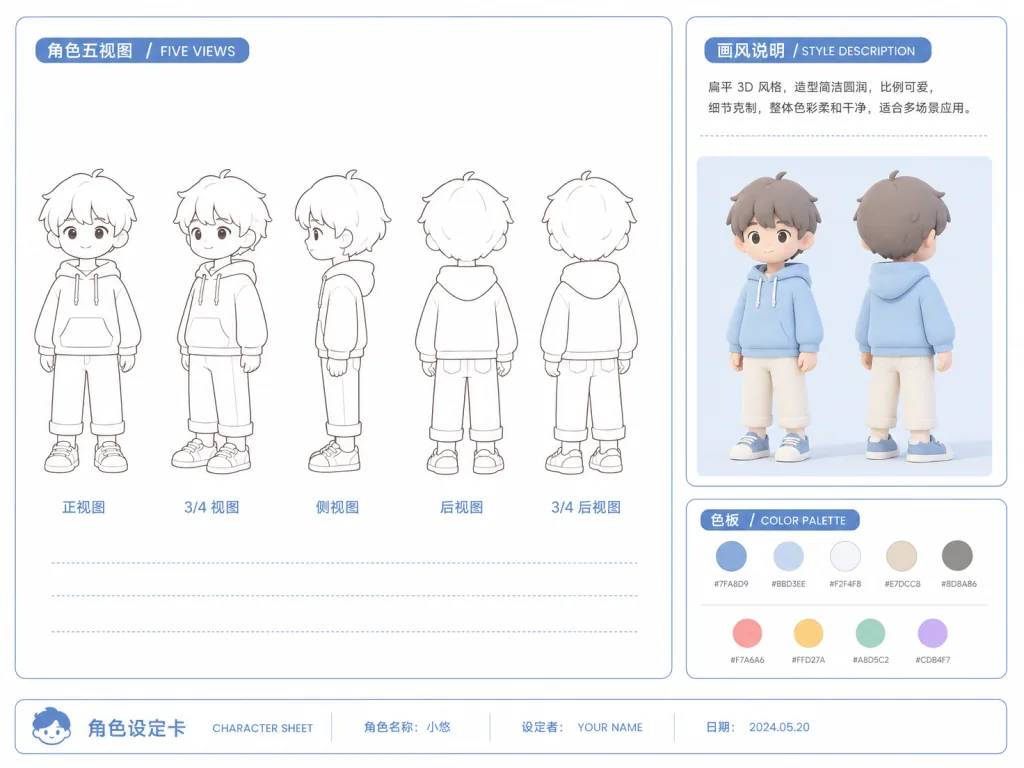
This skill breaks "building a personal IP illustration" into a clear pipeline: pick a style first (loose line-and-wash, or retro flat 3D color), then upload a portrait photo, and it produces multi-view character sheets, a single-character reference and a character spec. After you confirm, the skill reads the entire article, decides how many images the information density calls for, and generates 16:9 vignette illustrations one by one. It also ships two modes — "process breakdown" and "key action" — that insert directly into Markdown, automatically finding paragraph anchors and never dumping an image into the middle of a sentence or list.
Who it's for: WeChat/Zhihu column authors, PMs writing tutorials, personal-brand content creators. Who it's not for: people who just want a few one-off illustrations and don't care about character consistency — generic AI image generation is actually lighter.
Minimal setup
Just tell the agent:
Please install this Agent Skill for me: https://github.com/adrianpunk/punk-ip-illustrations
Or manually (macOS / Linux):
git clone https://github.com/adrianpunk/punk-ip-illustrations.git ~/.codex/skills/punk-ip-article-illustrations
Once installed, upload a photo and say:
Use $punk-ip-article-illustrations, choose the loose line-and-wash style, and create a personal IP character named "Xiaoming" from the photo I uploaded.
Repo: https://github.com/adrianpunk/punk-ip-illustrations
shaom/svg-hand-drawn-skill — turn any SVG into hand-drawn animation with one sentence
The repo is tiny and does exactly one thing: convert an SVG into a playable preview page that draws it stroke by stroke. The skill delivers two assets by default — a preview.html (watch the animation right in the browser) and a player.js (the playback core you can embed in any page). It draws SVG paths first, then fills in color blocks, preserving the source colors as much as possible. The path animation plus color fade-in combination works well for technical blogs, product demos and documentation sites.
The player API is equally restrained: play() / pause() / seek(ratio) / setSpeed(value) / destroy(), with no extra dependencies.
Who it's for: frontend folks and designers who want to add some cinematic feel to SVGs in technical articles, add a loading animation to a product launch page, or make diagrams "come alive" on a docs site. Who it's not for: anyone needing Lottie-grade interactive detail, or wanting to hand-draw raster images — this only eats SVG.
Minimal setup
Clone the repo into your client's skills directory:
git clone https://github.com/shaom/svg-hand-drawn-skill.git
Then tell the agent:
Turn this SVG into a hand-drawn preview page and output preview.html and player.js. The SVG path is examples/svg-player-demo/975549_OGFB9T1.svg.
To embed it in your own page:
<div id="svg-player"></div>
<script src="./player.js"></script>
<script>
  createSvgHanddrawPlayer("#svg-player", { svgMarkup: "<svg>...</svg>", speed: 1 });
</script>
Repo: https://github.com/shaom/svg-hand-drawn-skill
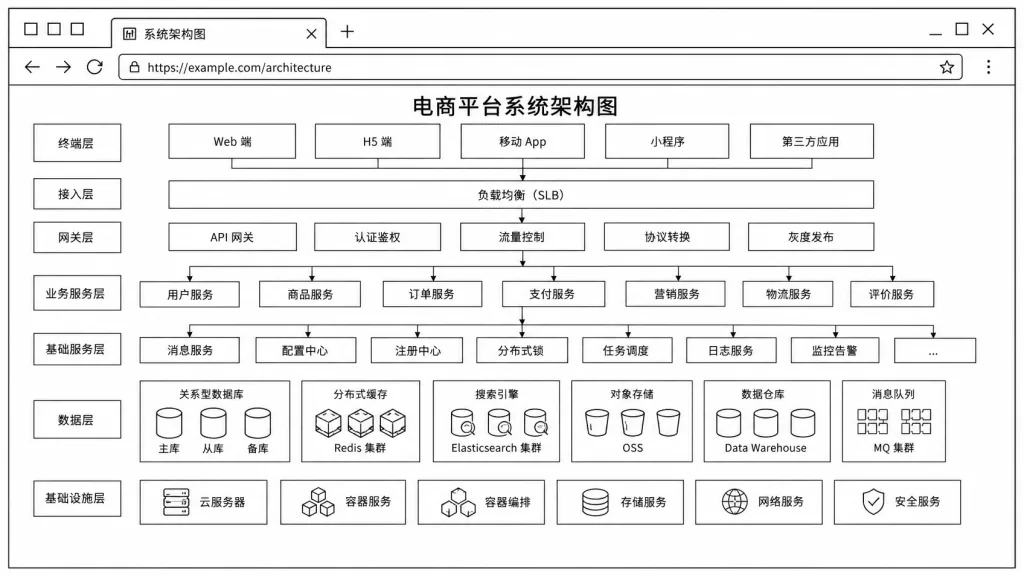
cathrynlavery/diagram-design — editorial-grade diagram skill, no more cheap Mermaid
This is a 40K-star heavyweight that fixes "AI diagrams look ugly, but I don't have time to draw my own." It gives Claude Code / Codex / Pi a full set of editorial-grade diagram templates: self-contained HTML + SVG, no shadows, no rounded boxes, no color agonizing. Every diagram type comes in three static variants — minimal light, minimal dark, full editorial — and opens straight in a browser with no build step. Recent versions add ten more layout grammars, including Loop / flywheel, Sankey, fishbone, Wardley map, Kanban and UML class diagrams.
Its standout feature is brand adaptation: it reads your site and pulls the primary color within 60 seconds, so you never go back and forth with Figma again. It can also redraw your existing draw.io / Mermaid / Excalidraw source files at a specified size and level of detail.
Who it's for: authors and teams writing architecture docs, technical blogs and weekly product reports who need long-term visual consistency. Who it's not for: people who just want a quick throwaway flowchart and don't care how it looks — Mermaid is still less effort.
Minimal setup
Clone the repo into your skills directory:
git clone https://github.com/cathrynlavery/diagram-design.git
Then tell the agent:
Use diagram-design to draw an architecture diagram for me: client → API gateway → user service → order service → PostgreSQL, with the primary color taken from the blue in my site's nav.
Repo: https://github.com/cathrynlavery/diagram-design
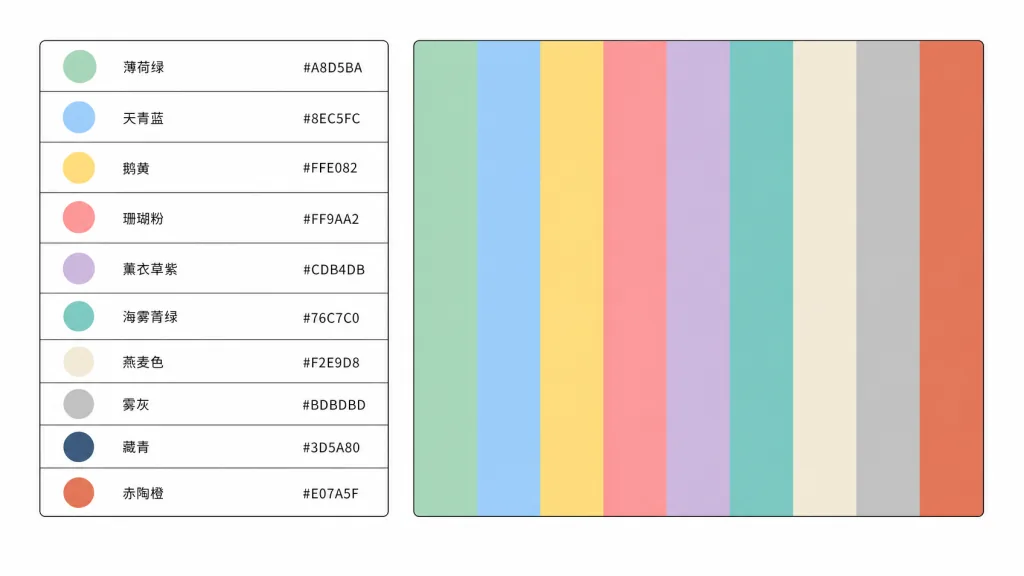
irenerachel/style-pack-skill — pull visual DNA out of reference images, force two palette cards
When making short-video covers, AI imagery or brand derivative design, the hardest part is always "which color first." This skill enforces a strict process: extract reusable visual DNA from film stills, video screenshots or a folder of reference images — reusing only color, light, composition, camera, material and rhythm, never copying specific elements from the work. Every official group must produce two 1920×1080 RGB PNG palette cards: an annotated card (character index, Chinese color name, uppercase HEX) and a flat card (10 full-bleed color blocks, no text or borders). The color model is fixed at 3 primary + 5 secondary + 2 accent colors, with a validation script that fails if even one card is missing.
Who it's for: creators and studios doing AI video, short dramas or comic storyboards who need stable style output. Who it's not for: people who just want to tweak one image and eyeball it — its palette generation and validation are built for batch production.
Minimal setup
Clone the repo into your skills directory:
git clone https://github.com/irenerachel/style-pack-skill.git style-pack
Then tell the agent:
Use the style-pack skill to extract visual style DNA from the ./references/wong-kar-wai/ folder, generate two sets of palette cards and output the JSON color values.
To validate locally:
python3 scripts/validate_palette_cards.py "./references/wong-kar-wai"
==Note: the script depends on Python 3 + Pillow + NumPy + OpenCV==
Repo: https://github.com/irenerachel/style-pack-skill
4. Takeaways and next steps
- If you write technical docs or blogs daily: install
cathrynlavery/diagram-designfirst, thenop7418/guizang-material-illustration— together they cover 80% of "I don't have enough figures" cases. - If you're building a personal content brand and need character consistency: run
adrianpunk/punk-ip-illustrationsonce and get your own character built. - If you need consistent video or visual style:
irenerachel/style-pack-skill's dual palette cards are the discipline guarantee for a production line — go deeper as needed. - If you want SVGs to "move":
shaom/svg-hand-drawn-skillworks out of the box with zero dependencies.
#AI video editing #scripted video #talking-head video #GuizangMaterialIllustration #PunkIpIllustrations #SvgHandDrawnSkill #DiagramDesign #StylePackSkill #guizang-material-illustration #punk-ip-illustrations