
Title options (pick 1)
5 open-source web-reading tools I use every day
These 5 open-source projects let your Agent actually read the internet
Still stuck because your Agent can't get online? Install this list and move on
1. Opening: still stuck on this?
The PM asks you to check what people on Xiaohongshu think of a new product. Ops asks you to scan Twitter for recent reactions to something. A researcher asks for a dump of a Reddit thread about a bug. Your Agent says "sure, let me look" — and you already know: it can't see the page after Twitter's bot defenses, it can't read a Bilibili video behind full blocking, let alone handle tasks that need logins, heavy rendering, or scraping dozens of pages in parallel before an answer exists. The five projects below are the tools I actually use daily to make an Agent genuinely get online and genuinely get the data.

2. At a glance
| Project | Repo | Language | One-line pitch |
|---|---|---|---|
| Obscura | h4ckf0r0day/obscura | Rust | Stealth headless browser in Rust for AI Agents |
| Web Access | eze-is/web-access | JavaScript | Gives Claude Code a three-tier web access stack |
| Agent Reach | Panniantong/Agent-Reach | Python | One command and the Agent reads Twitter, YouTube, Xiaohongshu |
| BrowserAct Skills | browser-act/skills | Python | Browser automation CLI built for anti-bot work, with remote takeover |
| Read Buddy | SpaceZephyr/read-buddy | TypeScript | A full set of Skills for reading web pages, RSS, Feishu and podcasts |
3. The projects
h4ckf0r0day/obscura — a stealth headless browser in Rust for AI Agents
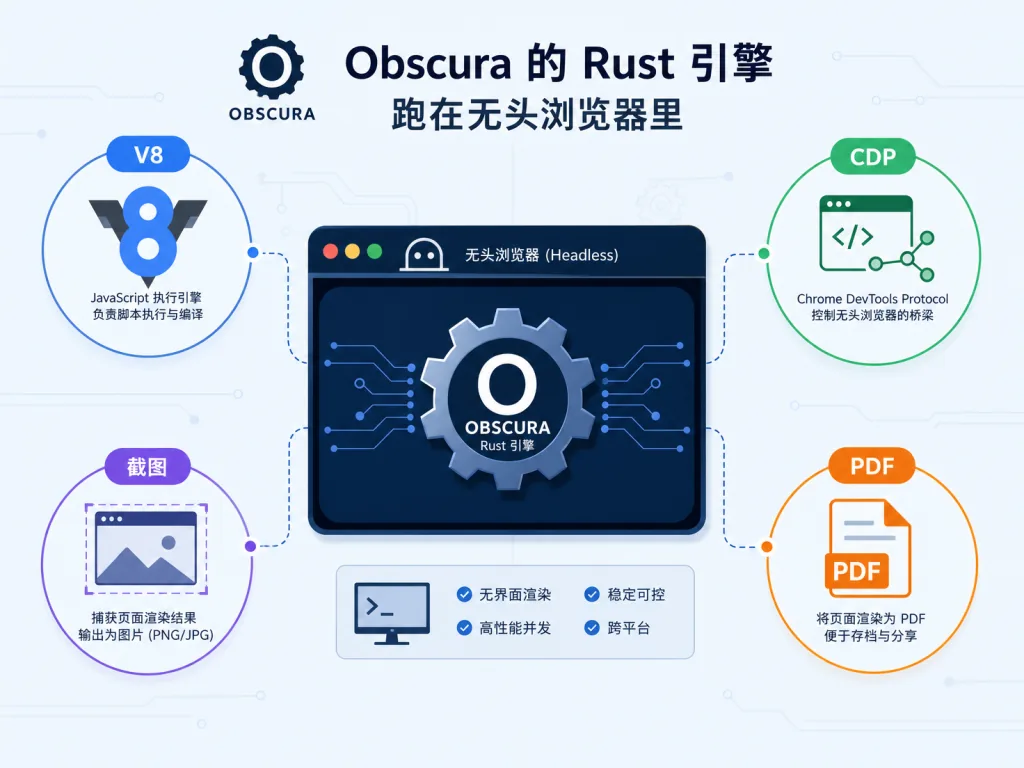
Obscura is a headless browser engine written in Rust, built for AI Agents and scraping. It runs a real V8 engine, supports the Chrome DevTools Protocol, and can replace the headless Chromium that Puppeteer / Playwright used to depend on. The key difference is that it doesn't need Chromium — smaller startup footprint, lower memory, faster runs. Native rendering is covered too: screenshots, live recording and PDF export are called directly, no detours.
Who it's for: people scraping with Playwright themselves, who care about resource usage and want a browser base their Agent can actually drive. Who it's not for: teams still on off-the-shelf SaaS, or cases where bans hurt far more than performance does.
Quickest start
Just tell your Agent:
Install and start Obscura for me: https://github.com/h4ckf0r0day/obscura
Or clone it locally:
git clone https://github.com/h4ckf0r0day/obscura
cargo run
Once connected, you control pages over CDP, and screenshot flags work as usual: screenshot --format png --full-page.
Repo: https://github.com/h4ckf0r0day/obscura
eze-is/web-access — a Skill that gives Claude Code full web access
Web Access is a Skill collection that adds web and browser capability to any Agent. What separates it from plain WebSearch is that it fills in two missing pieces: dispatch and browser automation. Its core is a three-tier channel design: WebSearch / WebFetch / curl / Jina / CDP chosen by scenario. It can also attach directly to the Chrome or Edge you use daily, inheriting your login state, so you don't log into each platform separately. For multi-target tasks it fans out sub-agents to run in parallel, all sharing one browser with tab-level isolation. On top of that, per-domain "site experience" is reused across sessions, so unfamiliar sites don't start from zero.
Who it's for: people on Claude Code / Cursor / Codex CLI who want the Agent to schedule its own tools and not stop dead at a login wall. Who it's not for: anyone unwilling to run Node 22+ locally, or who just wants something light without a browser toggle.
Quickest start
Just tell your Agent:
Install this skill for me: https://github.com/eze-is/web-access
Or use the generic package manager:
npx skills add eze-is/web-access
Once installed, let the Agent pick its own channel, for example:
Go check Zhihu for recent discussions about MCP
Repo: https://github.com/eze-is/web-access
Panniantong/Agent-Reach — one command and the Agent reads the whole web
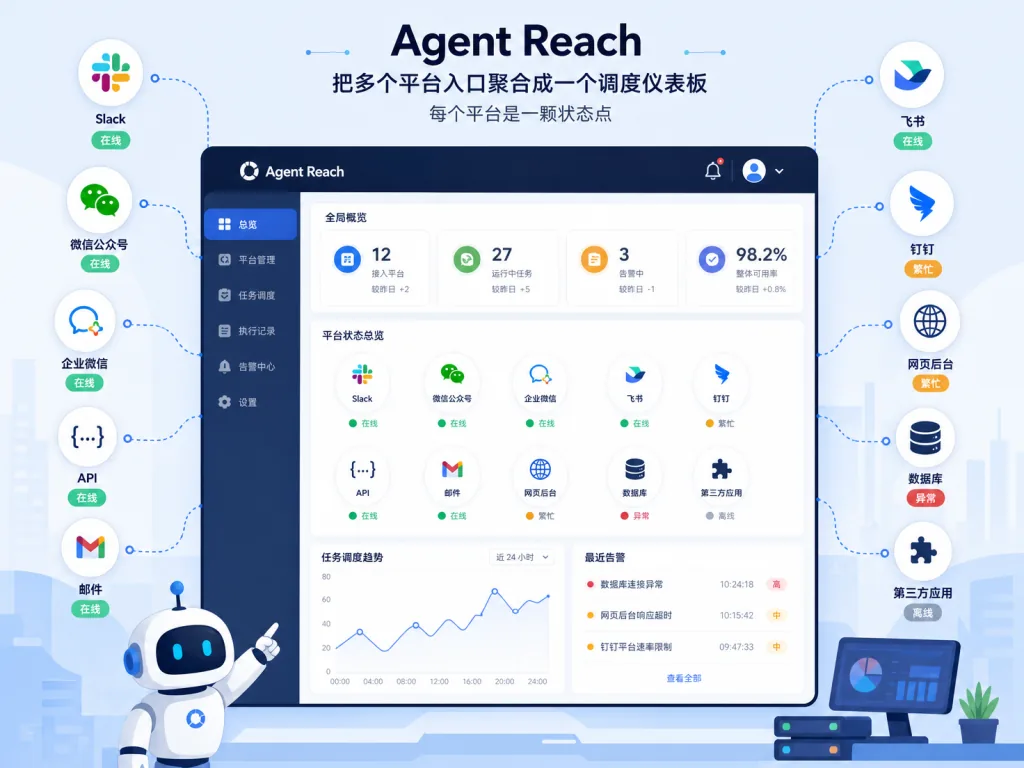
Agent Reach's positioning is blunt: one CLI plus one install line, dropping the barrier to Agent web access to zero. It ships built-in access to Twitter, Reddit, YouTube, GitHub, Bilibili, Xiaohongshu and more, and every platform is designed as multi-backend routing with a "primary + fallback" setup — if one gets blocked, it switches to the next on its own, no manual follow-up. It also includes an agent-reach doctor health check that tells you what runs and what doesn't. Very friendly to anyone who doesn't want to wrestle with cookies, API keys and captchas.
Who it's for: users who want the Agent to read Twitter, watch Bilibili, pull GitHub issues and subscribe via RSS without configuring each one by hand. Who it's not for: enterprise-scale bulk work, or scenarios with a hard SLA on single-platform stability.
Quickest start
Just tell your Agent:
Install Agent Reach for me: https://raw.githubusercontent.com/Panniantong/agent-reach/main/docs/install.md
Then let the Agent use it:
Show me popular recent Bilibili videos about Claude Code
Repo: https://github.com/Panniantong/Agent-Reach
browser-act/skills — a browser automation CLI built for anti-bot walls
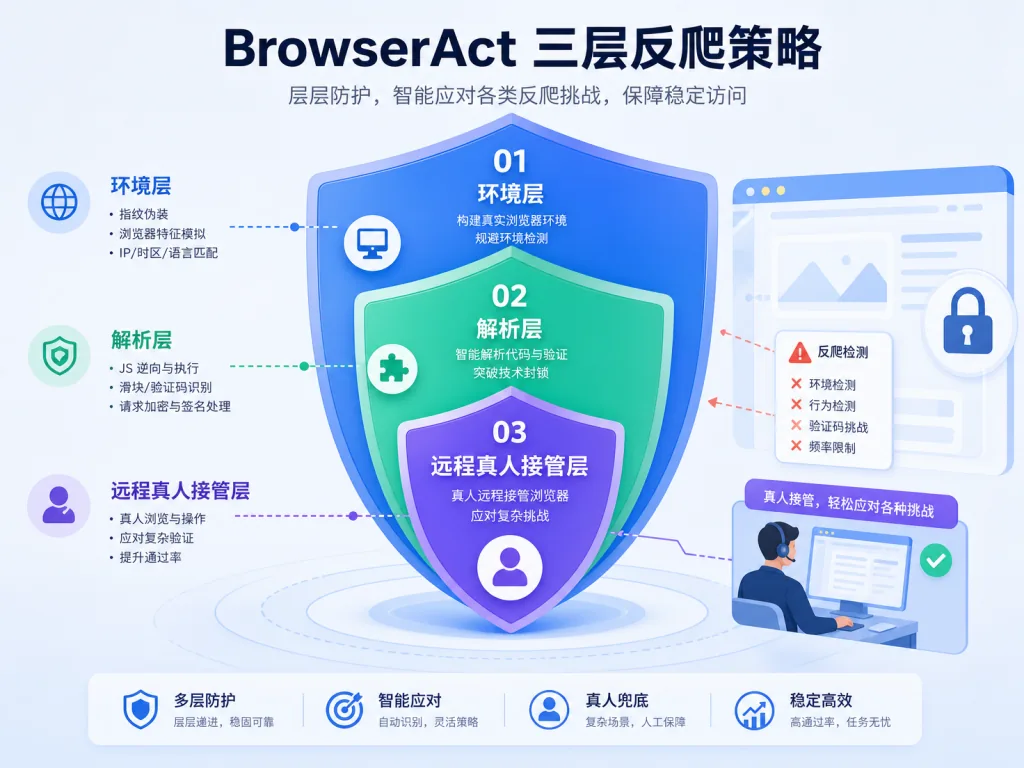
BrowserAct Skills is a browser automation CLI for Agents that targets one specific problem: getting hard-blocked by anti-bot defenses. Its strategy has three layers. The environment layer does fingerprint spoofing and TLS rotation to stop most blocks. The execution layer uses solve-captcha to clear captchas automatically and stealth-extract to pull protected pages. The human layer uses remote-assist to generate a remote takeover link, so a real person can step in the moment something stalls. Parallel execution is the other highlight: every Agent gets its own cookies, fingerprint and proxy, so parallel tasks don't contaminate each other; one browser can also host concurrent sessions without kicking out logged-in accounts. It supports both cloud bots and local browsers, switching by compute needs.
Who it's for: people running heavy scraping, fighting mid-tier risk controls, or doing parallel bulk operations. Who it's not for: fully zero-cost local hobby users with tiny scraping volumes.
Quickest start
Just tell your Agent:
Install the BrowserAct Skill for me: https://github.com/browser-act/skills
Then let it explore the available commands:
get-skills
Pick one from the list and run it, for example:
Open this site, log in automatically, then scrape this page's product list into JSON
Repo: https://github.com/browser-act/skills
SpaceZephyr/read-buddy — a whole set of content-reading Skills
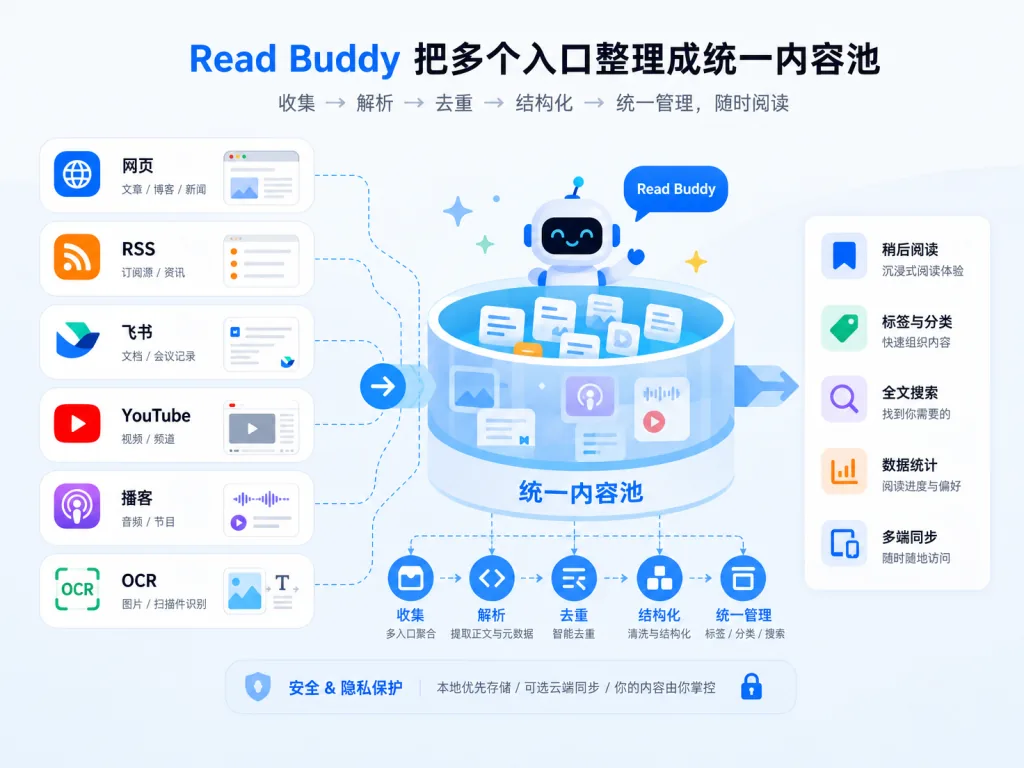
Read Buddy isn't a single tool. It's a directory of Skills named read-* — read a web page, convert to Markdown, extract YouTube captions, pull RSS, scan X, read Feishu docs, run OCR, export WeChat Reading highlights. Each action is its own Skill you install as needed. It modularizes the Agent's input sources — pages, X, Feishu, podcasts, PDFs, images and personal reading history all become independently callable capabilities that work across runtimes. It's built on the Agent Skills protocol, so Claude Code, Codex, Cursor, OpenClaw and Hermes can all use it directly; under the hood it's Markdown + YAML + executable scripts.
Who it's for: content creators, researchers and PMs who want the Agent to hold up the whole chain from "read it" to "keep digesting it". Who it's not for: content pipelines that only need structured data and have no follow-up processing.
Quickest start
Just tell your Agent:
Install this skill for me: https://github.com/SpaceZephyr/read-buddy
Or use the generic package manager:
npx skills add SpaceZephyr/read-buddy
Then use the sub-Skills you need, for example:
Extract the Chinese subtitles from this YouTube video
Repo: https://github.com/SpaceZephyr/read-buddy
4. Takeaways
If this is your first time with Agent web-access tools, install Web Access and Agent Reach first — they cover 80% of everyday "read a page + scrape a platform" work. Add BrowserAct Skills for sites with brutal anti-bot defenses. For second-pass content digestion (podcasts, long reads, personal reading), add Read Buddy. And if you have performance or privacy requirements on the browser base itself, switch straight to a self-hosted Obscura.
#AIAgents #AIWorkflow #Automation #Obscura #WebAccess #AgentReach #Skills #ReadBuddy #web-access #agent-reach