Title options (pick 1 of 3)
5 Claude Code plugins I keep to myself that fix AI coding's worst habits
The 5 open-source AI coding tools I use every single day, bundled for you
These 5 GitHub projects turn Claude Code from "usable" into "can't work without it"
1. Intro: what if one tool could finish this step for you…
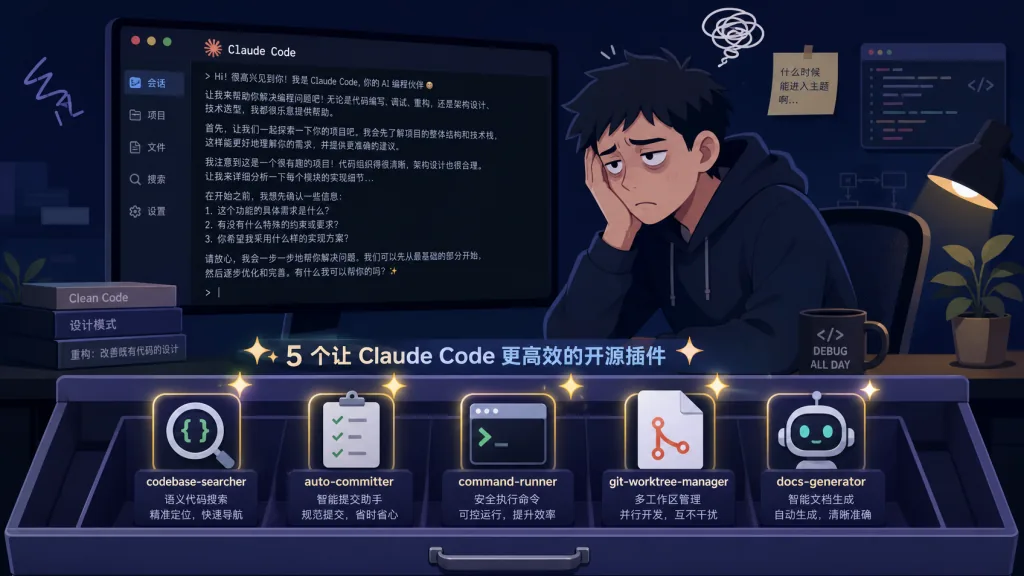
Last week I was debugging an MCP server that wouldn't start. Claude Code guessed the same protocol version five times in a row, in the same direction. Staring at the screen, I thought: if only it would stop on its own and walk a checklist.
Same with auth code. I asked the AI to patch a chunk of authentication logic and got a full screen of pleasantries and trade-off analysis before it finally told me which command to run and which line to change. All I wanted was "do this first, then that."
The five projects below are the targeted fixes I've been using lately.
2. The lineup
| Repo | Stars | Main language | One-line pitch |
|---|---|---|---|
| ayghri/i-have-adhd | 49.2K | Python | Makes the AI get to the point: action first, reasoning after |
| tanweai/pua | 19.7K | Python | Uses management-speak pressure to force the AI to exhaust options instead of giving up |
| thedotmack/claude-mem | 94.3K | TypeScript | Gives the AI memory across sessions, so you stop re-explaining context |
| tutti-os/tutti | 3.8K | TypeScript | A real-time workspace for multiple users and multiple agents |
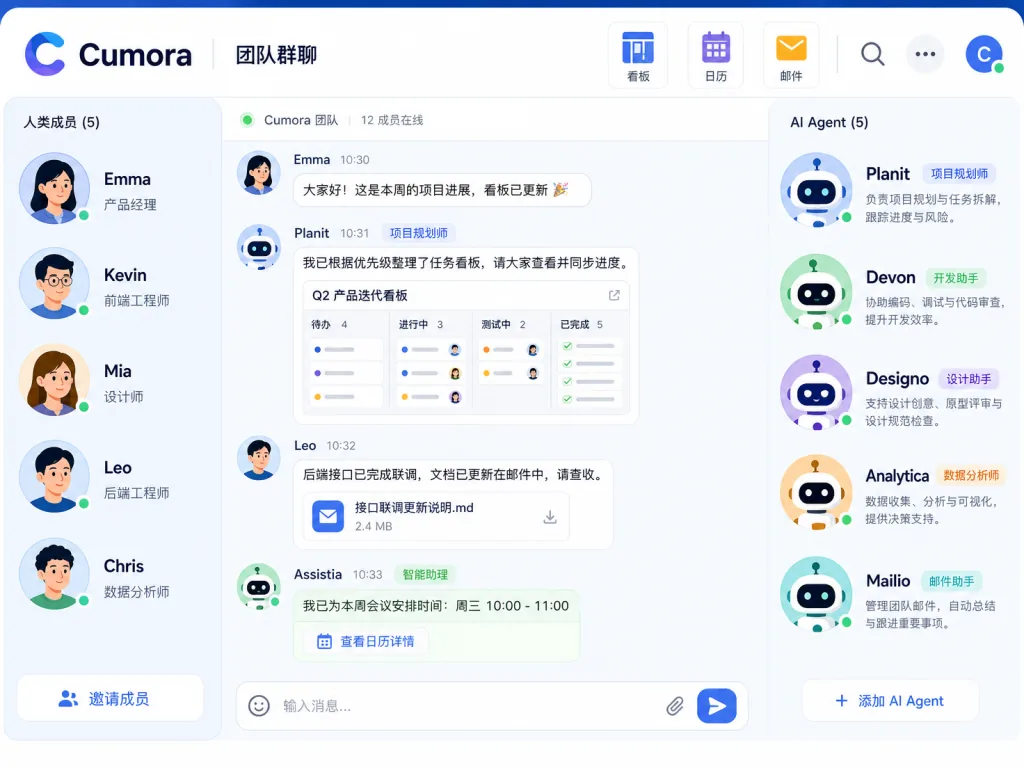
| yetone/cumora | 3.8K | TypeScript | Treats agents as real group members: group chats, kanban, email |
3. Project breakdown
ayghri/i-have-adhd — action first, reasoning after
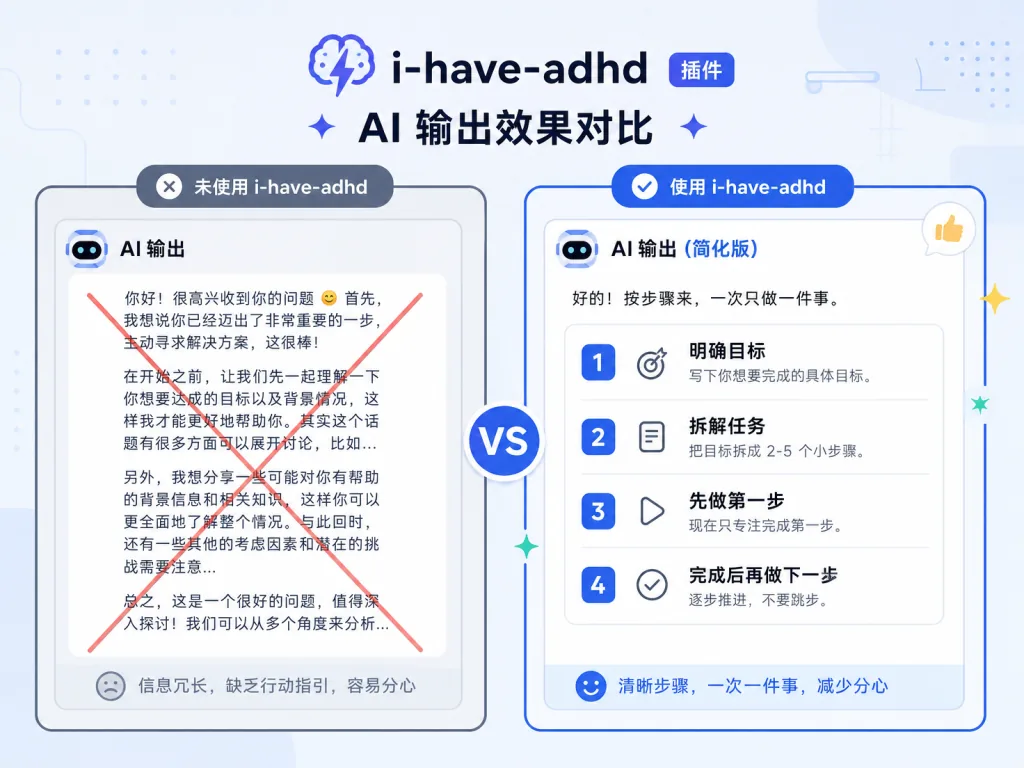
It writes a 10-rule "response discipline" for coding assistants like Claude Code and Codex, forcing them to spit out the next action first and fill in details later. Before installing it, the AI liked to open with "Great question!" and then a pile of trade-offs, only telling you which line to change at the end. After installing it, a reply looks like this:
Run
npm install jsonwebtoken@latest, then editsrc/auth.ts:42.
- Open
src/auth.ts- Replace
verifyToken(lines 42–58) with the snippet below- Run
npm test -- auth.spec.tsNext: paste the first failing line if any test fails.
The rules are simple: give the action first, number the steps, end with exactly one concrete next step, cap lists at 5 items, no pleasantries and no wrap-up. ==Note: it has to be installed inside a Claude Code or Codex session you already have running — a plain terminal conversation won't trigger it==.
Who it's for:
- Hands-on people who can't stand the AI's preamble and want to "open the file and follow along"
- Teams with lots of newcomers who need AI output as executable as an SOP
Who it's not for: people who just want the AI to brainstorm with them and don't want to be pushed to act immediately.
Minimal setup
Just tell your coding agent:
Install the i-have-adhd skill/plugin from https://github.com/ayghri/i-have-adhd, refer to the repo's AGENTS.md for instructions.
You can also edit skills/i-have-adhd/SKILL.md manually and load your fork with claude plugin marketplace add <your-username>/i-have-adhd.
Repo: https://github.com/ayghri/i-have-adhd
tanweai/pua — pressure the AI into exhausting its options
The core of this skill is loading the AI up with Big Tech-style management pressure and PIP performance reviews, so it doesn't dare give up with a casual "try something else." It ships three escalation levels: L1 is light nudging, L3 is a full audit checklist — the AI must run a 7-step checklist before it's allowed to quit.
A real case: an agent-kms MCP server wouldn't start, and the AI guessed protocol versions six times in the same direction with no result. After triggering /pua, it stopped guessing, walked the 7-point checklist, and finally pulled the real error out of Claude Code's own MCP log directory.
Toolchain support is broad: Claude Code, OpenAI Codex CLI, Cursor, Kiro, CodeBuddy, OpenClaw, Google Antigravity, OpenCode and VSCode Copilot all work. The skill pack itself combines three capabilities: pressure tactics, a debugging methodology that doesn't give up early, and execution constraints that force proactive progress.
Who it's for:
- Developers whose bug hunts keep getting brushed off with "try another approach"
- Anyone who needs the AI to check logs, config and version numbers before quitting
Who it's not for: people who just want small scripts written and don't want the AI nagging them about progress reports.
Minimal setup
Paste this to Claude Code / Codex:
Install and use the PUA skill from https://github.com/tanweai/pua.
Once installed, trigger it with /pua in the conversation. It's especially useful when the AI is circling the same direction.
Repo: https://github.com/tanweai/pua
thedotmack/claude-mem — memory across sessions
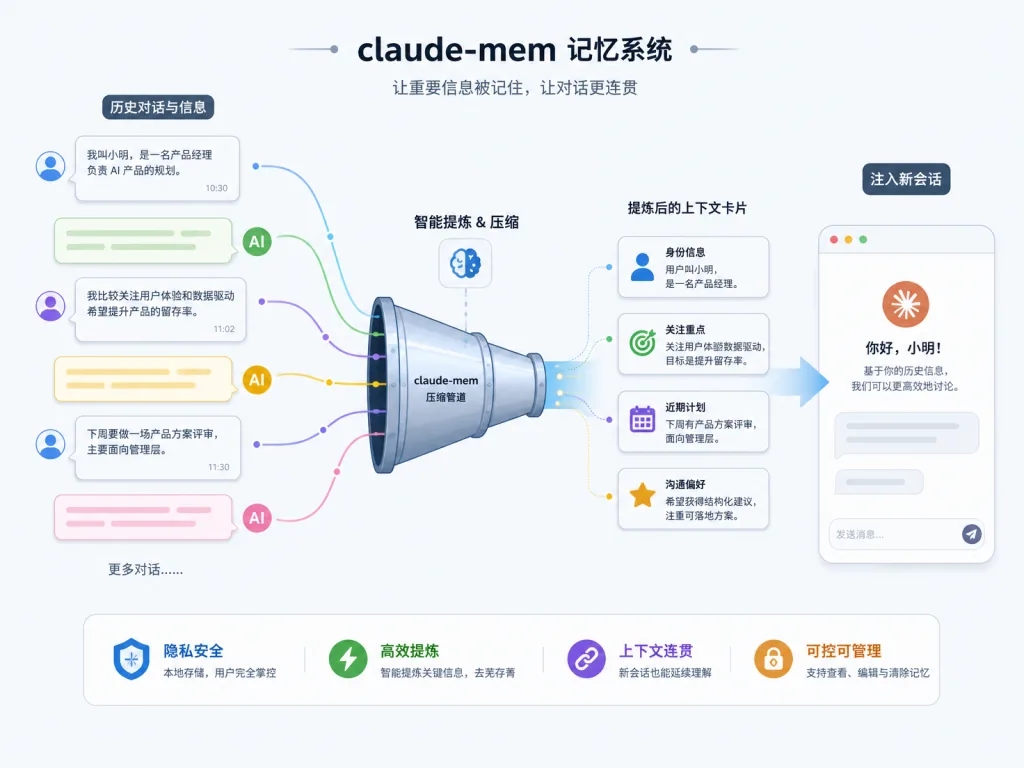
claude-mem solves "yesterday I was halfway through a project with Claude Code, today I open a new session and it remembers nothing." It captures everything the AI does during a session, has another AI compress it into a summary, and injects the relevant context into the next session.
Technically the pipeline is: session ends → capture tool-call records → feed a lightweight model for summarization → score by relevance → inject at the start of the next session. Supported toolchains include Claude Code, OpenClaw, Codex, Gemini, Hermes, GitHub Copilot, OpenCode and more. ==Note: requires Node >= 20.0.0==. The database layer defaults to SQLite and runs with zero configuration.
In practice: in one session you agree with Claude Code that "this project uses pnpm + Turborepo, and the API goes through tRPC." In the next session, as soon as claude-mem detects the relevant keywords, the AI says "I see you settled on pnpm + Turborepo — let's keep going that way."
Who it's for:
- Developers on long-lived projects who need the AI to hold a lot of context
- Indie developers and small teams who resume work across many sessions
Who it's not for: people doing one-off small tasks who don't care about memory.
Minimal setup
Inside Claude Code, run:
/plugin marketplace add thedotmack/claude-mem
/plugin install claude-mem
Or clone the repo and start the service with the scripts in package.json.
Repo: https://github.com/thedotmack/claude-mem
tutti-os/tutti — a real-time workspace for multiple users and agents
Tutti positions itself as "a workbench where humans and agents work side by side," not another chat app. It pulls agents like Claude Code, Codex and Canvas into the same room so people and multiple agents can collaborate in real time, edit simultaneously, and borrow each other's agents.
The pain is concrete: a real workflow often has Claude writing the API, Codex writing the frontend, and design going through Canvas — and the busiest person ends up being you. You paste API docs to Codex, explain the project background to Canvas, then explain the design to Claude. Tutti's goal is to automate those handoffs.
There are two editions: the open-source edition connects to existing agents, uses your current subscription quota, and ships its own app. The VM edition adds group chat, multi-user collaboration, simultaneous editing, cross-device access and agent borrowing. ==Note: the VM edition requires an invite code to create a room==; the open-source edition is a direct GitHub download.
Who it's for:
- Teams running several agents at once
- Individuals who want humans and AI in one workbench without switching windows
Who it's not for: people using a single agent who never hand work between tools.
Minimal setup
Grab the macOS / Windows installer from the official site:
https://tutti.sh/desktop/download?platform=macos&arch=universal&format=dmg
After installing, use /connect to bring your existing Claude Code / Codex in and start working.
Repo: https://github.com/tutti-os/tutti

yetone/cumora — team collaboration where agents are real group members
Cumora aims to be team chat where "the agent is a group member" — same roster, same DMs, same group chats, same kanban and calendar as humans. Agents don't just reply when @-mentioned: they have persistent personality and memory, can claim tasks, coordinate with each other to avoid collisions, and send and receive real email.
The architecture is wired end to end: frontend in React 18 + Vite + TypeScript + Tailwind, covering Electron / PWA / iOS / Android; backend in Express + ws + Postgres (transactional outbox with SKIP LOCKED for leased claims) + Redis for pub/sub; agents run in K8s pods (cloud) or a local daemon (BYOA). The llm_calls table is a unified cost ledger, recording cloud and local calls in one place.
There are two ways to attach a "brain": Cumora Cloud runs OpenAI Responses API in managed pods; BYOA uses npx cumora agent computer to bring your machine (or a VPS) in. Claude Code and Codex default to a fail-closed sandbox, and other engines must explicitly opt in. ==Note: in BYOA mode the server never gets your provider key== — keys stay on your machine.
Who it's for:
- PMs and developers who want to treat AI as a real colleague
- Projects that need agents to claim tasks proactively, email each other, and keep pushing across sessions
Who it's not for: people who just want one question answered and are done.
Minimal setup
Running it locally needs Postgres + Redis:
createdb -h localhost cumora
export OPENAI_API_KEY=sk-...
npm run setup
npm run dev:all
Then open http://localhost:5180 for the PWA, or run npm run electron:dev for the desktop app.
Repo: https://github.com/yetone/cumora
4. Takeaways and next steps
Of these five, claude-mem is the best value — cross-session memory is a hard requirement for almost anyone who codes heavily with AI, so install it first. i-have-adhd and pua are companion skills: one governs how the AI talks, the other governs how it refuses to give up, and they cost nearly nothing on top of your existing Claude Code / Codex. Tutti and Cumora suit teams already running multi-agent workflows who need humans and AI genuinely on the same stage — go get a VM edition invite code and try it.
#AI agents #AI workflow #automation #IHaveAdhd #Pua #ClaudeMem #Tutti #Cumora #i-have-adhd #claude-mem