1. Why you need this
Do you ever sigh at the screen when AI codes your frontend? Run the same project ten times and you get ten nearly identical faces: Inter everywhere, purple-blue gradients, cards nested in cards, grey text on colored backgrounds, and a rounded icon block sitting above every heading. It's not that AI can't write UI — it's that it only ever learned a handful of SaaS templates.
The bigger headache is "fixing" things. You want the AI to make a component more restrained, add guidance copy to an empty state, or handle form errors — but the prompt you write always lands slightly off. It doesn't know your team's design language, and it can't remember the color system you settled on yesterday.
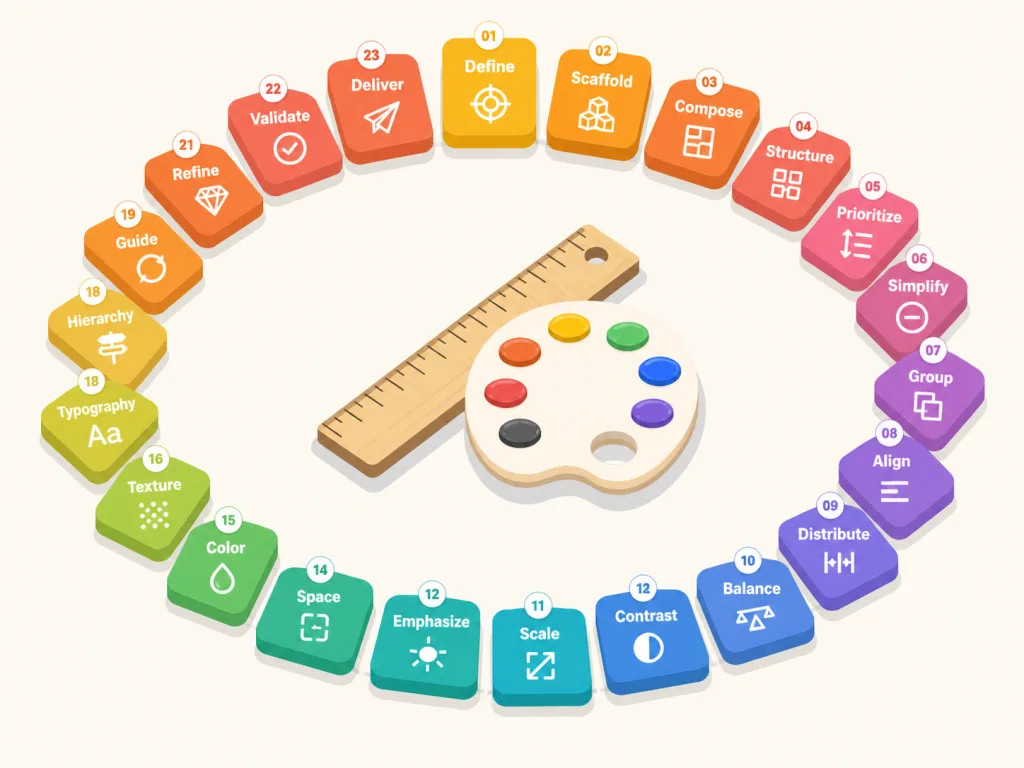
That's the problem Impeccable takes on: wrapping AI in a deterministic design language. One skill, 23 commands, 59 static detection rules that need no LLM, plus a live mode for iterating in the browser. It has 56.5K stars on GitHub and picks up where Anthropic's frontend-design skill left off.

2. What it is, in one sentence
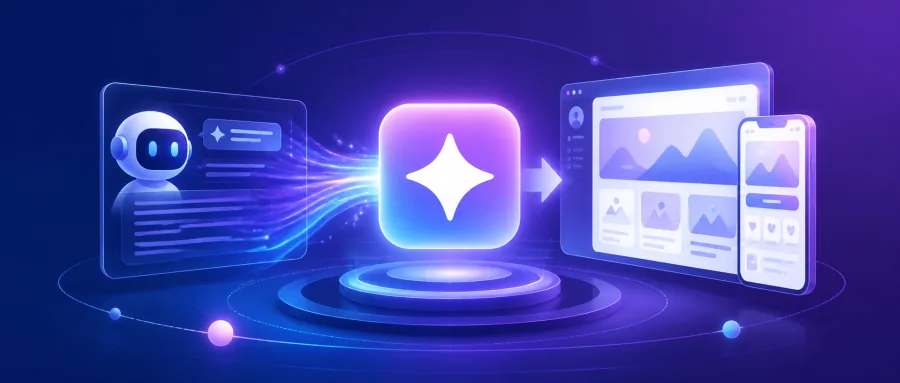
Impeccable is a design language pack built for AI coding agents. Through a single /impeccable skill it captures product context (audience, brand positioning, palette, typography, components) into PRODUCT.md and DESIGN.md, so a dozen-plus mainstream agents — Cursor, Claude Code, Copilot, Codex, Gemini CLI, Grok — can understand your design language and automatically block the "AI smell" using 59 deterministic rules.
Four keywords describe the core features: unified context, 23 commands, 59 checks, multi-platform compatibility. From init to polish, it covers the whole design workflow, from project setup to pre-launch.
3. Core features in depth
1. Context initialization in one command
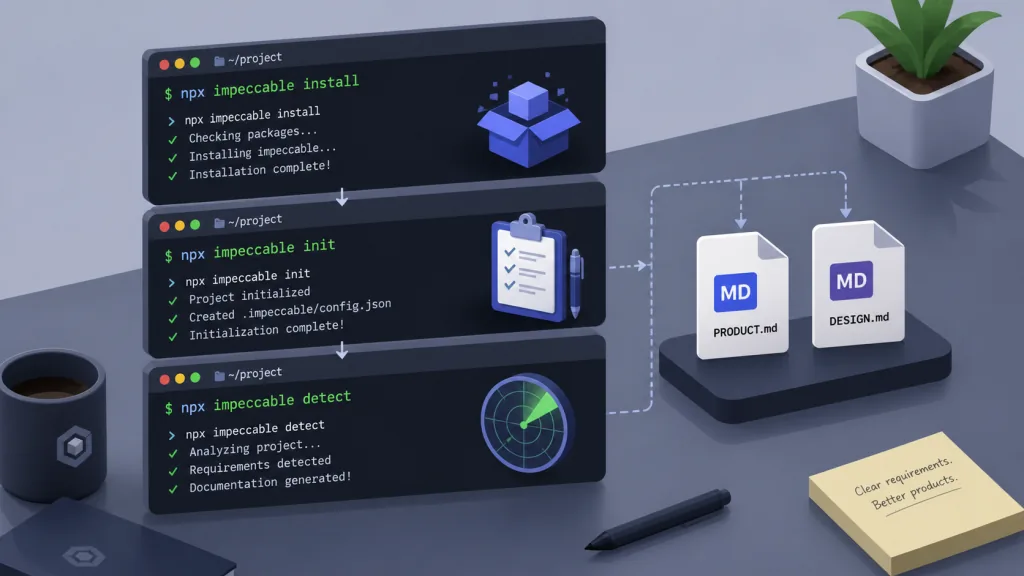
/impeccable init first asks whether this is brand-facing (landing pages, marketing pages, portfolios) or product-facing (app UI, dashboards, tools), then generates two key files: PRODUCT.md records the audience, brand category, tone and anti-references, while DESIGN.md records the palette, typography and component library. Every command afterwards reads that context, so the AI stops "picking colors by vibe".
Compared with asking AI to "remember" your preferences, writing context into files has three benefits: it's version-controlled and reviewable; teammates who pull the repo reuse the same language; and the constraints hold even when you switch to a different agent.
2. A verb library of 23 commands
polish does final pre-launch refinements, audit runs accessibility and performance checks, critique does a UX design review, distill strips things back, and bolder and quieter are mirror images — the first amplifies restrained design, the second tones down over-styling. harden handles error states, i18n and copy overflow; onboard owns first-run flows and empty states; animate adds meaningful motion; typeset fixes type hierarchy; layout fixes visual rhythm; delight adds small moments of joy; overdrive pushes technical showpieces.
The philosophy behind this verb library: break design decisions into composable verbs instead of one big vague "make it prettier". You can chain them: /impeccable audit settings to find problems → /impeccable layout settings to fix the rhythm → /impeccable polish settings to finish. Frequently used commands can be pinned as shortcuts — /impeccable pin audit generates /audit directly.
3. 59 deterministic detection rules + design hooks
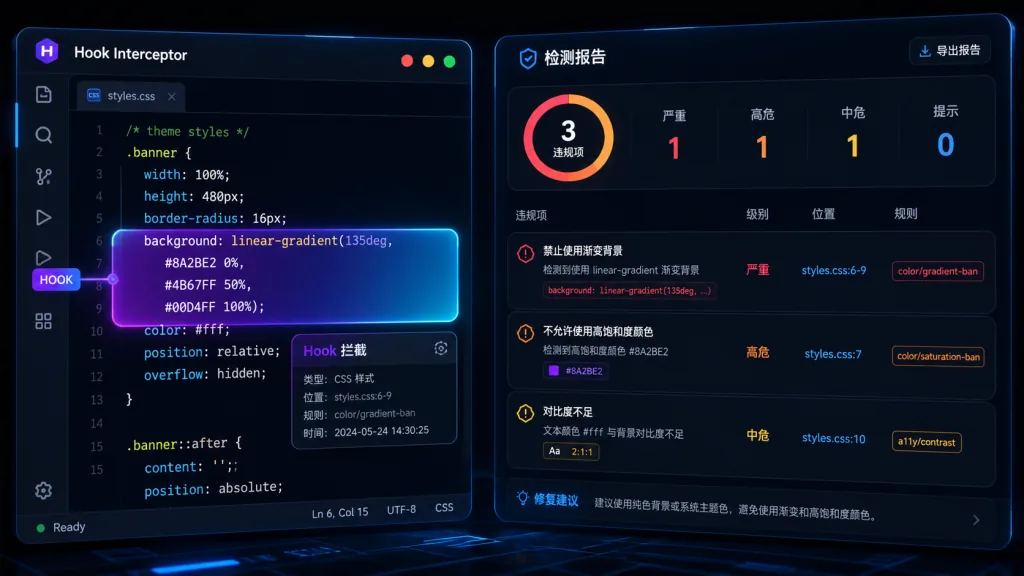
This is Impeccable's hardest part. It breaks the "AI design smell" into 59 statically scannable rules: side-tab borders, purple-blue gradients, bounce easing, dark glow, grey text over colored backgrounds, lines that are too narrow, padding that's too tight, tap targets that are too small, skipped heading levels, and so on.
The key word is deterministic — these rules need no LLM and no API key. The CLI scans directly: npx impeccable detect src/ scans a directory, npx impeccable detect https://example.com scans a live page (via Puppeteer), and --json emits a CI-friendly report. GitHub Copilot, Claude Code, Codex, Cursor and Grok Build also get provider-native hooks: Cursor intercepts before a write, Claude Code/Copilot/Codex warn after an edit.
Rules are configurable per project: detector.ignoreRules, detector.ignoreFiles, detector.ignoreValues (say your brand font really is Inter — whitelist it with ignores add-value overused-font Inter --reason "Brand font"), and inline exemptions inside a file with <!-- impeccable-disable overused-font: exported brand doc -->.
4. Live iteration in the browser
/impeccable live lets you iterate visual variants of components straight in the browser — pick an element, change the style, see the result immediately. The iteration trail is written to session and preview state under .impeccable/live/. This upgrades "design decisions" from plain-text prompts into a visual feedback loop.
4. Technical highlights and performance data
- Cross-platform coverage: native support for a dozen-plus mainstream agents including Cursor, Claude Code, GitHub Copilot, Gemini CLI, Codex CLI, Grok Build, OpenCode, Pi, Kiro, Trae (including the China edition), Rovo Dev, Qoder, Mistral Vibe and Google Antigravity.
- Three install paths:
npx impeccable install(recommended CLI), Git Submodule (team-controllable), Plugin marketplace (Claude Code / Grok). The CLI auto-detects harness directories (~/.claude,~/.codex,~/.grokor a project-level.cursor), and--providers=claude,codex,grokwith--scope=project|globallet scripts skip the interactive prompts. - 59 deterministic rules: covering both AI slop and general design quality, runnable without an LLM and directly inside CI pipelines.
- Hook mechanism: Claude Code writes
.claude/settings.local.json(gitignored locally), Copilot writes.github/hooks/impeccable.json(shared in the repo), Codex writes.codex/hooks.json, Cursor writes.cursor/hooks.json. All hooks preserve existing user configuration and abort by default on malformed manifests;--forcebacks up and overwrites. - Ecosystem compatibility: Apache 2.0, npm package name
impeccable, directly benchmarked against Anthropic'sfrontend-designskill and extending beyond it.
5. Who it's for
Scenario one: personal or small-team projects built by heavy AI users. You write UI in Cursor or Claude Code every day, but every output looks like the same template. Install Impeccable and the AI works from your DESIGN.md, while hooks block "purple-blue gradient + cards inside cards".
Scenario two: frontend teams consolidating a design system. The product has settled, but there's no system the AI can actually read. /impeccable document reverse-engineers DESIGN.md from existing code, and /impeccable extract pulls reusable components and tokens into the design system.
Scenario three: a design gatekeeper in CI. Run npx impeccable detect --json src/ as a PR check and block anything with overused fonts, small touch targets or skipped headings.
Not a good fit: pure backend projects, CLIs with no UI, and throwaway demos where nobody cares about design style.
6. How it compares
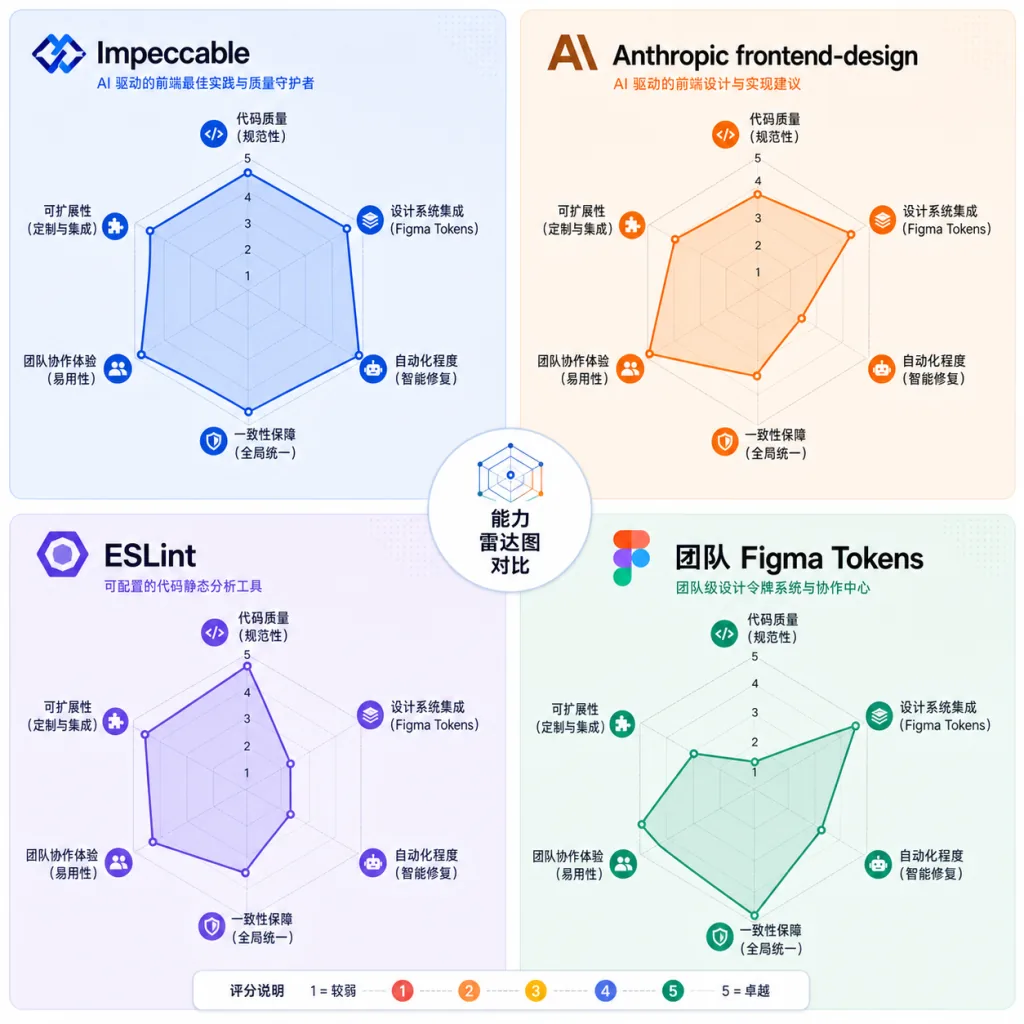
| Approach | Core positioning | Needs LLM/Key | Rule count | Live browser iteration | Cross-agent compatibility |
|---|---|---|---|---|---|
| Impeccable | AI design language + detection | The 59 rules don't | 59 | ✅ Live mode | ✅ 14+ agents |
Anthropic frontend-design | Claude's native design skill | Yes | Not public | ❌ | Claude only |
| ESLint / Stylelint | Code quality | No | Depends on config | ❌ | Coupled to the framework |
| Internal Figma Tokens | Design variables | No | Decided by design | ❌ | Manual sync required |
Impeccable's edge: it constrains both AI output and static artifacts — the agent follows context while generating, and deterministic rules catch what slips through after the write. And it works with nearly every mainstream coding agent.
7. Getting started fast
Simplest path (recommended):
npx impeccable install
/impeccable init
install detects your AI tools and writes to the right directories; init asks two or three questions and generates PRODUCT.md and DESIGN.md. Then you can run:
/impeccable audit landing
/impeccable polish settings
/impeccable harden checkout
Static scanning only, no LLM:
npx impeccable detect src/
npx impeccable detect --json . > report.json
Team collaboration (Git Submodule):
git submodule add https://github.com/pbakaus/impeccable .impeccable
npx impeccable link --source=.impeccable --providers=claude,cursor
Advanced tips: add detector.ignoreValues in config.json to whitelist your brand font; use ignores add-file "src/legacy/**" to skip old code; when debugging hooks, set hook.auditLog to write an NDJSON log; Codex users should remember to approve the project hook once via /hooks after installing.
8. Summary and next steps
Impeccable solves an overlooked problem: AI can write UI — nobody taught it how to write UI that doesn't look AI-written. It breaks design decisions into composable command verbs, breaks constraints into statically scannable rules, and uses a hook to nail those constraints onto every code write. 56.5K stars, 14+ agent integrations, Apache 2.0 — for "making AI behave", this combination is the most engineering-grade answer available today.
What to do next: get the minimal loop working with npx impeccable install, wire detect --json into CI, then use /impeccable document to reverse-engineer your existing project into a team design asset.
- GitHub: https://github.com/pbakaus/impeccable
- Website: https://impeccable.style
- npm: https://www.npmjs.com/package/impeccable
One-line recommendation: if you write UI with AI, Impeccable is the skill most worth installing right now.