1. Opening: why you need this tool
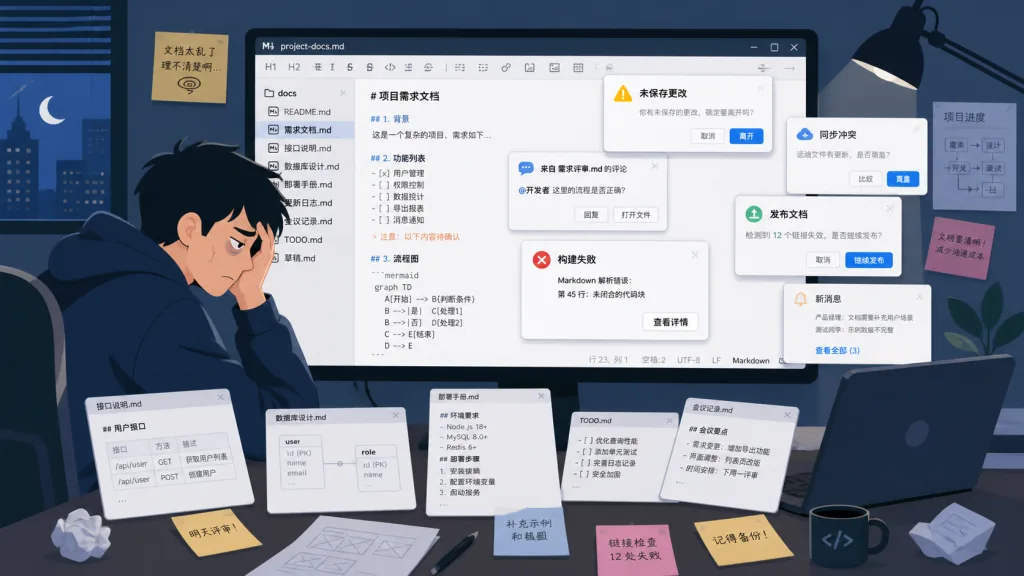
You finish a technical document, want to turn it into a PDF and send it to a colleague — and the editor can't export. You open the Markdown preview in VSCode and the table styling is painful to look at. You write in some cloud notes app and get forced into an account, with Markdown syntax half-broken. Every technical writer has stepped in these holes. Moji, a lightweight desktop app with 143 stars on GitHub, was built for exactly these pain points: it works out of the box, it supports export, it gives you a native Markdown experience — writing stays writing.
2. What it is: one sentence
Moji is a lightweight Markdown desktop app built on Electron + React + TypeScript + electron-vite, currently at version v1.0.5. Its keywords: cross-platform (Windows/macOS/Linux), multi-document workspace, native Markdown rendering, built-in Mermaid diagrams, multi-format export. For users who just want to write quietly without fiddling with plugins, Moji is a clean "install it and go" choice.
3. Core features in depth
1. Multi-document workspace and tab management
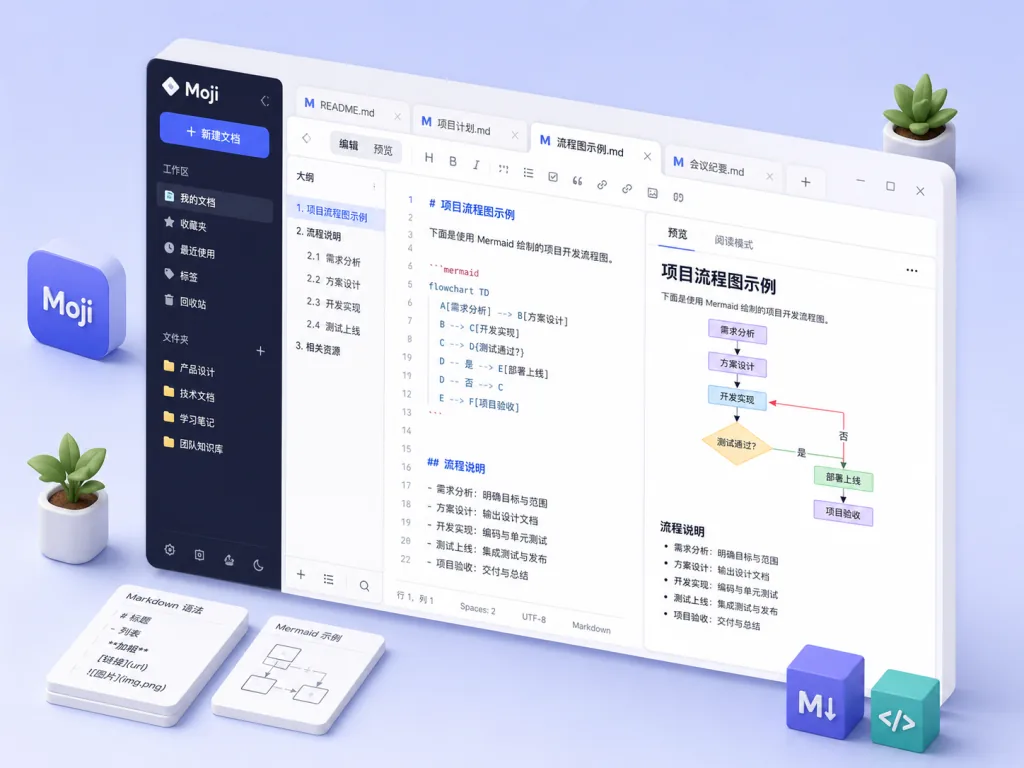
Moji supports horizontal tab switching, dirty markers, close buttons, duplicate-file detection and unsaved-change confirmation. Right-clicking a tab lets you close other tabs, tabs to the right, saved tabs, or all tabs. The advantage of this design: compared with a single-document immersive editor like Typora, Moji is better suited to working on several documents at once — for example, checking a main API document against an examples document side by side.
2. A complete Markdown preview engine
Preview mode is not just a library call. Moji bundles KaTeX math rendering (inline $…$ and block $$…$$), footnotes, definition lists, superscript/subscript, highlight/insert marks, emoji shortcodes, link detection, typographer optimization, and syntax-highlighted code blocks that each ship with a one-click copy button. Compared with online editors that lose math formulas, footnotes or typographer output, Moji's rendering completeness is clearly higher.
3. Mermaid diagrams and an image viewer
Any valid mermaid fenced code block is rendered into a responsive SVG, covering seven types including flowcharts, sequence diagrams, Gantt charts, class diagrams, ER diagrams, state diagrams and user journey maps. Clicking a rendered SVG or a Markdown image opens a modal with zoom, drag navigation, a minimap and standalone PNG export. Even a Mermaid block with syntax errors degrades to a plain code block and stays readable. This "a failed render must not explode" detail is a key indicator of how mature a tool is.
4. Outline navigation + search and replace
The outline tree works in both preview and edit mode; in preview mode it uses scroll-spy, so clicking a heading scrolls to it or moves the cursor. The top search bar matches visible Markdown text across inline formatting, distinguishes the current match and shows a "current / total" count; edit mode also offers separate "replace one / replace all" buttons. These two features decide how readable a long document is: whether you can jump to the target section of a 5000-line technical spec within 3 seconds depends on this outline and search capability.
5. Multi-format export and localization
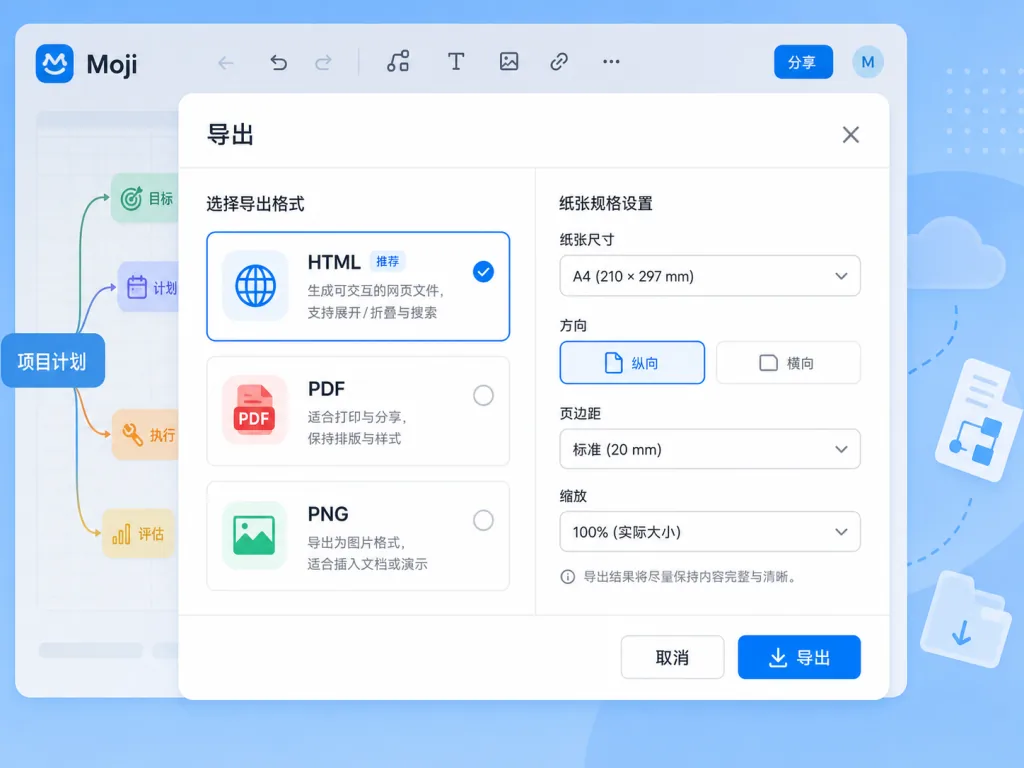
The active document can be exported to HTML, PDF or PNG. PDF supports A4, Letter and Legal paper sizes plus portrait and landscape orientations, and long code lines wrap automatically in PDF and PNG exports so code is never cut off. Mermaid diagrams are embedded as standalone SVG in all three export formats, so they still render offline. The interface ships in six languages — English, Portuguese (Brazil), Spanish, Japanese, Chinese and Russian — follows the OS language on first launch, and persists the user's choice.
4. Technical highlights and performance data
Moji uses a modern desktop stack: a sandboxed Electron renderer + contextIsolation + nodeIntegration: false, with DOMPurify sanitizing HTML and all external links opened in the system browser. This "secure by default" configuration is not common in Electron apps — most comparable tools still enable nodeIntegration.
On updates, the Windows NSIS and Linux AppImage builds check GitHub Releases through electron-updater; when a new version appears they jump to the release page so users can pick the installer for their platform, avoiding the "wrong architecture" embarrassment. Hot reload from Vite 7 + electron-vite 5 makes the development experience smooth, and startup time is well controlled — a 5MB Markdown file opens almost instantly.
5. Use cases and audience
Case one: technical documentation and publishing. You need API docs with Mermaid flowcharts, math formulas and code blocks, exported to PDF for a client or team. Moji's KaTeX + Mermaid + multi-format export combination is designed for this.
Case two: academic notes and reading notes. You use footnotes, superscript/subscript and highlights constantly, and you want local storage without a cloud account. Moji's offline nature and multilingual UI fit well.
Case three: meeting notes and project documents. Multi-document workspace + outline navigation + search and replace let you keep meeting minutes, a requirements doc and a technical design open in three tabs without losing track.
Who it suits: developers, technical writers and researchers who want something lightweight, care about privacy, and need to edit Markdown offline.
Who it doesn't: teams that need cloud sync, collaborative editing or version control (use Notion, Obsidian and similar tools instead).

6. Comparison with alternatives
| Dimension | Moji | Typora | VSCode + plugins | Obsidian |
|---|---|---|---|---|
| Price | Free and open source | Paid (no longer sold) | Free | Free + paid add-ons |
| Startup speed | Very fast | Fast | Slower | Slower |
| PDF/PNG export | Native | Native | Plugin-dependent | Plugin-dependent |
| Mermaid support | Built-in rendering | Built-in | Needs a plugin | Built-in |
| Multi-document tabs | Supported | Not supported | Supported | Supported |
| Cloud sync | None | None | None | Yes |
| Installer size | Small | Small | Large | Medium |
Why pick Moji: Typora has stopped selling and is no longer maintained, while Moji is still actively updated; VSCode plus Markdown plugins is heavy, while Moji is a lightweight "install and go" option; and where Obsidian positions itself as a knowledge base, Moji stays focused on being a writing tool.
7. Quick start
Install
Download the installer for your platform from the GitHub Releases page:
- Windows: download
Moji.Setup.1.0.5.exeand double-click to install - macOS: download
Moji-1.0.5-universal.dmg; since it is unsigned you need to click "Open Anyway" under "System Settings > Privacy & Security", or runxattr -dr com.apple.quarantine /Applications/Moji.appin a terminal to clear the quarantine attribute - Linux: download the AppImage or DEB package and install directly
Development mode
You need Node.js ^20.19.0 || >=22.12.0. After cloning the repo:
npm install installs dependencies, npm run dev starts the Electron dev environment with hot reload, npm run typecheck runs the TypeScript type check, npm test runs the Vitest suite, and npm run build produces a production build.
Going further
On first launch, adjust the reading width in Settings for your screen size and switch to the interface language you are used to; to debug the update mechanism, npm run dev:update simulates a 99.0.0 update prompt so you can verify the flow.
8. Summary and action items
With 143 stars and the steadily iterated v1.0.5, Moji proves that a good writing tool doesn't have to be complicated. It packs multi-document management, KaTeX formulas, Mermaid diagrams, multi-format export, localization and offline-first behavior into one clean desktop app, and the code is fully open source (MIT). For Markdown users tired of bloated editors and cloud lock-in, Moji is worth a try.
Project: search alexishida/Moji on GitHub or visit the repo homepage. Website: https://alexishida.com/moji/ .
One-line pitch: if you just want to write Markdown quietly, Moji is the desktop app that writes the moment it installs and exports the moment you finish.