Choosing a title (pick 1 of 3)
My private list of 6 Agent Skills: let your local AI actually do the work
Your agent does nothing out of the box — hand it these 6 Skills first
The 6 open-source Skills I use every day, the ones that actually get me off work earlier
1. Intro: stop doing the busywork by hand
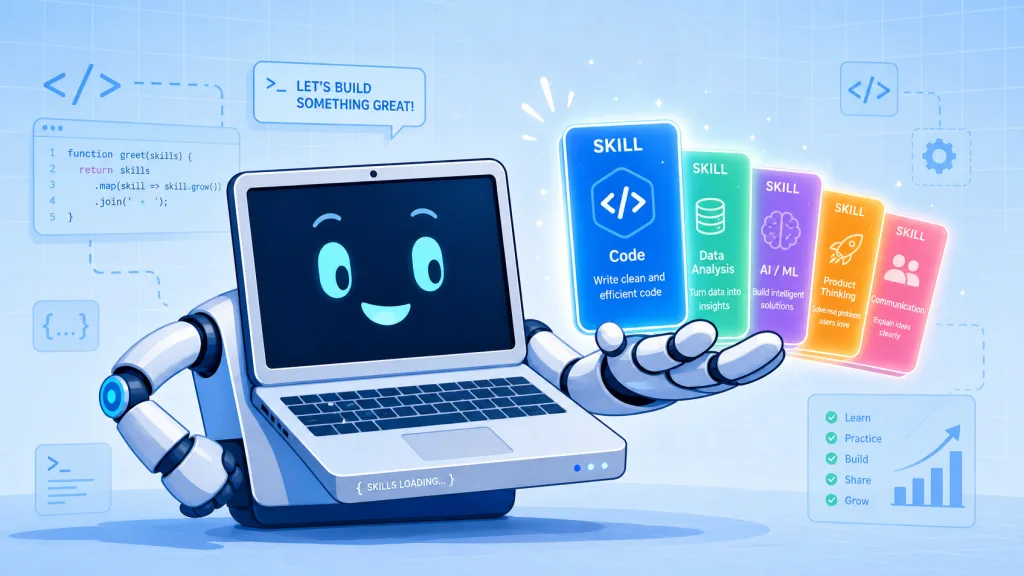
You ask Claude Code or Codex to "just grab that video for me", and it tells you to run yt-dlp yourself, export cookies, install FFmpeg, mux the audio and video — and you realize this agent can't actually do the job. Same story when you want a cover image for a WeChat article and ask the agent to write a prompt: it comes back asking you for ten design parameters. The problem was never that the agent isn't smart enough. It's missing a manual that says "do it this way". These 6 Skills are exactly those manuals for a local agent.
2. Projects at a glance
| Repo | Stars | Main language | One-line positioning |
|---|---|---|---|
| Weikezi-AI/video-catcher | 46 | Python | A video sniffing and downloading Skill for agents |
| SpaceZephyr/creator-buddy | 1.4k | Python | A full-stack content creation Skill toolbox for WeChat, Xiaohongshu and video |
| s1dashu/ip-as-logo-skill | 5.3k | — | A Skill that generates minimalist, cute IP mascot logos |
| pyang5166/gbro-cover-design | 823 | — | A 3:4 cover prompt Skill for WeChat and Xiaohongshu |
| conorbronsdon/avoid-ai-writing | 4.6k | JavaScript | A Skill that detects and rewrites AI-flavored writing |
| NarratorAI-Studio/narrator-ai-cli-skill | 2.6k | — | A Skill that generates AI-narrated movie recap videos |
3. Project breakdowns
Weikezi-AI/video-catcher — giving your agent a pair of hands that can download video
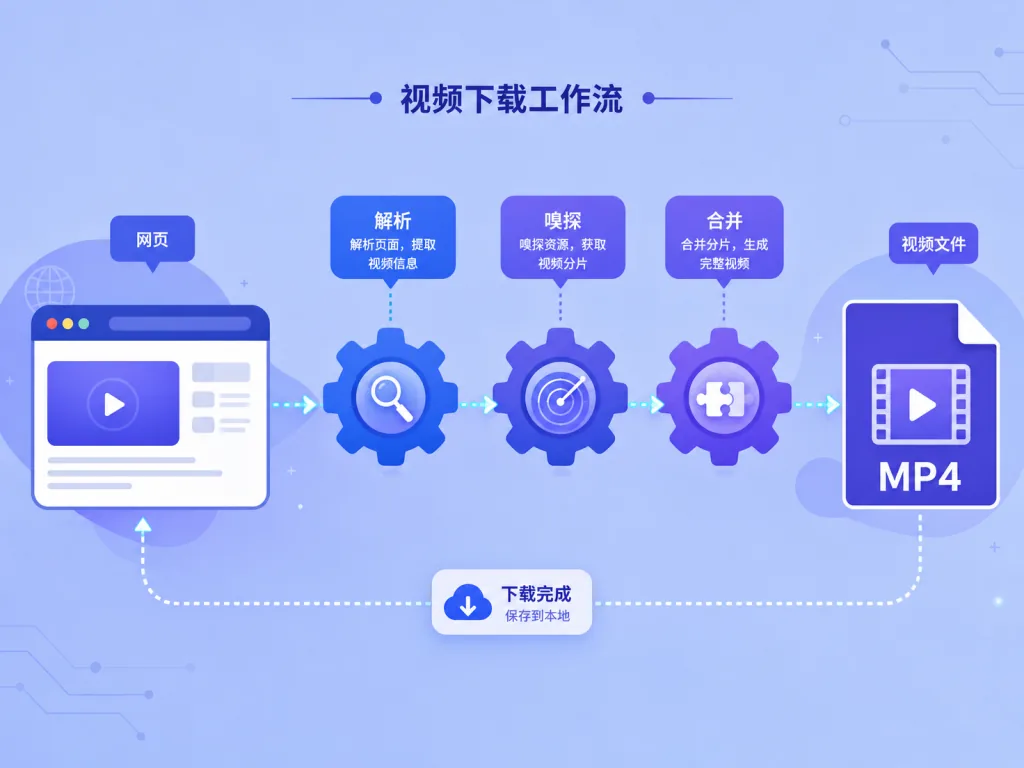
video-catcher is a video discovery and download Skill for local agents such as Codex and Claude Code. The user drops in a link, and the agent parses, sniffs, downloads, muxes and verifies on its own. At no point do you have to think about yt-dlp, cookies, HLS or FFmpeg.
Core capabilities: it covers direct MP4 / WebM links, HLS m3u8 and DASH mpd; on the platform side it prefers yt-dlp, covering YouTube, Bilibili, Douyin, X, TikTok, Instagram and more; on the web side it uses Playwright to watch network requests and sniff out dynamic media; resolution can be pinned exactly with 360p / 720p / 1080p / 2K / 4K / best. Download paths are chosen automatically: direct link → yt-dlp → YouTube PO Token → browser fingerprint → web_safari → static page discovery → browser sniffing, falling back step by step without bothering the user.
Who it's for: operators who want an agent to pull reference material for them, and researchers building a local asset library. Who it's not for: ==cases that require bypassing DRM, paywalls or account permissions — this project explicitly does not do that==.
Quick start
Just tell the agent:
Download this video for me: https://example.com/watch/123
Or do it manually:
python scripts/video_catcher.py download "URL" --quality 1080p --quality-mode exact
Source: https://github.com/Weikezi-AI/video-catcher
SpaceZephyr/creator-buddy — a full-stack creation toolbox from topic to finished piece
Creator Buddy is a full-stack Skill toolbox for content creators, covering the whole creation workflow across WeChat Official Accounts, Xiaohongshu and video. It packs 30-plus Skills into one control panel: finding trends, mining viral hits, dissecting competitors, then writing titles, drafting copy, making images, editing video, adding voiceover and music, and producing covers.
Core capabilities: it's built on the open Agent Skills protocol, so it runs on runtimes like Claude Code, Codex, Cursor, OpenClaw and Hermes. It searches real content first and then helps you build something publishable step by step, instead of hallucinating 10 topic ideas. It ships with 100+ viral title methods, 62 Xiaohongshu layout styles, and a full video pipeline from script to B-roll.
Who it's for: one-person companies running both a WeChat account and Xiaohongshu, who have to shoot video and write copy themselves. Who it's not for: people who only work on a single platform with a single action — this suite is overkill.
Quick start
Just tell the agent:
Install this skill for me: https://github.com/SpaceZephyr/creator-buddy
Or do it manually:
npx skills add SpaceZephyr/creator-buddy
Once it's installed, just say:
Check what's trending for Codex on Xiaohongshu right now
Source: https://github.com/SpaceZephyr/creator-buddy
s1dashu/ip-as-logo-skill — a usable IP logo in a couple of strokes
ip-as-logo is a compact Agent Skill built specifically to generate minimalist, rounded, commercially usable IP mascot logos. Its design philosophy is explicit: 4–7 large basic shapes form one dominant silhouette, three semantic colors (two IP colors plus one background color), the character peeks out from the bottom-left or bottom-right corner, and the background is a flat solid fill.
Core capabilities: give it a theme and it returns 3 directional proposals; once you confirm, it generates 6 independent candidates. By default the subject is a familiar animal (cat, dog, bear, bird and so on) — no clocks, locks or abstract machinery unless you ask. It prefers top-tier image models such as GPT Image 2 / Seedance 5.0 Pro / Nano Banana Pro; the repo also ships a free logo library hosted on Cloudflare R2 + Supabase, so you can download logos directly even without an agent installed.
Who it's for: people building SaaS, apps or brand incubations who need an IP character that "prints well on a business card". Who it's not for: ==projects that want complex, photorealistic or skeuomorphic logos — this only does minimalist, rounded styles==.
Quick start
Just tell the agent:
Create a very simple, cute rounded ghost IP character on a solid deep navy background.
Or install it manually:
npx skills@latest add s1dashu/ip-as-logo-skill
Source: https://github.com/s1dashu/ip-as-logo-skill
pyang5166/gbro-cover-design — a WeChat/Xiaohongshu cover in three rounds of questions
Hand an article to gbro-cover-design and the agent reads it, asks three rounds of questions, then outputs a cover prompt you can run straight into an image model. The frame is fixed at 3:4 portrait, titles are written for you, and the composition logic is all built in.
Core capabilities: 10 composition style templates are built in (dark gradient, flat solid color, product hero, comparison card, minimal whitespace, poster collage, side-placed figure, back view, partial framing, direct eye contact), and it recommends a style based on the article content. It accepts multiple reference images and locks facial consistency when a real person appears — just put a front-facing photo at assets/my-face.png. No API key needed: this Skill only produces prompts, which you can feed to Jimeng / Seedream 4.0 / Nano Banana / GPT-Image.
Who it's for: operators and independent writers who publish on WeChat or Xiaohongshu every day. Who it's not for: projects that need landscape, square or multi-platform multi-size assets — it is locked to 3:4 portrait.
Quick start
Clone it into your skills directory:
git clone https://github.com/pyang5166/gbro-cover-design.git ~/.claude/skills/gbro-cover-design
Then send the article content to the agent; the Skill triggers automatically, asks its three rounds, and produces the prompt.
Source: https://github.com/pyang5166/gbro-cover-design
conorbronsdon/avoid-ai-writing — hunt down AI-flavored writing and clean it up
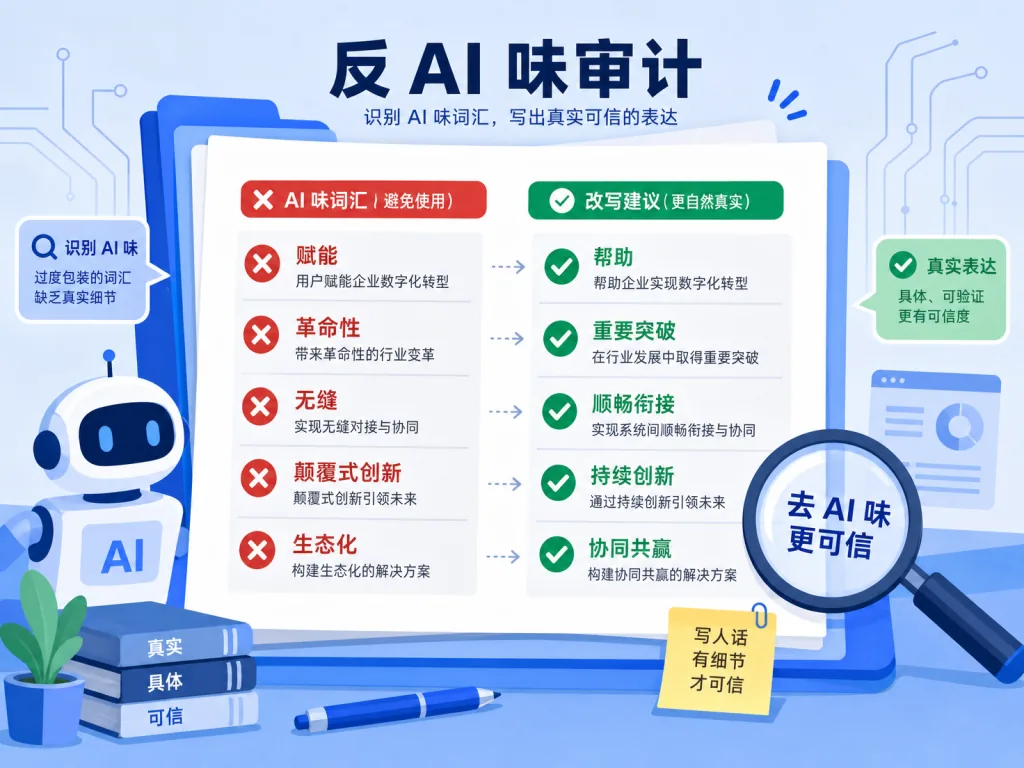
avoid-ai-writing is a portable writing Skill that gives agents like Claude Code, OpenClaw, Hermes and Codex an "anti-AI-flavor" ability. It audits and rewrites content, dragging out empty words like "empower", "revolutionary" and "seamless", along with tricolon pile-ups, vague promises and other AI bad habits.
Core capabilities: three modes — Rewrite (the default: up to two editing rounds followed by verification), Detect (flag only, no changes), and Edit (small in-place edits with the Edit tool, preserving the parts that already sound human). An optional Voice Profile (casual / professional / technical / warm / blunt) controls tone independently; --iterate 1|2 sets the number of editing rounds; and a standalone npm package avoid-ai-writing-detector lets you score files from the command line, gate commits via GitHub Actions / pre-commit, or run it as an MCP server.
Who it's for: anyone who writes WeChat posts, blogs or emails with AI. Who it's not for: ==structured content such as source code, config files or generated data — the Skill refuses to rewrite those to avoid breaking formats==.
Quick start
Just tell the agent:
Scan this text for AI-sounding writing, then clean it up for me
Or run the detector manually:
npx -y avoid-ai-writing-detector your-file.md
Source: https://github.com/conorbronsdon/avoid-ai-writing
NarratorAI-Studio/narrator-ai-cli-skill — one sentence, and the agent ships a movie recap
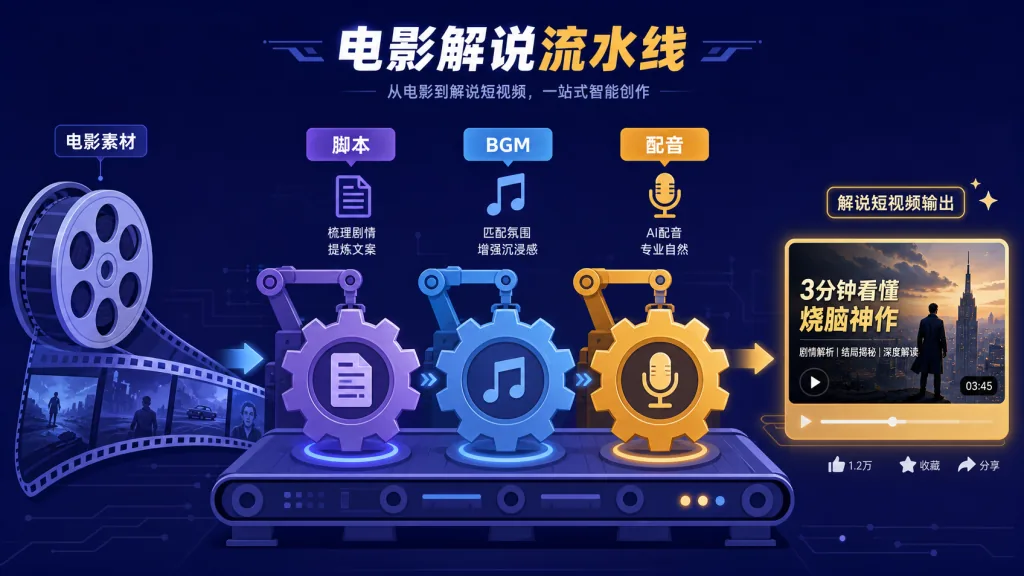
narrator-ai-cli-skill is the "movie recap video generation manual" you install for an AI agent. The CLI is the hand, the Skill is the brain — the CLI runs commands while the Skill teaches the agent how to search for a movie, pick a template, choose BGM, pick a voice, generate a script, render the video and return a download link, step by step.
Core capabilities: around 100 movies, 146 BGM tracks, 63 voices and 90+ narration templates are built in, along with two workflows (adapted narration / original narration) and three creation modes (hot-drama remix / original remix / new release). Every one of the 18 API error codes comes with a recommended action, and a budget check runs before a task is created so you don't burn your credits halfway through. The Skill also supports 8+ platforms including OpenClaw, Windsurf, WorkBuddy, QClaw, Claude Code, Cursor, Youdao Lobster and Tencent Yuanbao.
Who it's for: creators making film recaps and narrated short videos who need batch output. Who it's not for: ==people who want in-depth original drama criticism or serious film reviews — this Skill is assembly-line generation, not a review essay==.
Quick start
Install the CLI first:
pip install "narrator-ai-cli @ git+https://github.com/NarratorAI-Studio/narrator-ai-cli.git"
narrator-ai-cli config set app_key <your_app_key>
Then install the Skill:
git clone https://github.com/NarratorAI-Studio/narrator-ai-cli-skill.git ~/.openclaw/skills/narrator-ai-cli
Then just say:
Create a narration video for The Shawshank Redemption in a comedy style.
Source: https://github.com/NarratorAI-Studio/narrator-ai-cli-skill
4. Summary and next steps
- If you're a heavy local-agent user, install video-catcher + creator-buddy first; they cover the three main scenarios: video download and creation for WeChat, Xiaohongshu and video.
- If your output volume is fine but everything reads like AI, add avoid-ai-writing. If covers are your bottleneck, add gbro-cover-design or ip-as-logo-skill.
- If you want batch production of movie recap short videos, narrator-ai-cli-skill is a ready-made assembly line.
Next step: pick 2 Skills, install them into Claude Code or Codex and run one round with them. Install and never use, and Skills will always just be a README.
#AIVideoEditing #ScriptedVideo #TalkingHeadVideo #VideoCatcher #CreatorBuddy #IpAsLogoSkill #GbroCoverDesign #AvoidAiWriting #NarratorAiCliSkill #video-catcher