
1. Why you need this
You just had your AI agent finish a code change, and it's rolling. Then you casually add: "go check Twitter and see what people think of this new framework." The agent stalls for three seconds and answers: "Sorry, I don't have internet access."
This isn't a joke. It's the real pain point of putting AI agents to work today. AI can already write code, edit documents and manage projects, but the moment it has to actually look at the live internet, most agents fall apart:
- Ask it to watch a YouTube tutorial: it can't get the captions
- Ask it to search Twitter for opinions: the API costs money
- Ask it to read a Reddit thread: the server IP gets a 403
- Ask it to check Xiaohongshu reviews: login required, and every tool breaks
- Ask it to grab a Bilibili video: generic downloaders get blocked by risk control
None of these features is hard. The hard part is that every platform has its own gate — paid APIs, blocks to route around, accounts to log into, HTML to clean up. Just getting an agent to read Twitter eats half a day.
Panniantong/Agent-Reach, with 70,888 stars, answers with a single sentence: copy one prompt to your AI and it handles the rest.

2. What it is, in one sentence
Agent Reach is an internet capability layer for AI agents — one CLI, one command, and the agent gets zero-config access to web pages, Twitter, Reddit, YouTube, Xiaohongshu, Bilibili, GitHub and RSS, with no API fees at any point.
Key words: capability layer, primary + fallback multi-backend routing, zero API fees, built-in diagnostics (agent-reach doctor).
The repo has passed 70,888 GitHub stars, once took No. 1 on the Trendshift GitHub Trending daily chart, is written mainly in Python (3.10+) and is MIT licensed.
3. Core features in depth
1. Install with one line: hand the link to your agent
This is Agent Reach's most counterintuitive design choice. Installation isn't pip install — you paste the prompt below straight into Claude Code, Cursor, OpenClaw or Windsurf:
Install Agent Reach for me: https://raw.githubusercontent.com/Panniantong/agent-reach/main/docs/install.md
The agent reads install.md, runs the commands, installs dependencies, registers SKILL.md and activates channels. The user does nothing. Updating means swapping the link for update.md. Compare that with the traditional path — read the docs, find the tools, install dependencies, tune the config, debug repeatedly — and Agent Reach compresses a one-hour setup into a five-minute conversation.
2. 14+ platforms, 6 usable out of the box
Six channels activate with zero config: any web page (Jina Reader), YouTube captions, RSS feeds, Bilibili search (bili-cli), public GitHub repos, V2EX, Xueqiu. Channels that need a logged-in session include Twitter, Reddit, Facebook, Instagram, Xiaohongshu, LinkedIn and Xiaoyuzhou podcasts — just tell the agent "set up XXX for me" and it walks you through it step by step.
Every platform is documented with "current choice + fallback + why", and the choices are re-verified against real machines on a schedule, not picked on a hunch. Bilibili used to run on yt-dlp until Bilibili's risk control killed it with 412 errors in June 2026; the project switched to bili-cli immediately, and users never noticed.
3. Primary + fallback ordered backend routing: the plumbing changes, you don't care
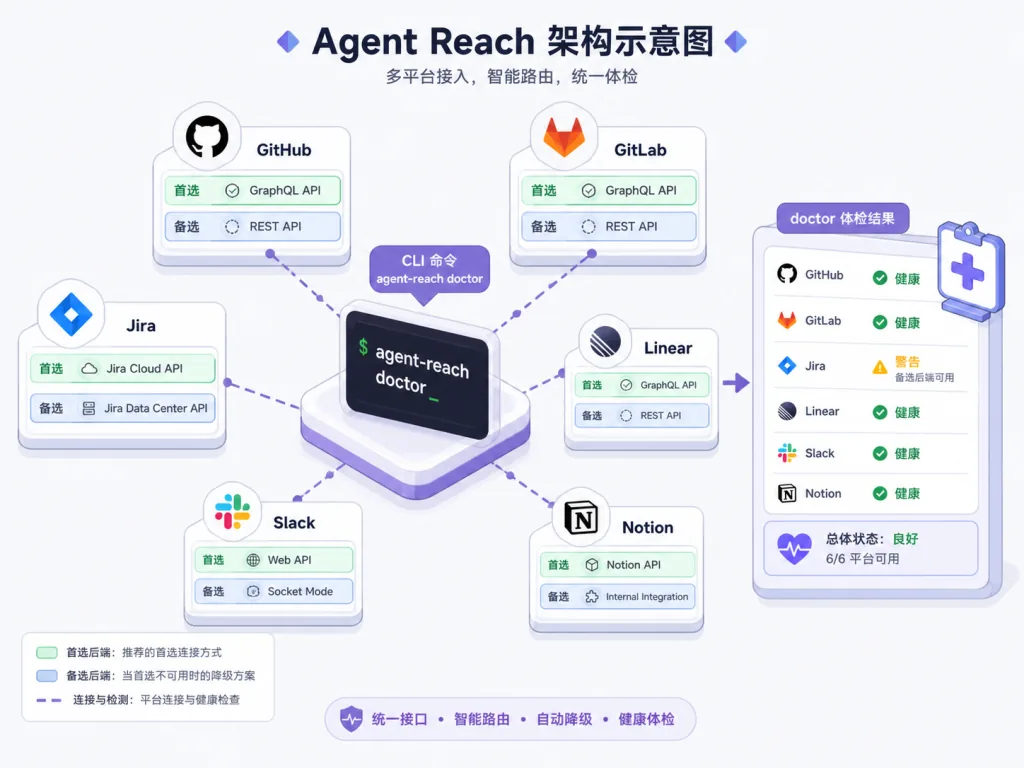
This is Agent Reach's core architectural idea. Every platform file under channels/ maintains an ordered backend list, for example Twitter: twitter-cli ▸ OpenCLI ▸ bird. agent-reach doctor actually probes whether each candidate backend is fully usable, picks the first live one, and hands out a fix recipe for the broken ones.
That means: when an upstream tool stops being maintained, gets blocked or starts charging, you reorder the list instead of rewriting code. In March 2026 a batch of single-platform CLIs went dark all at once; Agent Reach swapped routes and users kept working.
4. Built-in doctor: a full checkup in one command
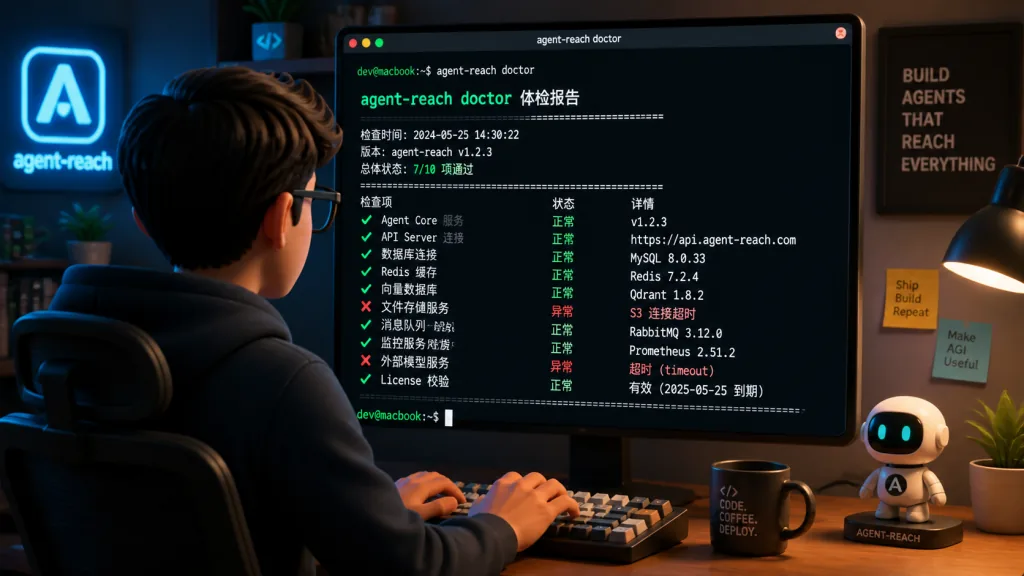
After installing, run agent-reach doctor and it tells you which platform is reachable, which isn't, which backend is currently in use and how to fix it. This is the key design decision that drops the ops burden to zero — instead of pinging and reading logs one by one, you get a checkup in one line.
5. Safety by default: inspect, don't modify
agent-reach install does not modify your system by default — it only checks the environment. External dependencies and config writes happen only when you explicitly pass --system. Cookies are stored only on the local machine at ~/.agent-reach/config.yaml (mode 600), never uploaded or shared, and the code is fully open for audit. There's also a --dry-run preview mode and the recommendation to log in with a dedicated throwaway account (so your main account doesn't get banned).
4. Technical highlights and performance data
| Dimension | Value |
|---|---|
| Stars | 70,888 |
| Platforms supported | 14+ (web / YouTube / Twitter / Reddit / Bilibili / Xiaohongshu / GitHub / RSS / LinkedIn / Instagram / Facebook / V2EX / Xueqiu / Xiaoyuzhou podcasts) |
| Zero-config channels | 6 |
| Cost | Zero API fees throughout (optional server proxy, about $1/month) |
| Compatible agents | Claude Code, OpenClaw, Cursor, Windsurf — any agent that can run shell commands |
| Core upstream dependencies | yt-dlp (154K stars), Jina Reader, OpenCLI, twitter-cli, bili-cli, Exa, feedparser, mcp-server-linkedin |
| Real probing | doctor tests each backend for actual availability, not a simple which check |
The most interesting architectural point is how it positions itself against being "a tool": Agent Reach does not wrap upstream tools in a data-reading middle layer. The agent calls upstream tools directly, avoiding latency and extra abstraction. It only owns selection, installation, health checks and routing — one level above any concrete implementation.
5. Who it's for
Good fit:
- Heavy AI agent users: you use Claude Code / Cursor / OpenClaw every day and want the agent to look things up and pull data straight from the internet
- Media and investment research people: you need to batch-scrape sentiment and reviews from Twitter, Reddit, Xueqiu, Xiaohongshu and V2EX
- Technical bloggers and video creators: you need to pull material from YouTube, Bilibili and Xiaoyuzhou and turn it into text
- People who hate configuring things: engineers allergic to installing dependencies, tuning cookies and reading docs
Poor fit:
- Enterprises that only want official paid APIs (Agent Reach is built around zero API fees; official APIs are still more stable)
- Pure SaaS agent environments that can't run shell commands
- Owners of production accounts with zero tolerance for bans (every platform that requires a login carries ban risk)
6. How it compares
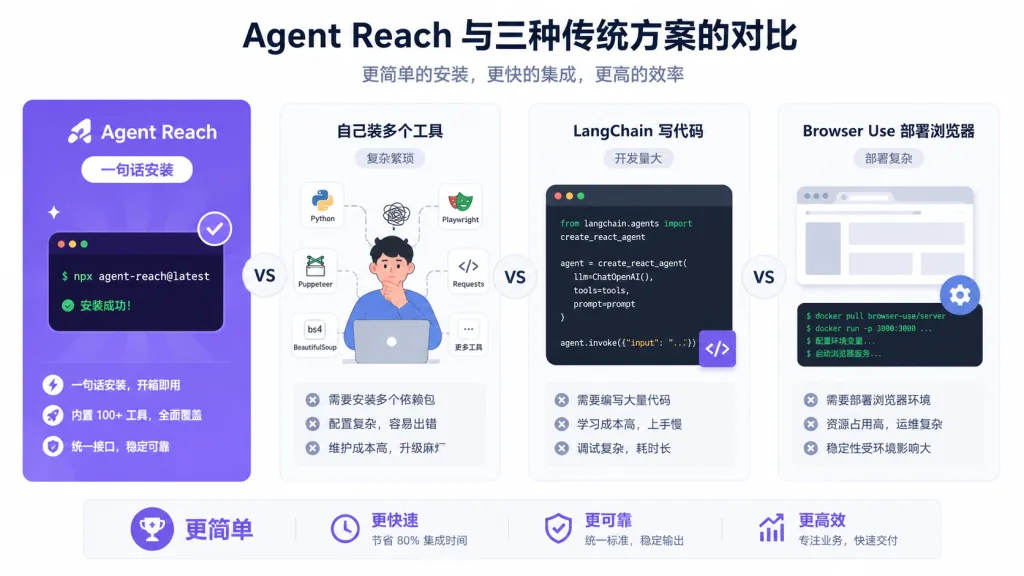
| Dimension | Agent Reach | DIY yt-dlp + gh CLI + twitter-cli | LangChain Tools | Browser-agent setups like Browser Use |
|---|---|---|---|---|
| Setup cost | One prompt to your agent | 1+ hour of trial and error | Medium, requires integration code | High, requires deploying a browser |
| Platform coverage | 14+ | Whatever you install yourself | Whatever you integrate | Generic but slow |
| Maintenance cost | Maintainers track the generational shifts | You watch every platform's risk control | You maintain it | You maintain it |
| API cost | 0 | 0 | Depends on the tools | Browser proxy fees |
| Failure fallback | Primary + fallback multi-backend routing | None | None | Retryable but slow |
| Works with | Any CLI agent | Any CLI agent | LangChain ecosystem only | Generic |
Why pick it: when your pain point is "let the agent get online quickly, reliably and for free" rather than "use a specific framework", Agent Reach is the most pragmatic answer available. It doesn't lock you into an agent framework, doesn't wrap a middle layer, and only solves the selection + installation + health check + routing layer.
7. Getting started fast
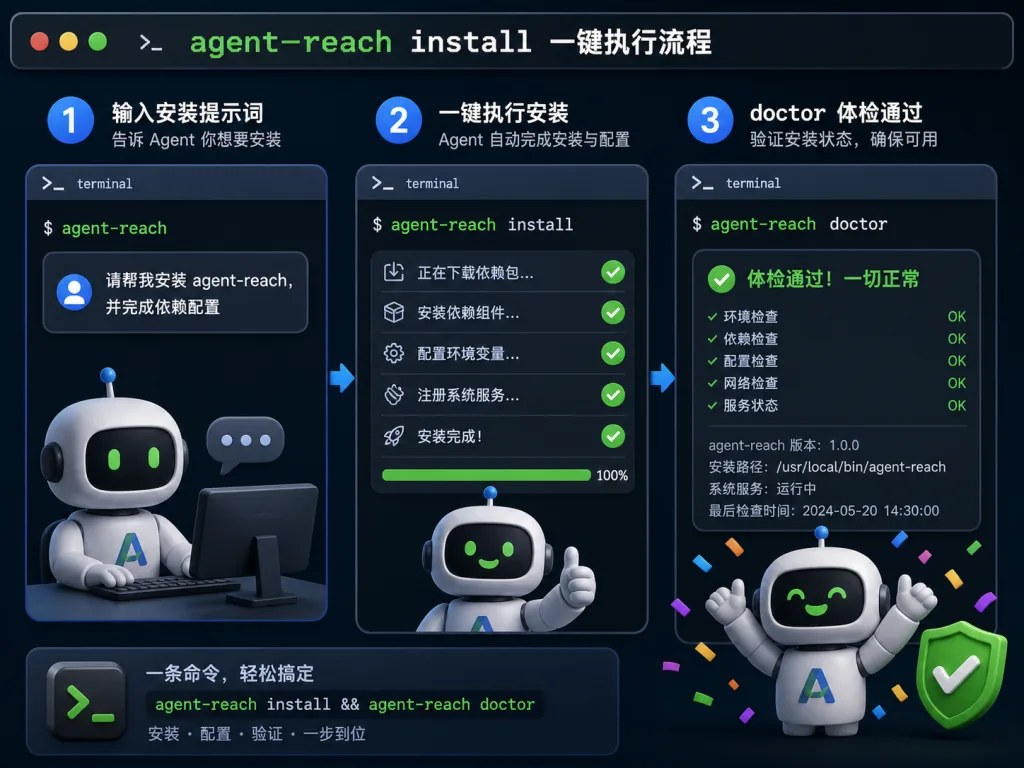
Fastest path — three steps:
- Enable exec permission for your agent (required for OpenClaw users):
openclaw config set tools.profile "coding"
Other agents (Claude Code / Cursor / Windsurf) don't need this step.
- Send the install prompt to your agent:
Install Agent Reach for me: https://raw.githubusercontent.com/Panniantong/agent-reach/main/docs/install.md
The agent installs the CLI, checks the environment and registers SKILL.md with your authorization.
- Run a health check to confirm every channel's status:
agent-reach doctor
Zero-config commands that work right after install:
- "Take a look at this link" → calls Jina Reader to read any web page
- "What does this YouTube video cover?" → yt-dlp extracts the captions
- "Search Bilibili for AI tutorials" → bili search (no login needed)
- "Search the web for LLM framework comparisons" → Exa semantic search
Platforms that need a login: tell the agent "set up Twitter / Xiaohongshu / Reddit for me" and it guides you step by step. Don't go reading the docs yourself.
Advanced tips: only server deployments need a proxy (about $1/month); a local machine doesn't. Prefer a dedicated throwaway account for sensitive platforms (Twitter, Xiaohongshu) to reduce ban risk.
8. Summary and next steps
Agent Reach doesn't solve "some scraping tool" — it solves "the full-chain barrier between AI agents and the internet". It packages selection, installation, configuration, routing and health checks for 14+ platforms into one sentence, so you and your agent stop wasting time on trivia like "where do I read Twitter" or "how do I grab a Bilibili video".
Core value recap: zero API fees, zero maintenance cost (upstream shifts are invisible to you), zero doc reading (just tell the agent), 14+ platforms, built-in doctor checkups, solid security design.
What to do next:
- Star it now: github.com/Panniantong/Agent-Reach, so you can find it again when you need it
- Copy the install prompt somewhere, and paste it the next time you set up an agent
- Log into sensitive platforms with a dedicated throwaway account first, to protect your main one
One-line recommendation: if you use AI agents and still struggle to get them online, Agent Reach is the least painful answer right now — copy one link to your agent and it handles the rest.