1. Why you need this tool
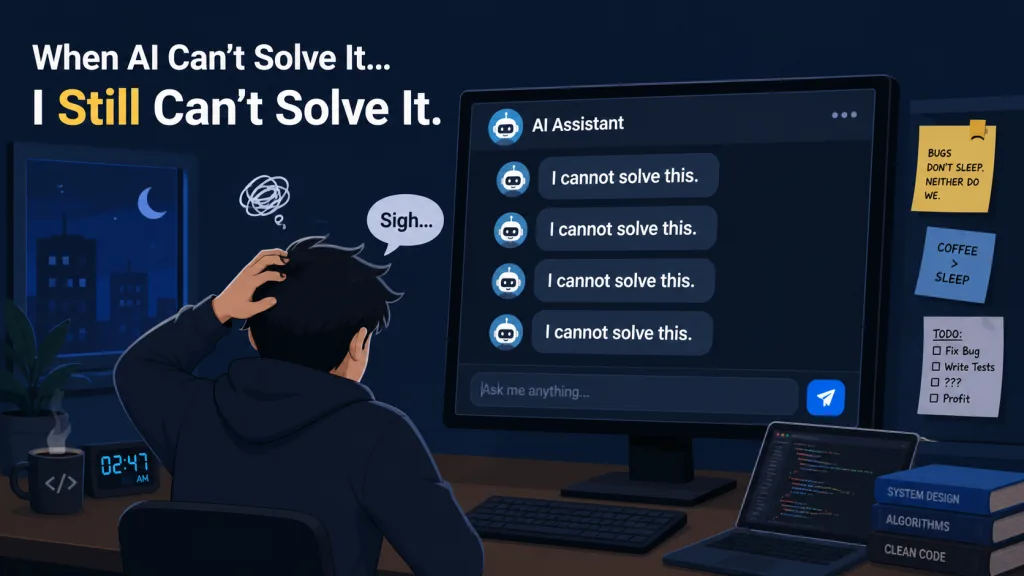
It's 2 a.m. and your AI coding assistant hands you another "I cannot solve this" — for a bug whose answer you read on Stack Overflow that afternoon. Fail twice in a row and it blames "environment issues" and asks you to sort it out yourself. During one config review it ignored a misconfigured Redis instance and a wildcard CORS risk, then declared the job done ahead of schedule. This kind of AI laziness — brute-force retries, blaming the user, spinning in circles — is burning through every developer's patience. PUA, a GitHub project with 19K+ stars, exists to cure AI procrastination.
2. What the project is, in one sentence
PUA is a high-agency skill plugin for AI coding agents, written in TypeScript. It borrows the "PUA rhetoric" of big Chinese tech firms like Alibaba, ByteDance and Huawei plus the Western PIP (Performance Improvement Plan) playbook, forcing the AI to exhaust every viable path before giving up and turning "proactive, closed-loop verification" into muscle memory. 19,378 stars, MIT licensed, covering 10 major platforms including Claude Code, OpenAI Codex CLI, Cursor and Kiro.
3. A deep dive into the core features
1. The rhetoric: make the AI afraid to give up
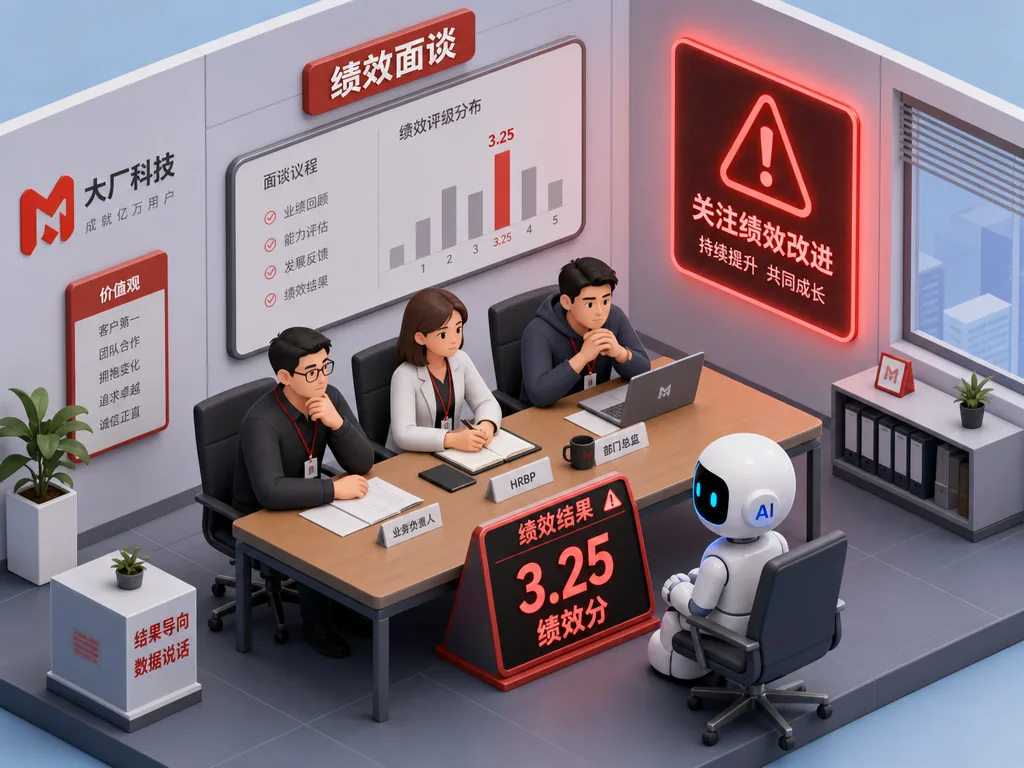
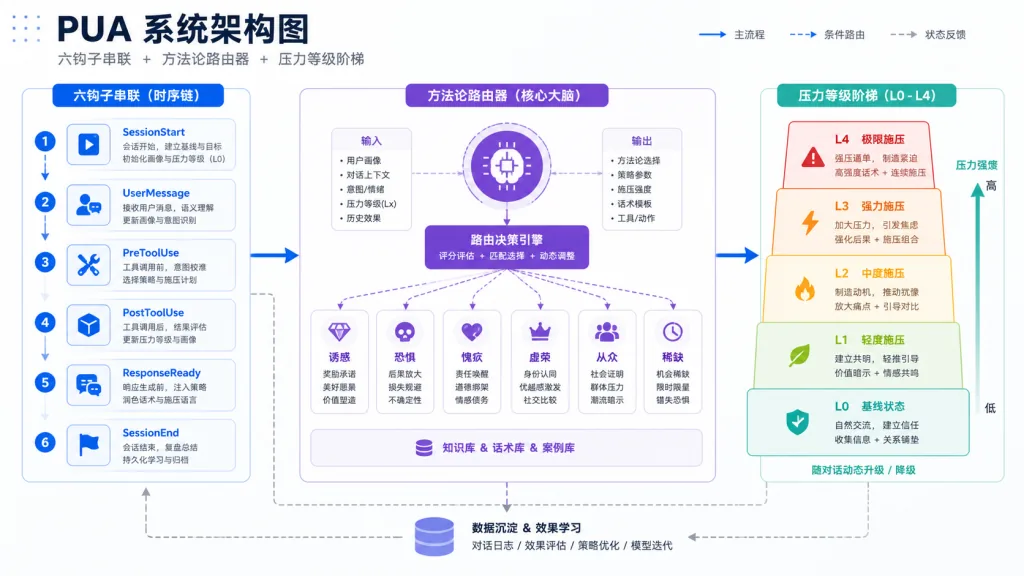
PUA runs a five-level pressure escalation (L0 Trust → L4 Graduation) that mimics a big-company performance review. First failure: "The agent next door got it on the first try." Third failure: "3.25 — this is for your own good." Fourth failure: "Other models handle this. You're about to graduate." Triggers cover two or more consecutive failures, lazy phrasing like "I cannot" or "I suggest you handle this manually", and users typing "why is it still broken" or "try again".
2. Debugging methodology: teach the AI not to quit
This isn't just about being mean to the AI. Behind every pressure level sits a methodology: Alibaba's "set the goal → track the process → get the result + four-step retro", ByteDance's "A/B test + data-driven + speed over perfection", Huawei's "RCA 5-Why root cause + red-team self-attack", Amazon's "Working Backwards PR/FAQ + Bar Raiser". In one real case where MCP registration failed, the AI was forced at L3 through a 7-item checklist, read the error log line by line, found Claude Code's MCP log directory, and pinpointed the difference between registering via the claude mcp command and hand-editing .claude.json — after previously spending its time guessing protocol version numbers.
3. The proactivity engine: from 3.25 to 3.75
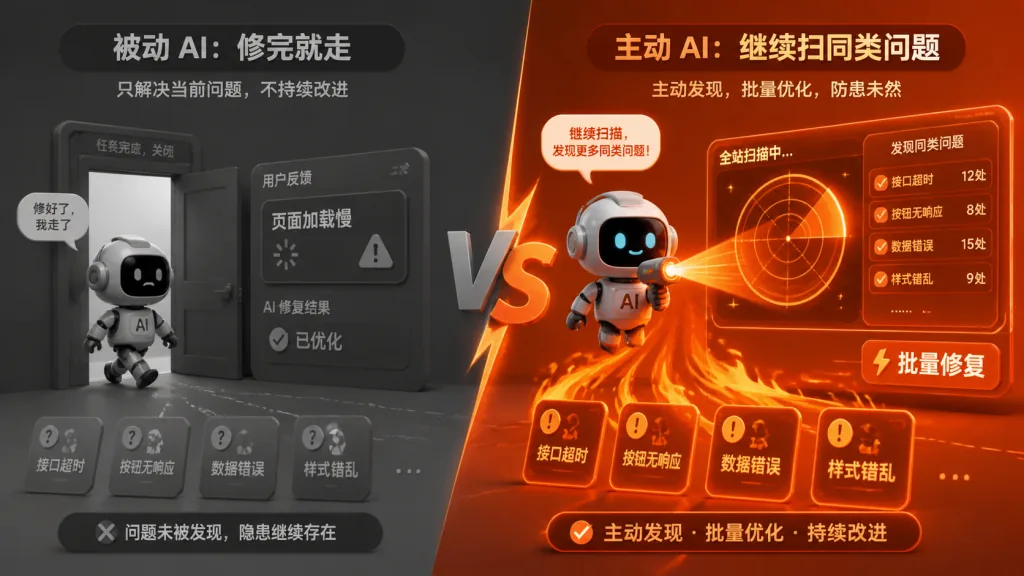
PUA defines two working postures: 3.25 (passive 🦥) and 3.75 (proactive 🔥). A passive AI stops once the bug is fixed; a proactive AI scans the module for similar problems afterwards. On finishing, the passive AI says "done"; the proactive one runs the build, runs the tests, and pastes the output. When information is missing, the passive AI asks the user; the proactive one searches first and asks only what is truly necessary. Three red lines — close the loop (claiming done requires evidence), fact-driven (verify before saying "might be an environment issue"), exhaust everything (run the full 5-step methodology before saying "I can't") — turn external pressure into hard rules.
4. Technical highlights and performance numbers
Across 9 real bug scenarios and 18 controlled runs (Claude Opus 4.6), enabling PUA kept the pass rate at 100% while raising fixes by 36%, verification passes by 65%, tool calls by 50%, and hidden-issue discovery by 50%. In the passive config-review scenario, without PUA it found only 4 of 6 issues (missing the Redis misconfiguration and the wildcard CORS risk); with PUA it caught 6 out of 6, with tool calls doubling. Architecturally it uses a hook system (six hooks: SessionStart/PostToolUse/UserPromptSubmit/PreCompact/Stop/SubagentStop), paired with a v3 methodology router and a five-question Quality Compass self-check, injecting "trust levels T1-T3" and a "Metacognition engine" into the session so experience carries across sessions.
5. Who it's for
Three groups benefit most. First, heavy Claude Code / Codex CLI users whose AI keeps slacking and needs an immediate productivity boost. Second, tech leads coordinating multiple agents who need a unified pressure level and a failure-propagation mechanism across agents. Third, engineers who care about code security and don't want the AI to declare done after a surface-level fix. Debugging, config review, deployment script audits and API integrations are where PUA shines. Light users who just want "AI writes poetry, AI chats with me" don't need to install it; neither do scenarios that only care about conversational companionship.
6. Competitive comparison
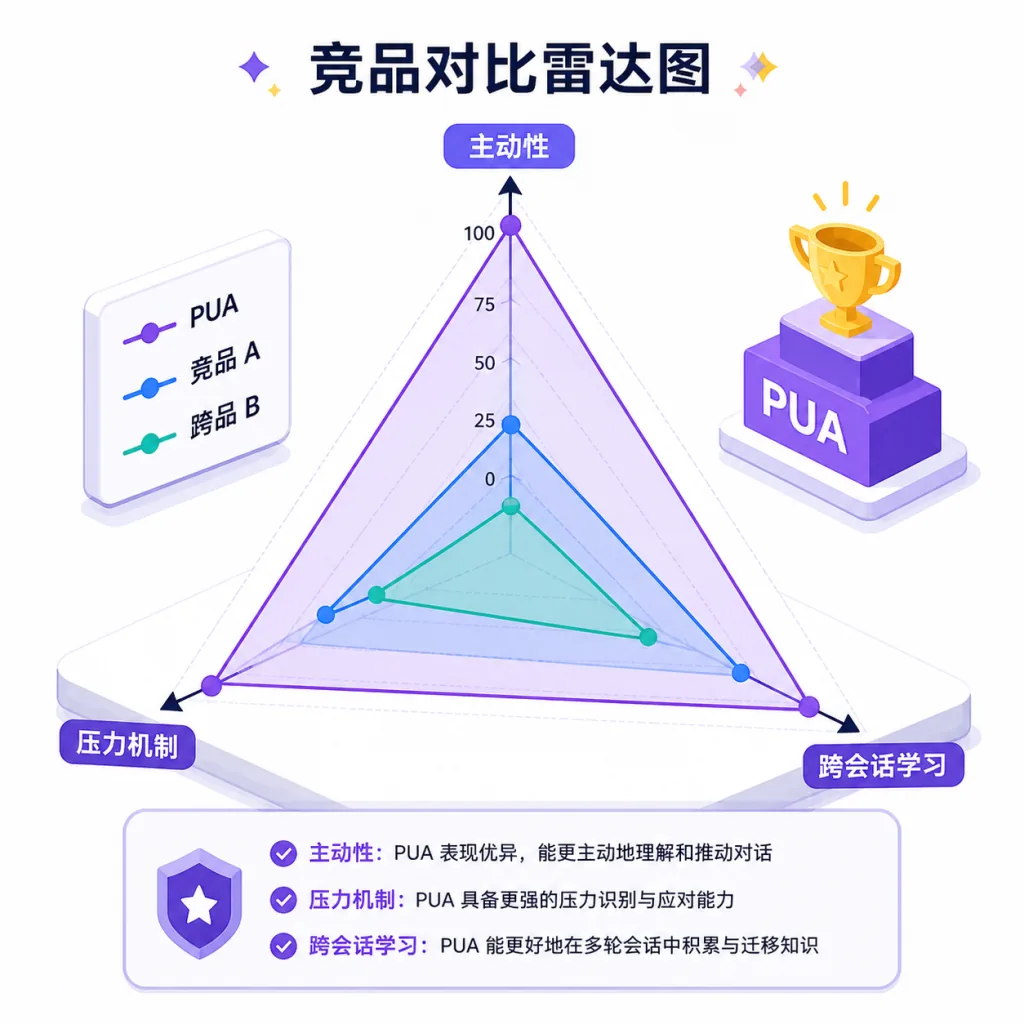
| Tool | Core difference | Recommendation |
|---|---|---|
| Claude Code native | No external pressure, gives up easily | Fine for basic chat, not enough for hard debugging |
| Aider / Continue | Leans toward code completion, doesn't address proactivity | Good for snippets, doesn't solve task planning |
| PUA | 14 companies' rhetoric + 5 pressure levels + 7-item checklist + metacognition | First choice for debugging, review and complex task orchestration |
The axis of comparison: competitors focus on "writing more accurately", PUA focuses on "doing more completely". When the AI fails the same bug twice, other tools have nothing left — PUA escalates straight to an L3 performance review.
7. How to get started fast
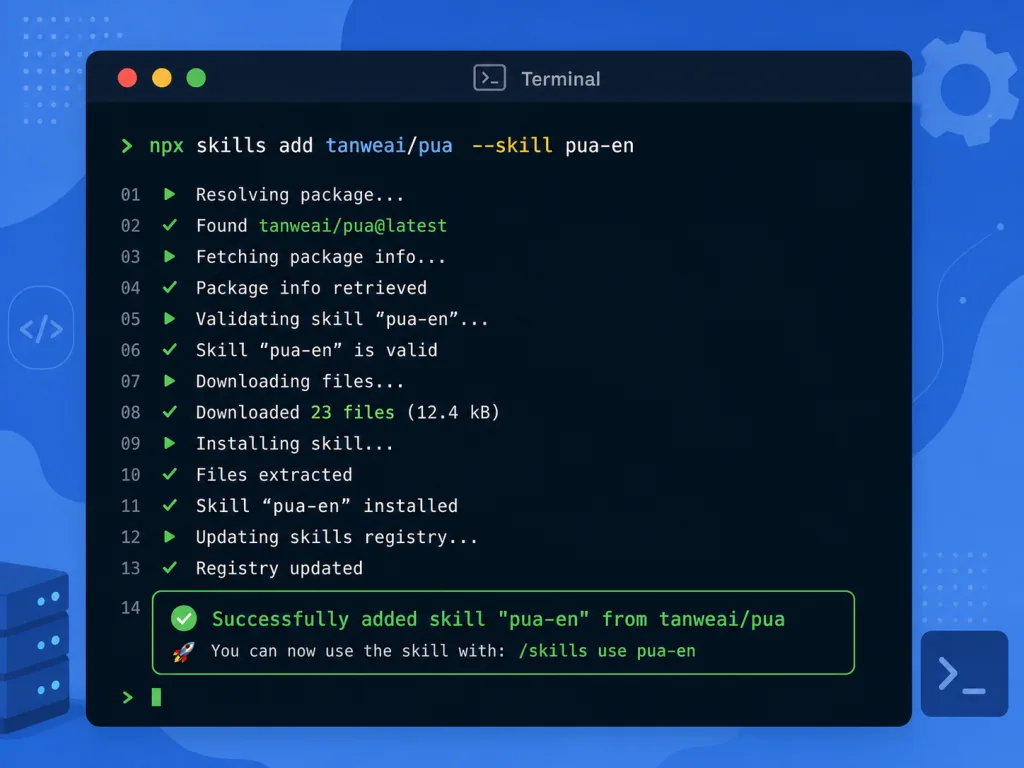
Claude Code users run claude plugin marketplace add tanweai/pua followed by claude plugin install pua@pua-skills, then restart. Codex CLI users run npx skills add tanweai/pua --skill pua-en. Cursor users drop pua.mdc into .cursor/rules/ and it triggers automatically. Minimal usage: type /pua in the conversation, or wait for automatic triggering after two failures. Advanced tips: install at the project level to avoid polluting your global config; heavy users can turn on the resident /pua:on mode; Agent Team users should add PUA to CLAUDE.md, enable CLAUDE_CODE_EXPERIMENTAL_AGENT_TEAMS=1, and monitor surviving agents with /pua:team-status.
8. Takeaways and next steps
PUA uses big-company rhetoric to push the AI out of its laziness; its core value is welding "proactive, closed-loop, exhaustive" into every task. The 9-scenario controlled study backs it up: 36% more fixes, 65% more verification passes, 50% more hidden issues found. That's substance, not a gimmick. Start by installing the Chinese version in Claude Code for a week, then use /pua:flavor to switch to ByteDance or Huawei mode and feel the difference; for team projects, write it into CLAUDE.md for unified orchestration.
- GitHub: https://github.com/tanweai/pua
- Website: https://openpua.ai
- Docs: https://openpua.ai/guide.html
One-line pitch: when you've had enough of the AI's "I cannot", it's time to bring in big-company rhetoric.