1. Intro: why you need this tool
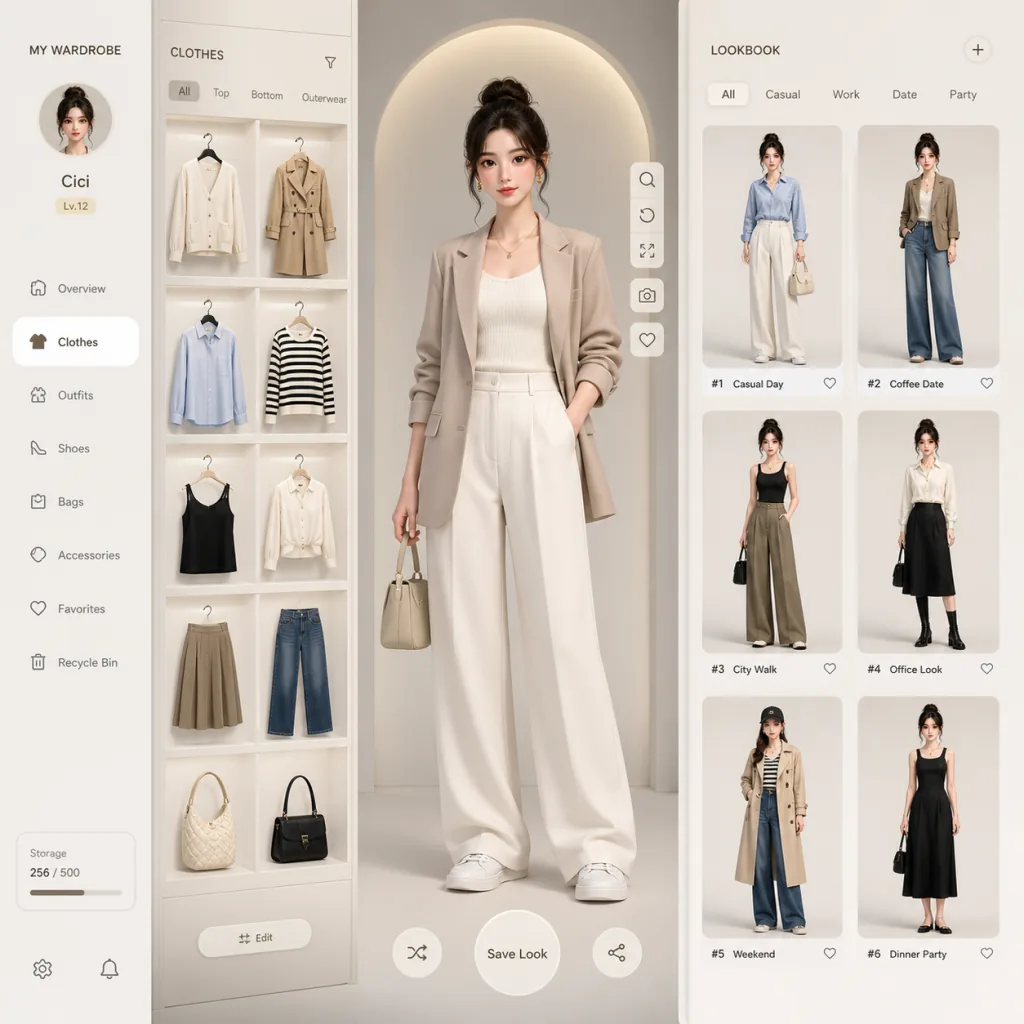
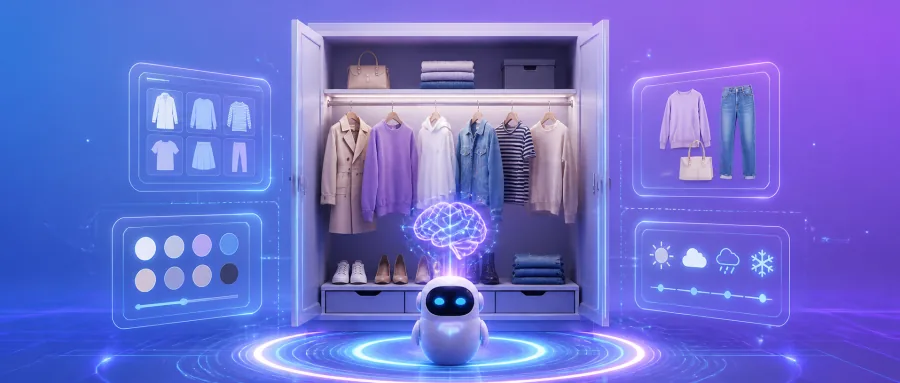
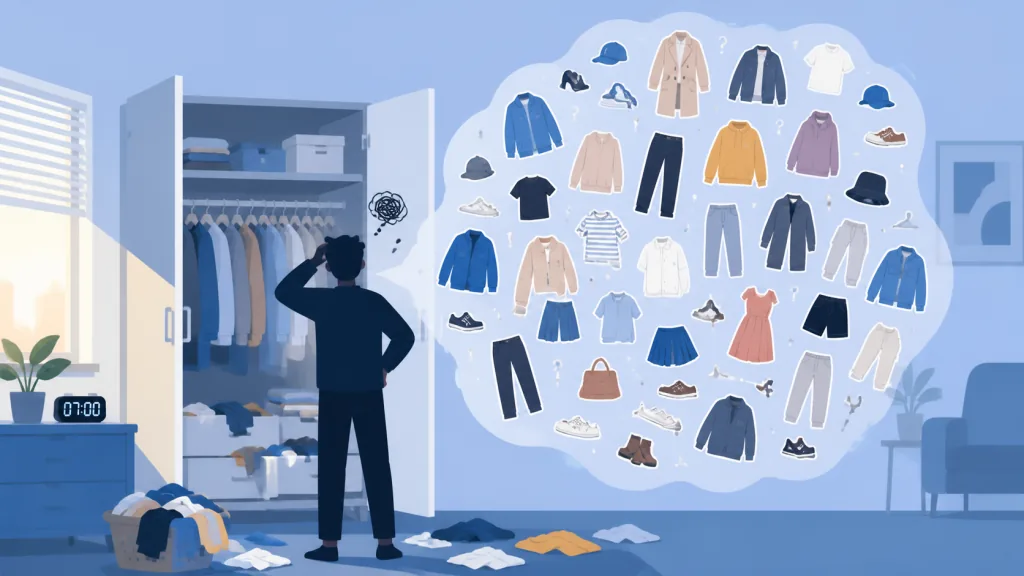
Do you open your closet every morning and still feel like you have nothing to wear? The closet is packed, and you wear the same few pieces anyway. The problem isn't too few clothes — it's that nothing is digitized. Traditional wardrobe apps make you shoot each item by hand, crop it, and categorize it one by one. It's slow, it's tedious, and it ends up as another app collecting dust.
Worse, most virtual try-on tools on the market want your full-body photo uploaded to the cloud, and the privacy risk keeps people away. AI image generation has gotten absurdly good — so why not let GPT "read" the outfit photos in your camera roll, cut out each garment, and generate model try-ons along the way? Wardrobe is the answer.
2. Project overview: what it is in one sentence
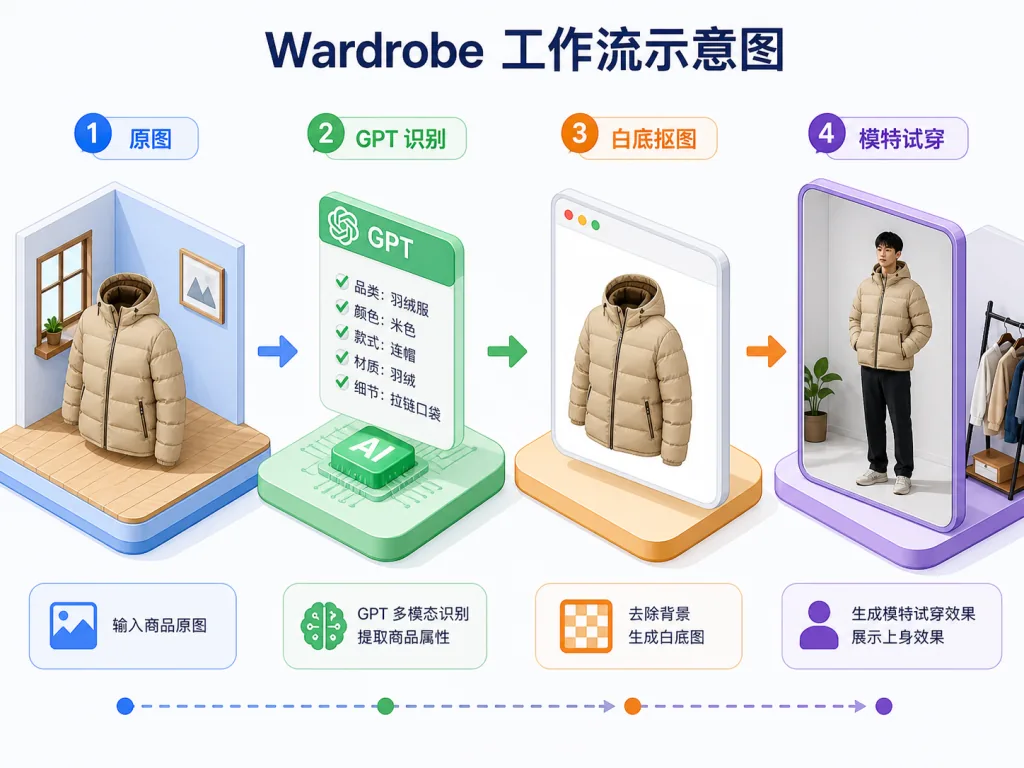
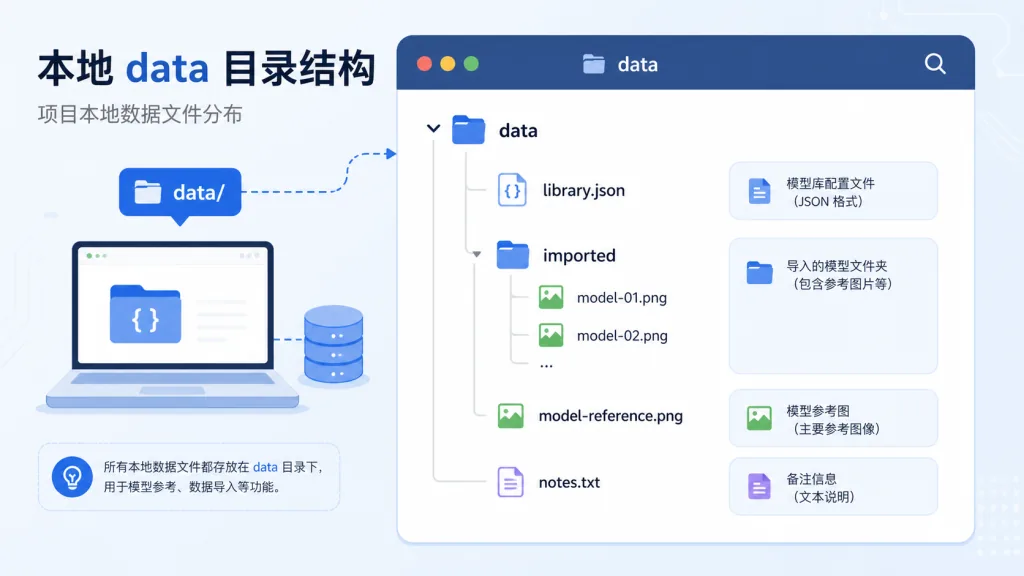
Wardrobe (GitHub: tandpfun/wardrobe, ⭐ 1.8k, JavaScript, MIT) is a local-first AI wardrobe manager built on four keywords: GPT vision recognition, automatic cutouts, model try-ons, local storage. It uses the OpenAI Responses API to identify garments in photos, the Images API to cut clean product shots, and model reference images to generate a virtual lookbook. Nothing depends on a cloud wardrobe service — originals, task records, generated images and the JSON database all stay in the local data/ directory.
3. Core features in depth
1. Smart garment recognition and cutouts
The traditional approach is to box each garment's edges by hand. Wardrobe calls the OpenAI Responses API to have GPT identify every garment category in the image at once (tees, jackets, pants, accessories), then calls the Images API to produce white-background product shots. Compared to manual cutouts in Figma or one-image-at-a-time Remove.bg, Wardrobe supports bulk import and can process dozens of garments in a single run.
2. Model try-on generation
This is the standout feature. You prepare a data/model-reference.png as the model reference, and Wardrobe uses the gpt-image-2 model (default high quality) to "dress" the extracted garments on the model and produce editorial-grade previews. Compared to manual Photoshop work or one-off Midjourney composites, Wardrobe fixes the model identity so the whole lookbook stays stylistically consistent.
3. Codex skill workflow
The project ships two Codex skills: import-clothes and generate-outfits. The first handles import, cutout, try-on, review and writing to data/library.json; the second generates full outfit ideas from the wardrobe you already have. In agent mode you just tell Codex "import the clothes from ~/Pictures/outfits and generate model images", and the rest is automated.
4. Local-first data architecture
Originals, generated images, task logs and the JSON database all live under data/, and dragging, pasting, editing, reviewing, regenerating and approving all happen in the web UI. No external database dependency — migrating means copying a folder.
4. Technical highlights and performance data
- Model configuration: vision model
gpt-5.4-mini, image modelgpt-image-2, quality tierhigh, switchable tolow/mediumto control cost. - Requirements: Node 22+, start with
npm install && npm run dev, default port 5173. - Architecture: frontend and backend in one package — the frontend handles interaction, the backend chains the three stages of recognition, cutout and try-on through the OpenAI API; task results land on disk, so resuming is friendly.
- Ecosystem fit: three entry points, Codex CLI, Codex Desktop and the web UI; the
.agents/skills/directory follows the Agent Skills spec and can be reused by other agents. - Safety by default: the importer is off by default and only becomes available after
OPENAI_API_KEYis configured and a model reference image is in place, which prevents accidental API spend.
5. Use cases and who it's for
Use case 1: building a personal digital wardrobe. For anyone who wants to systematize the outfit photos in their camera roll — import once, use it for good.
Use case 2: content production for outfit bloggers. Bloggers who need a steady stream of lookbooks can use generate-outfits to generate styling ideas in bulk.
Use case 3: organizing assets for apparel e-commerce. Small clothing sellers can bulk-import flat-lay or model photos and automatically get white-background product shots plus consistent model previews.
Suits: Node developers, heavy Codex users, privacy-sensitive local-first people. Doesn't suit: complete beginners who refuse to configure an API key, and users who just want a ready-made SaaS.
6. Competitor comparison
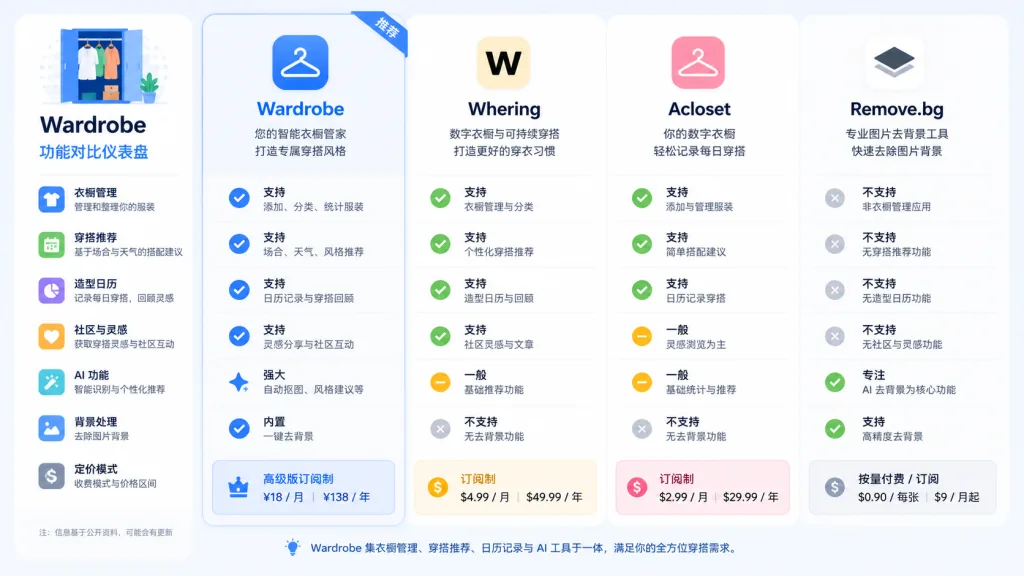
| Dimension | Wardrobe | Whering | Acloset | Remove.bg |
|---|---|---|---|---|
| Garment recognition | GPT, automatic, batch | Manual + AI assist | Manual + AI assist | Not supported |
| Model try-on | Built-in, consistent model | None | Basic try-on | None |
| Data storage | Local JSON + files | Cloud | Cloud | Cloud |
| Open source | MIT | No | No | No |
| Agent integration | Two Codex skills | None | None | None |
Why pick Wardrobe: open source, locally controlled, agent-orchestratable, consistent try-on style.
7. Getting started fast
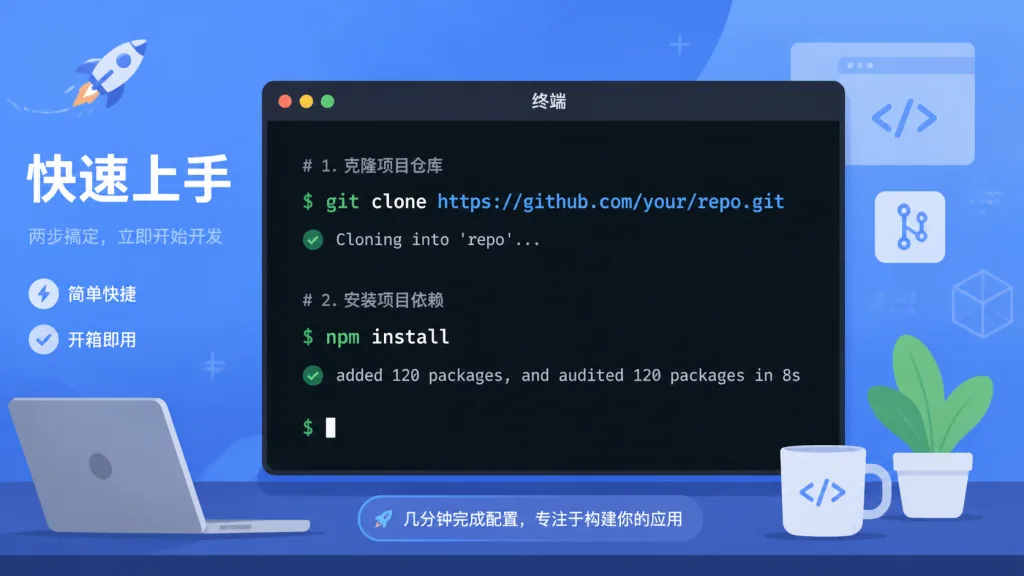
Install steps:
git clone https://github.com/tandpfun/wardrobe.git
cd wardrobe
npm install
cp .env.example .env
Fill OPENAI_API_KEY into .env, put a full-body PNG at data/model-reference.png, run npm run dev, and open localhost:5173 in your browser.
Minimal working example: drag an outfit photo onto the page, confirm the recognition results as prompted, click "generate model image", and you'll see the white-background product shot along with the try-on preview.
Tips for going further:
- Run the flow on 5-10 photos first to check the reference image quality and the generated style.
- Put the whole
data/directory in a Git repository to sync across devices. - In Codex, use
$generate-outfits 5to generate five outfit ideas in one shot.
8. Summary and next steps
Wardrobe wraps AI vision into a local, orchestratable wardrobe tool, and its core value is the "recognize, cut out, try on" trio plus data you fully control. It isn't another wardrobe app you have to maintain by hand — it's a wardrobe operating system for agents and developers.
How to use it: test API costs in small batches first, then import at scale once the style looks right. For the model reference, pick a front-facing, full-body PNG on a solid background — that gives the most stable results.
Project links: GitHub repository https://github.com/tandpfun/wardrobe; the inspiration came from @cdngdev's original post on X.com. One-line recommendation: let GPT read your closet and get 10 minutes back before you leave the house.