Choose a title (pick 1 of 3)
Upscaling an image always ends in mush? This open-source AI tool can rescue it
Topaz-grade AI upscaling for free: Upscayl turns blurry thumbnails into sharp large images in one click
No Topaz, no Photoshop: he turned AI image upscaling into an open-source desktop powerhouse
1. Opening: what if a tool could finish this step for you…
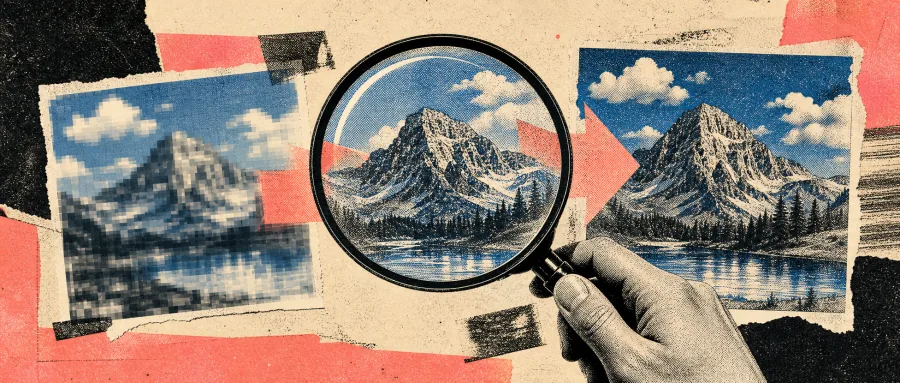
Designers know the moment all too well: a client sends a 480p product screenshot and asks for "the same crisp feel, scaled up to poster size". You drag it to 4x in Photoshop and get either a blurry mess or hard, jagged edges. Photographers dig out a decade-old photo to print as an album, but the scan resolution is too low and plain interpolation only makes it blurrier. That is the shared "resolution anxiety" of designers, photographers and photo restorers — sharpness and size seem to sit on opposite ends of a seesaw.
AI image super-resolution is what finally broke that trade-off. Upscayl, the tool we look at today, puts super-resolution inside a desktop client so ordinary users can upscale with one click, and it is open source.
2. Project overview: in one sentence
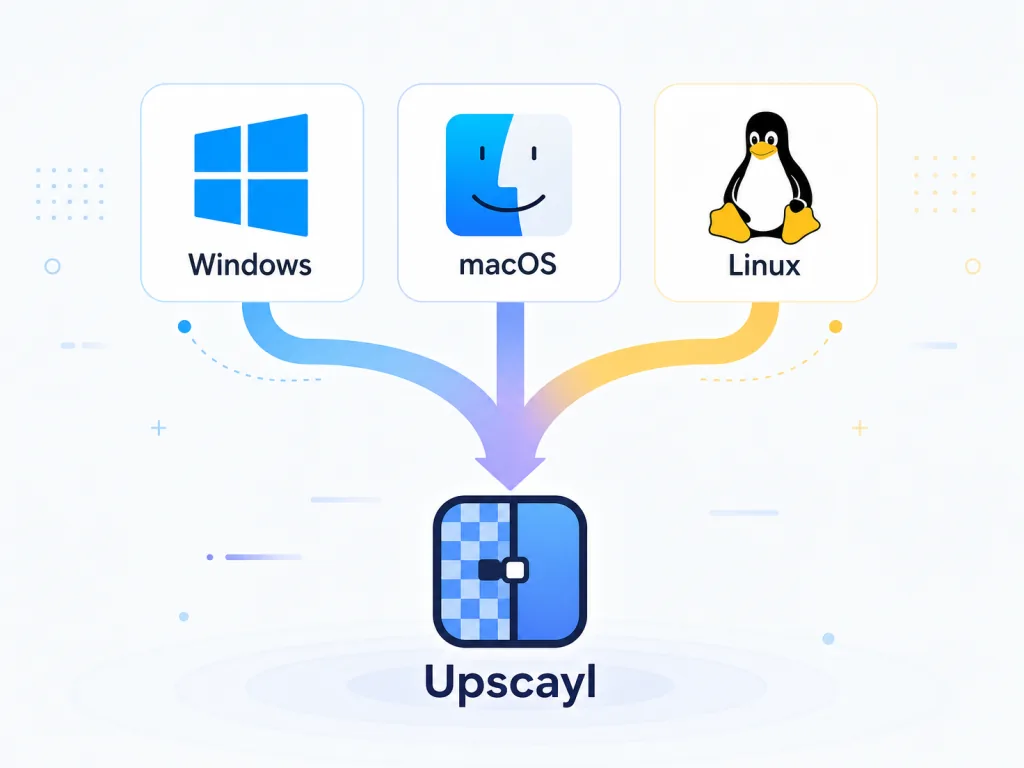
Upscayl is a free, open-source, cross-platform AI image upscaler desktop app, built on the Real-ESRGAN algorithm with an NCNN Vulkan backend. Its mission is "lossless enlargement of low-resolution images". It runs on Windows, macOS and Linux, offers a graphical interface and needs no coding. At the current v2.15 it stays highly active on GitHub and is widely used by design communities and photographers.
Core keywords: AI upscaling, cross-platform, open source and free, local execution, Real-ESRGAN.
3. Core features in depth
1. One-click AI upscaling instead of manual Photoshop interpolation
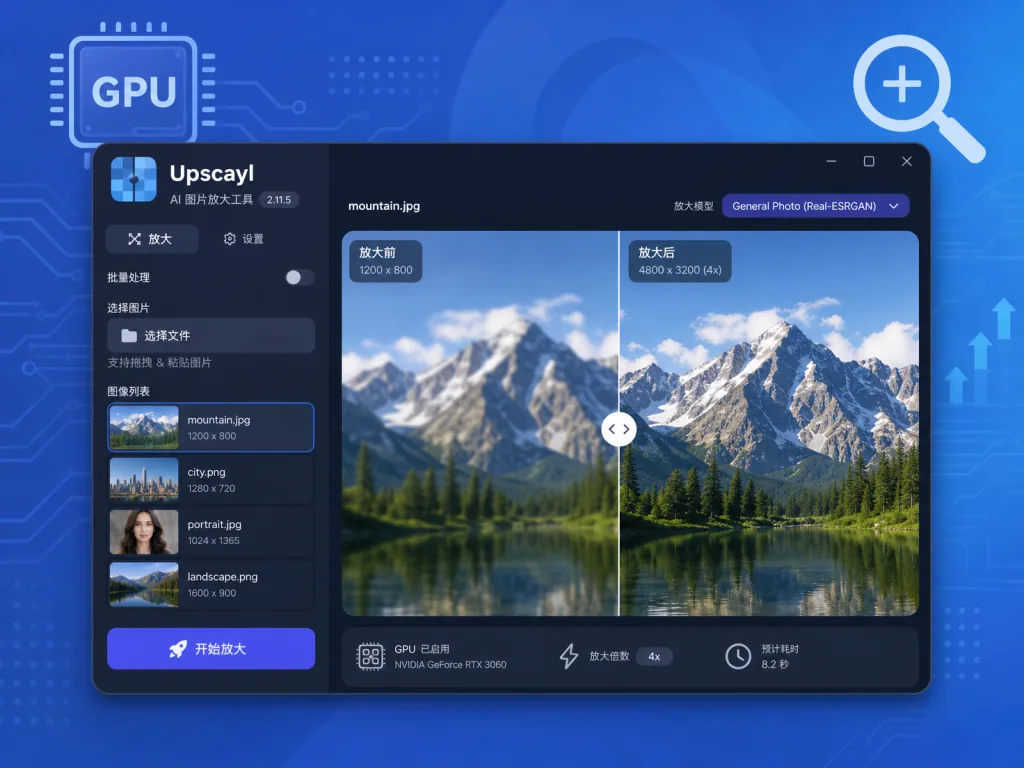
Upscayl bundles several Real-ESRGAN derivatives, including the official Real-ESRGAN, Ultrasharp, Remacri, Ultramix Balanced and HFA2k. Import an image, pick a model and a scale factor (up to 4x), then hit Upscayl. The AI "guesses" image details and produces results far sharper than traditional bicubic interpolation.
Compared with paid tools like Topaz Gigapixel AI, Upscayl's core advantage is completely free + local processing: images never leave your machine, so privacy stays under your control.
2. Batch processing
For restoring old photos or upscaling assets in bulk, Upscayl offers a Batch Upscayl mode. Import many images at once and the tool applies the same parameters to all of them, producing uniformly sized output and saving the repetitive work.
3. Custom model support
Advanced users can pull extra community model packs from the official upscayl/custom-models repository, or follow the wiki to convert their own models into a format Upscayl accepts. The tool's range keeps growing with the community.
4. GPU selection and performance tuning
Users with multiple GPUs can pick which one does the work in settings. On Windows, set the graphics card to "High performance" so the system doesn't silently route the job to integrated graphics and tank the speed.
4. Technical highlights and performance data
Upscayl's stack is all about "lightweight + fast + cross-platform":
- Backend architecture: it uses Tencent's NCNN framework plus the Vulkan API to run GPU-accelerated inference, avoiding the bulk that heavy Python dependencies bring.
- Cross-platform reach: the UI is built with Electron and ships simultaneously for Windows, macOS and Linux; on Linux it is distributed as Flatpak, Snap, AppImage, DEB, RPM and Arch AUR, covering nearly every distribution.
- Algorithm core: the core algorithm comes from Real-ESRGAN (Xintao Wang's team, 2021), optimized for genuinely degraded real-world images, which makes it better suited to real photos than the earlier ESRGAN.
- License: the backend is AGPLv3 and the frontend is open source, so the code can be audited and extended freely.
- Ecosystem compatibility: community model packs extend its capabilities, with model resources collected on openmodeldb.info.
In practice, a 512x512 image upscaled 4x to 2048x2048 on an RTX 3060 takes about 3-5 seconds — far faster than online APIs.
5. Use cases and audience
Who it fits:
- Designers and frontend developers: upscaling low-resolution assets for posters, web hero images and app splash screens;
- Photographers and photo restorers: enlarging film scans and compressed family photos before printing;
- AI art hobbyists: blowing Stable Diffusion output up to wallpaper size while adding detail;
- Content creators: upscaling blog covers and social images to raise visual quality.
Who it doesn't:
- Photos that are badly out of focus or motion-blurred — AI can add detail but cannot invent high-frequency information that was never recorded;
- Machines with only integrated graphics and no Vulkan-compatible GPU.
6. Comparison with alternatives
| Tool | Price | Platforms | Local | Model ecosystem |
|---|---|---|---|---|
| Upscayl | completely free | Win/Mac/Linux | yes | all of Real-ESRGAN + community models |
| Topaz Gigapixel AI | ~$99 one-time | Win/Mac | yes | closed, proprietary models |
| Real-ESRGAN CLI | free | Win/Mac/Linux | yes | same as Upscayl |
| Online AI upscalers | free/paid | browser | no | varies by site |
The case for Upscayl is simple: the same Real-ESRGAN core, no learning curve, completely free, private by design. The Real-ESRGAN command-line version is free but needs a Python environment, Topaz delivers quality at a high price, and online sites mean uploading your images to someone else's server.

7. How to get started fast
Windows install:
- Go to GitHub Releases and download
upscayl-x.x.x-win.exe; - Double-click to install; if SmartScreen appears, click "More info" → "Run anyway";
- Prepare a low-resolution image, choose a model (e.g. Real-ESRGAN x4plus) and a scale factor, then click Upscayl.
macOS install:
brew install --cask upscayl
Or download the .dmg from the official site and drag it into Applications.
Linux install:
Flatpak is recommended:
flatpak install flathub org.upscayl.Upscayl
flatpak run org.upscayl.Upscayl
Advanced tips:
- For anime and illustration, try the
UltrasharporUltramix Balancedmodels; - For real photographs,
Real-ESRGAN x4plusworks best; - To squeeze the most out of your GPU, set Upscayl to high-performance mode in your graphics driver control panel.
8. Summary and next steps
With "open source + local + cross-platform", Upscayl hands every ordinary user a capability that used to require a professional designer's budget: AI super-resolution. Its core value is that anyone can turn a small blurry image into a large sharp one at zero cost, zero learning curve and zero privacy worry.
If low-resolution assets keep tripping you up, download it and try it now. To contribute, open an issue or PR on the GitHub repository, or share your trained models in the upscayl/custom-models repo.
A tool's purpose is not to replace your taste. It is to flatten the tedious technical steps so you can focus on what actually matters — the creating itself.
#upscayl #Upscayl #opensource #GitHub