Pick a title (choose 1 of 3)
AI images keep going off the rails? Try ArtCraft, a 32K-star Rust tool
ArtCraft: 62 AI models in one place, and 3D posing makes character consistency 10x better
Without opening PS or Blender, I blocked out 10 storyboard shots in ArtCraft in one sitting
ArtCraft: turning gacha-style AI image generation into real visual engineering
1. Opening: stop hand-cranking it
Late-night revisions, typing "a girl, red dress, soft light, 8k, masterpiece" over and over, and the model hands you ten faces in ten different styles. Anyone who has used Midjourney or an SD workflow knows that feeling of losing control. The biggest problem with AI image generation isn't that it "draws badly" — it's that it "draws inaccurately": change the angle and the same character is unrecognizable; change the camera position and the same scene goes completely off track.
Worse is the broken workflow: cut out in PS, place in Blender, run nodes in ComfyUI, composite in CapCut — four or five apps, and changing one shot's composition means re-running the entire pipeline. ArtCraft wants to end this "patchwork creation": composition, characters, camera and 3D scenes all live in a single IDE, so you build the set first and generate second.
2. What the project is, in one sentence
ArtCraft is an open-source project on GitHub with 32K stars, positioned as "an AI image and video creation IDE built for artists." It's written in Rust and centers on precise visual control — you no longer rely only on text prompts, but build things with 2D/3D canvases, character posing, camera framing and 3D meshes. Three keywords: repeatable, model-neutral, visually controllable.
3. A deep dive into the core features
1. Image to Location: letting characters "move into" the same room
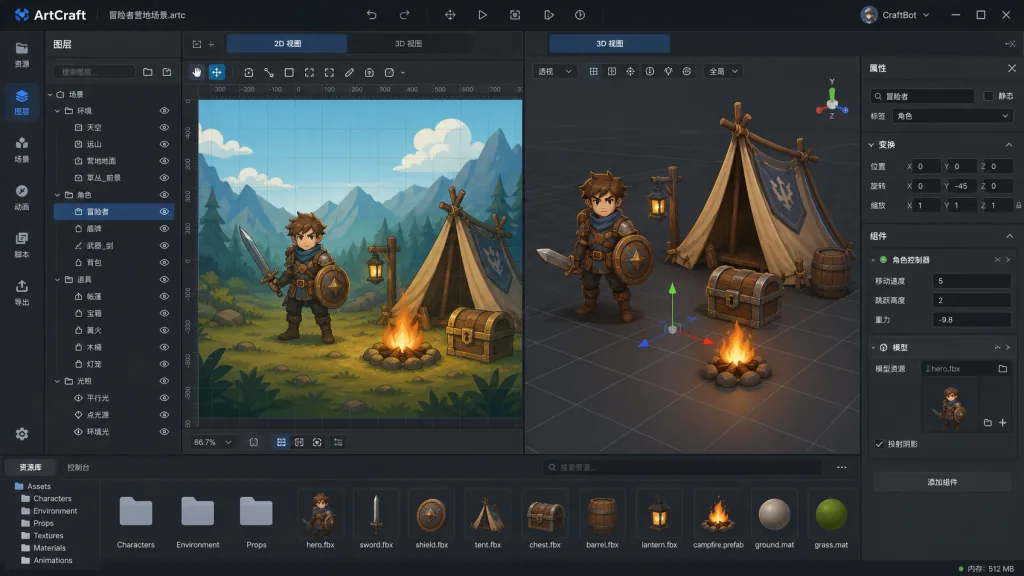
The biggest trap in traditional AI image generation is character consistency. ArtCraft's answer: drop in an environment image, the system extracts a navigable 3D space, and you can drag virtual "actors" around inside it and frame them from any angle. Same building, same light — no more gambling on consecutive shots.
2. 2D + 3D dual-track compositing
In 2D mode you stack layers, cut out backgrounds and add masks like you would in Photoshop. In 3D mode, background, foreground and props each carry depth information, so parallax stays correct the moment the camera moves. The two modes mix — capture a frame as a texture, drop it into a 3D scene as a prop. That's what the README calls "Mixed Asset Crafting."
3. Character posing and identity transfer
Pose the Mannequin (the default model) into the posture and composition you want, then give it a character reference image and the model "paints" that pose onto the target character. Comic artists and storyboarders use this to mass-produce different characters in the same action, which is markedly faster than traditional SaaS tools.
4. Image to 3D mesh
Upload a still image and the AI generates a rotatable, relightable 3D model (11 models available, including Hunyuan 3D and Tripo3D). E-commerce product shots, game prop previews and film concept design all benefit — one ZBrush rebuild saved each time.
5. Unified prompts and canvas editing
Feeling lazy? Type a text prompt and route it to one of 16 image models such as Nano Banana Pro, GPT Image 2.5 or FLUX. Need precision? Paint a mask on the canvas and do local inpainting. One workflow gives you both "fast" and "accurate."
6. Model neutrality: 62 models under one dispatcher
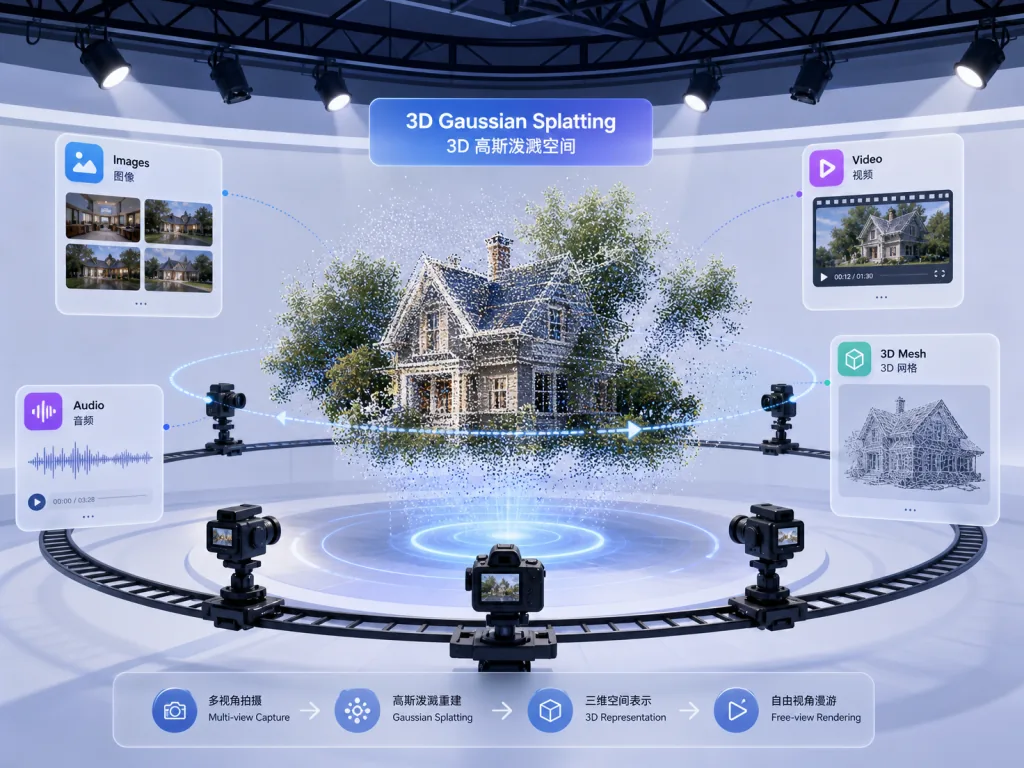
ArtCraft ships a full catalog of 62 models covering images (16), video (25), music and SFX (5), 3D meshes (11) and Gaussian splat worlds (5). Midjourney, Grok, Sora, World Labs Marble and Suno are all callable from one place, so models are no longer locked to a single vendor.
4. Technical highlights and performance numbers
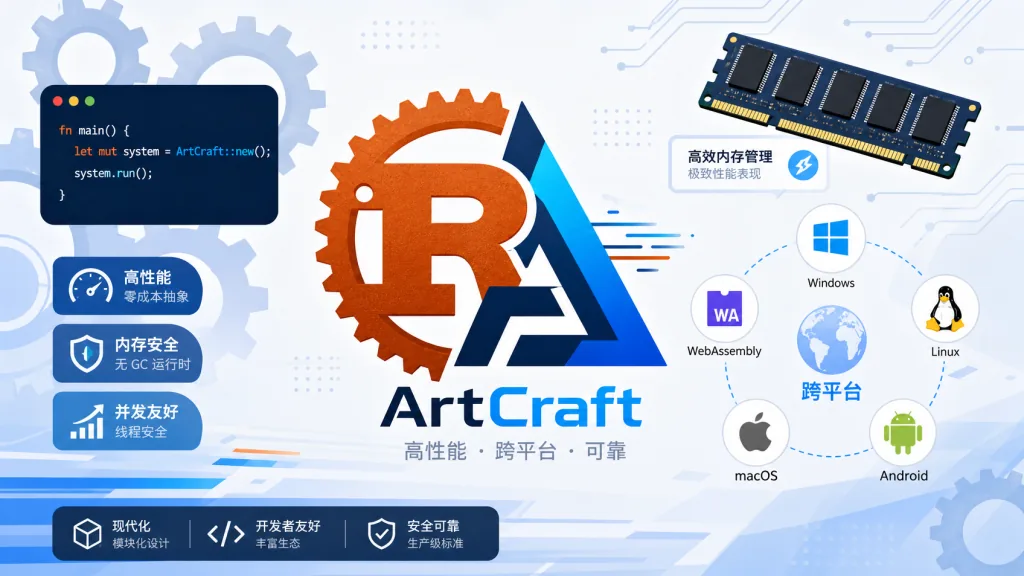
- Native Rust performance: the core engine is written in Rust, so the desktop app starts fast, memory use stays bounded and the 3D viewport holds a stable frame rate.
- Multi-provider abstraction layer: every model goes through one interface, so adding a model means writing an adapter, not touching the UI layer.
- Offline-friendly: assets and history are cached locally, so regenerating doesn't mean re-uploading the whole image.
- Cross-platform: stable builds for Windows and macOS are a direct download; Linux users can build from source.
- Dual-license open source: MIT and Apache-2.0, so commercial use carries no licensing risk.
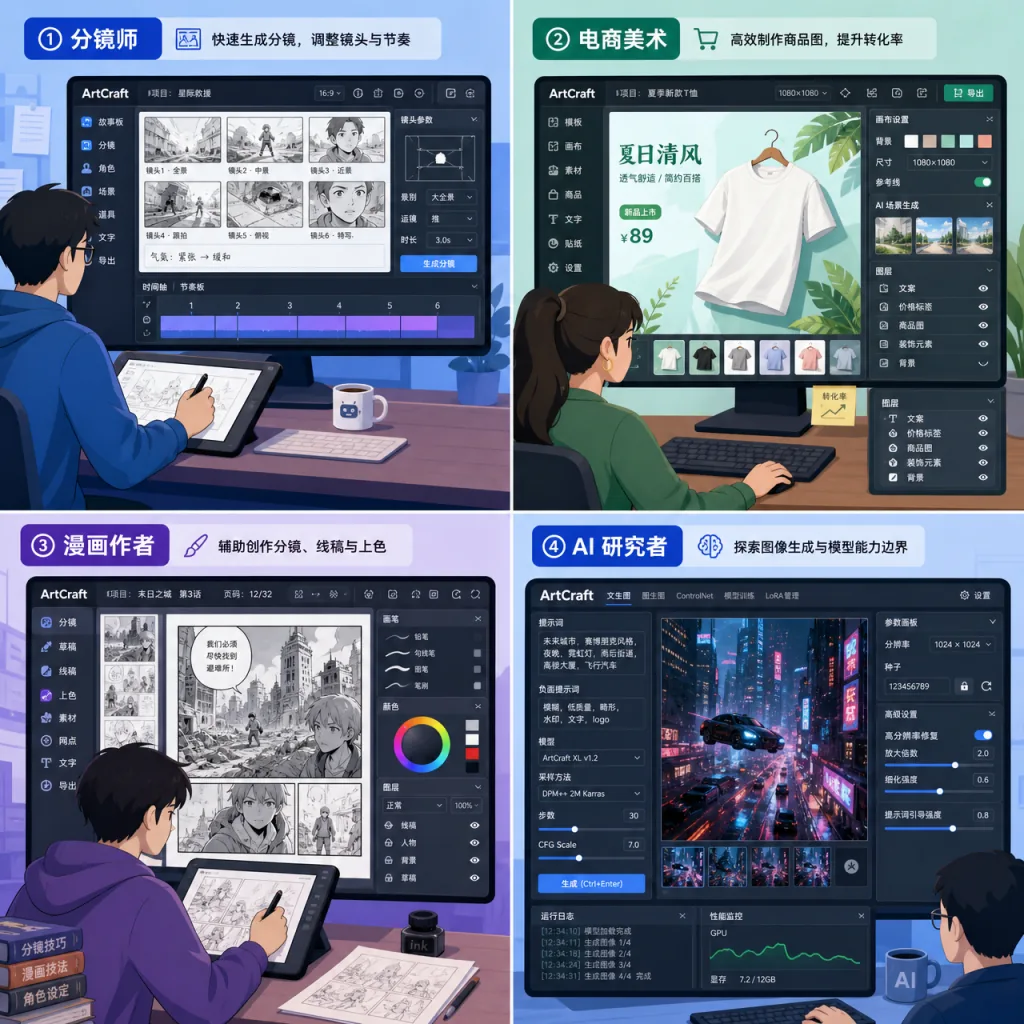
5. Use cases and who it's for
Who it fits:
- Storyboard artists and film concept designers who need characters and sets to stay consistent across shots;
- E-commerce and game artists who want multi-angle product shots or 3D prop previews fast;
- Comic artists and illustrators who need the same pose across many characters;
- AI workflow researchers who want to compare 60+ models side by side in one GUI.
Who it doesn't fit:
- Pure text-prompt users who just want one-click output and don't care about composition control;
- Lightweight creators who want to sketch on a phone (desktop only for now);
- Hardcore self-hosters who want to run private Stable Diffusion models locally and trust cloud APIs zero percent.
6. How it compares
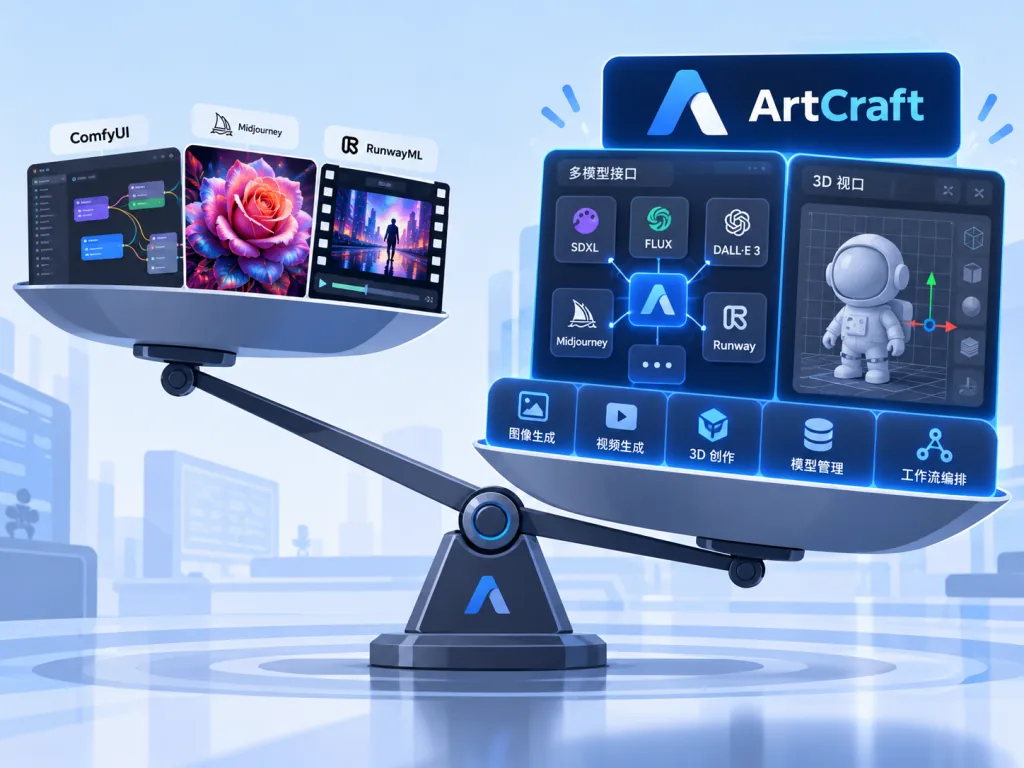
| Dimension | ArtCraft | ComfyUI | Midjourney | RunwayML |
|---|---|---|---|---|
| Character consistency | ✅ 3D posing + identity transfer | ⚠️ Hand-wired via ControlNet | ⚠️ Relies on --cref | ⚠️ Weak |
| 3D scene setup | ✅ Built in | ❌ Needs external Blender | ❌ None | ❌ None |
| Model neutrality | ✅ 62 models | ✅ Whole SD ecosystem | ❌ Closed and exclusive | ⚠️ Mostly first-party |
| Learning curve | 🟢 Visual IDE | 🔴 Node wiring | 🟢 Minimal | 🟢 Simple |
| Open source and controllable | ✅ MIT/Apache | ✅ GPL | ❌ Closed source | ❌ Closed source |
In one line: ComfyUI is flexible but steep, Midjourney is simple but uncontrollable, RunwayML is strong on video and weak on images — ArtCraft takes the middle road of "control plus model breadth."
7. Getting started fast
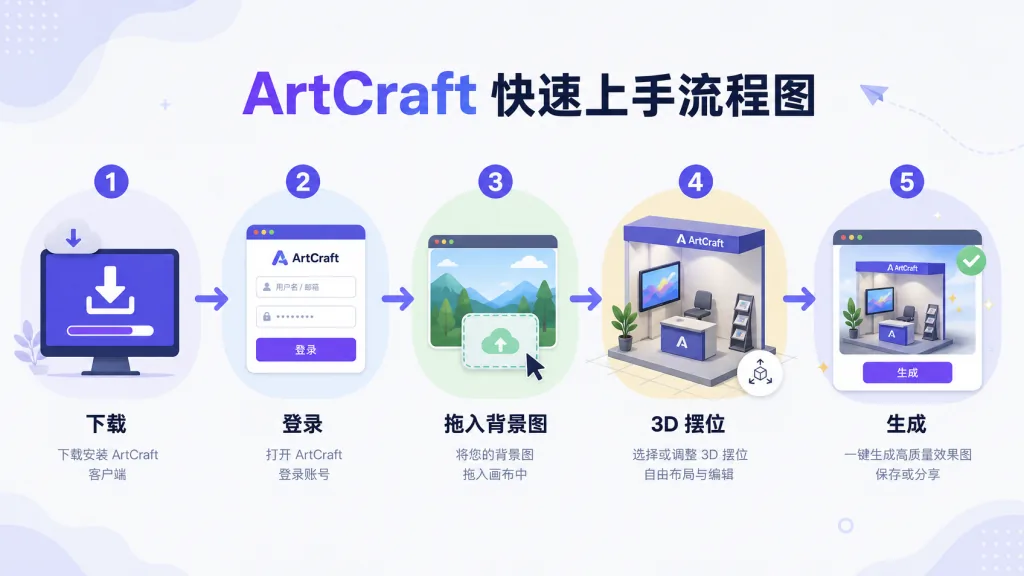
- Download and install: go to getartcraft.com for the Windows/macOS stable build; hit the GitHub Releases page if you want the newest features.
- Create an account: the first launch requires signing in to ArtCraft's cloud service (used to dispatch each provider's API).
- Minimum viable flow: create a project → drag in a background image → use "Image to Location" to generate a 3D space → drag in a character reference → position and frame in the 3D viewport → hit generate.
- Advanced play: plug in your own API keys, combine 2D masks with 3D meshes, and use Kitbashing to assemble complex scenes from the asset library.
- Build from source: Linux users should check
_docs/dev_setup.mdin the repo; you'll need Rust 1.75+ and a Node environment.
8. Takeaways and what to do next
ArtCraft attacks a pain point that gets talked about far more than it gets solved: making AI image generation an engineering process. It compresses 2D compositing, 3D scenes, character posing and camera control — the classic art pipeline — into one Rust-driven IDE, then puts 60+ top models into a single catalog. For any serious visual creator, that "build the set, then generate" workflow is far more stable than text prompts alone.
What to do next: spend five minutes on one "Image to Location" test to feel the character consistency for yourself, then decide whether it belongs in your production workflow.
- Official download: https://getartcraft.com/
- GitHub repo: https://github.com/storytold/artcraft
- Docs: the
_docs/directory in the repo - Community: Discord, YouTube, X and LinkedIn are all live
Turning AI image generation from gacha pulls into engineering — that's the label ArtCraft wants to own.
#artcraft #Artcraft #storytold #GameDev #OpenSource #GitHub