Title options (pick 1 of 3)
Let AI do the work: 4 open-source gems I've been quietly keeping to myself
Record an operation once and reuse it: 4 open-source projects that put AI agents to work directly
Browser, phone and workflow, all connected: 4 private open-source picks that actually make AI do the work
Collaborating with the team lately, I keep running into the same pattern: "getting AI to do the work" has itself become the most time-consuming part. Either you copy and paste prompts by hand, or you write a pile of glue scripts — and then spend longer debugging the glue than the task would have taken.
This round I've put together 4 open-source projects that genuinely saved me effort. Between them they solve four things: teaching an AI a skill, letting an AI operate a phone, letting an AI use your browser, and stringing the whole process together. Each one is worth bookmarking on its own.
Project overview
| Repository | Stars | Main language | One-line positioning |
|---|---|---|---|
| microsoft/skill-recorder | 4.0k | TypeScript | Record an operation once; AI generates a reusable Skill |
| ShawnPana/phone-harness | 2.9k | Python | Lets an AI agent drive an iPhone / Android directly |
| Tencent/BrowserSkill | 6.0k | TypeScript | Lets AI borrow your already-logged-in browser tabs |
| n8n-io/n8n | 205k | TypeScript | Visual workflow engine with 1500+ integrations built in |
Project breakdown
microsoft/skill-recorder — record once, and AI can repeat it
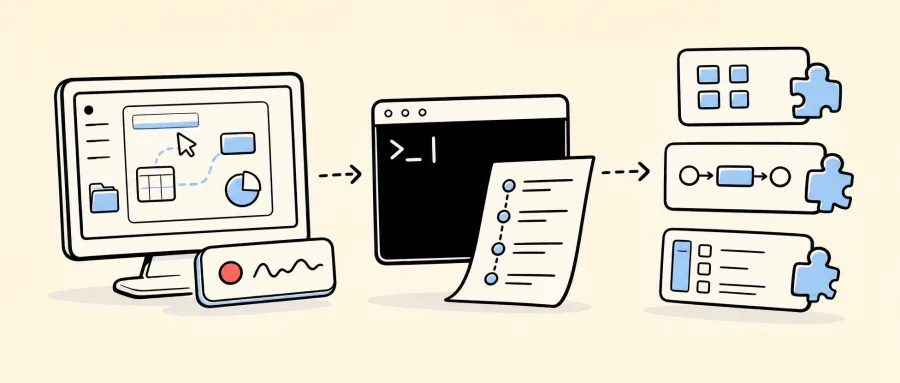
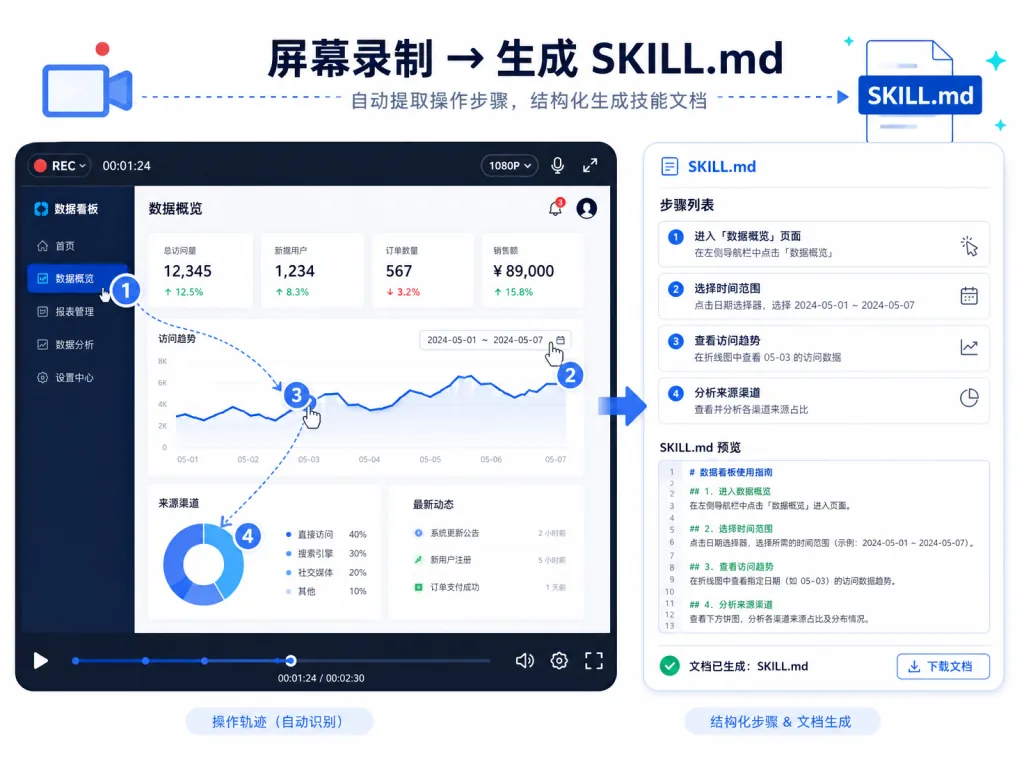
Core capability: it records what you do on screen, has GitHub Copilot CLI reconstruct it into "intent plus an ordered step list", and finally generates a SKILL.md process document or a scheduled Automation that an AI agent can execute over and over.
The workflow is straightforward: hit record (⌘⇧R / Ctrl+Shift+R) and perform the task once → when you stop, click Analyze → Copilot turns the scattered clicks, window switches and command output into readable steps → after you approve, it produces a Skill or an Automation in one click. Generated Skills tend to call native CLI tools like gh rather than mechanically replaying clicks, so record "submit one form" once and the AI learns "submit every form of this kind".
- Who it suits: anyone repeating multi-step operations daily — ops and marketing folks, admins, colleagues who bulk-fill forms
- Who it doesn't: ==tasks you'll only ever do once aren't worth recording==; the official focus is macOS right now, and while Windows 11 is supported, check
WINDOWS-VALIDATION.md
Minimal setup
Just tell your agent:
Install this skill for me: https://github.com/microsoft/skill-recorder
Or open the Release page, copy the full install command for your platform and paste it into a terminal. The first launch asks for screen-recording permission; grant it, record a task once, run Analyze once, and the whole loop works.
Source: https://github.com/microsoft/skill-recorder
ShawnPana/phone-harness — let the agent drive your phone directly
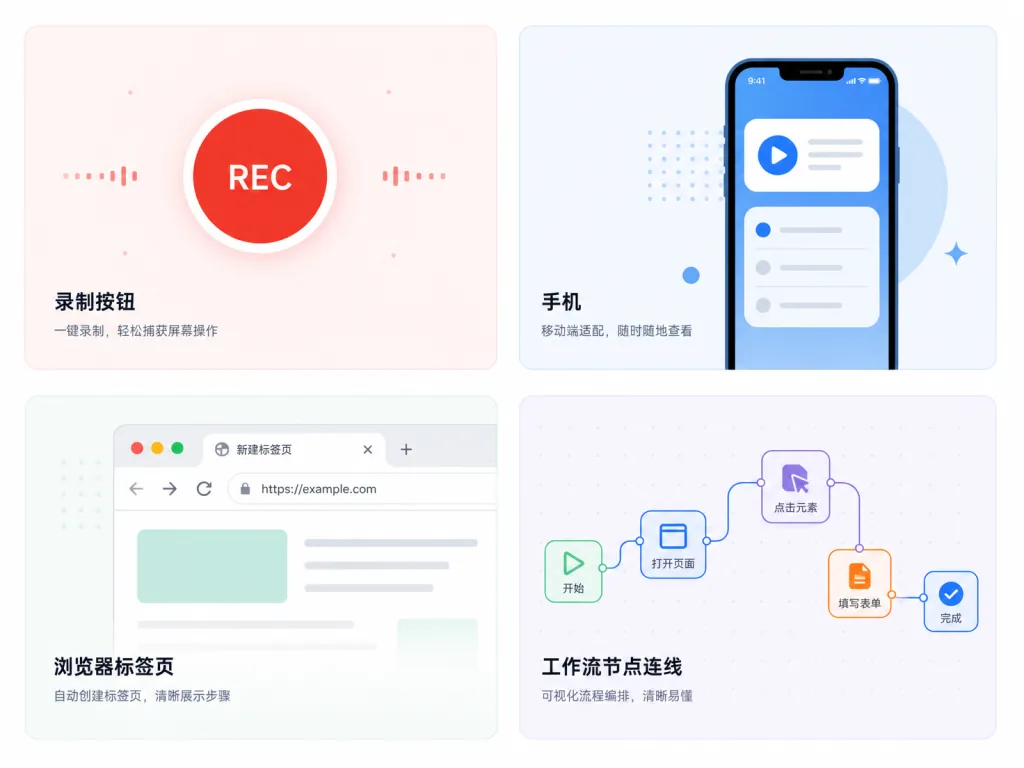
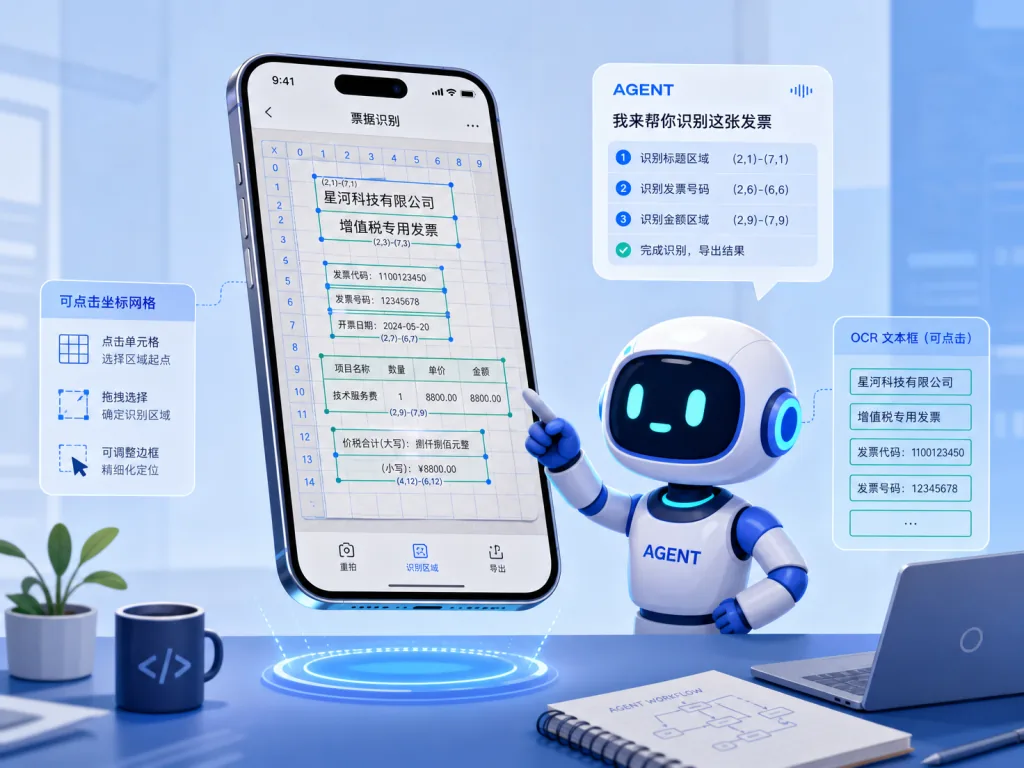
Core capability: it exposes an iPhone (via the iPhone Mirroring window on a Mac) or an Android device (via adb) as a set of Python helpers, so an agent can screenshot, OCR, tap, swipe and type — with no jailbreak and no extra apps installed.
The implementation is developer-friendly: on iPhone it captures the Mirroring window and uses Apple Vision for OCR to get text with coordinates, then sends HID-level events; on Android it goes straight to screencap + adb input. Both sides are wrapped in the same helper set (open_app / tap_text / type_text / ocr()), so the same script runs on both iOS and Android. If you don't have a phone handy, phone-harness cloud start rents a cloud Android device for testing.
- Who it suits: developers who need an agent to operate phone apps automatically — end-to-end testing, cross-platform automation
- Who it doesn't: ==scenarios needing multi-finger touch, the camera or Face ID flows==; DRM video renders as a black screen
Minimal setup
Send this to Claude Code or Codex:
Set up phone-harness for me. Clone https://github.com/ShawnPana/phone-harness into ~/.phone-harness, read `install.md` first, install it so `phone-harness` is a command on my PATH, and register it as an agent skill named phone-harness using `phone-harness skill` as the body. Then read `onboarding.md` and walk me through it.
The agent walks you through granting permissions, pairing iPhone Mirroring or enabling Android developer mode. Once installed, try:
phone-harness <<'PY'
open_app("Notes")
tap_text("New Note")
type_text("hello from the harness")
PY
Source: https://github.com/ShawnPana/phone-harness
Tencent/BrowserSkill — lend your logged-in browser to an AI
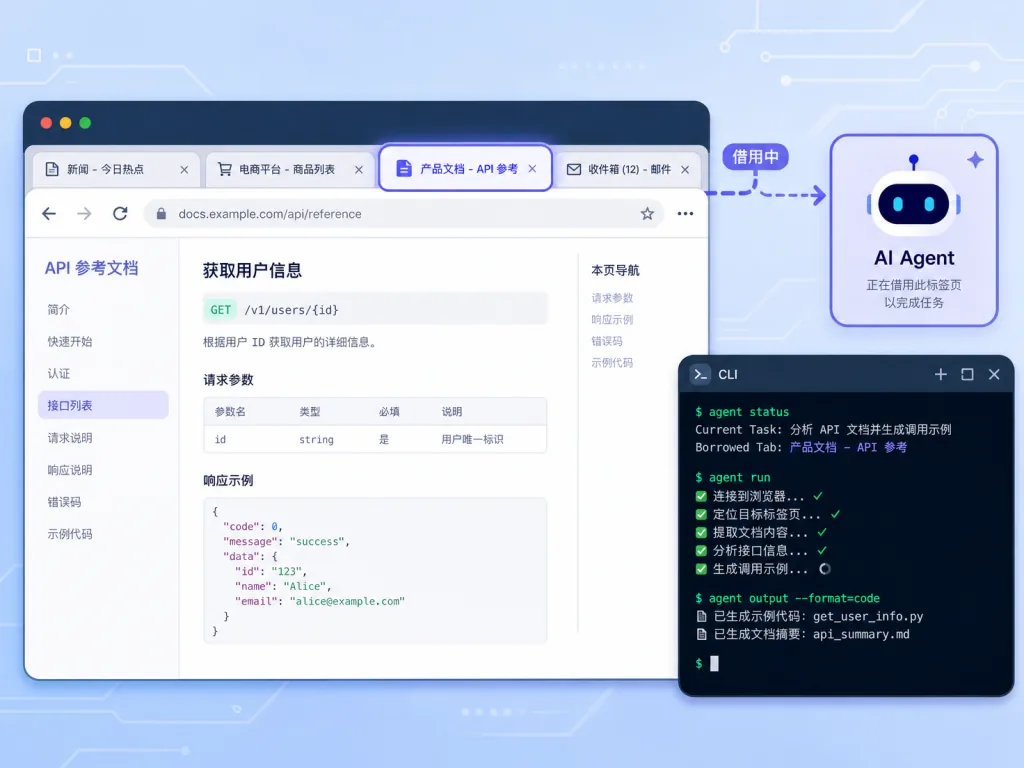
Core capability: through the bsk CLI plus a browser extension, it connects Cursor, Claude Code, Codex or any agent that can call a shell to your already logged-in Chrome / Edge, so the agent operates pages in a separate window without disturbing your current browsing.
The key design is "explicitly borrow, return when done". If the agent wants to touch a tab you already have open, it has to ask first, and it hands it back immediately afterwards — every other tab stays untouched. That means the agent can use SaaS backends you're signed into, pages behind two-factor auth, without setting up separate test accounts. When a captcha or login confirmation appears, the agent can pull a human in to take over and then resume.
- Who it suits: people who need an agent to work with logged-in sites — admin backends, data entry, cross-site scraping
- Who it doesn't: ==Firefox users are still waiting for support==; smaller Chromium-based browsers generally work as long as they accept unpacked extensions
Minimal setup
The easiest path is to send the agent this line:
Set up browser-skill on this machine by following https://raw.githubusercontent.com/Tencent/BrowserSkill/main/AGENT_INSTALL.md
The agent installs the CLI and the skill itself, then walks you through loading the extension. To install manually:
curl -fsSL https://raw.githubusercontent.com/Tencent/BrowserSkill/main/install.sh | sh
export PATH="${BSK_INSTALL_DIR:-$HOME/.local/bin}:$PATH"
bsk --version
For the extension, search BrowserSkill in the Chrome Web Store or Edge Add-ons and install it.
Source: https://github.com/Tencent/BrowserSkill
n8n-io/n8n — string all of the above into a visual workflow
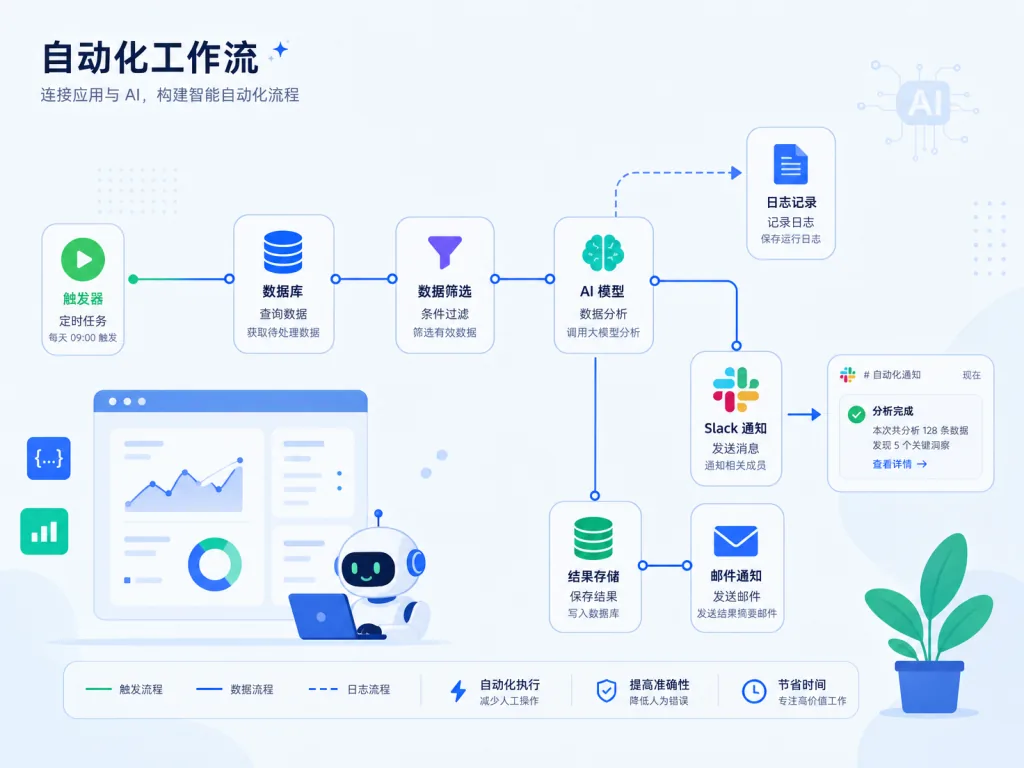
Core capability: a fair-code workflow automation platform with 1500+ integrations built in (Slack, Notion, GitHub, assorted databases, AI models). Drag nodes on a canvas to chain steps together, and write JS / Python or pull in npm packages when you need to. Self-host it or use the official cloud.
n8n is seeing wide use again in the AI agent era because it makes "call a model + tools + human approval + observability" native nodes. You can build a flow like: pull data on a schedule → classify it with an LLM → call bsk so an agent logs into a backend and enters it → notify Slack on errors → all of it with audit logs. ==No need to write a scheduling framework from scratch for an AI workflow== — n8n already ships queues, retries, permissions and a UI, and the community has 9000+ ready-made templates you can import in one click.
- Who it suits: teams stitching multiple services, APIs and AI into automated flows, especially those wanting a "visual plus editable code" hybrid
- Who it doesn't: ==lightweight tasks where a few lines of script would do==; also note that n8n's license is a "Sustainable Use License", so check the terms before commercial use
Minimal setup
With Docker it's one line:
curl -fsSL https://get.n8n.io | sh
Once it's running, open http://localhost:5678, import an "AI Agent + Slack notification" template from the template marketplace, and you'll see an end-to-end result within 5 minutes.
Source: https://github.com/n8n-io/n8n
Wrap-up and recommended next steps
- Want to try "AI operating on my behalf" first: start with Tencent/BrowserSkill — lowest barrier, and your logged-in browser can be lent to an agent right away.
- Phone automation is a hard requirement: install ShawnPana/phone-harness; it works on both iOS and Android.
- Want to turn daily operations into reusable flows: a few recordings with microsoft/skill-recorder will convince you, and paired with n8n orchestration you can turn "one person's habit" into "the team's asset".
- Need observability and auditability in production: self-hosted n8n plus the other three tools covers roughly 90% of agent automation scenarios.
#AIAgents #AIWorkflow #Automation #SkillRecorder #PhoneHarness #Browserskill #N8n #skill-recorder #phone-harness #microsoft