Title options (pick 1 of 3)
Turn your AI coding assistant into a video studio: 65K-star OpenMontage actually pulls it off
A 60-second animation for $1.33: how the open-source video pipeline OpenMontage cuts costs
No professional team, still a real video: OpenMontage redefines AI production
Turn your AI coding assistant into a video studio: this 65K-star open-source project did it
1. Intro: almost every content creator has hit this wall
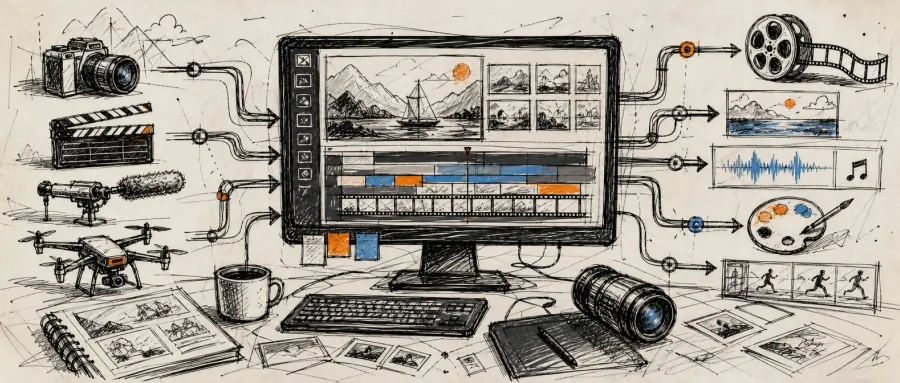
Making a 60-second explainer video means going through a whole chain: research, scripting, sourcing footage, editing, subtitling, voiceover, compositing. The work is scattered across five or six tools, the team passes files back and forth on WeChat, the budget burns through one or two thousand yuan, and the finished cut still looks like a slideshow. That's a normal day for countless content teams. The sharper pain: most "AI video tools" only turn one prompt into a few seconds of generated clip, and nobody owns the full path from idea to finished film. A GitHub project called OpenMontage is breaking that deadlock. It turns AI coding assistants (Claude Code, Cursor, Copilot and friends) into a complete video production studio. It hit GitHub Trending #1 on launch and now sits at 65700 stars.
2. Positioning: what problem it solves
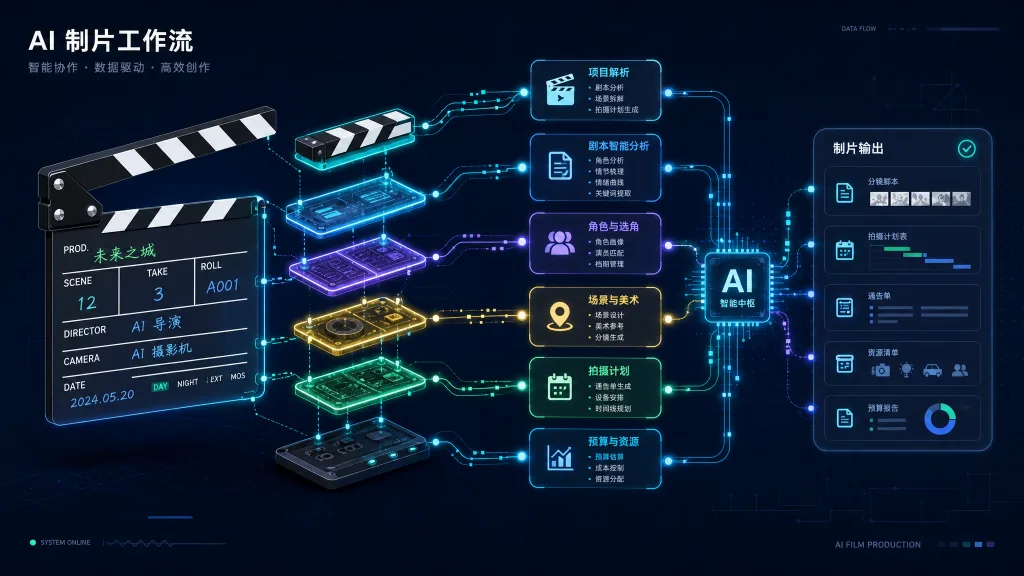
OpenMontage is the first open-source agentic video production system, positioned as "turn your AI coding assistant into a full-stack video studio." Its core traits come down to four keywords: end-to-end, reference-driven, real footage, auditable.
- End-to-end: one pipeline covers research, script, assets, editing and compositing.
- Reference-driven: paste a YouTube/TikTok/Bilibili link and the agent deconstructs its pacing, style and keyframes, then produces 2-3 differentiated plans with cost estimates.
- Real footage: it pulls from Archive.org, NASA, Wikimedia, Pexels and other free open libraries to assemble genuinely moving video, not just "still images that move."
- Auditable: every provider choice is scored on 7 dimensions, and the decision log is fully inspectable.
Milestone numbers: 12 production pipelines, 100+ tools, 700+ agent skills and production knowledge files, 60+ provider integrations, AGPLv3 license.
3. Core features in depth
1. Backlot live storyboard: turning "what happened" from black box into white box
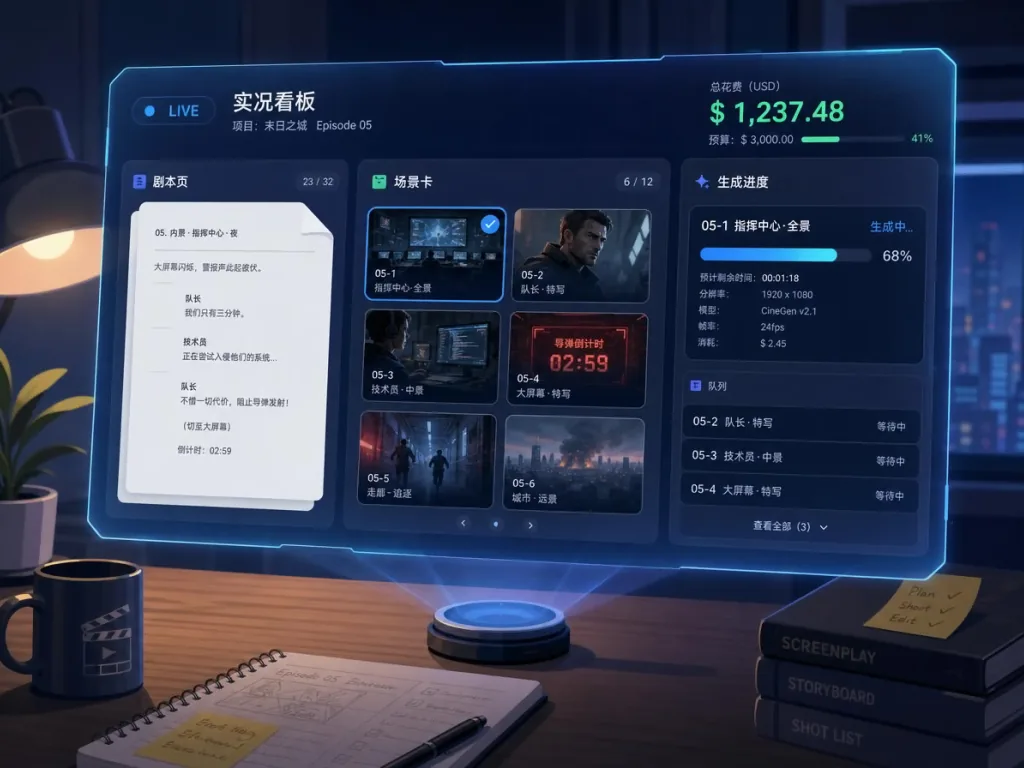
Traditional AI video generation is a black box: the agent tells you what it's doing, but you can't see progress. OpenMontage's built-in Backlot is a local visual live board. While the pipeline runs, it lights up each stage automatically — the script lands in screenplay format, scene cards pulse during asset generation, and every provider decision and cost is pinned to the wall. More importantly, it adds a "creative approval gate": asset generation pauses scene by scene on contact sheets, with prompts, per-asset cost and quality scores all visible. Nothing renders until you sign off. After production you can hit "▶ REPLAY RUN" to replay the whole run by timestamp.
2. Reverse-engineering a reference video: from "I like this" to "I have a plan"
Pasting a video link is the fastest starting point. The agent analyzes the transcript, pacing curve, shot transitions, keyframes and tonal style at once, then produces 2-3 differentiated plans covering what to keep, what to change, what the target runtime will cost, and what it will look like with your current toolset. This isn't "guessing at a prompt" — it's a production proposal with a budget and sample validation.
3. Real-footage documentary pipeline: real video on a zero budget
This is the hardest-core difference between OpenMontage and other "AI video tools." It builds a searchable corpus with CLIP from Archive.org, NASA, Wikimedia Commons, Pexels and other free/open libraries, retrieves genuinely moving clips, cuts them into the timeline by rhythm, and renders a finished film — instead of doing a Ken Burns push on a static image. The "How Salt Made History" 100-second documentary in the README is the flagship of this pipeline, built entirely from real historical footage plus original narration.
4. Zero-key out of the box
You can deliver a shippable video without configuring a single paid API. Piper TTS provides free offline narration, Remotion/HyperFrames provide dual React/HTML rendering engines, FFmpeg handles post-encoding and subtitle burn-in, and automatic subtitles carry word-level timestamps. In the measured cases listed in the README, a 60-second Pixar-style animated short cost $1.33 total (about 10 RMB), and a 50-second vertical transformation film cost about $4.
4. Technical highlights and performance data
Architecture highlights: OpenMontage uses an "agent-first" architecture with no traditional code orchestrator — the AI coding assistant is the orchestrator. Python only provides tools and persistence. All creative decisions, pipeline orchestration logic and quality standards live in readable YAML manifests and Markdown skill files that users can inspect and customize directly. The three-layer knowledge architecture has clear division of labor: Layer 1 describes "what exists" (tools + pipelines), Layer 2 describes "how to use it" (OpenMontage's conventions and quality gates), Layer 3 holds external technical knowledge packs (deep guides for FFmpeg, Remotion and so on).
Quality gates: a delivery-promise enforcement mechanism blocks renders that "look like PowerPoint slides"; pre-composite validation catches broken plans before GPU time is wasted; mandatory post-render self-review (ffprobe + frame extraction + audio analysis + promise verification) makes sure the agent doesn't ship garbage.
Provider selector: every tool call scores all available providers across 7 dimensions (task fit, output quality, controllability, reliability, cost efficiency, latency, continuity) and picks the best automatically.
Budget governance: pre-run cost estimates, per-run spend caps and per-action approval thresholds, so you never get bill shock.
Ecosystem compatibility: works with Claude Code, Cursor, Copilot, Windsurf, Codex and every other mainstream AI coding assistant.
5. Use cases and audience
Who it's for:
- Content creators and short-video teams: studios or solo IPs that need high-frequency output without a full post-production team.
- Educators and trainers: turning complex concepts into 60-90 second animated explainers.
- Marketing and brand teams: product launch teasers, event recaps, social clips, podcast highlight cuts.
- Indie developers and small studios: limited budgets, but need professional-looking content.
- Corporate training and announcements: spokesperson videos via the Avatar Spokesperson pipeline.
Not a great fit: projects that need film-grade CGI/VFX; pure generation scenarios with ample budget that want one model's absolute best image quality (OpenMontage orchestrates workflows, it isn't a model); latency-sensitive live editing.
6. Competitive comparison
| Dimension | OpenMontage | Single-clip generators (e.g. Runway/Pika) | Traditional editors (Premiere/Final Cut) |
|---|---|---|---|
| End-to-end pipeline | ✅ 12 complete pipelines | ❌ Clips only | ❌ Manual chaining |
| Real-footage editing | ✅ CLIP retrieval of real video | ❌ Generated content only | ✅ But you source footage yourself |
| Reference video reverse-engineering | ✅ Deconstruct + produce plans | ❌ | ❌ |
| Agent collaboration | ✅ Works with all mainstream AI coding assistants | ⚠️ Closed ecosystem | ❌ No AI orchestration |
| Zero-key usable | ✅ Piper/Remotion/FFmpeg, all free | ❌ Almost entirely paid | ✅ But fully manual |
| Auditable decisions | ✅ 7-dimension scoring + decision log | ❌ Black box | N/A |
| Open source | ✅ AGPLv3 | ❌ Closed source | ❌ Closed source |
OpenMontage isn't "yet another AI video generator." It's an open-source production hub that makes the entire filmmaking process agentic.
7. Quick start
Prerequisites: Python 3.10+, FFmpeg, Node.js 18+, and any AI coding assistant (Claude Code, Cursor, Copilot and so on).
Install and run:
git clone https://github.com/calesthio/OpenMontage.git
cd OpenMontage
make setup
Open the project with an AI coding assistant and type one prompt to start the full pipeline, for example:
Make a 60-second animated explainer about how neural networks learn
Or take the "real footage documentary" path:
Make a 75-second documentary montage about city life in the rain. Use real footage only, no narration, elegiac tone, with music.
Going further: paste a reference video link and let the agent reverse-engineer a plan; run python -m backlot open to open the live storyboard and watch progress; for free local GPU video generation, run make install-gpu and enable open models such as wan2.2-ti2v-5b.
8. Takeaways and next steps
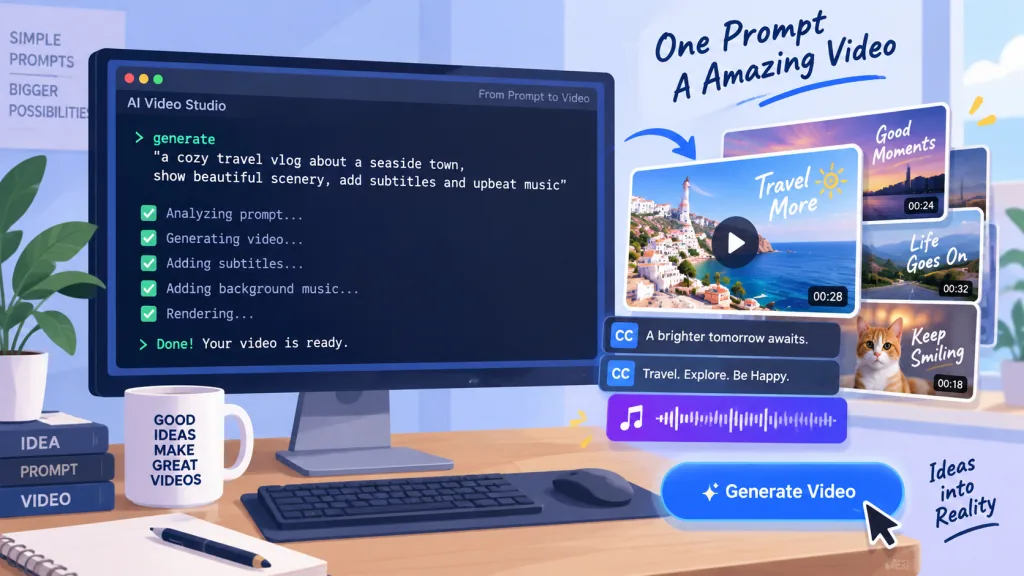
Core value: with an agentic architecture, three-layer knowledge files and strict quality gates, OpenMontage turns "one sentence to finished film" into an auditable, customizable, collaborative engineering process. 65K stars and GitHub Trending #1 already say the community agrees.
How to start: run one or two "real footage documentary" pipelines down the zero-key path to validate the workflow; then add cloud services such as Fal/Atlas Cloud/Kling as needed to extend generation capability; budget-sensitive users should lean on free open models (like wan2.2) and free stock libraries like Pexels.
Project links:
- GitHub: https://github.com/calesthio/OpenMontage
- Website: https://www.openmontage.video/
- Docs:
AGENT_GUIDE.md/PROJECT_CONTEXT.md/docs/PROVIDERS.md - Prompt gallery:
PROMPT_GALLERY.md(includes expected costs and output samples)
One-line pitch: OpenMontage doesn't replace editors — it arms every content creator with a full production team.
#openmontage #Openmontage #calesthio #AI video editing #scripted video #talking-head video #open source #GitHub