Title options (pick 1 of 3)
Your tech post is finished, and the only thing still blocking you is that ugly AI diagram
One sentence, one on-brand architecture diagram: diagram-design moves the designer's desktop into the chat
Editorial-grade visuals without Figma: the 57K-star Agent diagramming approach
When AI-generated diagrams are too ugly to pass design review, this open-source project has an answer
1. Opening: after the architecture write-up, one image can still cost you two hours
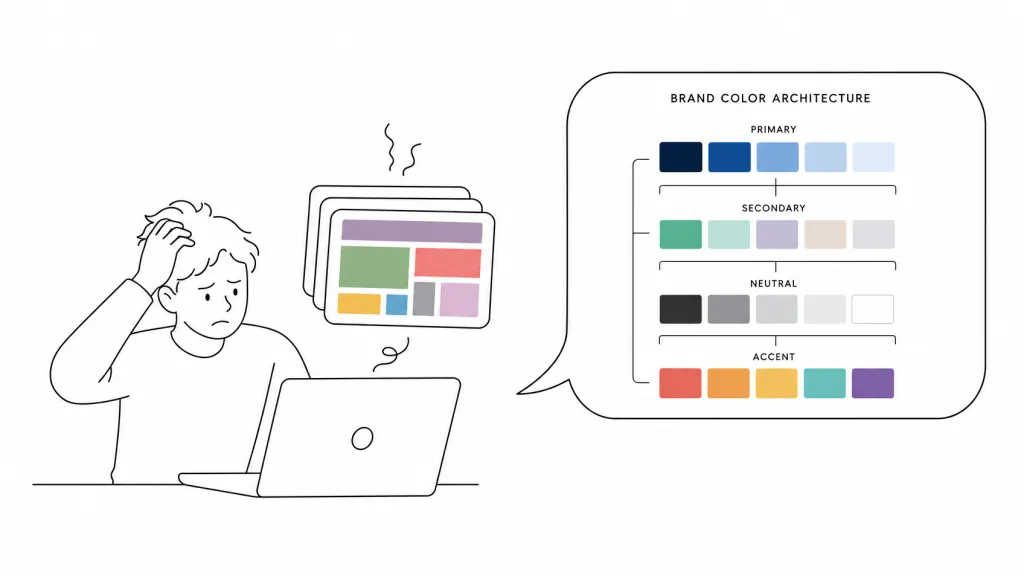
Xiao Zhou, a technical blogger, was recently writing a system architecture post. The text took 30 minutes. What wrecked him was the visuals: he asked Claude for a diagram of "frontend -> backend -> database -> Redis cache" and got a pile of rounded rectangles in default colors that clashed with the minimalist layout of the rest of the article. He sent it to a designer, who replied: send me the Figma file, I'll fix it and then schedule it. Two weeks later he'd have one image.
This is not an isolated case. Ask AI for a diagram and it always produces something "usable", yet nothing "publishable". Rounded corners with drop shadows and default colors, nodes packed past the edge of the canvas, every component shouting for emphasis so nothing is legible. Mermaid auto-layout saves time until you change the theme and the styling collapses; draw.io gives you freedom but you align every box by hand. The 57K-star cathrynlavery/diagram-design attacks the problem head-on: the Agent renders the diagram straight into a single HTML file with inline SVG, matching your brand colors, snapped to a 4px grid, with CI checking for overlaps and clipping.
2. What it is: moving "drawing a diagram" off the designer's desktop and into the chat
diagram-design is an Agent Skill for AI coding assistants, covering mainstream hosts including Claude Code, Codex, GitHub Copilot, Cursor, Factory Droid and Pi. The positioning in one line: the Agent turns a plain-English sentence into one of 44 publishable, editorial-grade chart types (the README headline says 45, the table says 44; the repo's current data wins), emitted as a single self-contained HTML file with no drop shadows and no leftover Mermaid styling.
Three keywords: editorial design, brand-matched, accessible by default. Milestones: 57K+ stars, heavy install traffic on skills.sh, all CI green, support for more than ten agent hosts.
3. Core features in depth
1. 44 chart types covering every scenario in technical communication
From architecture diagrams, sequence diagrams, state machines and ER diagrams to layered diagrams, four-quadrants, Sankey, fishbone and Wardley maps, plus user journey maps, service blueprints, database schemas and UML class diagrams, nearly any chart you can think of for technical writing is there. Line covers slopegraph, ridgeline, streamgraph and bump; Scatter covers bubble and beeswarm; Treemap covers marimekko. Architecture diagrams also support nested swimlanes with traffic boxes, expressing "component + zone + permission" in a single image.
Each type ships in three static variants: minimal light, minimal dark, and full editorial. Open it directly in a browser, with no build step, no JavaScript dependency and no external images.
2. Automatic brand alignment: one line of "Onboard to https://yoursite.com" and you're done
This is the most valuable feature in the project. The Agent crawls your site's homepage, extracts the primary palette and font stack, and maps them to semantic roles: paper, ink, muted, accent, link. It shows you a diff and, once you confirm, writes it to references/style-guide.md. From then on every diagram uses your site's CTA color as the accent color and your <body> font as the node label font.
Contrast gating is built in: values are validated against WCAG AA before being written, and anything that fails at 9-12px gets a suggested replacement with an explanation. The default "black + orange" palette runs through the same CI contract and passes on both light and dark backgrounds.
3. Accessibility and portability on by default
Every diagram's SVG carries role="img", a resolving aria-labelledby, and a first-child <title>/<desc>. IDs are prefixed per diagram and variant, so multiple SVGs inlined into the same page never collide. Font network requests are controllable: it uses Google Fonts by default (Instrument Serif + Geist + Geist Mono), and setting system makes the whole diagram zero-request.
4. Import and export: putting existing diagram assets back to work
It can redraw diagrams in reverse from Mermaid, draw.io and Excalidraw files, outputting a unified editorial-style version. It also exports to SVG or PNG, handoff-ready through the /export-diagram command.
4. Technical highlights and performance data
- 4px grid + CI overlap checks: the Agent positions everything on a 4px grid, and the CI pipeline checks for node overlaps and clipping, catching "node on top of node" ugliness at the PR stage.
- Fully static, single file, no JS: HTML plus inline SVG, no build step, no runtime dependencies, no external image references; it can be embedded directly in an email.
- One render, many formats: the same asset can be displayed in a browser, exported to PNG/SVG, or inlined into React/Markdown documents.
- Broad ecosystem coverage: Claude Code plugin marketplace, Codex CLI, GitHub Copilot, Cursor, Factory Droid, Pi, Claude Cowork org marketplace, Kiro and OpenCode are all supported, with
~/.diagram-design/profiles/config shared across clients.
5. Use cases and who it's for
Good for: technical bloggers writing architecture explainers, product managers producing option-comparison charts, data teams drawing architecture deltas and data flows, consultants building visuals for client proposals.
Especially good for: teams with a strong brand identity and high standards for public-facing content. One onboarding pays off forever.
Not good for: diagrams embedded in docs that change every sprint, process documents that need textual diff review, and scenarios requiring drag-and-drop editing. Mermaid and draw.io still own those.
6. Competition
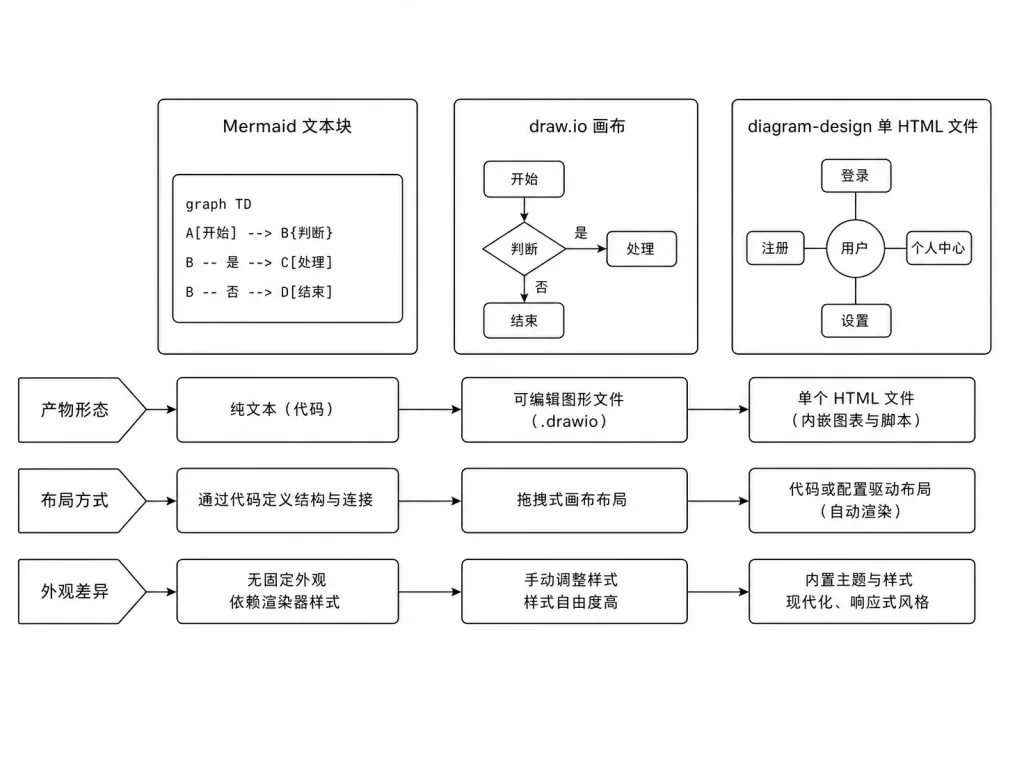
| Mermaid/PlantUML | draw.io/Excalidraw | diagram-design | |
|---|---|---|---|
| How you make it | Write a text DSL | Drag and drop by hand | Say one sentence to the Agent |
| Layout | Automatic (fixed themes) | Fully manual | Agent placement + 4px grid + CI overlap checks |
| Look | Renderer built-in themes | Any style you draw | One editorial style, adaptable to your brand |
| Output | Diffable text | .drawio/.excalidraw | Single HTML + inline SVG, exportable to PNG/SVG |
| Editing | Edit the text | Edit the canvas | Ask the Agent again, or edit the SVG |
| Existing diagrams | - | - | Can redraw Mermaid/draw.io/Excalidraw |
Worth noting: the README itself honestly lists two weaknesses. Output quality depends on the model, and running the same sentence twice can produce different placements.
7. Getting started
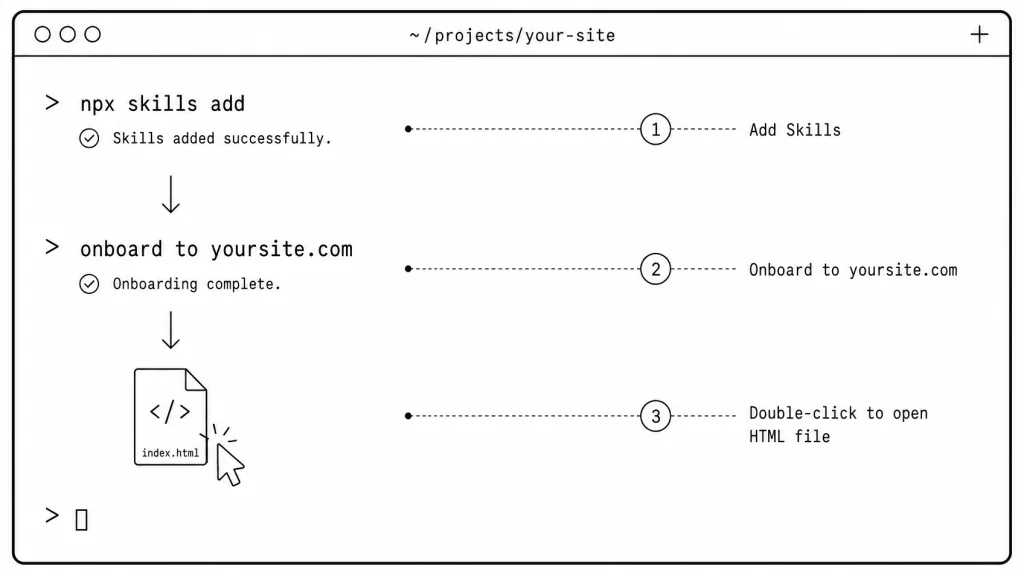
npx skills add cathrynlavery/diagram-design
After installing the plugin marketplace in Claude Code, turn on auto-update and run /reload-plugins.
Minimal usage: just talk to the Agent in plain English.
- "Draw an architecture diagram of my app: frontend, backend, database, Redis cache."
- "Give me a four-quadrant chart of Q2 projects by impact vs effort."
- "Draw a sequence diagram of Bearer auth refreshing a token on 401."
The Agent picks the chart type, states its plan, and produces a single .html file you open with a double-click. To lock in your brand, add one more sentence: "onboard diagram-design to https://yoursite.com".
To preview the full gallery locally: clone the repo and open skills/diagram-design/assets/index.html; every chart type has light/dark/full-editorial toggles.
8. Takeaways and what to do next
The core value of diagram-design is not "one more diagramming tool". It turns drawing a diagram from a designer scheduling cycle into a conversation. 57K stars says this is not a niche need: a lot of developers need to upgrade a "usable diagram" into a "publishable diagram".
Suggestions: run one diagram in the default style to get a feel for it. If you or your team publishes content publicly, run onboarding right after and lock your brand colors into the style guide. If you work with several clients in parallel, give each client its own profile.
All the entry points are ready: repo at github.com/cathrynlavery/diagram-design, site at diagramdesign.dev, gallery at cathrynlavery.github.io/diagram-design/. If AI auto-generated diagrams have ever made you refuse to hit publish, give it a try.
#diagram-design #DiagramDesign #cathrynlavery #AIVideoEditing #ScriptedVideo #TalkingHeadVideo #OpenSource #GitHub