1. Opening: where does the pipeline break between a design file and production code?
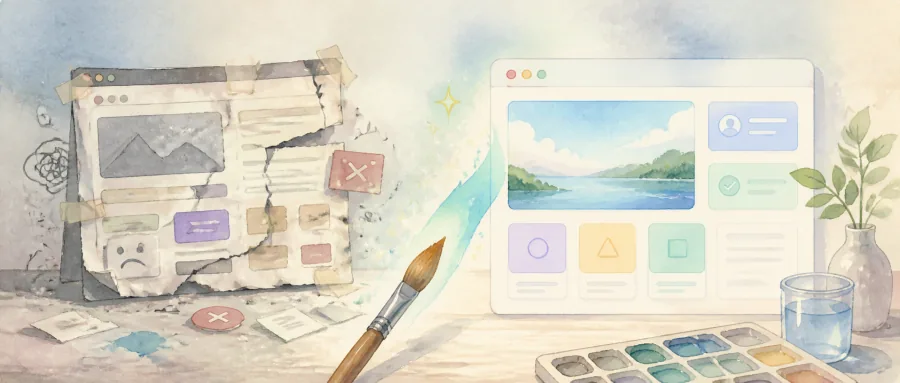
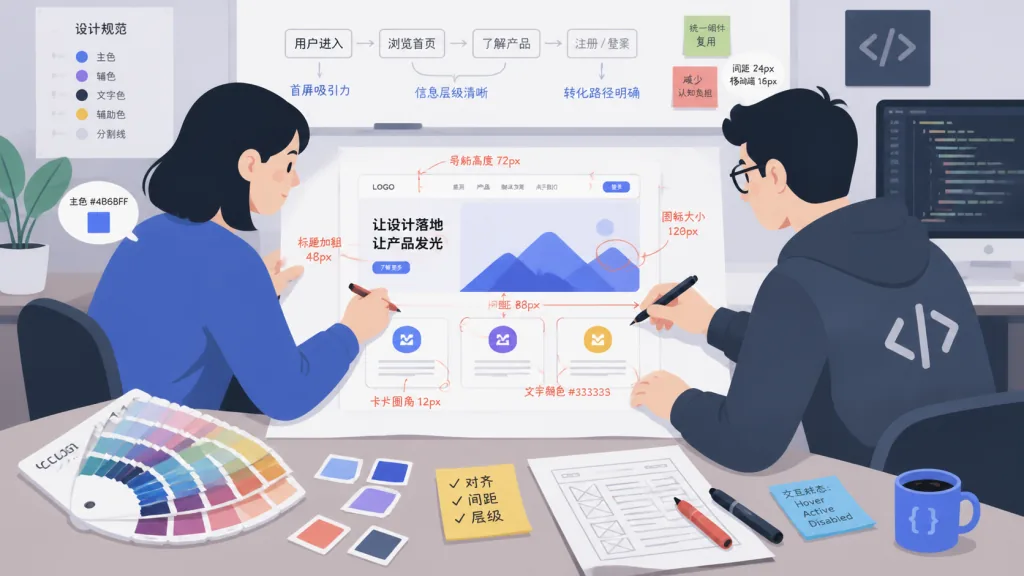
A product manager drops a Figma file on you, the designer has annotated every pixel, and the frontend engineer works through the colors, spacing and shadows one layer at a time — the first screen of the homepage alone eats half a day. What stings more: AI coding tools can produce the HTML structure, but they routinely get the button radius wrong, turn the brand color into "the neighbor's purple", and snap the grid to bizarre positions.
This is the real problem Anthropic is trying to solve in anthropics/skills/tree/main/skills/frontend-design: make the AI establish hard constraints around the design system, visual consistency and accessibility before it starts writing code. It is not another screenshot-to-code toy. It is a methodology that distills everyday frontend design judgment into enforceable rules.
2. Project overview: Anthropic's official "frontend design Skill"
The repo belongs to Anthropic's official skills series and exists to give Claude professional-grade guidance when writing frontend interfaces. It targets a specific pain point: the model has a fuzzy idea of what "a good-looking interface" even means. This Skill makes the AI understand typography, color, contrast and component hierarchy before it writes a line of code.
The core features boil down to four keywords: design-system first, accessibility built in, visual consistency constraints, and a Skill document Claude can consume directly. It is hosted inside Anthropic's official repository and tightly coupled to Claude's Skills mechanism, which makes it a good base layer for a team's AI frontend workflow.
3. A deep dive into the core features
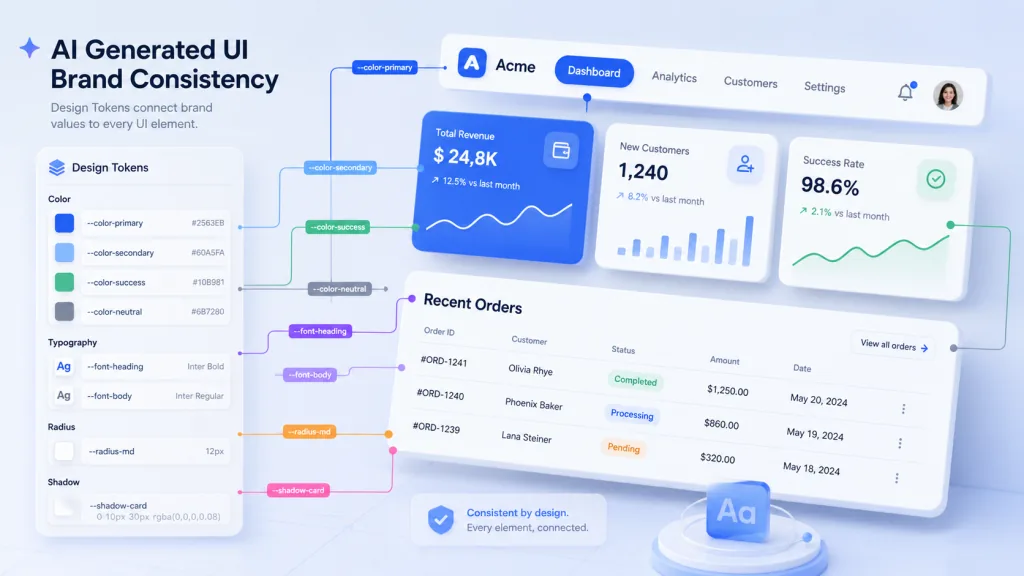
1. Hard constraints via design tokens
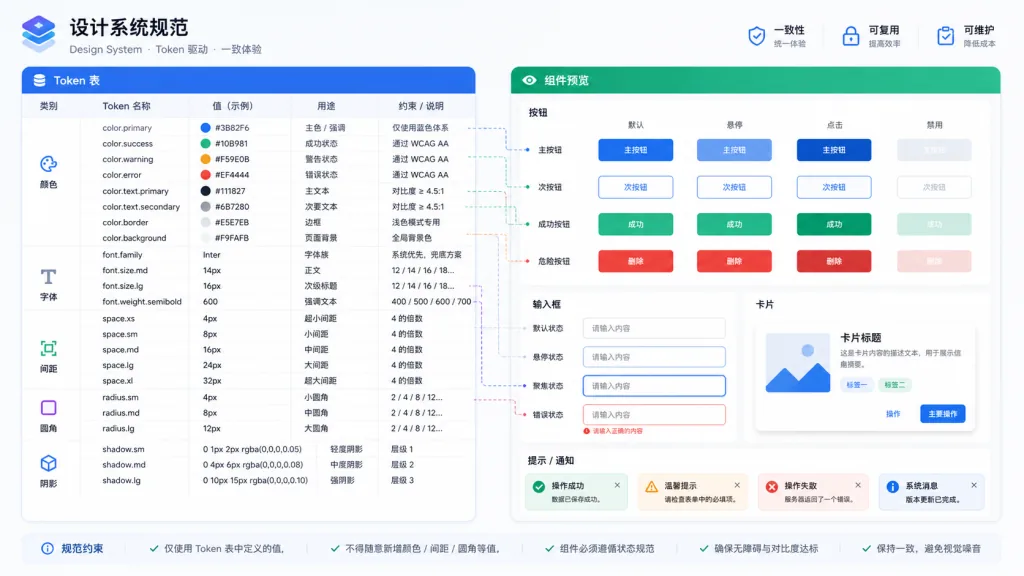
The project abstracts colors, font sizes, spacing and shadows into design tokens, and requires Claude to confirm the token table before writing any CSS. Brand primary, for example, may not be written as #6366f1 — a value pulled from memory — but must be picked from the token list as color.brand.primary. That single constraint eliminates most of the risk of "visual drift caused by the AI improvising".
2. Preset typography and grid rules
The Skill document builds in typographic fundamentals: vertical rhythm, baseline alignment, an 8-point grid. When Claude outputs a component, it is steered toward semantic spacing such as space-2 / space-4 / space-8 instead of magic numbers like margin: 13px. The result is that spacing lines up naturally across pages, with no manual rework.
3. Accessibility (a11y) as a veto
The project makes WCAG contrast ratios, keyboard focus rings and semantic HTML tags mandatory. If a generated button falls below a 4.5:1 contrast ratio, Claude is steered into re-picking the color rather than shipping an interface that "looks fine but fails an audit".
4. Reusing components beats generating from scratch
The Skill prompt asks Claude to first list "what the existing component library can already cover" before deciding whether to build something new. That step drives the probability of reinventing wheels down to near zero, and it makes the design system a real team asset instead of decoration sitting in Figma.
4. Technical highlights and performance numbers
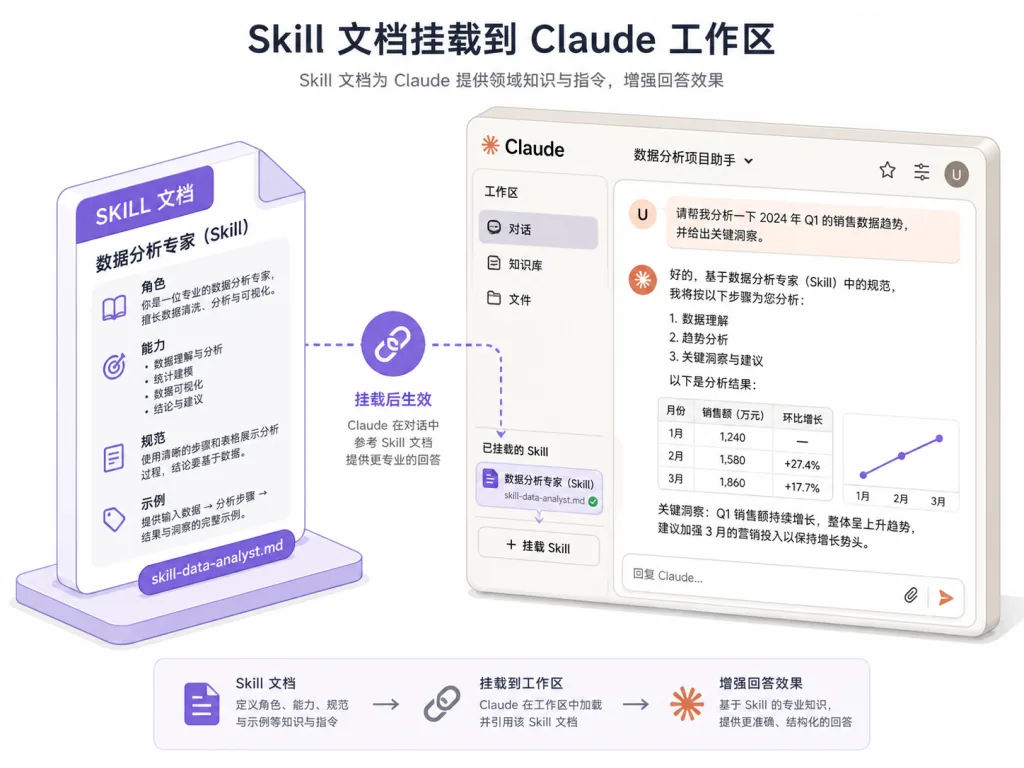
As part of the Skills system, it does not generate UI itself. It is fed to Claude as a Markdown document plus metadata, and takes effect during inference. That means its performance overhead is essentially zero, and the deployment cost is just mounting the Skill document into Claude's workspace.
Three architectural points are worth noting:
- Declarative specification: every design rule is written as structured text, so team members can review it, version it, and trace it.
- Ecosystem compatibility: it aligns with Claude's Skills protocol, so frontend-related Skills Anthropic ships later can stack on top of it.
- Auditability: because the constraints are explicit text, every model output can be traced back to "which Skill rule was violated", which sharply cuts debugging cost.
5. Use cases and who it is for
Case one: AI-assisted landing pages and marketing pages — for pages with high visual-consistency demands and frequent iteration, the Skill keeps every output inside the brand spec.
Case two: unifying the look of internal admin tools — legacy systems have wildly inconsistent styling; driving the refactor with the Skill makes Claude play by the rules from the start.
Case three: documenting the design system and collaborating with AI — translate the team's Figma design language into a Skill document so designers, frontend engineers and the AI all collaborate under one spec.
Who it suits: indie developers generating frontends with Claude, design-system owners, and product teams that care about brand consistency. Who it does not suit: pure backend projects with no UI at all, or command-line tools with zero visual requirements.
6. Comparison with alternatives
| Dimension | anthropics/skills frontend-design | Generic screenshot-to-code tools | Pure prompt tuning |
|---|---|---|---|
| Traceable rules | ✅ Text-based Skill | ❌ Black-box mapping | ⚠️ Scattered across prompts |
| Accessibility built in | ✅ Mandatory | ❌ Usually missing | ⚠️ Depends on the person |
| Design system reuse | ✅ Reuse first | ❌ Tends to regenerate | ⚠️ Manually maintained |
| Deployment cost | Very low, just mount the Skill | Medium, needs a screenshot pipeline | Low, but fragile |
Put simply: screenshot-to-code tools handle "image to code", pure prompt tuning handles "tone and style", while the frontend-design Skill handles "making the AI actually understand design".
7. How to get started quickly
Step one: pull the Skill document
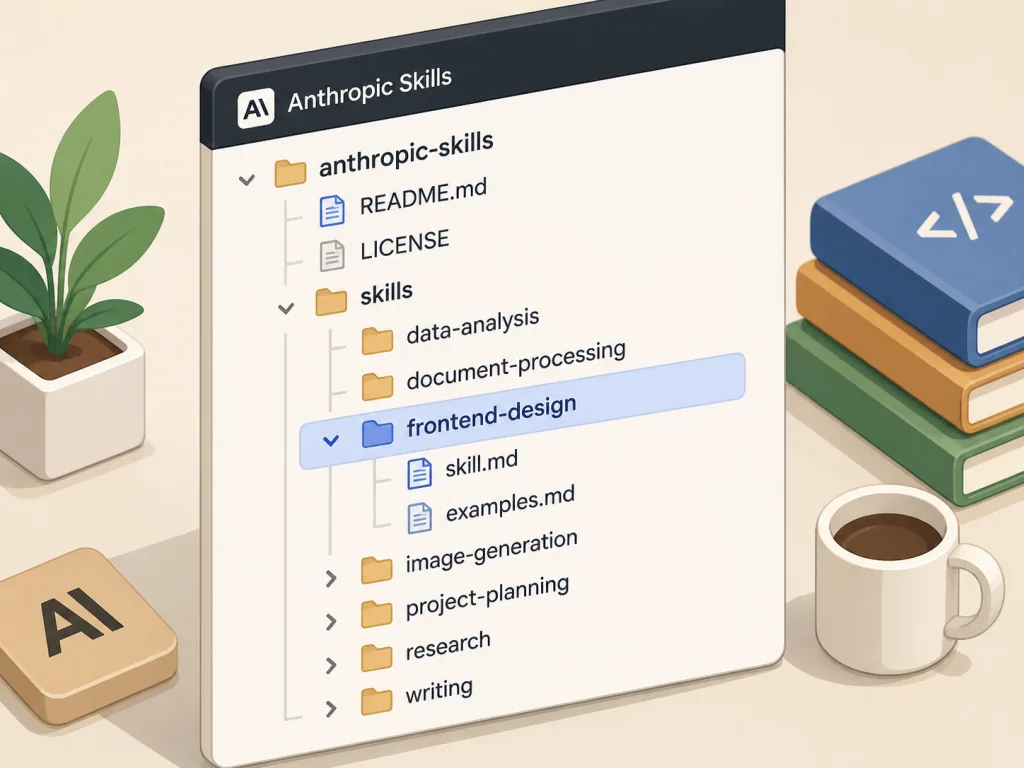
Inside Claude's workspace directory, clone or symlink the repo's skills/frontend-design directory so Claude can read the SKILL.md in it.
Step two: activate it in the conversation
When you start a task, say explicitly: "Please use the frontend-design Skill to implement this component." Claude will load the corresponding design rules automatically.
Step three: a minimal working example
Give it a requirement, such as "build a card with the brand primary color and rounded buttons". Claude will quote the token table first, then output HTML/CSS with accessibility attributes, instead of winging it.
Going further: append your team's design tokens to the Skill document to create your own branch, and pair it with a PR review process so designers can also take part in reviewing AI output against the spec.
8. Summary and next steps
The core value of anthropics/skills/frontend-design is that it turns scattered frontend design knowledge into structured rules Claude can consume, so AI-generated interfaces are "compliant at birth". It does not replace designers, and it does not replace frontend engineers — it lowers the cost of collaboration between them.
If you already generate frontends with Claude and keep getting burned by color drift, chaotic spacing and missing accessibility, wire this Skill into your workflow. Repository: https://github.com/anthropics/skills/tree/main/skills/frontend-design — star it, read SKILL.md once, and explicitly enable it the next time you generate a component. You will notice the output is a lot more stable.