Title options (pick 1 of 3)
Stuck wiring local AI with docker-compose? ODS brings up a dozen components with one command
A 7,183-star ODS: Ollama, n8n and ComfyUI welded into one private AI server
Never wrote a line of YAML, yet got a full local LLM stack running — how does ODS pull that off?
ODS: one command turns a PC, Mac or Linux box into a private AI server
1. Opening: why does local AI die at the first step?
You want to run a large model on your own machine, so you open a search engine and get a wall of names: Ollama, Open WebUI, n8n, ComfyUI, Whisper, Qdrant, SearXNG. Just bringing each of those projects up with docker run, lining up ports and wiring the network is a chore on its own. That's before you pick a model to fit your VRAM, fight the CUDA driver, and settle permission conflicts between containers and the host.
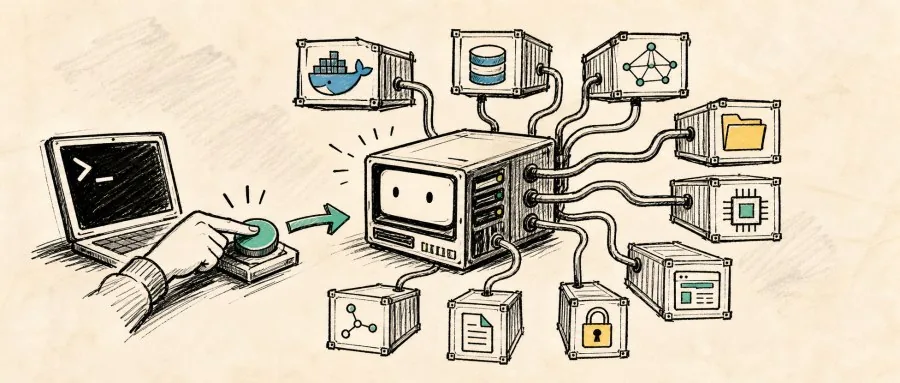
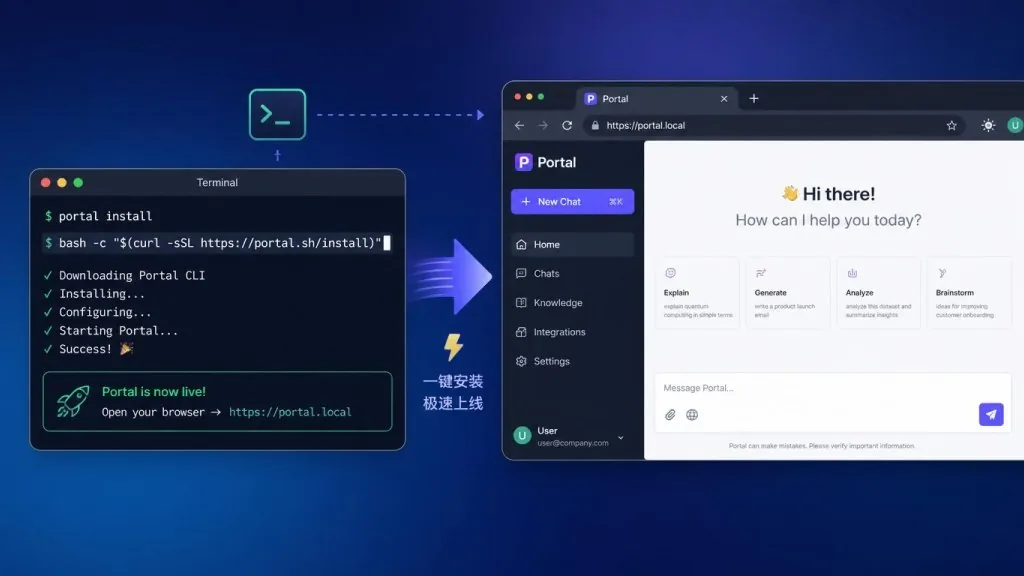
Omdantic/ODS, now in its V3 pre-release, aims straight at that pain: 7,183 stars, and it has already "welded" Ollama, Open WebUI, n8n, ComfyUI and a dozen other mainstream components into a single local AI server stack. One command installs it. GPU detection, model selection and the web UI all happen automatically. Linux, macOS and Windows are covered.
2. Project overview: what is ODS?
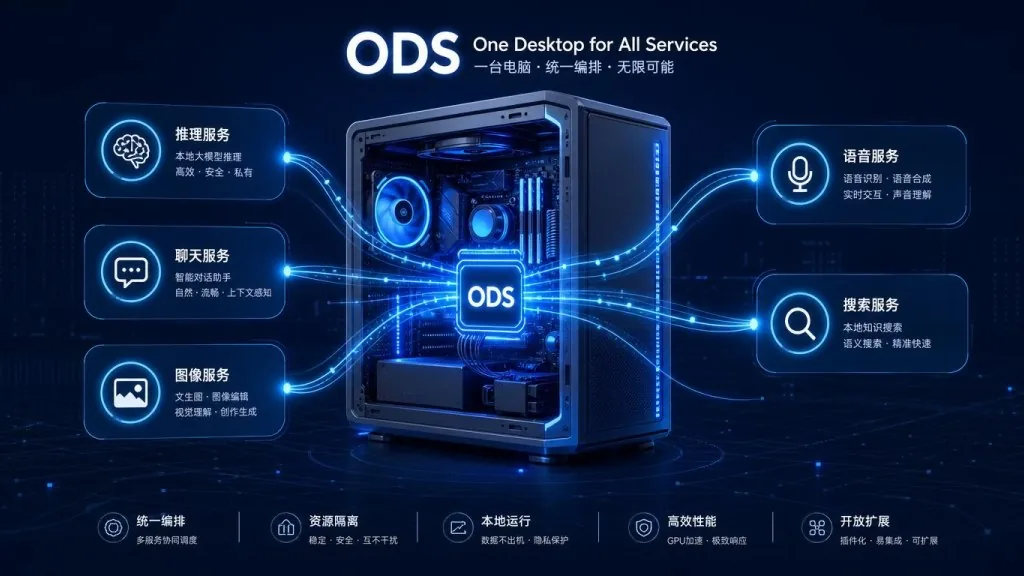
ODS (Osmantic Deployment System) positions itself as "turn the PC, Mac or Linux box you already own into a private AI server."
Core features:
- One-line install: a single
curl ... | bashon Linux/macOS, one PowerShell block on Windows, guided graphically the whole way - Automatic model matching: picks the most suitable GGUF from the model library based on VRAM/RAM
- Privacy first: local inference by default, zero telemetry, with optional Cloud/Hybrid modes
- Deeply extensible: every service is an Extension — drop in a folder, run
ods enable, done
The latest release is V3 Pre-Release (v3.0.0 sources are already published), and the main branch keeps receiving fixes.1
3. Core features in depth
1. Guided one-click install
Linux and macOS need a single command:
curl -fsSL https://install.osmantic.com/ods.sh | bash
Windows users paste one script into PowerShell. The installer checks for 40 GB of free disk and hardware virtualization, then offers to enable WSL2, install Docker Desktop via winget, download Ubuntu 24.04 and set up a username and password. It asks before every step, stops with troubleshooting guidance when something breaks, and never runs silently as a black box. When it finishes, it opens the Portal (http://localhost:3001/pixel) and drops a shortcut on your desktop.
2. Hardware-aware model selection
A built-in ods/scripts/select-model.py runs on Linux/macOS, with a PowerShell counterpart on Windows; both read ods/config/model-library.json for versioned model choices. Detect 8–16 GB of VRAM and it suggests Qwen3.5 9B (64K context); 24–32 GB gets Qwen3.5 27B; 48 GB of VRAM runs Qwen3.6 35B-A3B. AMD Strix Halo unified memory, Apple Silicon M4 Pro/Max and pure-CPU setups each have their own tier. The result is written straight into LLM_MODEL, GGUF_FILE and MAX_CONTEXT in .env.
3. Bootstrap startup mode
Large models run to a dozen-plus gigabytes, and waiting for the download before you can chat is painful. Bootstrap mode downloads roughly 1.3 GB of Qwen3.5 2B first and brings the core services up immediately, so you can start talking right away. Once the full model finishes downloading and passes verification, ODS restarts llama-server and switches to the full-size model on its own. No manual step in between.
4. A complete, closed-loop component set
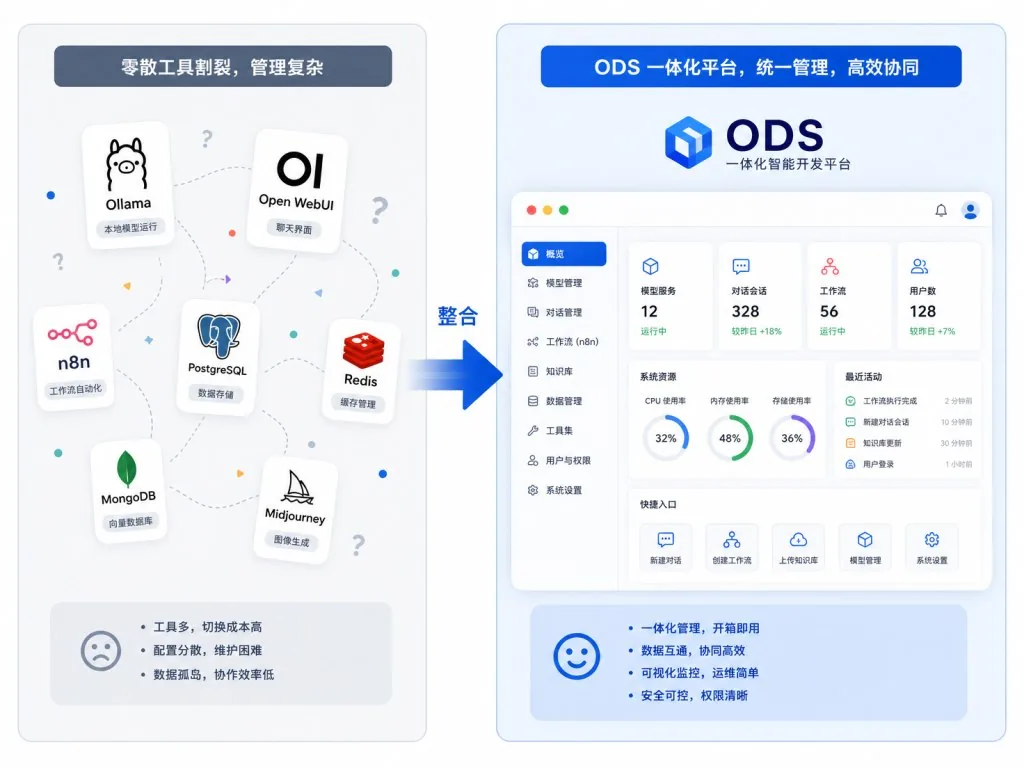
llama-server, the Ollama alternative, handles high-performance inference, and Open WebUI provides a ChatGPT-style chat interface. Portal is the default conversational agent, while Hermes Agent runs independently with memory, skills and agent support. Voice runs on Whisper (STT) plus Kokoro (TTS), workflows on n8n with 400+ SaaS integrations, the knowledge base on Qdrant for vector search, SearXNG for tracking-free search and Perplexica for deep research. Image generation goes to ComfyUI. On the privacy side, Privacy Shield scrubs PII, and the Dashboard shows live GPU metrics and model management.
4. Technical highlights and performance data
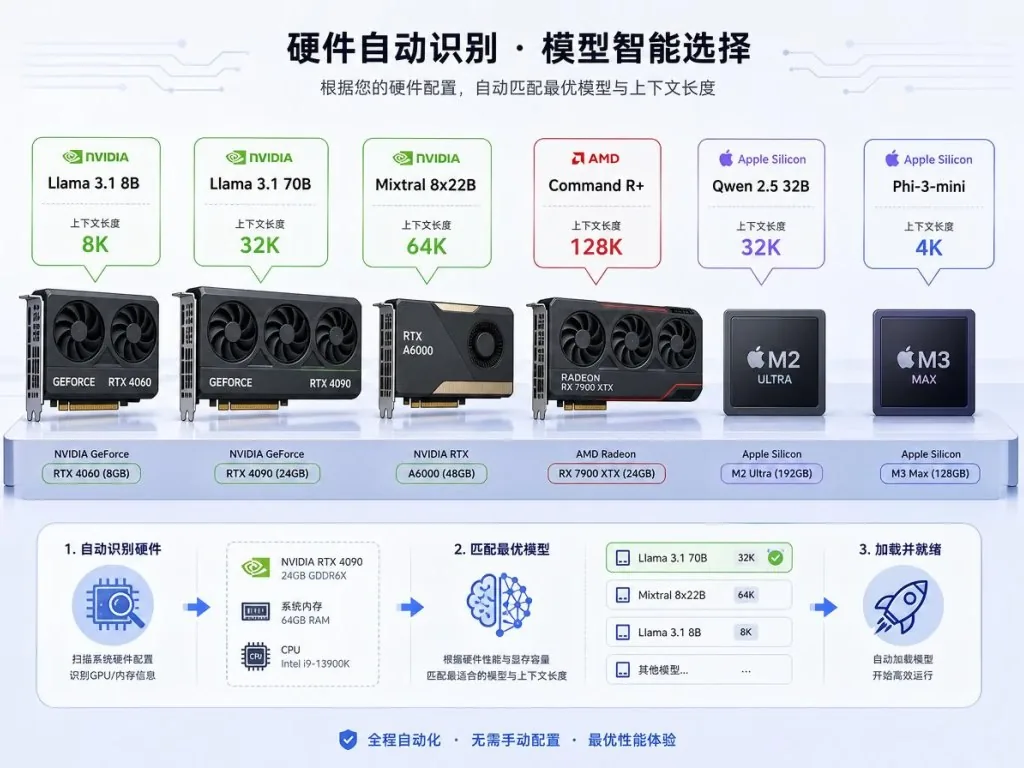
Model selection relies on GGUF quantization (Q4_K_M, UD-Q4_K_M and similar), which is extremely friendly to consumer GPUs. llama-server uses continuous batching, and GPU passthrough goes through NVIDIA Docker or AMD platform-specific paths. Apple Silicon uses native Metal acceleration, far faster than running inside a container.
Platform coverage: Linux (NVIDIA, AMD Strix Halo, experimental Intel Arc SYCL), Windows (NVIDIA, AMD, requires WSL2 + Docker Desktop) and macOS Apple Silicon (M1+). CI runs smoke tests on Ubuntu 22.04/24.04/26.04, Debian 12, Fedora 41, Arch, openSUSE Tumbleweed and more. Portal compatibility is limited to Apple Silicon, Ubuntu 24.04/26.04, Debian 12 and qualified WSL2 setups; everything else falls back to Open WebUI.
The extension ecosystem deserves a mention too: 41 installer library modules, a shared service registry and 14 ordered stage files. To add a service, a developer writes manifest.yaml + compose.yaml, drops them into extensions/services/ and runs ods enable.
5. Use cases and who it fits
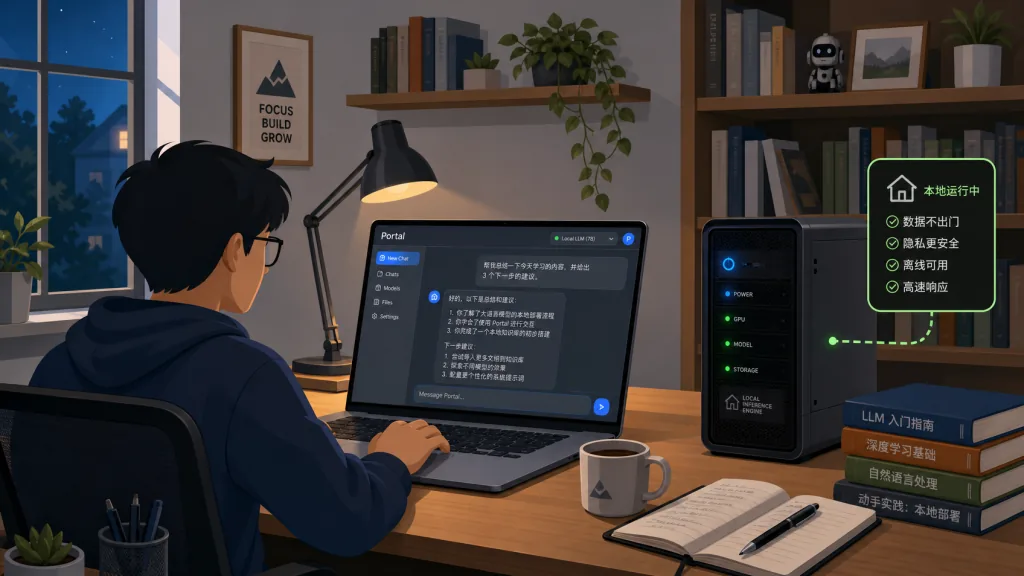
Home and individual AI hobbyists: people who want out of the ChatGPT subscription, want to keep their chat history, and want to run open models and tinker with RAG.
Small teams and studios: people who need locally deployed, privacy-compliant chat, translation and summarization tools and would rather not send data off-site.
AI developers and learners: people who want a full development testbed with dashboards, logs, token monitoring and Langfuse observability.
Self-hosting enthusiasts: people who already run point tools like Ollama or AnythingLLM and want them unified behind one panel.
It is not for people who only use cloud APIs, people with strong needs on hardware outside NVIDIA/AMD/Apple Silicon (old Intel integrated graphics, for instance), or anyone unwilling to run a dozen containers on their own machine.
6. Comparison with alternatives
| Project | Difference in positioning | Where ODS wins |
|---|---|---|
| Ollama / llama.cpp | Local inference only | ODS layers Web UI, Dashboard, Workflow and Privacy on top |
| Open WebUI | Chat interface + RAG | ODS adds one-click install, automatic model selection and pre-wired surrounding services |
| AnythingLLM | Leans toward RAG document Q&A | ODS covers more: inference, voice, workflow, image generation and Ops in one package |
| LocalAI | OpenAI-compatible API | ODS adds a Dashboard, Portal Agent, workflows and an extension catalog |
| n8n official AI starter kit | Leans toward workflow automation | ODS treats workflow as one part of the whole local AI server |
In one sentence: ODS doesn't intend to replace Ollama or Open WebUI. It installs them, connects them and configures them so you never hand-write docker-compose again.
7. How to get started fast
Shortest path (Linux/macOS):
curl -fsSL https://install.osmantic.com/ods.sh | bash
When it finishes, open http://localhost:3001/pixel in your browser.
Windows users: use the PowerShell block described above, wait for the Ubuntu user password prompt to complete, reboot once yourself, and the script continues from there.
Going further: ods status for health, ods list for all services, ods model swap T3 to switch hardware tiers. To turn a service off, use ./install.sh --no-bootstrap (skips the 2B bootstrap) or ods disable whisper. For a custom extension, build the folder structure with manifest.yaml + compose.yaml, and ods enable my-service activates it.
Short on VRAM but still wanting the full stack? Run ./install.sh --cloud so LiteLLM forwards to OpenAI/Anthropic/Together. Port conflicts can be overridden with environment variables: WEBUI_PORT=9090 ./install.sh.
8. Wrap-up and recommended next steps
ODS compresses "build a local AI server" from a weekend project into one command, and it packages privacy, extensibility and observability along with it. If you have long wanted to keep AI on your own machine but dread assembling a dozen containers again, ODS V3 is the lowest-effort entry point available right now.
- Repository: https://github.com/Osmantic/ODS
- Discord: https://discord.gg/qGVygYada3
- Docs: ods/docs/README.md
- Friendly guide: ods/docs/HOW-ODS-SERVER-WORKS.md
V3 is still a pre-release. For production, track Release Validation and security advisories before pinning a version number. As a toy or a development base for personal or lab environments, though, it is good enough today.
#ods #Ods #osmantic #DevOps #Containers #OpenSource #GitHub
Footnotes
-
The V3 Pre-Release installer pulls from the
mainbranch and receives fixes continuously; it has not yet gone through the signed-verification channel. ↩