
Title options (pick 1 of 3)
AI short dramas driving you crazy? Toonflow puts the script, storyboard and edit on one canvas
One person, one crew: Toonflow cuts AI short-drama production to 2 hours and about ¥130
No ComfyUI glue code required — Toonflow runs an entire AI short-drama pipeline on an infinite canvas
Toonflow: an AI short-drama factory you can build alone, on an infinite canvas
1. Intro: three hours on the script, storyboard still untouched
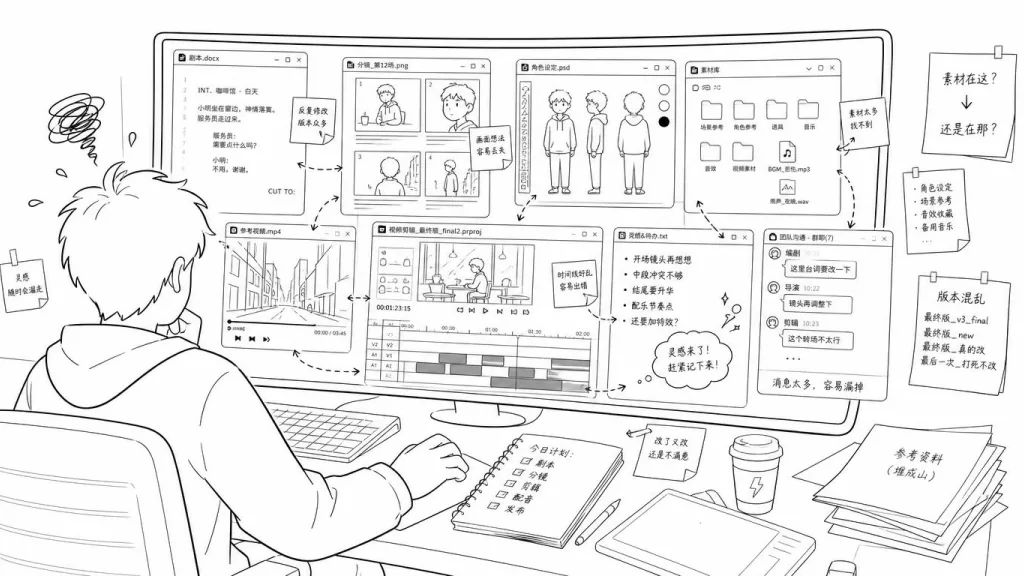
Short-drama creator Lao Zhou has been losing his mind lately. He writes a 12-episode script in Notion, switches over to ComfyUI to run character images, jumps into CapCut to match shots, and finally manages more than thirty asset libraries in a Feishu spreadsheet — a single 2-minute sample reel ate a whole week. The AI era gave us more tools, but the creative pipeline got sliced into pieces.
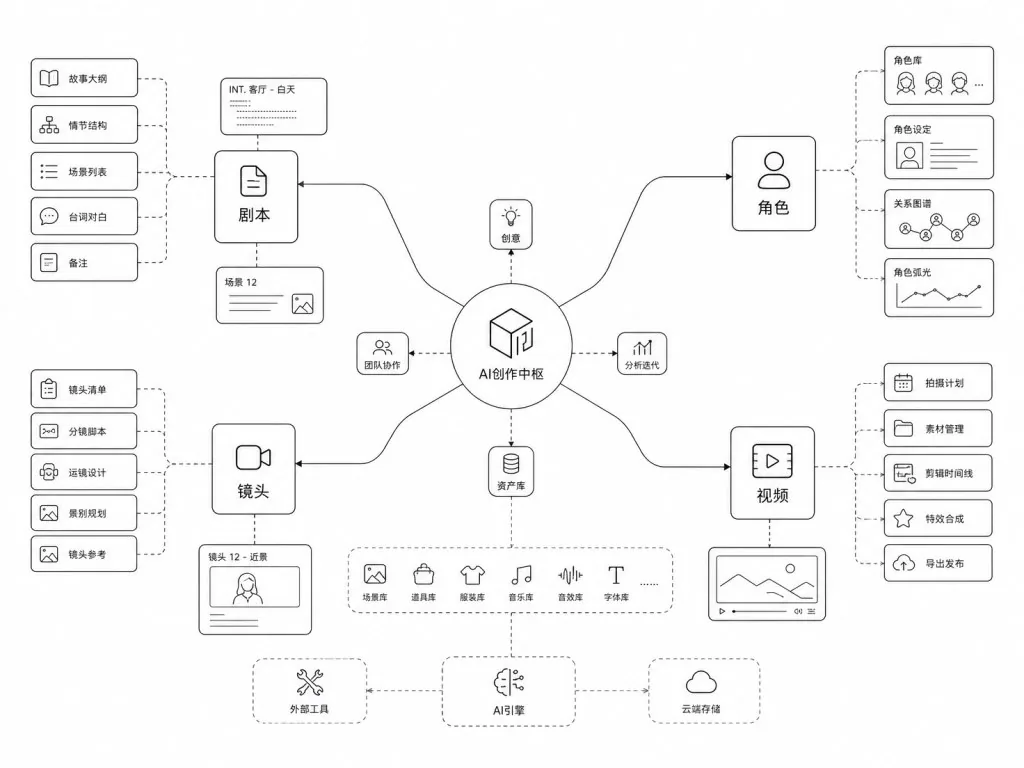
That is exactly the problem Toonflow wants to solve: put the script, the assets, the shots and the video clips on one infinite canvas, and use AI agents to string together the whole short-drama pipeline. As of publication, this open-source Vue project has picked up 16,942 stars on GitHub, earned Gitee GVP and AtomGit G-Star certifications, and is continuously tracked by the trend site Trendshift.
2. The one-liner: what this project is
Toonflow is an open-source creation platform for AI short dramas and comic dramas. Its core can be boiled down to four keywords: infinite canvas, visual workflows, open agents, cross-platform desktop. Built on TypeScript + Vue 3 + Bun + Electrobun, it supports both local and Docker deployment, and has shipped 20+ releases, 213,765 lines of code and 800+ commits.
3. Core features in depth
1. Infinite canvas: one whiteboard holds the whole show
Traditional creation tools organize content along a "timeline"; Toonflow organizes it on an infinite canvas. Script passages, character turnaround sheets, scene assets, video clips and node workflows all get dragged onto the same canvas, where you lay them out, wire them up and annotate them freely. The canvas also offers dark and light themes and an integrated AI assistant panel, so writing prompts and checking generated output never requires switching windows.
2. AI agents + visual workflows: drag nodes instead of writing glue code
Toonflow abstracts script breakdown, character consistency, shot generation and video compositing into visual nodes, and you define the pipeline by connecting them. The agent system opens up prompts, tool calls and the A2A protocol for custom agent behavior; it also connects to external tools and services over MCP, turning the model's "agency" into an orchestratable workflow instead of a black box.
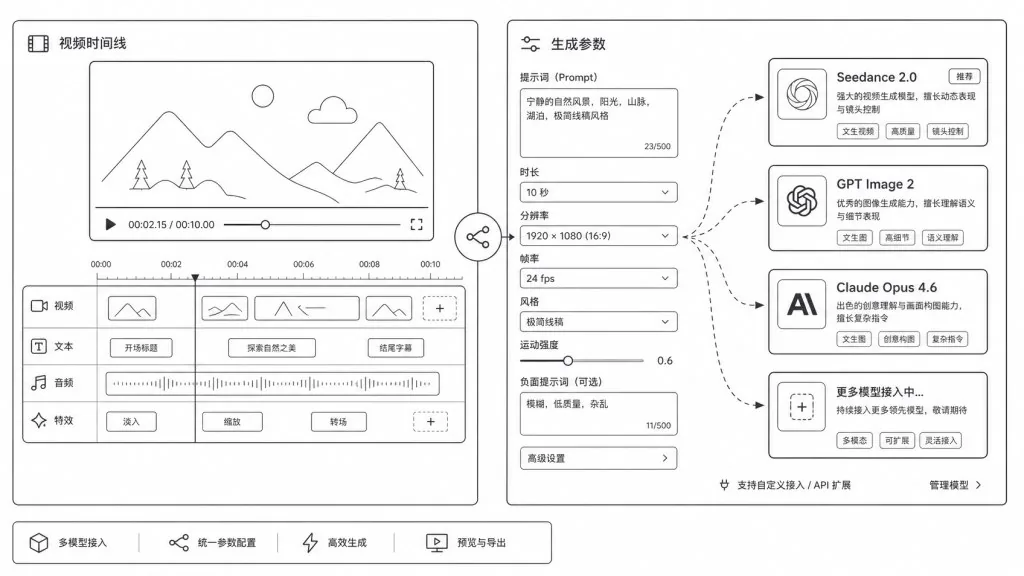
3. Bring your own models: not locked into any single API
The platform natively supports ComfyUI, local LLMs, and third-party model services such as Metaso, MiniMax H3, APIMart and Youyun Zhisuan. The official sample case uses Seedance 2.0 for video, GPT Image 2 for images and Claude Opus 4.6 for language — users can swap in cheaper or better-fitting models at any time.
4. Plugin marketplace and desktop app: creation isn't hostage to a browser
The official plugin marketplace is live, covering node extensions, tool enhancements and gameplay templates. The cross-platform desktop app (Windows / macOS), packaged with Electrobun, bundles WebView2 and FFmpeg so it works out of the box with no extra environment setup; the macOS build has native Apple Silicon support, avoiding the performance loss of Rosetta translation.
4. Technical highlights and performance numbers
On architecture, the main Toonflow repo is already a monorepo, with plugins, SDK, web and server sharing one codebase; the planned refactor moves to Drizzle ORM with local / PostgreSQL / MySQL support, lowering the barrier to secondary development. The runtime is built on Bun 1.3.14 and uses the bundled FFmpeg for video compositing, which means faster cold starts and leaner dependencies than the Node stack.
On ecosystem compatibility, the desktop app goes through Electrobun while the web app keeps the Vue 3 + Vite stack; creation assets persist in the Docker named volume toonflowData, so migrating or rebuilding the container never loses your projects.
Real-world case data: for the official 2-minute sample film, production took about 2 hours and model calls cost roughly ¥130 (about ¥120 on video, under ¥1 on images, about ¥10 on language). That number gives "can AI short dramas break even against manual labor" a reference point.
5. Where it fits and who it's for
- Early-stage planning for short-drama / comic-drama teams: use the infinite canvas to sketch the script structure fast, produce character-consistency art, and run a 30-second concept film to pitch investors.
- Independent creators / personal IP: one person covers script, art and editing, with monthly costs kept in the hundreds of yuan.
- AIGC tutorial authors / independent media: distill workflow templates into reusable canvas projects and hand them straight to students.
- Internal corporate training content: push standard script templates down into plugins and batch-generate training clips.
Not a fit: VFX studios chasing film-grade CG precision, and minimalist developers who depend heavily on pure command-line workflows — Toonflow's value is integration, not squeezing performance out of a single point.
6. Comparison with alternatives
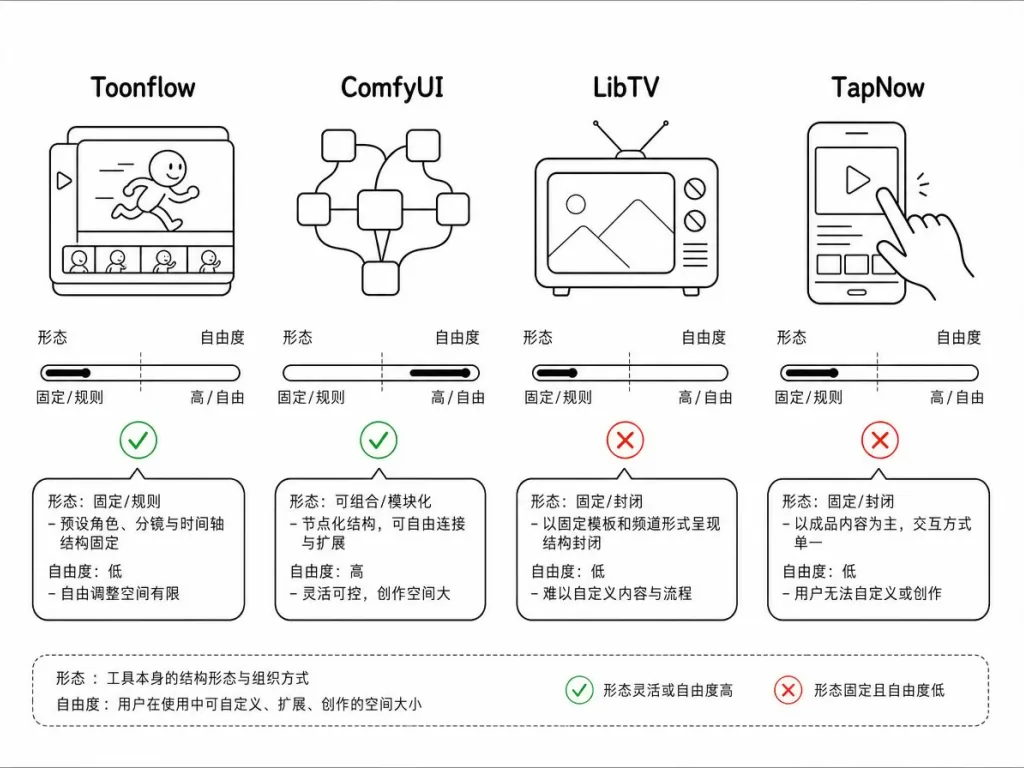
| Project | Form | Workflow organization | Model flexibility | Deployment |
|---|---|---|---|---|
| Toonflow | Open source + desktop/web | Infinite canvas + nodes | Any API + ComfyUI | Local / Docker / server |
| ComfyUI | Open source + web | Node workflows | Mainly local diffusion models | Local / Docker |
| LibTV | Closed-source SaaS | Canvas | Built-in platform models | Cloud |
| TapNow | Closed-source SaaS | Canvas | Built-in platform models | Cloud |
Toonflow's differentiation: it offers canvas-level creation like LibTV / TapNow, allows free model connections like ComfyUI, and opens its extension surface to the community through MCP and the plugin marketplace.
7. How to get started fast
Desktop (recommended for beginners): go to the GitHub Releases page, download the Windows installer or the macOS dmg, drag Toonflow into Applications and run it; if it crashes on Windows, install the WebView2 runtime manually.
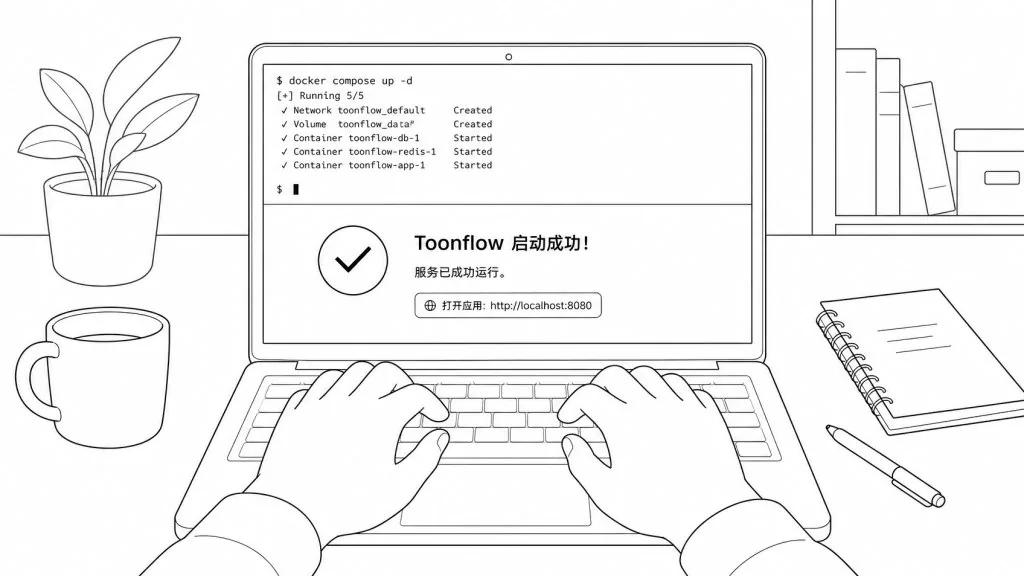
Docker deployment:
git clone https://github.com/HBAI-Ltd/Toonflow-app.git
cd Toonflow-app
docker compose up -d --build
Once it starts, open http://127.0.0.1:3000 in your browser. Data lives in the Docker named volume toonflowData, so a backup is just docker compose cp. Never run docker compose down -v — it wipes the data volume.
Server deployment: on Ubuntu / Debian, install Bun 1.3.14 + FFmpeg, run bun run build:server && bun run start:server, and pair it with systemd for boot autostart; for remote access, tunnel with ssh -N -L 3000:127.0.0.1:3000 user@host instead of exposing port 3000 to the public internet.
Advanced suggestions: get a 30-second template working on the desktop app first to learn how nodes connect; then switch to Docker and mount the workspace on a NAS for team sharing; finally wire in your own model API and MCP services for a customized agent.
8. Takeaways and next steps
Toonflow's real value is pulling the scattered script, art and video tools onto one canvas, making "one person is a whole crew" an actual configuration you can run. MIT license + plugin marketplace + multi-model support means it works both for individual creators validating a short-drama MVP and for teams doing secondary development.
Try it now: head to github.com/HBAI-Ltd/Toonflow-app to download the desktop app, or follow the usage tutorial to get your first canvas project running. The official plugin marketplace and model relay platform api.toonflow.net can be plugged in as needed.
One-line pitch: while everyone else is still tab-hopping between N apps, you have already taken a short drama from canvas to release.
#toonflow-app #ToonflowApp #hbai-ltd #AIVideoEditing #ScriptedVideo #TalkingHeadVideo #OpenSource #GitHub