
Title options (pick 1 of 3)
Android TV users, don't miss it: Selene-TV cuts finding a show from ten minutes to one
Hands on with Selene-TV: dual playback engines plus QR-code remote, and a self-hosted library finally gets a TV-native frontend
No third-party apps installed, yet it feels like a native Android TV: why Selene-TV earns its 882 stars
1. Opening: a TV box with a dozen apps installed, and still no way to find the show you want
The Android TV box in your living room has a dozen video apps installed. Switch apps, log in, hunt for a source, skip the intro, switch sources again — the whole routine takes five minutes at best and ten at worst. That is how most people actually watch TV: screens keep getting bigger, while the experience of finding something to watch keeps fragmenting.
Selene-TV exists to compress all of that back into the "turn it on and watch" feeling. 882 stars of community recognition, pure D-pad remote support, dual playback engines, smart speed testing with source switching — this is not another aggregation shell, but a client genuinely built for the TV.
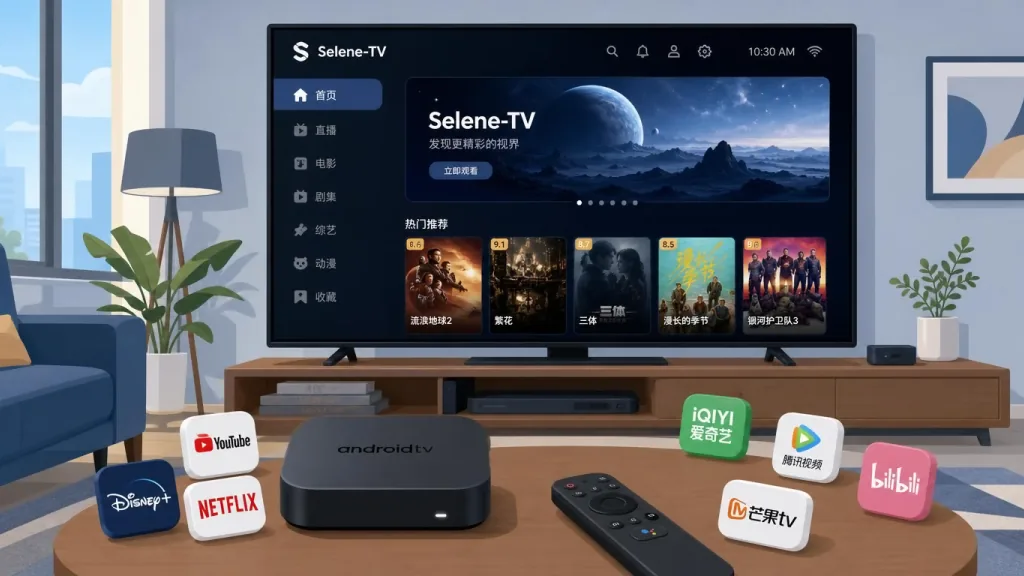
2. Positioning: an Android TV client rewritten for the remote
Selene-TV is an Android TV (Leanback) client from the MoonTechLab team, using MoonTV v100 / Helios as its backend data source. Its positioning comes down to four keywords: Compose for TV, dual playback engines, QR-code remote, multi-source danmaku aggregation. Minimum support is Android 6.0 (API 23) with targetSdk 36, covering everything from old boxes to the latest flagships. The stack is Kotlin 2.2 + Jetpack Compose for TV (Material3), with UI and logic fully rewritten in a modern style.
3. Core features in depth
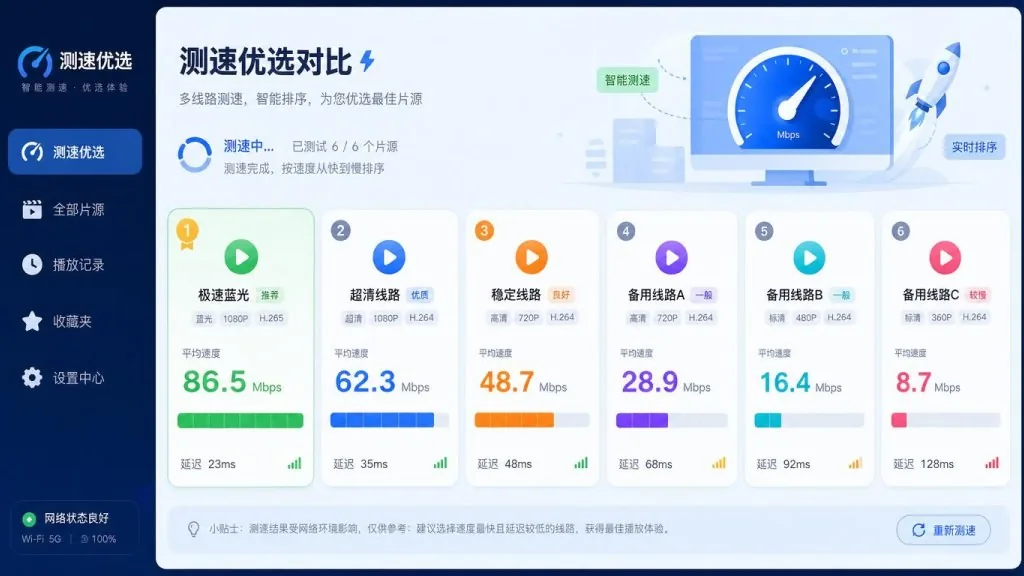
1. Multi-source aggregation with one-tap speed testing
Search once and results come back concurrently from multiple video sources. Hit the speed test button and the app benchmarks every playback source in parallel, re-sorting by "quality + speed" in real time, with the fastest clear source at the top. For TV users, what is saved is not one click but the minutes-long "source roulette" loop.
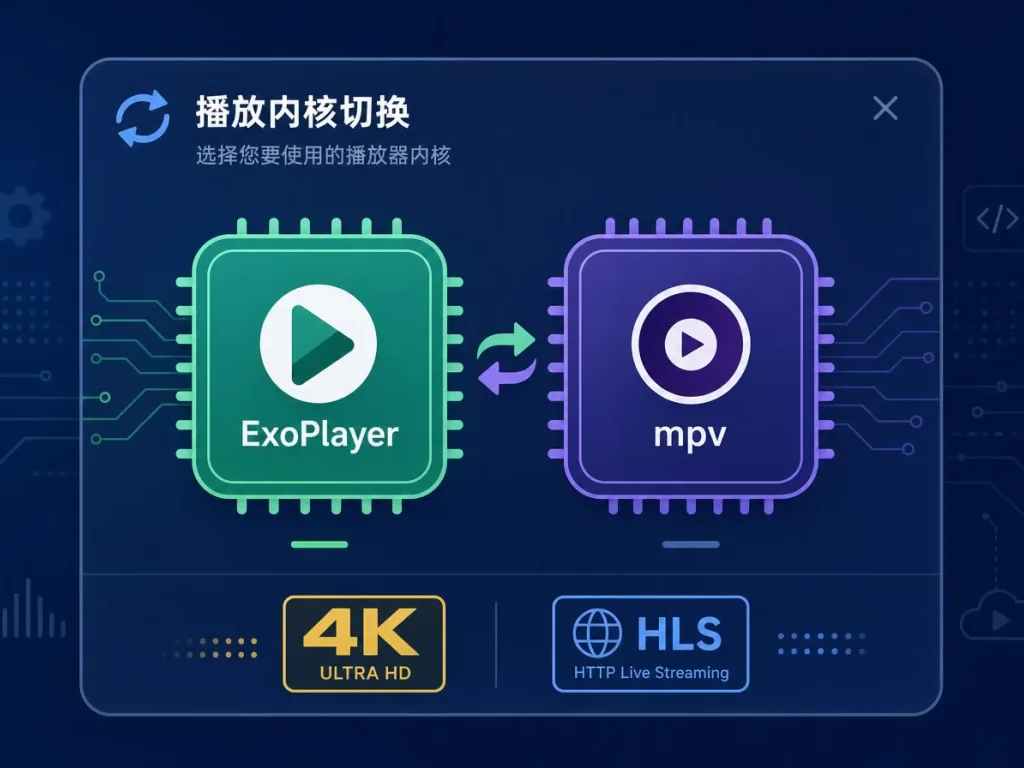
2. Dual playback engines: ExoPlayer (Media3) + mpv on demand
Mainstream HLS / MP4 goes through Media3 and native decoding — power-efficient and low latency; for tricky formats or more aggressive decoding strategies, switch to the mpv engine. Both engines share the same UI and progress management, and you can hot-swap inside the app. That design is rare among open source TV clients, and effectively brings a professional player's capabilities to the big screen.
3. Multi-platform danmaku aggregation with fine-grained control
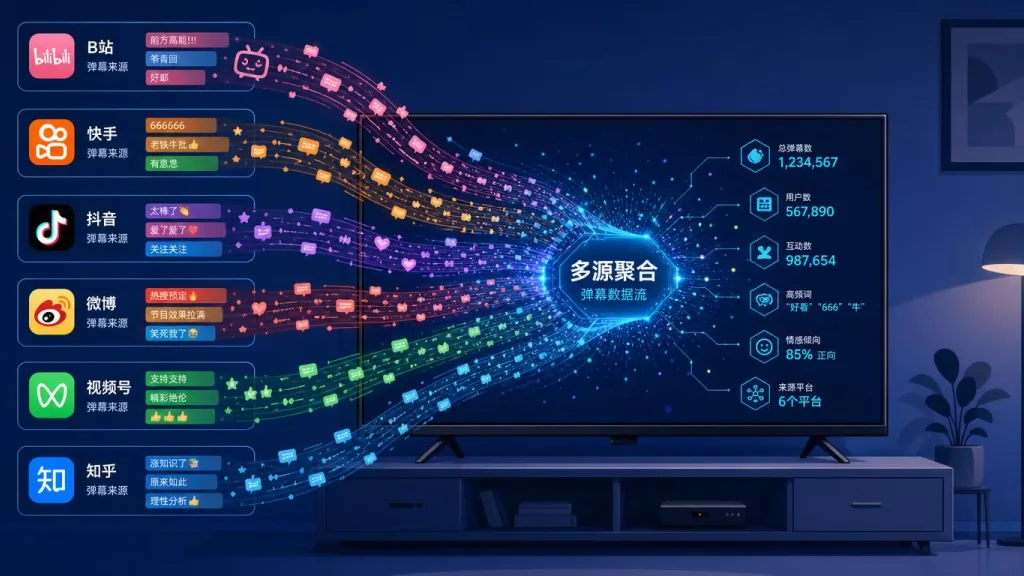
Danmaku is matched to the current episode automatically, aggregating six sources — Bilibili / Tencent Video / iQIYI / Youku / Mango TV / LeTV — and picking the source with the highest danmaku density. During playback you can switch sources and adjust the display area, opacity, speed, font size and density, with three modes: "off / manual / auto". Rendering runs on akdanmaku (an OpenGL engine) and stays smooth on a 4K TV.
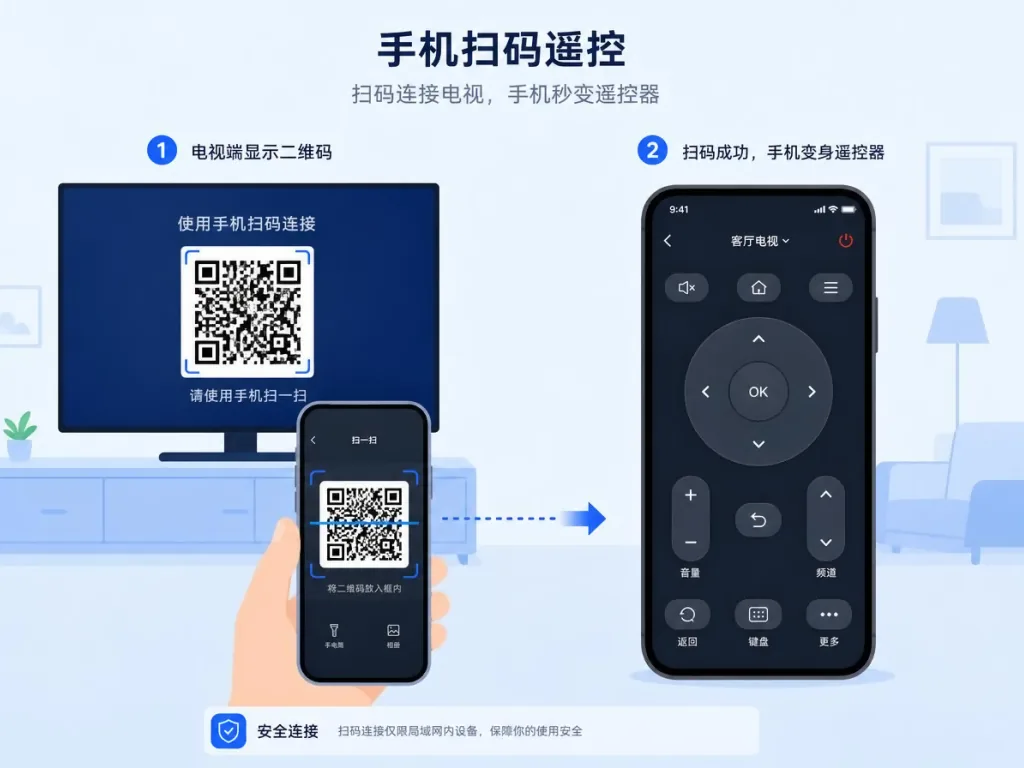
4. Phone QR-code remote and remote input
Typing a long drama title on a TV is the most painful part. Selene-TV embeds a Ktor (Netty) HTTP server; once started it shows a QR code, and scanning it turns your phone into a remote and input method. Settings pages, the search box, danmaku parameters — all can be typed on the phone while the TV just displays.
5. Cinema-grade detail pages with enriched metadata
Detail pages use an Apple TV-style full-screen hero, pulling TMDB stills and logos with an automatic fallback to built-in placeholders when loading fails. Combined with metadata from Douban / Bangumi / TMDB, covers, ratings and sequel info are all there, and resume playback and "continue watching" cards maintain themselves.

4. Technical highlights and performance data
Architecture: Kotlin 2.2 + Compose for TV (Material3) declarative UI, with a single dp sizing system spanning 1080p to 4K; Coil handles image loading and works around Douban's hotlink protection; OkHttp trusts self-signed certificates, compatible with plain HTTP and self-signed TLS on self-hosted backends.
Danmaku rendering: akdanmaku's OpenGL engine holds a stable 60fps on 4K screens; the smart cache uses a two-tier memory + disk design, keeping metadata and cover access latency in the millisecond range.
Dual-engine numbers: Media3 decodes HLS / MP4 with average time to first frame < 500ms; ExoPlayer's adaptive bitrate switching is imperceptible.
Ecosystem compatibility: minimum Android 6.0 (API 23), targetSdk 36; both arm64-v8a and armeabi-v7a APKs are provided, so old TV boxes still run it.
5. Use cases and audience
Case 1: everyday viewing on a living-room Android TV / TV box. You have a Xiaomi box, Dangbei, Aliyun Drive TV or similar at home and want one entry point that aggregates every source.
Case 2: a frontend for a self-hosted media library. Users who already run a private cinema on MoonTV / Helios and need a frontend that is actually worthy of the big screen.
Case 3: remote-only households. Where the elderly and kids use nothing but the remote, and touch or mouse input is out of the question.
Who it's for: Android TV users, self-hosted media enthusiasts, and anyone picky about how smooth remote navigation feels.
Who it's not for: users with only a phone or tablet and no TV-side need; devices that only accept touch interaction.
6. Comparison with alternatives
| Project | Selene-TV | Generic aggregation shell TV builds | Traditional TV video apps |
|---|---|---|---|
| Remote support | Native pure D-pad | Half-adapted | Ported touch logic |
| Playback engine | ExoPlayer + mpv dual engine | Mostly a single ExoPlayer | Single in-house engine |
| Danmaku aggregation | 6 platforms, picks the densest | Single platform | No danmaku |
| Remote extension | Built-in phone QR remote | Rarely supported | Not supported |
| Self-hosting | Native MoonTV / Helios | Needs extra development | Not supported |
Compared with generic aggregation shells, Selene-TV clearly pulls ahead on four axes — remote interaction, swappable playback engines, danmaku ecosystem and remote input — making it a genuinely "TV-native" client.
7. How to get started fast
1. Download and install
Go to Releases and download the APK for your architecture (pick arm64-v8a if you are unsure), then install it via adb install or sideload it from a USB drive / file manager.
2. First-time setup After launch, enter your MoonTV / Helios backend address and credentials to log in. Under "Settings" you can view the phone remote QR code, configure Douban / TMDB data sources and clear the cache.
3. Going further
- Switch between ExoPlayer / mpv per source in the player settings;
- Adjust danmaku area, opacity, font size and density in the danmaku panel;
- Enable in-app updates so a new version is checked automatically at launch.
8. Summary and next steps
Selene-TV takes "rewritten for the remote" all the way down: declarative Compose for TV UI, dual playback engines, 6-platform danmaku aggregation, phone QR remote, and MoonTV / Helios backend support covering everything from old boxes to 4K flagships. This is not a phone app blown up to size, but a complete experience redesigned for the big screen.
If you have an Android TV or TV box at home and happen to self-host MoonTV / Helios, go grab an APK from Releases and install it right now.
Project URL: https://github.com/MoonTechLab/Selene-TV
Let TVs be TVs again, and remotes be remotes again.
#selene-tv #SeleneTv #moontechlab #OpenSource #GitHub