Title options (pick 1 of 3)
Saw a feature in someone else's app you want to clone? Try REA, the 310k-star reverse-engineering agent
From 3000 lines of assembly to runnable code: REA plugs reverse engineering into Claude Code / Cursor through MCP
Replicate a feature without reading the source: REA lets AI agents take native binaries apart directly
See a feature, replicate it? REA puts reverse engineering into the AI agent's toolbox
1. Opening: what if one look at a feature told you how it works within 5 minutes…
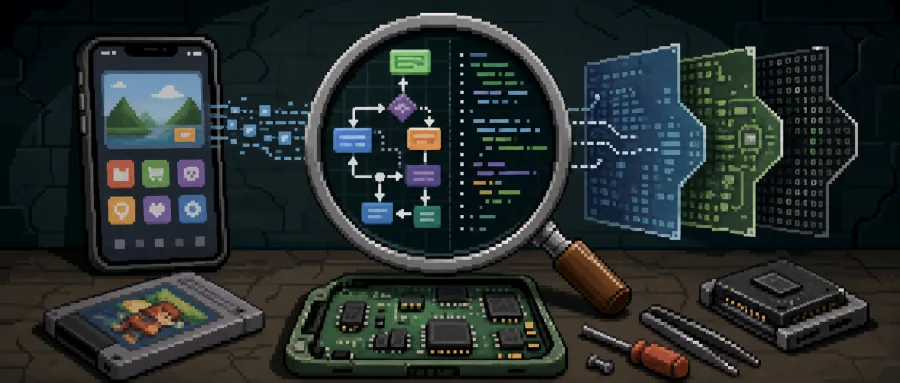
You scroll past Notion's rich-text clipboard paste behavior and want to replicate it in your own product. You play DX-Ball and hear that clever panning, and want to know exactly how that 16-bit code computes it. You stare at a 30MB Electron installer and want the full IPC channel routing table. Have you ever been stuck at the same step: "just take a look at the source"?
Traditional reverse engineering has a learning curve steep enough to scare off 90% of developers: install Hopper/Ghidra/IDA, grind through the pseudo-code the decompiler spits out, reverse the assembly logic back into a high-level language, then translate that into a working implementation. The urge to "understand this" usually dies during environment setup.
REA (Reverse Engineer Anything) wires that entire workflow into AI agents like Claude Code, Cursor, Codex and Gemini CLI. You tell the agent "figure out how this app's search works, show me the evidence, then write me an integration" — and the agent plus REA handle the rest.
2. Project overview: what it actually is
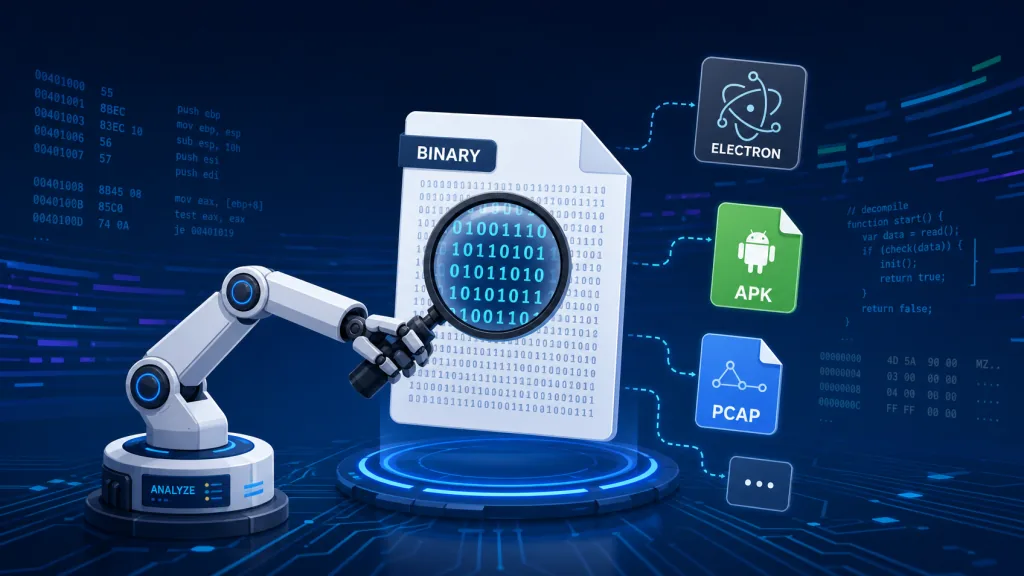
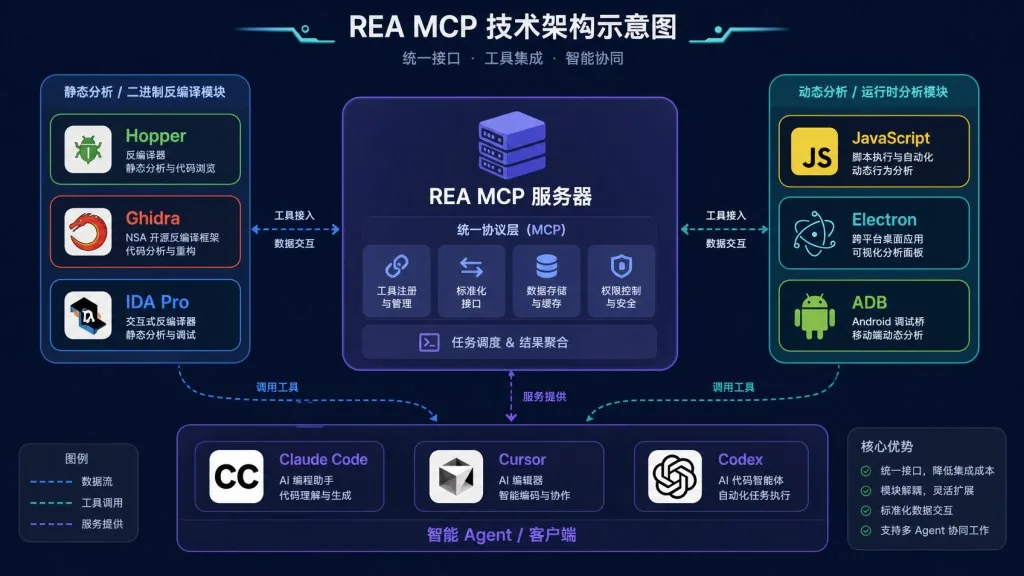
REA is a locally running MCP (Model Context Protocol) server positioned as "one MCP that connects three reverse-engineering scenarios: binaries, applications and runtime behavior". Through a single interface it exposes reverse-engineering capabilities for 20+ target types (native binaries, Electron, APK, firmware, SQLite, packet captures, PCAP, logic signals…) to AI agents.
Core labels: local analysis, evidence-driven, agent-native, general-purpose reversing. The project is MIT-licensed, written in TypeScript, distributed via npm, and installs with a single line: npx rea-agents setup. With 310k stars on GitHub it has become the flagship project for agentified reverse engineering, and it ships three complete case studies: DX-Ball, Notion and TH04.
3. A deep dive into the core features
1. Native binary reversing: Hopper / Ghidra / IDA all wired up
REA doesn't reinvent decompilers. It mounts Hopper, Ghidra and IDA as "Providers". The agent calls an MCP tool, and REA launches Hopper Disassembler in the background, has the Ghidra Headless analyzer produce a report, or hands the job to IDA Pro's decompiler; what comes back is not raw assembly but pseudo-code, call graphs and symbol tables with an evidence chain. Hopper also supports one-click visual linkage on macOS, so you can watch the reversing session with your own eyes.
2. JavaScript / Electron application analysis: unpack the ASAR and read it
For Electron's "web + native" hybrid, REA statically unpacks the ASAR archive, resolves module dependencies, extracts source maps, lists IPC channels and draws the boundary between the preload and main processes. What comes back is a structured module inventory and an IPC routing table — no need to execute the target app, because the evidence comes straight from the files themselves. In the Notion case study the agent followed exactly this path to the rich-text paste chain.
3. Dynamic behavior capture: processes, ADB and packet capture
When static analysis isn't enough, REA can spin up a native PTY to run the target app and record interactions and filesystem changes; hook into adb to drive a real device or emulator and export logs, screenshots and the APK; feed PCAP files to TShark; feed logic-signal recordings to sigrok-cli. Evidence is attached after every conclusion, so what the agent receives is contextualized results rather than isolated data points.
4. Heterogeneous binary formats: Go, Rust, WASM and EVM, all statically analyzed
The compiler version, modules and build settings embedded in a Go binary; the crate names, versions, sources and dependency edges from cargo-auditable in a Rust binary; WASM validation, sections and the WAT import/export tables; the selectors, byte offsets, arguments and inferred mutability in EVM bytecode — none of these need Hopper/Ghidra, REA's own static analyzers produce the report.
4. Technical highlights and performance data
- Coverage: a single MCP covers 20+ target types at once — native binaries, Electron, APK, firmware, SQLite, PCAP, .NET, WASM and more — the broadest open-source reverse-engineering MCP available today.
- Provider abstraction: Hopper, Ghidra, IDA, Kuna, Rizin and objdump are designed as pluggable Providers; for large binaries you can tune startup timeouts with
REA_GHIDRA_STARTUP_TIMEOUT_MS/REA_HOPPER_STARTUP_TIMEOUT_MS. - DX-Ball case reproduced: the panning reverse-engineering result ran through 3,205 original x86 cases, and the reimplemented function matched the compiled artifact byte for byte at 63 bytes; a rare quantified benchmark.
- Security boundary: analysis runs entirely locally, and results (including evidence and unknowns) are returned only to the agent; licenses for commercial decompilers (IDA Pro/Hopper/JEB) are the user's responsibility — REA ships no keys and bundles no cracks.
- Update experience:
rea updategoes through a verified update flow, stdout/stderr are capped at 4 MiB, and verbose mode has backpressure protection; global updates via Bun require 1.2.17+.
5. Where it fits and who it's for
3 typical scenarios:
- Feature replication: reverse a competitor's interaction into your own implementation instead of guessing requirements from scratch (Notion's rich-text paste and the VS Code command palette both work this way).
- Historical software archaeology: recovering algorithms from DOS- and PC-98-era games (the TH04 case study), or studying the internals of closed-source commercial software for education and hardware/software preservation research.
- Security auditing and interoperability analysis: EVM bytecode decompilation, PCAP and packet analysis, Android manifest and code audits.
Who it's for: security researchers, Electron desktop app developers, geeks who need to recover algorithms from old software, and any engineer who already treats Claude Code/Cursor as their primary coding assistant.
Who it's not for: people who can't write code at all and only want a one-click crack for paid software — REA ships no license keys and endorses no illegal use.
6. How it compares
| Aspect | REA | Ghidra scripts | IDA + plugins | Closed-source reversing SaaS |
|---|---|---|---|---|
| Agent / MCP integration | Native MCP, works with Claude/Cursor/Codex out of the box | You write the LLM glue | You write the LLM glue | Usually a web UI, rarely MCP |
| Target coverage | 20+ types behind one interface | Native binaries only | Native binaries only | Mostly web/mobile, cloud-dependent |
| Evidence returned | Every conclusion carries an evidence chain | You organize it yourself | You organize it yourself | Black box, no auditable evidence |
| Locality | Fully local | Fully local | Fully local | Usually uploaded to the cloud |
| License | MIT | Apache 2.0 | IDA Free limited / Pro commercial | Closed source |
In short: Ghidra/IDA win on binary depth, REA wins on feeding that depth to an agent through MCP while covering the surrounding formats.

7. How to get started fast
Prerequisites: Node.js 22.19+ / 24.11+ / 26+, with the matching npm for your OS. On Linux, firmware, JADX or Electron analysis needs a procps-compatible ps.
1. Install + register the agent
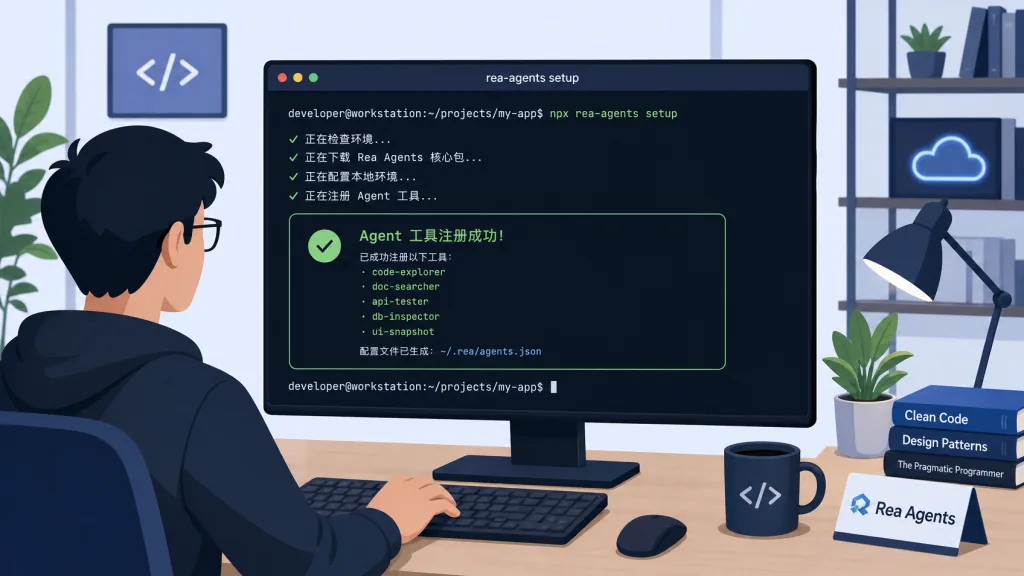
One command injects the MCP server and its companion Skills into the target agent. It supports Claude Code, Codex, Cursor, Gemini CLI and Grok Build:
npx rea-agents setup
Pick your agent interactively, confirm the config to be written (the original file is backed up automatically), then restart the agent. Native analysis needs an existing Hopper/Ghidra/IDA; setup can install the Hopper trial with your authorization.
2. Your first question
Just tell the agent: Understand how the Notes app's search works, show me the evidence, and implement a similar feature in my project. (Swap Notes for your target app name.)
3. Command-line usage
Against an unpacked Electron app directory:
npx -y rea-agents@latest analyze-javascript-application /absolute/path/to/app --json
If you need it regularly, install the global command: npm install --global rea-agents, then rea --help / rea update.
4. Advanced tips
- For large binaries, raise
REA_GHIDRA_STARTUP_TIMEOUT_MS/REA_HOPPER_STARTUP_TIMEOUT_MS. - To use JEB for Android: start the MCP service in the JEB client first, then set
REA_JEB_MCP_URL. - If Hopper won't run on Windows, try the experimental Ghidra path (docs/windows-ghidra-p0.md).
8. Wrap-up and what to do next
REA's core value is flattening a lofty reverse-engineering discipline into a set of MCP tools an agent can call, and forcing every conclusion to carry evidence — that is the biggest difference between it and "AI decompiler wrapper" toys. From the byte-exact reproduction of the DX-Ball algorithm to tracing Notion's rich-text paste chain end to end, its credibility has already been validated at case-study level.
Recommendations: get npx rea-agents setup working first, then try your first cut on an Electron app or npm package you already know well; once that clicks, go chew on closed-source binaries. Keep your commercial decompiler licenses compliant (Hopper, IDA Pro, JEB) — REA includes no licensing of any kind.
Project links:
- Repo:
https://github.com/morluto/rea - Website and guides:
https://rea.tools/ - Case studies:
https://rea.tools/showcase/ - npm:
rea-agents
One-line pitch: if you already let agents write code, let them read code too — the binary kind.
#rea #Rea #morluto #AIAgents #AIWorkflow #Automation #OpenSource #GitHub