
1. Intro: stop wrestling with it by hand
A researcher on your team comes over: "Pull together a comparison of our competitors' new features, pricing and user reviews from their sites." You open Cursor or Claude Code, finish typing the prompt, and the AI answers: "Sorry, I can't access external websites."
You've probably hit this. The WebSearch and WebFetch that ship with agents like Claude Code and Gemini CLI only cover the most basic HTTP fetching: they can't carry a login session, can't handle dynamic rendering, can't get past anti-bot defenses, and heavy operations like grabbing video frames or uploading files are out of the question. The result: the agent stalls halfway and the rest of the job lands back on your desk.
The project we're breaking down today exists for exactly that pain.

2. What it is, in one line
web-access (GitHub: eze-is/web-access, 8.6k stars, primary language JavaScript) is a Skill package for Claude Code, Cursor, Gemini CLI, Codex CLI and every other agent that supports SKILL.md. Its positioning is a single sentence: give AI agents complete web access and browser control.
It doesn't patch one gap — it adds three layers: intelligent routing across web tools, CDP browser automation, and search over your local bookmarks and history. It's already at v2.5.2, and the new Edge support widens the compatibility net again.
3. Core features in depth
1. Automatic selection and combination of web tools
Agents need different web approaches for different situations: a plain static page is fine with curl; bypassing anti-bot defenses is Jina's job; login sessions, dynamic content and interaction require the CDP browser. This Skill lays five tools in front of the agent — WebSearch, WebFetch, curl, Jina, CDP — and spells out when each one applies. Given a task, the agent picks by scenario rather than by step, singly or in combination, instead of following a rigid fixed path.
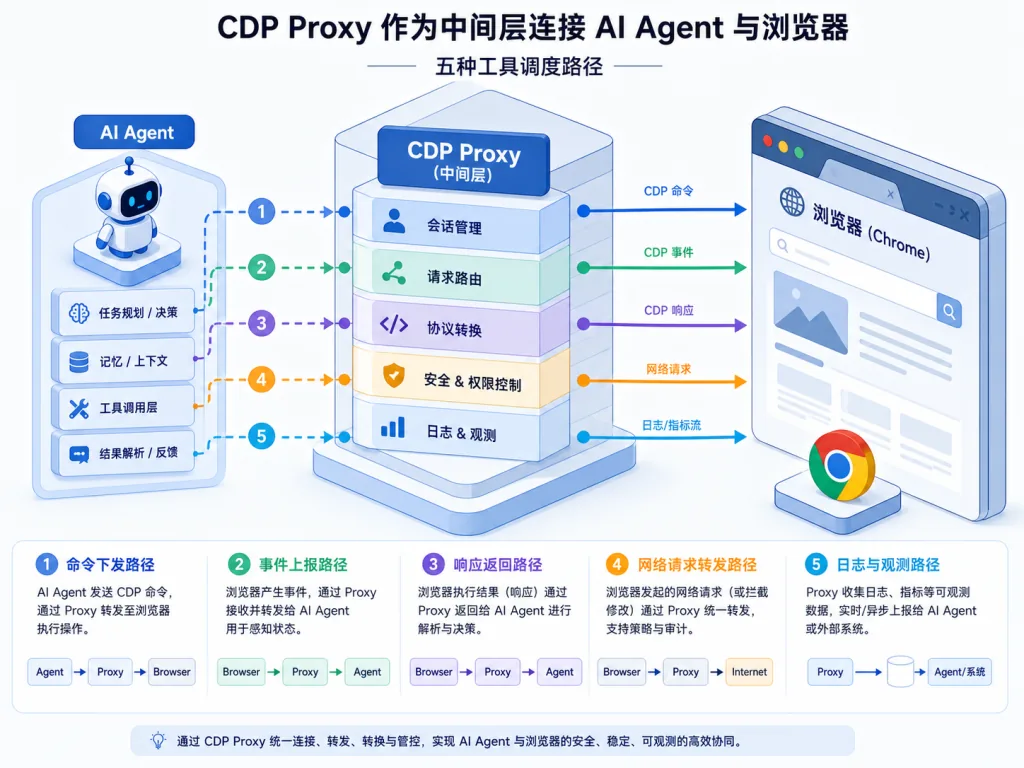
2. CDP Proxy connects straight to the browser you already use
This is the killer feature of the whole Skill. CDP Proxy connects over WebSocket to the Chrome or Edge you're already logged into, so you don't run a separate headless browser — cookies, tokens and enterprise SSO sessions are inherited for free. The interface is plain HTTP: /new opens a tab, /eval runs JS, /click and /clickAt distinguish JS clicks from real mouse events, /setFiles uploads files, /screenshot captures, /scroll scrolls — all doable with curl. The proxy also closes tabs after 15 minutes of idling, so an agent crashing doesn't leave orphan processes behind.
3. A careful distinction between three ways of clicking
Many sites have their own automation detection: some only accept a JS-dispatched click event, some require real mouse coordinates, some only open up to human input. The Skill implements all three: /click goes through element.click(), fast but prone to tripping anti-automation checks; /clickAt goes through CDP's Input.dispatchMouseEvent and can simulate a real coordinate click; /setFiles handles file upload, a common step that many tools simply ignore.
4. Local bookmark and history search (find-url)
Internal systems the public web can't see, old pages whose URLs you can't recall, sites you've been hitting constantly lately — WebSearch alone won't get you there. scripts/find-url.mjs reads the local Chrome / Edge databases directly, supports ranking by keyword, time window and visit frequency, walks across your default browsers, and is ideal for prompts like "open the page where I change my password on the company OA."
5. Parallel divide-and-conquer, plus accumulated site knowledge
For multi-target work like "research the sites of 5 products," the Skill dispatches sub-agents in parallel, sharing one proxy with isolation at the tab level. After repeated operations on the same site, the operational knowledge (URL patterns, platform quirks, known traps) is stored per domain and reused across sessions — so the next time you touch a problem zone like Xiaohongshu, you skip half the traps.
4. Technical highlights and performance data
Architecturally, CDP Proxy is a long-running Node.js process that exposes 7 HTTP endpoints (/new, /eval, /click, /clickAt, /setFiles, /screenshot, /scroll, etc.) and internally reuses the browser's built-in chrome://inspect / edge://inspect channel over WebSocket. That means no extra puppeteer install, no Chromium download, no browser launched with command-line flags.
On the cross-platform side, the scripts moved entirely from bash to Node.js, so Windows (Git Bash), Linux and macOS all work; config.env uses ${CLAUDE_SKILL_DIR} string substitution to dodge Windows path conversion issues. As for ecosystem compatibility, any agent that supports the SKILL.md convention can load it — it isn't tied to Claude Code alone.
Penetrating DOM boundaries is another bit of engineering detail: recursive traversal via eval gets through Shadow DOM and iframes, boundaries that CSS selectors can't cross, and combined with the technical facts introduced in v2.4 — "platform error messages are not trustworthy," "URLs carry their own context" — the agent is no longer helpless against anti-bot defenses and dynamic structures.

5. Use cases and who it fits
Who it's for: product managers, indie developers, researchers, growth operators and content creators doing real work with Claude Code / Cursor / Codex CLI.
Concrete scenarios:
- Deep research: have the agent open 10 competitor sites at once, compare features, pricing and user reviews, and roll it into a table automatically.
- Cross-platform content operations: inside your logged-in browser, have the agent post content, upload covers and fill in forms on Xiaohongshu, WeChat Official Accounts and WeChat Channels.
- Internal enterprise systems: the agent locates internal OA, Confluence and Notion pages via local bookmarks and, with your session in hand, runs data queries directly.
- Video and media analysis: use CDP's frame-capture ability to extract frames at any timestamp for content understanding, or pull image and video URLs straight out of the DOM to organize assets.
Not for: lightweight cases where all you want is "just read me a URL" — the native WebFetch is enough, and using a sledgehammer here only adds token overhead.
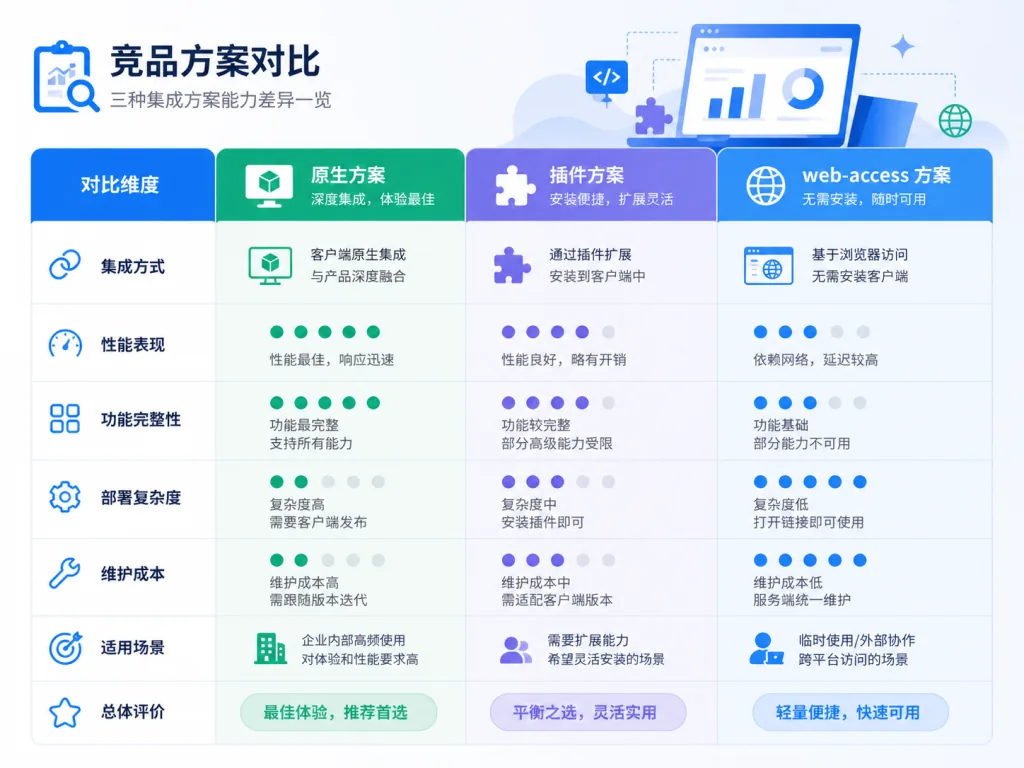
6. Competitor comparison
| Capability | Native WebFetch | Browser extension approach | web-access Skill |
|---|---|---|---|
| Login session support | None | Depends on extension login | Reuses local browser cookies |
| Dynamic rendering | Limited | Good | Good (CDP) |
| Anti-bot handling | Poor | So-so | Jina + browser strategy |
| Automatic tool selection | None | None | Picks one of WebSearch/Fetch/curl/Jina/CDP |
| Multi-target parallelism | None | Weak | Sub-agents share the proxy |
| Cross-agent platforms | Depends on the agent | Browser-bound | Universal via SKILL.md |
The key difference: a traditional extension is "a shell a human adds," while web-access is "the agent knowing on its own which tool to reach for" — the decision goes back to the model.
7. How to get started fast
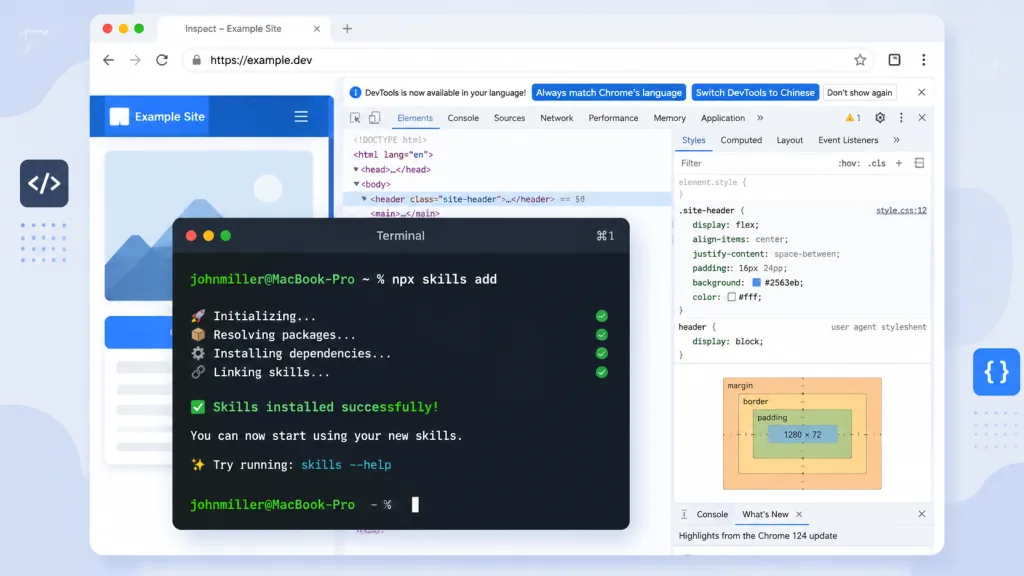
The fastest path is one command:
npx skills add eze-is/web-access
This calls Vercel's skills CLI, which detects your agent environment and installs the Skill in the right place.
If you'd rather skip the CLI, just hand the link to your agent and let it install itself:
Install this skill for me: https://github.com/eze-is/web-access
There are only two prerequisites: Node.js 22+, and opening the relevant inspect page in the Chrome or Edge you use daily to tick "Allow remote debugging for this browser instance." The first run generates a config file at ~/.claude/skills/web-access/config.env (gitignored) where you can pin the default browser to Chrome or Edge, or keep the flexible "ask every time" mode.
Once installed, just issue instructions: "Search 'xxx account' on Xiaohongshu for me," "Research the sites of these 5 SaaS products at the same time," "Read this page and summarize the key points." The Skill takes over from there. If you want, you can also pin the browser preference:
WEB_ACCESS_BROWSER=edge
One warning: CDP mode runs through your own browser account, so use a secondary account for social platform operations.
8. Summary and next steps
The core value of web-access is one sentence: it upgrades AI agents from "can reach the web" to "knows how to work the web." It doesn't decide the route for you — it lays out the boundaries of WebSearch, WebFetch, curl, Jina and CDP so the agent can dispatch them itself, and adds a full set of browser operation primitives plus accumulated site knowledge.
If you're already using Claude Code or a similar CLI, install it and try it — it's especially well suited to long-running, stable web tasks.
- GitHub: https://github.com/eze-is/web-access
- Website: https://web-access.eze.is
- Design write-up: https://mp.weixin.qq.com/s/rps5YVB6TchT9npAaIWKCw
One-line recommendation: let the AI decide how to go online — start by installing web-access.