1. Opening: why you need this tool
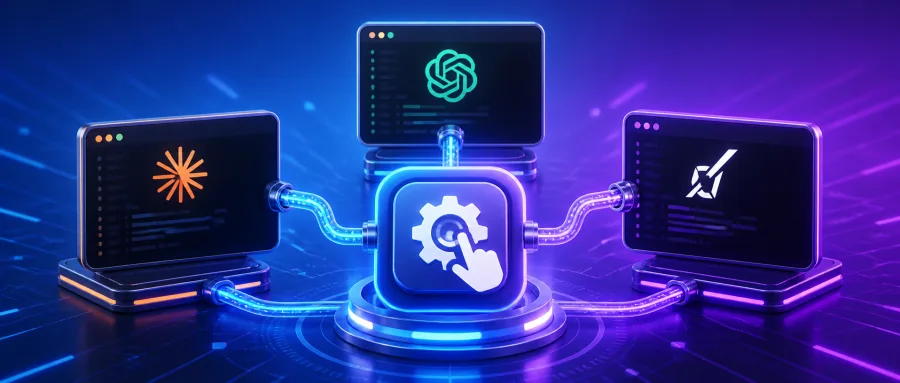
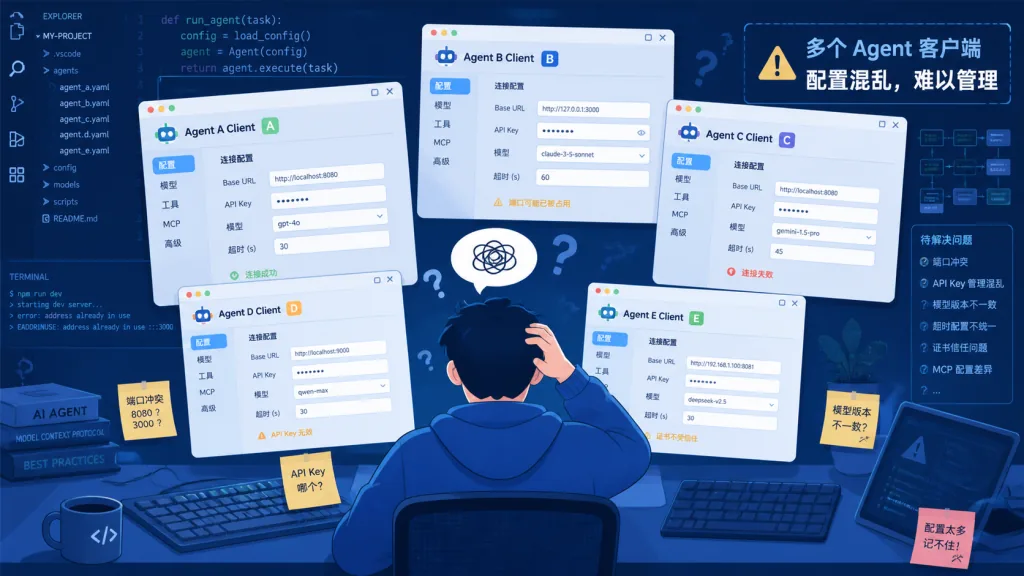
If you lean heavily on AI coding assistants, you've been here: Claude Code, Codex, Grok CLI, Kimi CLI and a few other agent clients all running at the same time, each with its own model configuration. One day your primary model's API gets rate limited, and you're stuck editing config files one by one to switch to a backup. At month-end, when you want to know how many tokens each agent actually burned and what it cost, you're piecing it together from scattered logs.
Worse: the moment you want to add web search, vision or MCP tools to an existing model, every client needs its own adaptation pass. The duplicated work is off the charts. The more AI tools you run, the more your ops overhead grows exponentially — the classic symptom of fragmented AI coding infrastructure.
Claude Code Router (CCR for short) exists to clean up that mess: one local control plane that takes over every agent and provider.
2. Project overview: what it is in one sentence
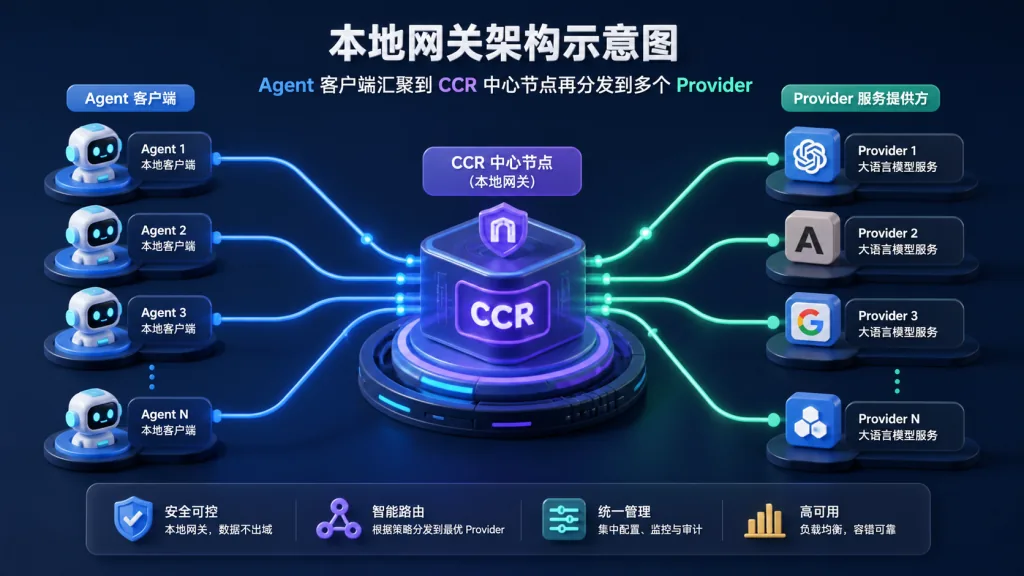
Claude Code Router is a locally deployed model gateway and control plane. It plugs mainstream coding agents — Claude Code, Claude Design, Codex, Grok CLI, Kimi CLI, OpenCode, Pi, ZCode — into a single http://127.0.0.1:3456 endpoint, so provider management, model routing, failover, tool orchestration and observability all live in one panel.
The core features boil down to four keywords: multi-agent compatibility, multi-provider routing, visual control panel, local-first. The current version is v3.0.16, shipping desktop apps for macOS (both Apple Silicon and Intel), Windows and Linux, plus CLI and Docker deployment. Repo: musistudio/claude-code-router. Full docs: ccrdesk.top.
3. Core features in depth
1. A unified agent access layer
CCR builds a translation bridge between clients and providers. Every agent just sends requests to the local gateway; it doesn't care whether the downstream is OpenAI Chat Completions, Anthropic Messages or Gemini Generate Content. Protocol detection and automatic adaptation happen inside CCR — no manual conversion.
This design solves a long-standing industry pain point: each agent has its own config directory (e.g. ~/.claude, ~/.codex), and switching providers means editing each one. CCR abstracts these into "Profiles" that apply to any agent in one click, with model overrides, scope, environment variables and launch arguments all managed graphically.
2. Smart routing and failover
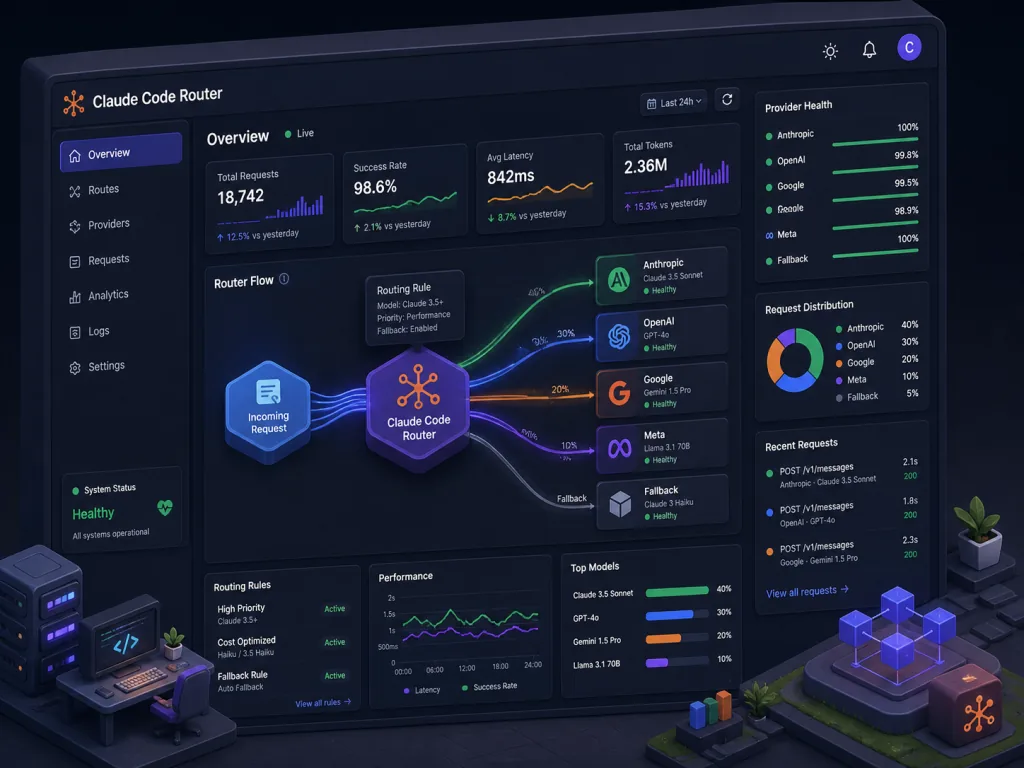
CCR's routing engine matches on request headers and bodies, so it can dispatch requests by model name prefix, message content, user identity and other dimensions. More importantly there's Ordered Fallback: when the primary provider hits a rate limit, times out or runs out of credit, CCR automatically tries backup models in a preset order — transparently to the agent.
Combined with a Credential Pool and Key Rotation, CCR load-balances across multiple keys per provider and quarantines dead keys, giving far better availability than a single key plugged in directly.
3. Fusion models and tool extensions
CCR ships a "Fusion model" mechanism that injects vision, web search, MCP tools, ToolHub and other capabilities on top of any base model in a modular way. A text-only model that never supported images can, for example, borrow Claude's vision through a Fusion node and be served outward as a unified multimodal model with vision.
ToolHub, meanwhile, manages extensions such as browser automation, Chrome session import, wrapper plugins and Core Gateway plugins. Local routing and virtual models go further, stitching multiple providers' capabilities into composite services.
4. Full-chain observability
CCR's Logs panel records every request end to end: resolved provider, model, credential, HTTP status, latency, token usage, estimated cost, tool calls, agent trace. All of it aggregates in real time, so developers finally stop assembling bills and performance data across multiple platforms.
Worth mentioning too is AgentClaw: an agent relay over eight channels — WeChat iLink, WeCom, Slack, Discord, Telegram, LINE, Feishu and DingTalk — that plugs coding agents directly into enterprise IM workflows.
4. Technical highlights and performance data
- Local-first architecture: all gateway traffic stays on
127.0.0.1with no external exposure. Combined with a dedicated CCR Client Key (supporting expiry, plus local request/token/image quotas), it can serve as an intranet distribution for a team. - Broad provider coverage: presets for OpenRouter, DeepSeek, SiliconFlow, Moonshot, Kimi Code, Mistral, Z.AI, Bailian and a dozen more, covering OpenAI Chat/Responses, Anthropic Messages and Gemini Generate Content/Interactions — plus custom compatible endpoints.
- Multi-platform delivery: desktop app (Electron), npm CLI (Node.js 22+) and Docker Compose — three deployment shapes covering every developer habit.
- Deep Kimi K3 integration: as the project's main sponsor, Kimi K3 (2.8T parameters, native vision, 1M token context) has its subscription and pay-as-you-go API built in as a provider preset, importable in one click, with balance and subscription usage visualized right in the CCR dashboard.
5. Use cases and audience
Case one: solo developers running multiple agents. Claude Code for business logic, Codex for code review, Grok CLI for experiments — and one panel to manage all the requests.
Case two: small teams sensitive to model stability. They depend on the Claude API but fear a single-point rate limit and want automatic fallback to DeepSeek or Kimi. CCR's ordered fallback fits exactly.
Case three: multi-provider price comparison and cost accounting. They switch models by task type (Claude for reasoning, DeepSeek for batch work) and need precise monthly spend tracking.
Who it's not for: light users with a single model and a single agent; and high-frequency, minimalist setups that won't tolerate the extra hop a local gateway adds (usually < 5ms).
6. Competitor comparison
| Dimension | Claude Code Router | Pure client-side config | General API gateway (e.g. Kong) |
|---|---|---|---|
| Agent protocol adaptation | Native support for 8+ coding agents | Every client on its own | Requires custom plugins |
| Model fallback routing | Built-in ordered fallback + credential pool | None | Complex configuration required |
| Tool and vision extensions | Fusion models + ToolHub | Depends on the original agent | Not covered |
| Observability | Built-in per-request logs + cost estimates | Raw logs only | Generic metrics, no business semantics |
| Deployment barrier | Desktop app / npm / Docker, pick one | Zero barrier but weak | Heavyweight, needs ops |
CCR's differentiation is its focus on coding agent scenarios, combining a general API gateway's protocol translation with business-level tool orchestration — a rare "works out of the box + deeply optimized" combination in this lane.
7. Getting started fast
Desktop (recommended, zero config):
- Go to the Releases page and download the installer for your OS (Windows
.exe, Linux.AppImage, macOS.dmg). - After launch, go to Providers → Add Provider, pick a built-in preset (e.g. Kimi Code) or a custom endpoint, and fill in the API Key and model.
- Open Server and click Start; the local gateway listens on
127.0.0.1:3456. - Go to Agent Config, pick the target agent (e.g. Claude Code), select a model and apply the Profile.
- Launch the agent and verify requests in the Logs panel.
CLI mode (no Electron required):
npm install -g @musistudio/claude-code-router
ccr ui
Open http://127.0.0.1:3458 in a browser for the web admin UI; the gateway still runs on port 3456.
Docker deployment:
docker compose up -d --build
By default both the UI and the gateway are exposed on port 3458. Read the official Docker deployment guide before exposing anything remotely.
Tips for going further: add retry and fallback rules to your routing config; enable the Credential Pool for stability; set quotas on the CCR Client Key to prevent runaway usage.
8. Takeaways and next steps
Claude Code Router consolidates model configs, routing policies, tool extensions and observability — scattered across multiple agent clients — into one local control plane, upgrading "managing AI coding infrastructure" from hand-written scripts to a one-click panel.
Core value recap: unified multi-agent access, smart multi-provider routing, Fusion tool extensions, full-chain observability. If you already run two or more coding agents, or you care concretely about model stability and cost accounting, try it now.
- GitHub repo:
https://github.com/musistudio/claude-code-router - Official docs:
https://ccrdesk.top/ - Kimi sponsor links: Kimi Code subscription · API China site · API global site
One-line recommendation: when your AI coding tools outnumber your ability to manage them, CCR is the missing piece.