
Pick a title (1 of 3)
Running Claude Code, Cursor and Codex at once? Vicoa keeps your whole table of coding agents in line
Six terminal tabs squashed into one panel: how many lines of glue code does Vicoa save on multi-agent orchestration?
Your agents keep working while you're away from the keyboard: what makes this open-source IDE worth it
1. Opening: what if one tool finished this step for you
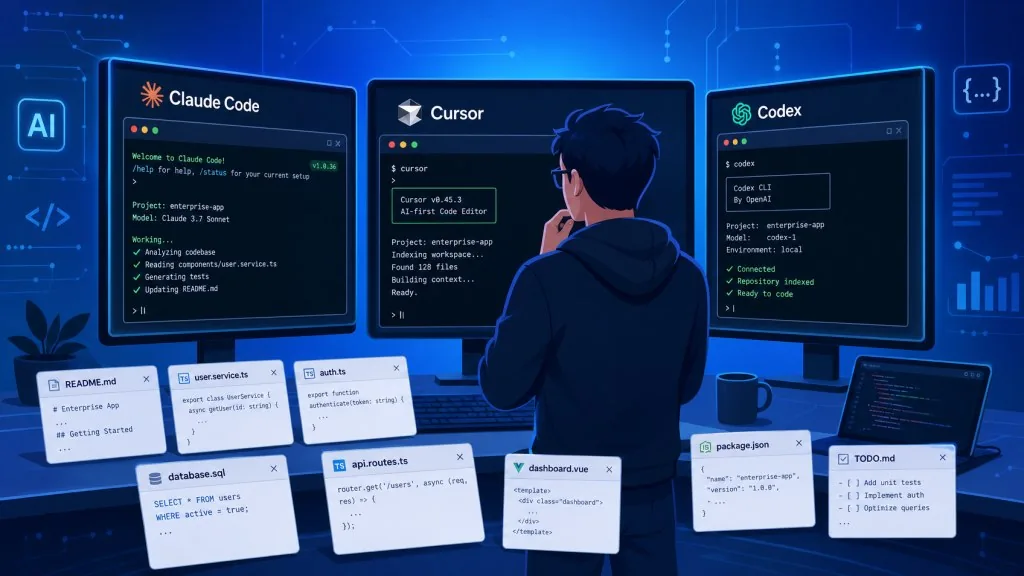
It's a weekend evening. You just handed Claude Code a nasty bug, Cursor is still churning on another feature branch, and Codex is generating test cases. To see progress you bounce between three terminal tabs. To add a requirement you have to sit down and type. To get an auto-commit at the end you write a cron job yourself. Three agents on one project and the mess has already started.
Worse: you step out to buy groceries, an agent stalls on "waiting for user confirmation," and by the time you're back the task queue has been backed up for 20 minutes.
If one tool could fold multi-agent orchestration, cross-device takeover, scheduled tasks and git diff review into a single panel — so you say "go do it" and the whole flow runs itself — that's exactly what Vicoa is after.
2. Project intro: what it actually is
Vicoa is an open-source, self-hosted AI orchestrator (agentic IDE) positioned as "dispatch a team of coding agents from your desktop, phone or VPS." It doesn't replace Claude Code, Codex or Cursor — it treats them as employees and manages them in one place.
The core keywords:
- Multi-agent collaboration: 40+ coding agents built in, including Claude Code, Codex, OpenCode, Cursor, GitHub Copilot and Kimi.
- Cross-device control: macOS / Windows / Linux desktop + native iOS / Android apps + Web + CLI.
- Open source, self-hosted: AGPLv3, with a one-command Docker stack for the full setup.
- BYO-key: use your own subscriptions and API keys, no model lock-in.
The project sits at 500 GitHub stars today, with a multi-platform main repo spanning Python + Next.js + Flutter + Electron. It's in a fast growth phase.
3. Core features in depth
1. Parallel agents with worktree isolation
Vicoa gives every agent its own git worktree and branch, so Claude Code, Cursor and Codex can work in the same repo in parallel without stepping on each other. You used to run git worktree add by hand, switch branches, configure the environment; now you click "New Session," pick a machine, pick an agent, type a prompt. One status panel replaces a scatter of tmux windows.
2. Session sync across every device
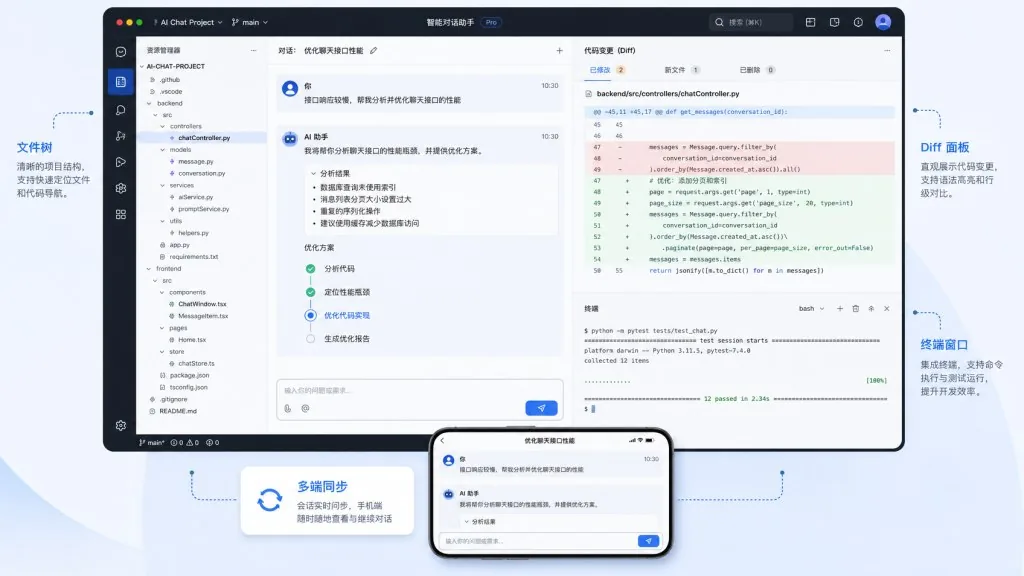
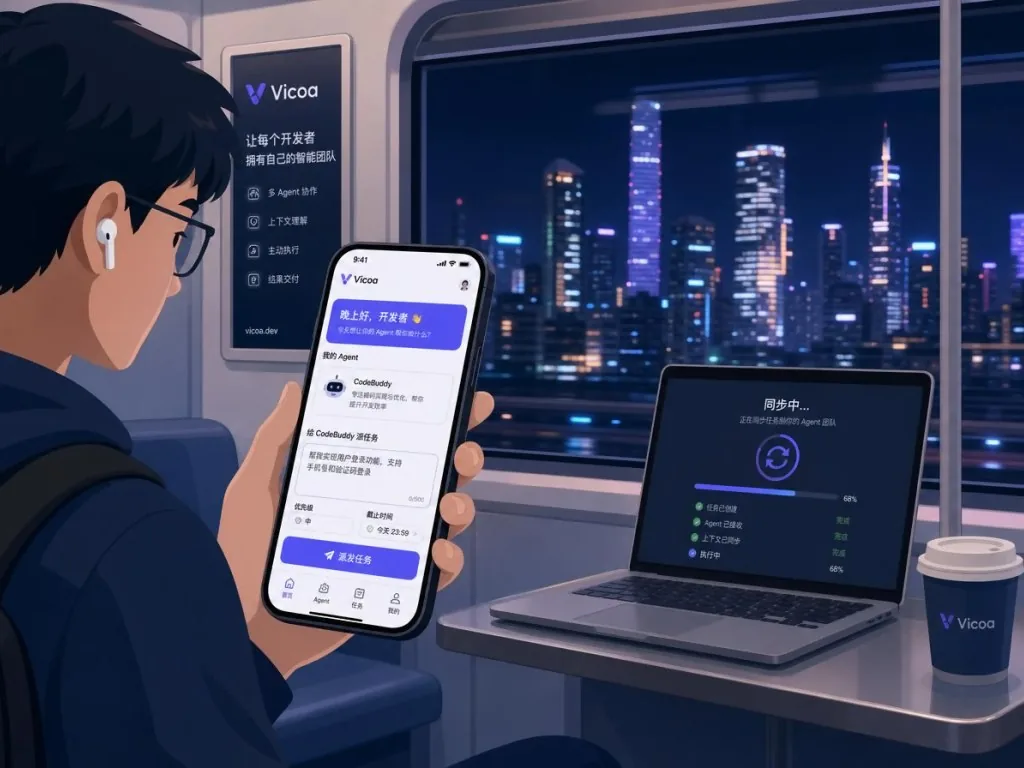
A session you open on your Mac shows up on iPhone, Android and Web automatically. When an agent gets stuck, your phone gets a push notification; you dictate the requirement by voice and the agent keeps going. That "start at the desk, take over from your pocket" experience is different from plain "SSH into a remote shell."
3. Built-in diff and terminal preview
The session panel shows file-level diffs, commit history, the file tree and an embedded terminal; on mobile you can even open a live preview to watch your local dev server in real time. Code review without switching to GitHub.
4. Automation and the task board
Cron expressions trigger automated tasks, and the task board supports a plan → start session → auto-dispatch agent workflow. On the CLI side, agents can call the vicoa command themselves, closing a metaprogramming loop where "the agent operates Vicoa."
4. Technical highlights and performance
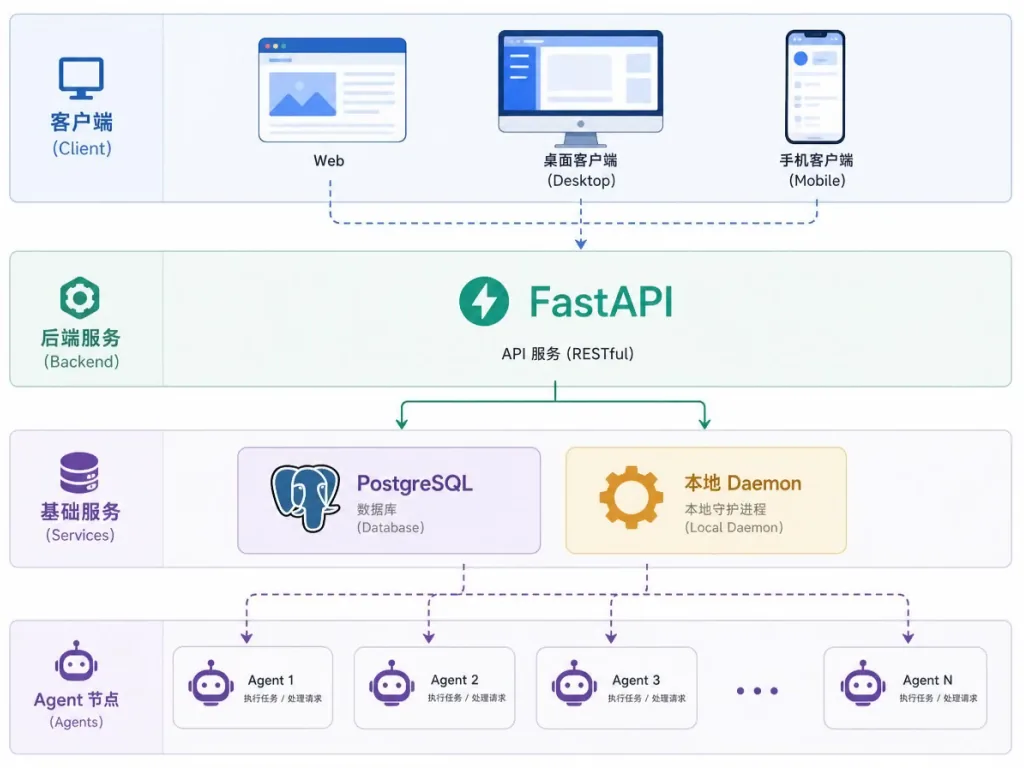
Vicoa's architecture is the classic multi-client + backend + local daemon setup:
- Web/desktop: Next.js 15 + React 19 + shadcn/ui, with Fumadocs for the docs site.
- Desktop shell: Electron with an embedded daemon process.
- Mobile: one Flutter codebase for both iOS and Android.
- Backend: Python 3.10+ / FastAPI, two layers of REST (user-facing + agent-facing) plus WebSocket push, PostgreSQL + SQLAlchemy + Alembic.
- Agent runtime: a local
vicoadaemon spawns agent CLIs, with session messages over WebSocket.
The highlight is the protocol abstraction: Claude Code, Codex, Pi, Oh My Pi and Antigravity use native integrations, while the other 30+ agents connect through the Agent Client Protocol (ACP) — meaning any ACP-compliant agent is plug-and-play.
On performance, session messages sync in real time over WebSocket and the status panel aggregates every agent's state with no noticeable refresh lag (the project hasn't published exact numbers). Self-hosters bring up the full stack with a single Docker Compose command.
5. Use cases and who it's for
Good fit:
- Heavy AI users running Claude Code, Cursor and Codex side by side;
- Indie developers working across multiple devices who want to step into agent tasks at any moment;
- Tech leads who need to manage several AI coding tasks in one place;
- Data-sensitive teams that want self-hosting.
Bad fit:
- People who run one agent on one fixed machine — adding a Vicoa layer is pure redundancy;
- Users who only want an off-the-shelf SaaS and won't maintain Docker.
Typical scenarios: ① three agents writing different modules in parallel; ② filing requests from your phone on a business trip and reviewing diffs on your home machine; ③ a cron job that runs tests and opens a PR every night.
6. How it compares
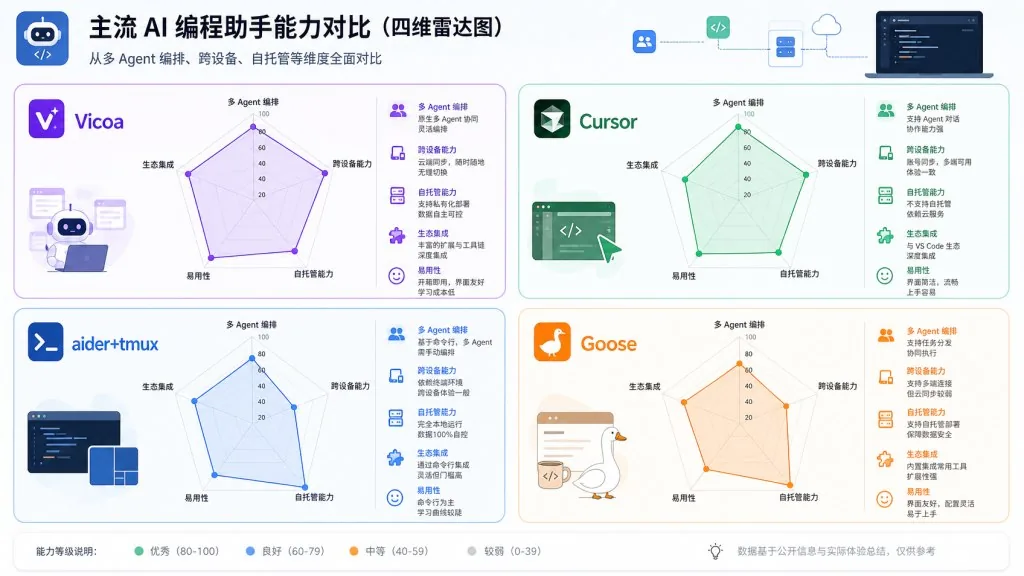
| Dimension | Vicoa | Cursor's built-in Composer | aider + hand-rolled tmux | Goose |
|---|---|---|---|---|
| Parallel agents | ✅ 40+ agents at once | ❌ Single agent | ⚠️ Manual switching | ❌ Single agent |
| Cross-device takeover | ✅ iOS/Android/Web/CLI | ❌ Desktop only | ❌ Build it yourself | ❌ Desktop only |
| Self-hosting | ✅ Docker | ❌ SaaS | ✅ Build it yourself | ✅ Self-hosted |
| BYO-key | ✅ | ⚠️ Partial | ✅ | ✅ |
| Worktree isolation | ✅ Automatic | ❌ | ⚠️ Manual | ❌ |
Vicoa's differentiation is combining multi-agent orchestration + all-device sync + self-hosting in one product. Single-purpose tools struggle to cover all three.
7. Getting started fast
Desktop (recommended for newcomers):
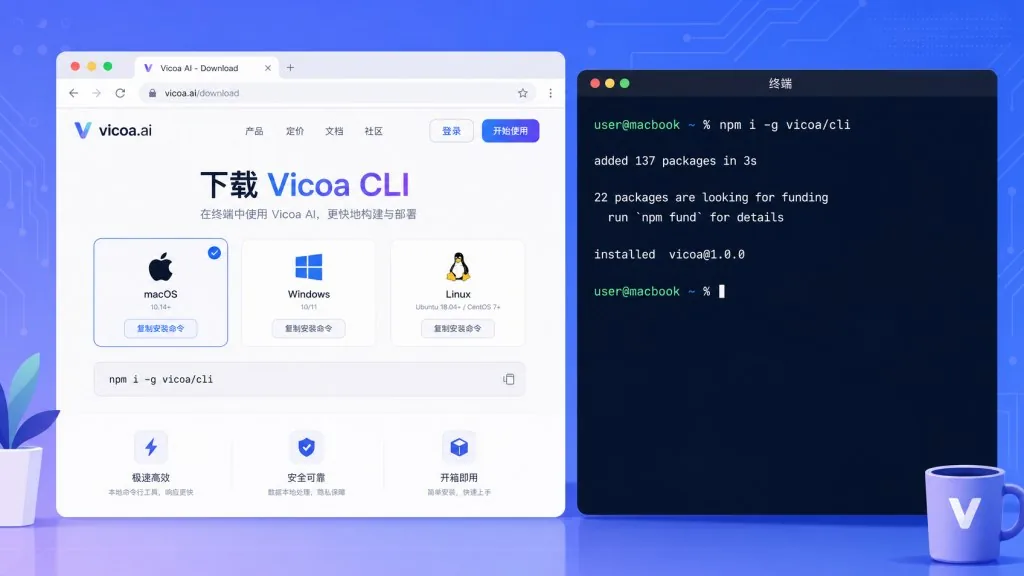
- Go to vicoa.ai/download and grab the macOS / Windows / Linux client;
- Sign up and log in;
- Install at least one supported agent CLI (e.g.
npm i -g @anthropic-ai/claude-code) and log in to it; - Click "New Session" → choose a machine, choose an agent, type a prompt;
- Install the iOS / Android app, log in to the same account, and sessions sync automatically.
CLI crowd:
npm i -g @vicoa/cli
vicoa
vicoa daemon    # daemon connects locally only
Self-hosting crowd:
cp .env.example .env
./backend/scripts/generate-jwt-keys.sh selfhost/keys
docker compose -f docker-compose.selfhost.yml up -d
Suggested path: get one session running in the official Desktop app first, then try connecting a custom agent over ACP, and finally move to self-hosting.
8. Summary and next steps
Vicoa's core value in one sentence: it turns a crowd of coding agents into an engineering team you can dispatch, observe and take over remotely. For heavy multi-agent users, what it saves isn't a line of code — it's the mental tax of hunting for status across six terminal tabs.
How to use it: start from a workflow you already know (say, hooking the Cursor agent into Vicoa) and feel the cross-device sync; then expand into cron automation; then evaluate whether you need self-hosting.
Links:
- Repo: https://github.com/vicoa-ai/vicoa
- Website: https://vicoa.ai
- Docs: https://vicoa.ai/docs
- Discord: https://discord.gg/mqz4qRPV4j
Why it's worth a try: open source, self-hosted, BYO-key — for developers already juggling multiple agents, it's one of the few unified dispatch layers around.
#vicoa #Vicoa #vicoa-ai #AIAgents #AIWorkflow #Automation #OpenSource #GitHub