1. Intro: the pain point almost every ComfyUI user has hit
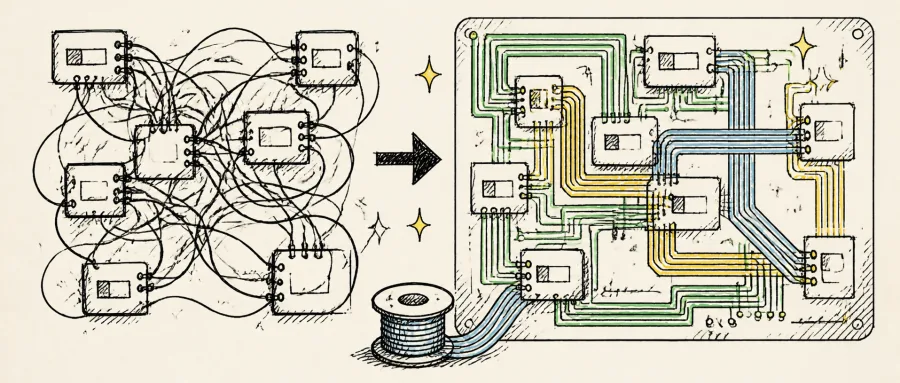
Anyone who builds AI image workflows has been through this breaking point: you spend two hours wiring a 60-node pipeline, then look back at the canvas and it is a plate of spaghetti — cables cutting through nodes, looping three detours, five lines converging on one port. You start to doubt the workflow can even run.
The worse part: send that workflow to a colleague, or reopen it next month, and the wiring is still a pile of spaghetti — during debugging you cannot trace a single cable. The visual chaos does not just hurt your eyes, it directly slows iteration. Researchers have observed that tangled wiring in node editors increases the time it takes to locate the faulty node by 3-5×.
In the ComfyUI ecosystem this pain point went unsolved for a long time. Then vtokic/comfyui-cable-management showed up.
2. What the project actually solves
comfyui-cable-management is a ComfyUI frontend extension built specifically to clean up the "spaghetti wiring" in node graphs. It offers four core capabilities: daisy-chaining, PCB-style routing, ribbon cables, and full right-to-left wrapping support.
The project currently has 50+ stars, its primary language is JavaScript, and it is verified working on ComfyUI 0.28-0.30 with frontend 1.47-1.48. Its biggest selling point: it is built entirely on ComfyUI core primitives, so after you uninstall the extension every workflow still loads and runs — zero intrusion.
3. Core features in depth
1. PCB-style routing: cables that behave like a circuit board
Native ComfyUI wiring is "curve straight through the node" style — hit an obstacle and it plows right through. Set Link Render Mode to PCB and cables route around nodes and avoid crossing each other, so the whole workflow looks like a tidy PCB. Pair that with Link midpoint markers set to Arrow and each midpoint shows a direction arrow, so one glance tells you where the signal flows during debugging.
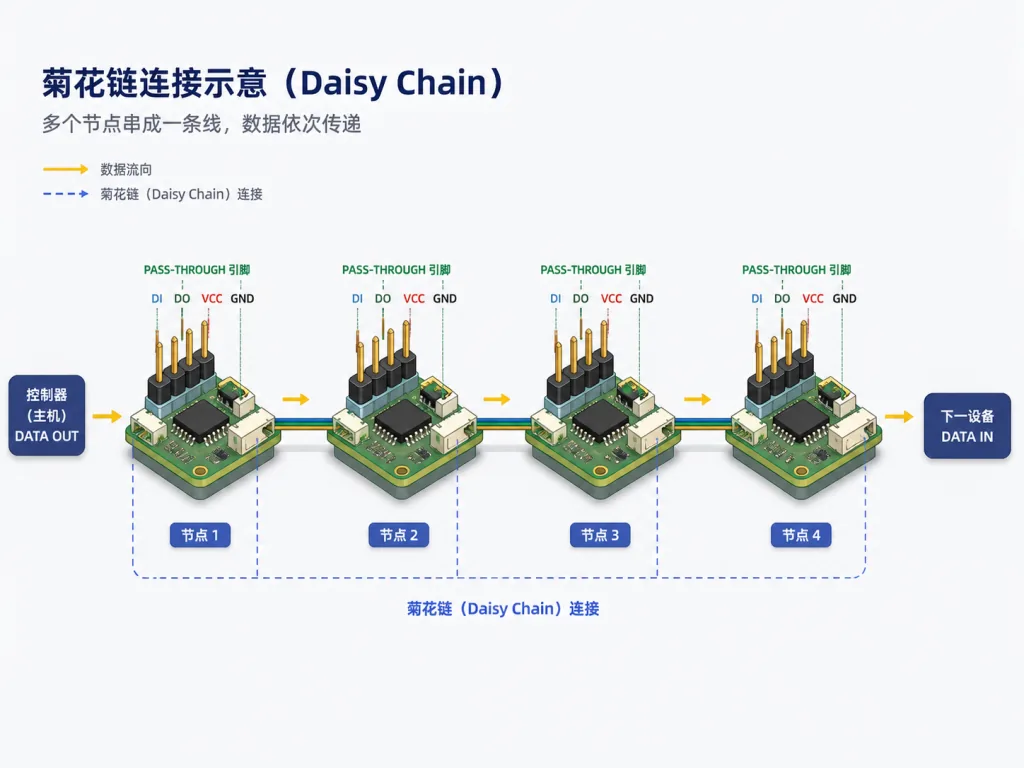
2. Daisy-chaining: pass-through pins free your hands
The extension generates a pass-through pin on the opposite side of every connected input, which means you can chain several nodes into one run without dragging a "trunk line" into each of them. In a 60-node pipeline you used to drag 20 trunk lines; now one is enough, and the layout goes from a 2D jumble to a 1D chain.
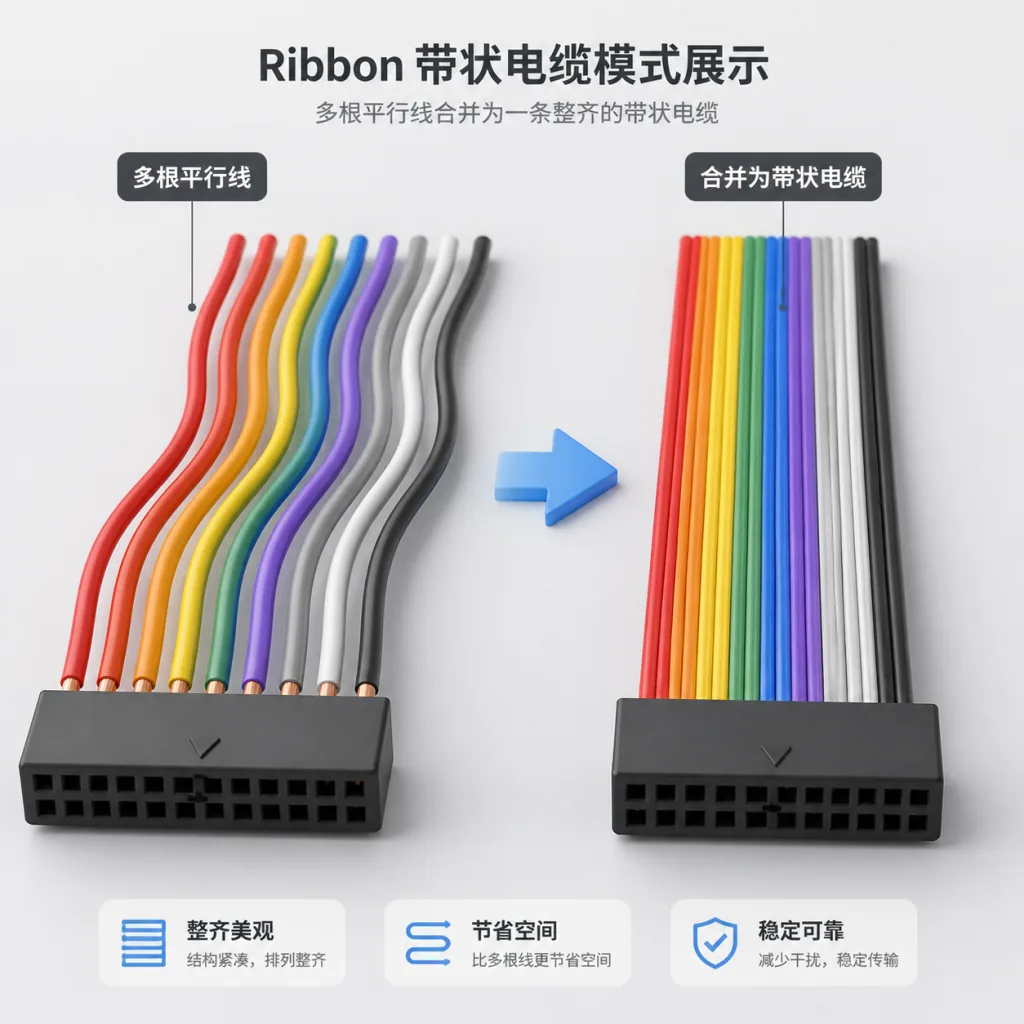
3. Ribbon cables mode
Stack several reroutes together and they merge automatically into a single ribbon cable — even width, uniform and tidy. That is especially friendly for "one signal dispatched to many nodes" scenarios, and it eliminates the visual noise of parallel wires flying across the canvas.
4. Node shape rework: contract shape + drawer folding
With the extension on, node outputs move to the bottom-right corner (the contract shape), inputs and outputs fold into drawers, and unconnected optional inputs plus unused outputs are hidden by default. Nodes turn from fat rectangles into slim strips, vertical space usage improves noticeably, and long-chain workflows fit entirely on one screen.
4. Technical highlights and performance numbers
The project's core architectural advantage is "pure frontend extension, zero backend intrusion". Every change only touches ComfyUI's frontend node UI and cable rendering logic; it never touches the workflow JSON structure or the execution engine. Which means:
- uninstalling the extension does not break existing workflows;
- when you share a workflow, the other side can run it even without the extension installed;
- after upgrading the ComfyUI core app, the extension most likely keeps working (the core primitives it depends on are forward compatible).
The dependency list is short: ComfyUI 0.28+, frontend 1.47+, Nodes 2.0, no Python dependencies at all, and no extra load on VRAM or CPU.
5. Where it fits and who it's for
Good fit:
- power users building complex pipelines of 30+ nodes;
- developers who ship workflows as a deliverable to a team or a client;
- AI researchers who constantly debug and iterate on model structures;
- ComfyUI content creators recording tutorials and writing docs.
Not a good fit:
- beginners who only use 5-10 nodes (few cables, little pain);
- throwaway scenarios where a workflow is rarely reused and gets discarded after one run.
6. Comparison with alternatives
| Capability | comfyui-cable-management | Vanilla ComfyUI | Other cosmetic extensions |
|---|---|---|---|
| PCB routing | ✅ Supported | ❌ None | Partial |
| Daisy-chaining | ✅ pass-through pins | ❌ None | ❌ None |
| Ribbon cables | ✅ Automatic stacking and merging | ❌ None | ❌ None |
| Node drawer folding | ✅ | ❌ None | ❌ None |
| Compatibility after uninstall | ✅ Fully compatible | — | Mostly destructive |
Compared with vanilla ComfyUI, it fills every gap in "visual management"; compared with other cosmetic extensions, it insists on "built on core primitives, no side effects after uninstall", which means far lower long-term maintenance cost.
7. How to get started fast
Option one: ComfyUI Manager (recommended)
Open ComfyUI Manager, search for Cable Management, click install, restart ComfyUI.
Option two: manual install
git clone https://github.com/vtokic/comfyui-cable-management
Clone the repo into the ComfyUI/custom_nodes/ directory and restart ComfyUI.
Settings to enable:
- set
Settings > Lite Graph > Graph > Link Render ModetoPCB; - turn on
Settings > Comfy > Nodes 2.0 > Modern Node Design; - turn on
Settings > Lite Graph > Graph > Cable Management.
Recommended companion settings:
- set
Link midpoint markerstoArrow; - set
Action on link release (No modifier)tocontext menuso you can create reroutes quickly.
8. Takeaways and next steps
With under 50KB of frontend code, comfyui-cable-management pulls the ComfyUI node graph out of "spaghetti hell" and back to the clean state of a PCB. Its killer combo is daisy-chaining, ribbons and drawer folding — together with PCB routing, complex workflows become readable, shareable and debuggable for the first time.
Project link: https://github.com/vtokic/comfyui-cable-management
If you are tired of hunting for cables inside your workflows, spend five minutes installing it and enjoy the feeling of "node graphs can actually look this tidy".