
1. Intro: that translucent title bar you want but the system won't give you
After the Windows 11 24H2 upgrade, plenty of users stare at the solid white title bar on maximized windows and wince: Mica looks great, so why is the title bar forced to flat white?
The official options are just on and off — no slider, no color, and certainly no acrylic blur radius. Install a third-party theme, or try to make some creaky old Windows 7 app go translucent too, and the settings panel simply refuses to play along.
More infuriating still: half of the little utilities that claim they can "make your title bar transparent" are silently bundled trojans. The author calls this out in red in the README: do not download DWMBlurGlass from unofficial channels — GitHub, Bilibili and winmoes are the only three distribution points, and the project has no Discord.
2. Project overview: what DWMBlurGlass is
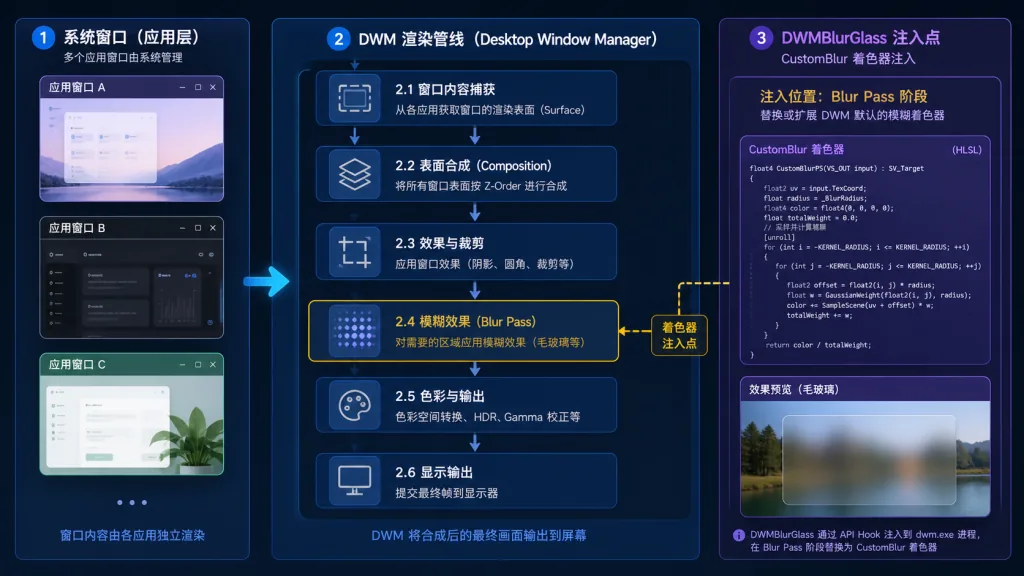
DWMBlurGlass is an open-source system customization tool written in C++. It reverse-engineers the DWM rendering pipeline and injects custom shaders to apply acrylic, Aero, Mica and other effects to system title bars globally. It supports Windows 10 2004 and later, all the way up to the newest Windows 11, and ships under the LGNU V3 license. As of now the project has 4,489 stars on GitHub and more than 120,000 downloads in total.
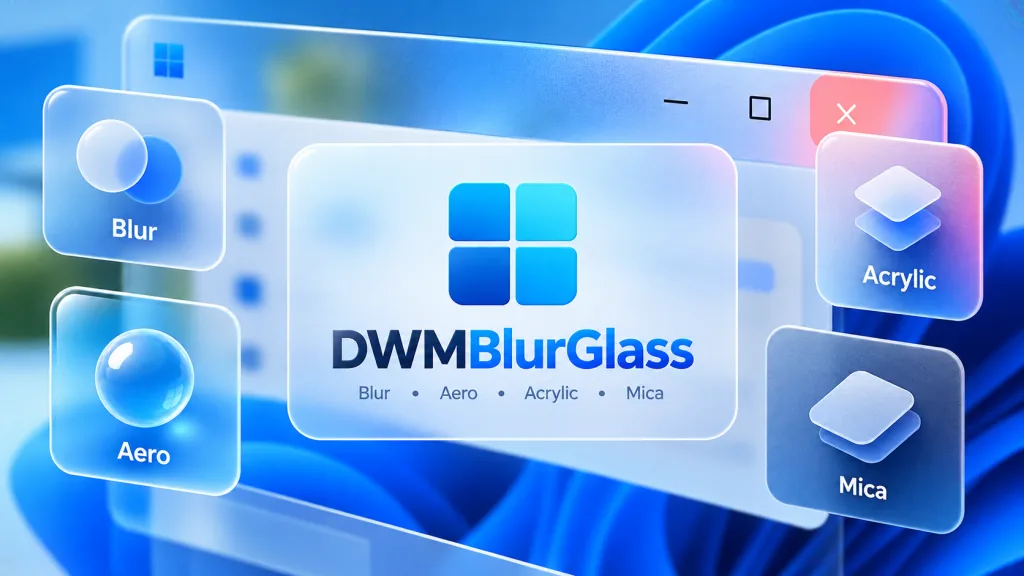
3. Core features in depth
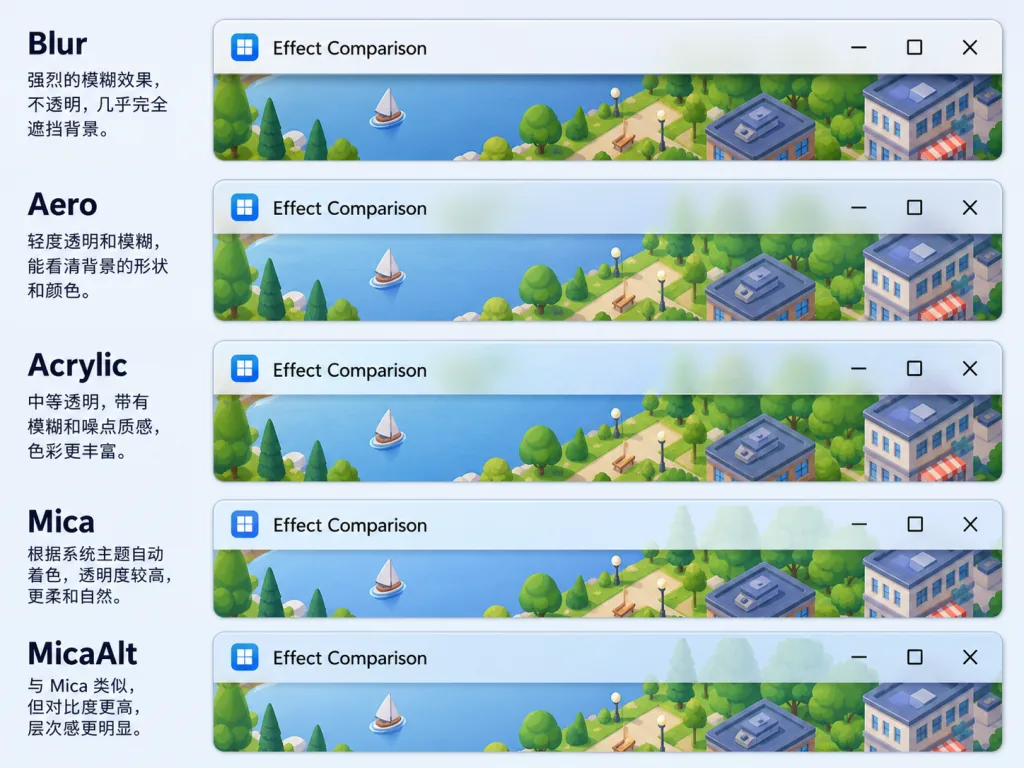
1. Five materials, switch at will
DWMBlurGlass bundles five effects: Blur, Aero, Acrylic, Mica and MicaAlt. Blur is the plain baseline blur; Aero restores the Windows 7 glass look with saturation and exposure controls, and inactive windows automatically drop their saturation; Acrylic uses a "six-layer recipe" of background + blur + exclusion blend + saturation + color overlay + noise to imitate the Win10 menu acrylic; Mica reuses the system wallpaper as a blurred overlay and is Win11's flagship material; MicaAlt is the gray variant of Mica, with a color you can tune yourself.
2. Three blur implementations
The project offers three paths: CustomBlur, AccentBlur and SystemBackdrop. CustomBlur is the author's own shader, written after independently reverse-engineering DWM, and it delivers the best compatibility and visual quality; AccentBlur reuses the system accent color API; SystemBackdrop calls the system's public interface directly, matching what MicaForEveryone does but with the advantage of zero intrusion.
3. Pixel-level color control
Global blur radius, a separate radius for the title bar, blend color, text color, and separate colors for active and inactive states — every one of them can be tweaked live in the GUI with a preview. Windows 7 fans can also turn on "button height fallback" and "button glow" separately, dragging the flat Win10/11 buttons back to a glassy look with shadows.
4. Old programs benefit too
For programs still using the ancient Win7-era DwmEnableBlurBehindWindow API, DWMBlurGlass can force blur on, giving software from twenty years ago a new lease on life.
4. Technical highlights and performance numbers
The reason DWMBlurGlass dares to claim "maximum compatibility with third-party programs" is that it only modifies DWM's rendering logic and never touches an application's own drawing pipeline — a completely different technical route from MicaForEveryone. This "system-level injection + shader replacement" approach lets the blur effect apply reliably across all windows and all themes.
The author hooks functions with minhook, parses language files with pugixml, calls Windows Implementation Libraries (WIL) underneath to simplify system calls, and renders the UI with a homegrown MiaoUI Lite v2. The project has also been tested jointly with TranslucentFlyouts and ExplorerBlurMica — stack all three and you get transparency across title bars, menus and File Explorer simultaneously.
5. Where it fits and who it's for
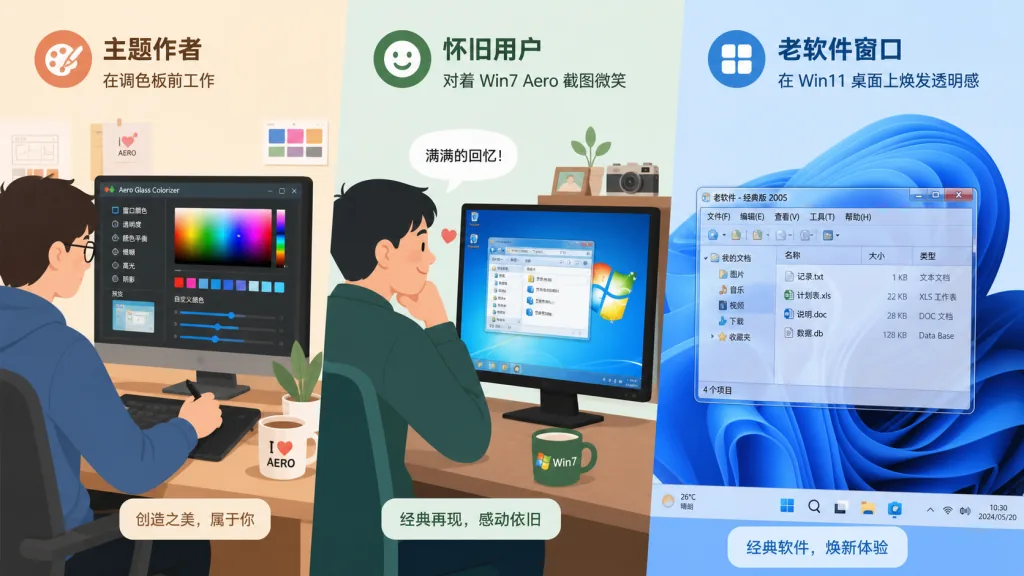
- Visual perfectionists & theme authors: people who want a consistent Win10/Win11 desktop aesthetic, or who build third-party theme packs.
- Nostalgia users: players who want the Win7 Aero glass button feel back on Win11.
- People stuck on legacy software: those who want old Win7-era programs to go translucent on a modern system.
- Not a good fit: production users who want zero risk and are extremely sensitive to system stability; and casual users who are perfectly happy with Win11 defaults.
6. Comparison with alternatives
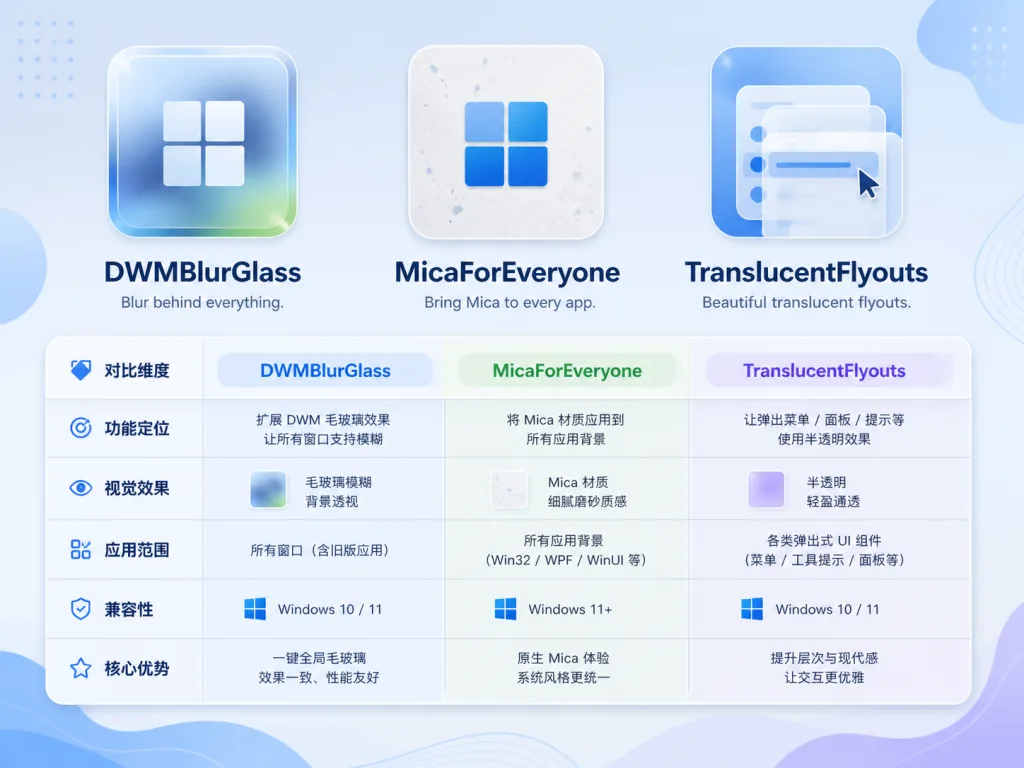
| Dimension | DWMBlurGlass | MicaForEveryone | TranslucentFlyouts |
|---|---|---|---|
| Primary role | Title bar material replacement | Global Mica switch | Context menus / popup controls |
| Blur method | CustomBlur + system API | System API only | System API |
| Material types | 5 (Blur/Aero/Acrylic/Mica/MicaAlt) | 2 | 2 |
| Third-party theme compatibility | Strong | Average | Strong |
| Legacy program compatibility | Supports DwmEnableBlurBehindWindow | No | No |
Put simply: MicaForEveryone is for people who just want to toggle Mica; TranslucentFlyouts specializes in menus; DWMBlurGlass takes over the title bars of the entire desktop.
7. How to get started fast
- Download the latest archive from GitHub Releases.
- Extract it to a directory such as
C:\Program Files\DWMBlurGlass. - Double-click
DWMBlurGlass.exe, open the Symbols page and click Download to pull the debug symbols (you may need to re-download after a system update). - Go back to the main screen, click Install, and it takes effect within a second.
- On the effects page, switch materials and drag the blur radius slider, then save when you are happy.
- To uninstall: open the GUI again, click Uninstall, then delete the directory.
Note: do not install it alongside MicaForEveryone — the author explicitly says compatibility is not guaranteed.
8. Takeaways and next steps
By reverse-engineering DWM and writing its own shaders, DWMBlurGlass lays Microsoft's hidden title bar customization out on the table for users, and it happens to support a whole batch of legacy API programs and third-party themes. For users chasing a unified desktop aesthetic, this is the most promising open-source option available right now.
Test it in a VM or on a spare machine first, confirm there are no blue screens and no compatibility problems, then deploy it to your main machine; keep the symbols updated as you go and you will avoid the occasional failure after each Windows cumulative update.
- Project link: https://github.com/Maplespe/DWMBlurGlass
- Official distribution: GitHub Releases / Bilibili channel / winmoes
- Recommended for: visual perfectionists, theme authors, Win7 nostalgia users