
Title options (pick 1 of 3)
Still hand-picking colors from reference images? FigEcho rips out the whole visual system
FigEcho: run it once, then reuse six sample style packs by name, indefinitely
No pixel-level copying, yet FigEcho makes new diagrams look like the same visual family
Still hand-picking colors from reference images? Let FigEcho rip out the whole visual system
Anyone who draws technical diagrams knows the pain: you come across a beautifully typeset architecture diagram and want to redraw it for your own content — but once you copy the colors it looks nothing like it. Container widths don't match, arrows follow no consistent grammar, font hierarchy is a mess. You either burn a whole day nudging things, or you give up on "reusing the style" altogether.
Worse, most "AI diagram tools" on the market just hand you an image that looks AI-made — same-ish palettes, interchangeable layouts. They don't get it: a technical diagram's identity comes from a whole visual grammar — layout rhythm, container nesting, arrow organization, type hierarchy, icon abstraction. Copying a handful of color values cannot carry a style.
If that's been bothering you, FigEcho (Tuyixian) might be the answer you're looking for.
1. What is FigEcho?
FigEcho is an AI Agent Skill for technical diagrams, mainly written in Python, currently at version 0.1.0, with 35 stars on GitHub. Its core ability fits in one sentence: extract a transferable visual system from a reference image, then organize new content into a new diagram belonging to the same visual family.
It breaks visual style into 5–7 high-recognition anchors — layout, components, connectors, palette, typography, icons, density — and every anchor carries evidence, weight and transfer rules. These compile into a Chinese, module-by-module prompt that stands on its own outside the original image's context. You can take that prompt away as-is, or pair it with a new content plan to generate a diagram in one shot.
More practically: a style you like can be saved as a Style Pack in a local style library, retrieved and reused by name or purpose, and called directly next time — no re-analysis every round.
2. A deep dive into the core features
1. Visual fingerprint extraction: don't copy colors, copy the "grammar"
FigEcho does not accept vague descriptions like "techy", "minimal" or "premium". It splits the reference image into 5–7 concrete anchors, such as "asymmetric width rhythm", "heavy black macro borders", "light gray title bands over three-level containers", "heavy solid lines with white-filled triangular arrowheads". Every anchor has an evidence location in the image, a weight and transfer rules. New content inherits only this grammar, never the source image's business structure.
2. A Chinese module-by-module prompt you can reuse directly
What you get at the end isn't a one-line English summary but a self-contained Chinese prompt broken into modules: image type, content structure, overall layout, component language, connectors, palette, type hierarchy, visual temperament, key style features and generation constraints. Swap the content or swap the model later — that single prompt still produces diagrams directly.
3. Style library Style Pack: naming, aliases, search, reuse
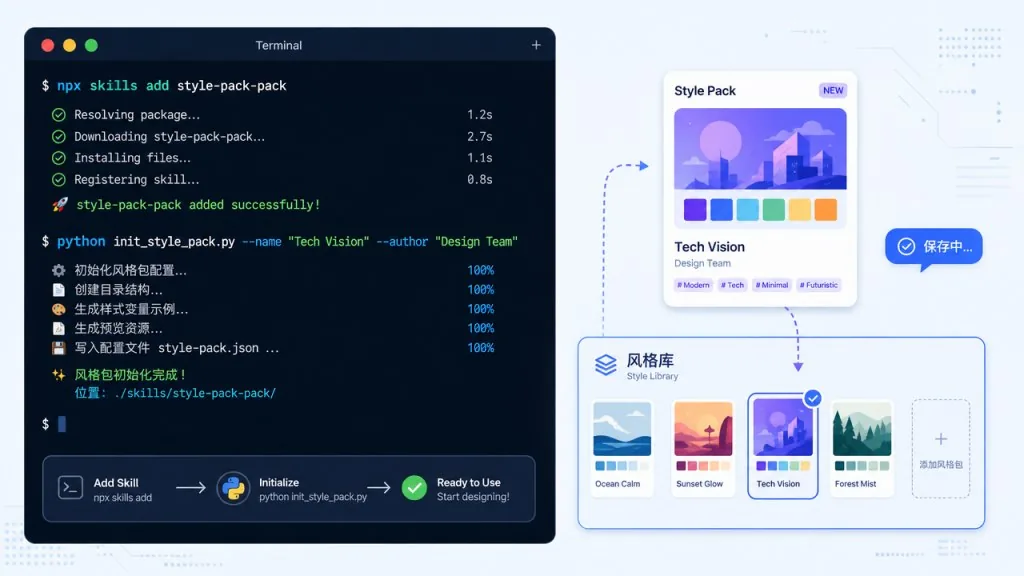
Each Style Pack contains a name, aliases, applicable scenarios, the full prompt, the visual fingerprint, the original reference image and validation records. A template is first saved as candidate, promoted to validated once a real generated image confirms it, and only reaches passed on portability_status after passing a cross-topic transfer test. The repo ships six sample templates, covering a black-framed serif architecture diagram, a gray-band layered-column architecture diagram, a macaron nested-box method diagram, a playful cartoon hand-drawn explainer, a charcoal dashed-node science diagram, and a research-grant overall roadmap.
4. Dual validation: telling "looks alike" apart from "actually transfers"
Rendered validation checks whether a real generated image actually expresses the style anchors; portability validation requires re-planning topology under a different topic, deriving a new subject for the diagram, remapping color semantics, and confirming no source content is left over. The two are recorded separately and cannot substitute for each other — this is the key design that keeps "it just looks like the original" from passing as success.

3. Technical highlights and performance numbers
FigEcho's engineering is quite solid. It makes style-prompt.md the single source of style constraints: the prompt.md used at generation time is produced by filling it with content and diagram plans, with no simplified English summary written on the side. That guarantees the delivered prompt matches what is actually sent for generation, avoiding the classic "the prompt and the output don't line up" trap.
Image backends are broadly compatible: when the agent already has an image tool that accepts reference images, that built-in tool is preferred; without one, scripts/generate_figure.py walks through Labnana GPT-Image-2, Nano Banana, the official OpenAI API, the official Gemini API, or a custom command in turn. Run python scripts/generate_figure.py --precheck to see which routes are available right now.
The style library supports a local persistence directory: point the FIGECHO_LIBRARY environment variable at a separate location so personal templates aren't lost when the skill is upgraded or reinstalled.
4. Use cases and who it fits
Case one: a tech blogger producing a series of explainer diagrams. You want one consistent visual style for the column, and every new topic should extend the existing identity instead of switching art styles each post.
Case two: a research team drawing project roadmaps and technical architecture diagrams. They need to repeatedly produce high-density infographics in the same style, while content structures differ a lot between projects.
Case three: an enterprise architect preparing technical reviews. They need to fit their own business architecture into a specified visual spec — keeping the style while avoiding copying the reference image's business topology.
Who it fits: engineers, researchers and content creators who produce technical diagrams often, care about visual consistency, and are willing to invest once in a template they can reuse.
Who it doesn't fit: people who only draw a diagram occasionally, don't care about style, or have no need to reuse a visual system — a general-purpose AI drawing tool is simply easier.

5. Comparison with alternatives
| Dimension | FigEcho | General AI diagram tools | Copying a style by hand |
|---|---|---|---|
| Style extraction | 5–7 anchors with evidence and weights | Vague descriptions only | Eyeballed estimates |
| Prompt delivery | Complete Chinese modular prompt | A one-line English summary | None |
| Content transfer | Topology recomputed for new content | Tends to copy source business structure | Manual adjustment |
| Style reuse | Local Style Pack library, searchable by name | Regenerated every time | Depends on source files |
| Validation | Rendered + portability, dual | None | Purely subjective |
Compared with general AI diagram tools, FigEcho adds a layer of "visual fingerprint extraction plus dual validation", so you don't end up with "the palette matches but the layout collapses". Compared with copying a style by hand, it turns one-off manual labor into a reusable prompt template.
6. How to get started fast
Install into the current project:
npx skills add giszzt/FigEcho --skill figecho --copy --yes
Run from source:
git clone https://github.com/giszzt/FigEcho.git cd FigEcho python -m unittest discover -s tests -p "test_*.py"
Minimal working flow: prepare one reference image plus a description of your new content, run the skill, and you get "a modular prompt + a new diagram in the same style". To generate images directly, configure an API key for a third-party image backend as shown in env.example.
Advanced tip: the first time you get it working, immediately save the style as a Style Pack, then retrieve and reuse it later by slug or alias.
7. Summary and next steps
FigEcho doesn't solve "how do I draw one good-looking diagram" — it solves "how do I make a series of diagrams look like one family". It distills the visual system out of a reference image into a transferable grammar, compiles it into a reusable prompt, stores it in a local style library, and uses dual validation to keep things from collapsing after transfer.
If you're tired of realigning style every time you draw something, take your favorite reference image and run it through once, then save the resulting Style Pack — it may be the best-value style infrastructure you build this year.
Project: https://github.com/giszzt/FigEcho · License MIT.
#figecho #Figecho #giszzt #opensource #GitHub