Title options (pick 1 of 3)
Still shuttling tasks by hand between Google Tasks and Microsoft To Do? This self-hosted project bridges them
One command syncs Google Tasks and Microsoft To Do both ways: a Tasks–To Do Sync getting-started guide
No server, no database — yet Google Tasks and Microsoft To Do now run in sync
1. Intro: still banging your head against this?
You keep both a Google Tasks list and a Microsoft To Do list, right?
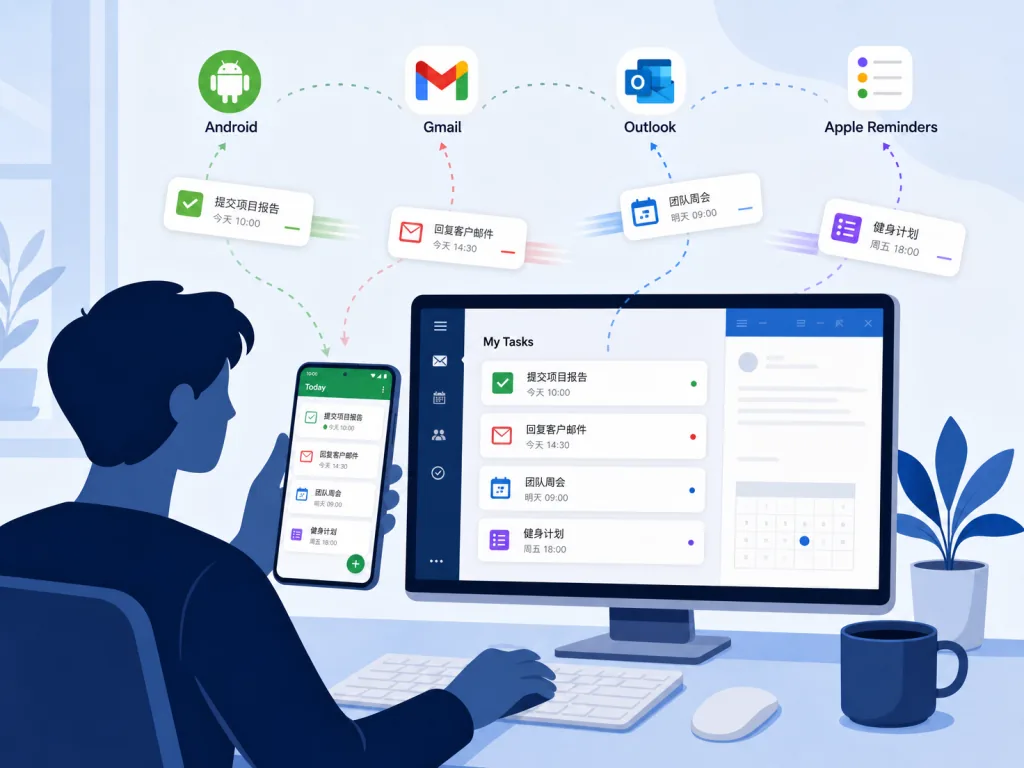
On Android, Gemini quietly files a task into Google Tasks. Back on the Mac, you have to copy it into Microsoft To Do by hand. You check a to-do off in Outlook, then open the Gmail sidebar the next morning — and there it still is, poking at you. Gemini, Gmail, Outlook, Apple Reminders: every ecosystem nails its own link in the chain. The one bridge nobody builds for you is the one between Google Tasks and Microsoft To Do.
Data ownership is the other sticking point. Handing your tasks to a hosted sync service means handing your daily to-dos to a third party. Write your own script instead and you are maintaining OAuth, timers and state mapping, plus loop prevention and recovery from accidental deletes — most people give up right here.
That gap is exactly what Tasks–To Do Sync goes after.
2. In one sentence: what is this project
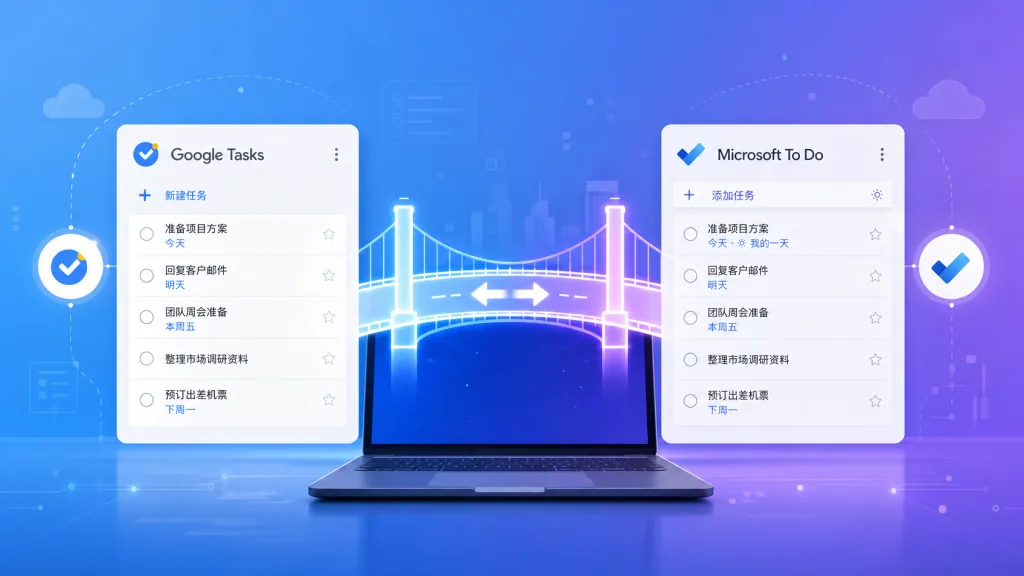
Tasks–To Do Sync is a self-hosted bidirectional sync engine that runs inside your own Google Apps Script, built to keep Google Tasks and Microsoft To Do in the same state.
The core keywords: self-hosted · bidirectional sync · Google Apps Script · MIT license. A single npx tasks-todo-sync init bootstraps the project; sync runs automatically every 10 minutes, so ordinary changes show up within 0–10 minutes; the engine, credentials and state all stay in your own Apps Script project, with no subscription and no middle database. The repo ships 417 automated tests, GitHub CI, CodeQL and verification against real accounts — the quality bar is already set.
3. Core features in depth
1. Full-field two-way sync: state, not "triggers"
What it syncs is not "events" but task state. Create, edit, complete/reopen, notes (plain-text projection), due dates (date only — Google Tasks has no time field), subtasks and lists, personal list pairing, deletes and list moves are all in the sync matrix. In other words, check an item off in Google Tasks and Microsoft To Do crosses it out within 10 minutes — and vice versa.
2. A pairing algorithm instead of ad-hoc rules
General automation platforms like Zapier and Make are essentially trigger-action recipes, which suits one-off lightweight cases where every scenario is different. Task sync, though, is a state problem: lists and tasks need a stable mapping across both ends. Tasks–To Do Sync takes that path — it discovers pairable personal lists automatically, maintains stable task ID mappings, and handles renames, delete tombstones and conflict detection, so one operation never triggers itself in reverse and "resurrects" a completed task.
3. Self-hosted, zero middle database
The engine, credentials and state files all live in your own Apps Script project. Deletes are enabled by default but leave a recovery record; task moves get a "move journal" as a durable log and support live re-validation. In other words, even if a sync goes sideways mid-flight, you can recover from the audit trail instead of waiting on vendor support.
4. Deployment in one command
npx tasks-todo-sync init
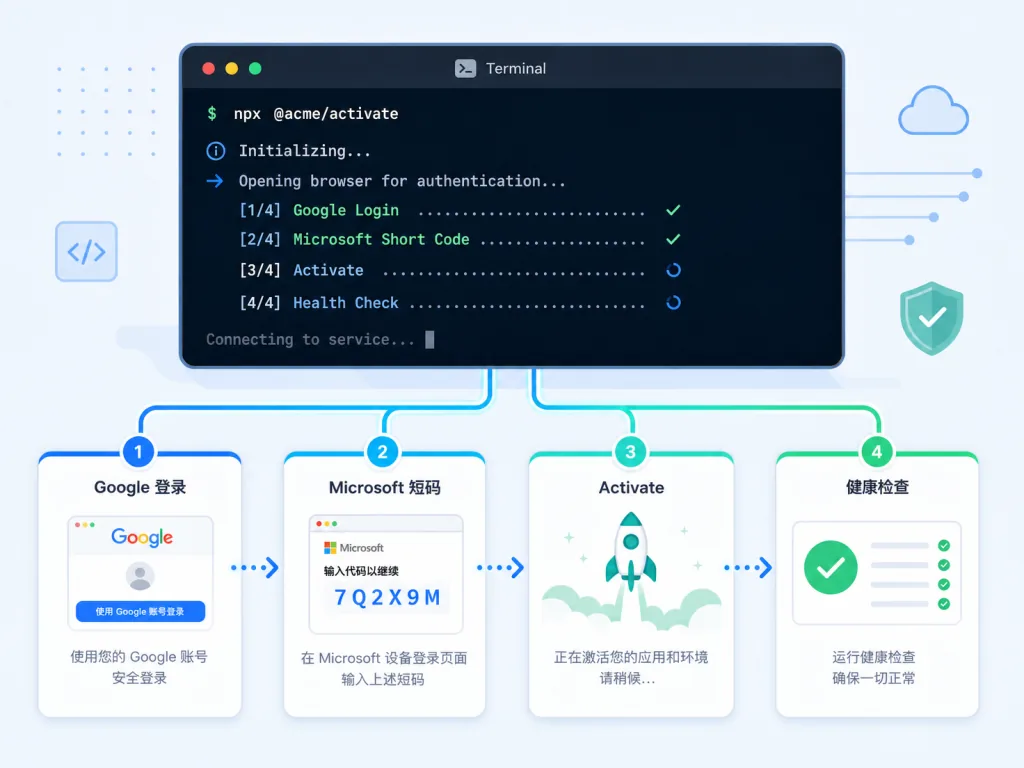
This command creates your private Apps Script project, pushes the release and opens the setup wizard. After that: authorize with Google sign-in → go through Microsoft's Device Code Flow (no Azure portal, no self-managed secrets) → click Activate. Every step is "one click", not "half an hour of config".
4. Technical highlights and performance numbers
- Sync frequency: a private Trigger fires every 10 minutes; ordinary changes are visible within 0–10 minutes, while a few guarded operations may take one extra cycle to converge.
- Test coverage: 417 automated tests, GitHub CI, CodeQL and verification against real accounts, with a full engineering audit report (
docs/audit.md) and a field compatibility matrix (docs/field-compatibility.md) in the docs. - Architecture choice: a serverless Google Apps Script runtime — no ops, no server bill. The tradeoff is limited incremental processing of large files, which the author has put on the Roadmap, aiming at richer diagnostics plus incremental diff processing.
- Ecosystem fit: Google Tasks ↔ Microsoft To Do directly; Gemini, Gmail, Android, Outlook, Microsoft 365 Copilot and Apple Reminders all plug in through their own native integrations, no detours.
- Security posture: MIT license, self-managed credentials, and support for Advanced Entra self-hosted OAuth (custom Client ID / Secret / Redirect URI).
5. Use cases and who it's for
Who it fits:
- Heavy cross-ecosystem users: the Android + Microsoft 365 combination, people bouncing between both sides every day;
- Privacy-sensitive individuals and teams: those who won't hand task lists to a hosted service but have no appetite to build their own;
- IT and dev hobbyists: people willing to run one
npxcommand and not scared of OAuth; - Existing Apple Reminders workflows: if you already sync Microsoft To Do across Apple devices, this brings Google Tasks into the same personal loop.
Who it doesn't fit: teams that need enterprise team workflows (Microsoft To Do's "assigned To Do" and enterprise plans are out of scope for now), those who need bidirectional attachment sync (the Google Drive attachment vault is still on the Roadmap), or anyone who refuses to touch a command line — the terminal-free, Node.js-free onboarding path is still on the Roadmap too.
6. Comparison with alternatives
| Dimension | Tasks–To Do Sync | Zapier / Make | Hand-rolled script |
|---|---|---|---|
| Deployment | One npx command + wizard | Sign up, configure Trigger/Action | Write your own OAuth + Trigger + state machine |
| Data ownership | Your Apps Script project, no middle database | Vendor SaaS, tasks pass through a third party | Your server/account |
| Sync model | State mapping (full task lifecycle) | Event trigger → action | Implement it yourself |
| Recovery from bad deletes/conflicts | Built-in tombstones + move journal | Usually none | Write it yourself |
| Maintenance cost | Follows release upgrades | Subscription + recipe upkeep | Long-term self-maintenance |
| Testing and audit | 417 tests + engineering audit | Platform-wide generic SLA | Depends on you |
In short: Zapier/Make is flexible but runs "recipes"; a hand-rolled script is free but needs long-term upkeep. Tasks–To Do Sync picks one vertical — the sync engine — and digs deep, pre-filling the pits around state lifecycle, guarded deletes and the move journal.
7. How to get started fast
Minimum viable path:
- Run
npx tasks-todo-sync initin a local terminal; - Complete Google account authorization through the wizard (the first run shows an "Unverified app" warning — go Advanced → Go to project → Allow once; that's the standard flow for a personal Apps Script project);
- Enter the short code at
microsoft.com/linkand connect your personal Microsoft To Do via Device Code Flow (no Azure portal setup required); - Click Activate in the wizard — it schedules the 10-minute Trigger, runs one health check, and sync starts.
Advanced path:
- Want to drop Device Code entirely?
docs/deployment.mdcovers self-managed Entra OAuth (custom Client ID / Secret / Redirect URI) and a manual clasp workflow; - Want to know the sync boundaries? Read
docs/audit.md(verified behavior, limits, deferred items) anddocs/field-compatibility.md(field compatibility matrix); - Stuck on something? Check Quick start and Deployment guide first, then open an Issue.
8. Takeaways and next steps
Tasks–To Do Sync solves a very specific but overlooked problem: building a self-hosted, state-consistent, recoverable bridge between Google Tasks and Microsoft To Do. It doesn't grab your data, it doesn't charge a subscription, it comes up with one command and a four-step wizard, and the tests and audit docs are all in place.
Why it's worth a try: if you switch between the two ends every day, that 10-minute sync window, guarded deletes, move journal and field compatibility matrix beat manual shuttling by a mile.
- Repository: https://github.com/simonchai-tw/tasks-todo-sync
- Website: https://simonchai-tw.github.io/tasks-todo-sync/
- npm: https://www.npmjs.com/package/tasks-todo-sync
- Quick start: https://github.com/simonchai-tw/tasks-todo-sync/blob/main/docs/quick-start.md
- Engineering audit: https://github.com/simonchai-tw/tasks-todo-sync/blob/main/docs/audit.md
- License: MIT
If your to-dos have already worn you down on both ends, tonight is a good time to run npx tasks-todo-sync init.
#tasks-todo-sync #TasksTodoSync #simonchai-tw #OpenSource #GitHub