
Title options (pick 1 of 3)
Type in "Yingxian Wooden Pagoda" and get a full visualization set? Heritage Architecture Studio turns architectural digitization into an assembly line
10 fixed view types + JSON Schema + dual-platform QA: Heritage Architecture Studio cuts 80% of the uncertainty out of AI-drawn architecture
Not a single line of modeling code, yet it delivers a verifiable Three.js exhibition hall for historic buildings? This Hermes Skill is onto something
Type in "Yingxian Wooden Pagoda" and get a whole architectural visualization set? Heritage Architecture Studio broke the job down into an assembly line
Digitizing historic architecture, you have almost certainly hit these problems. Ask an AI to describe an old pagoda and it immediately produces a pile of "exquisite" adjectives — but when you actually need a reference image, the camera angles are a mess and the proportions don't line up. Ask it for JSON to feed your frontend and the fields are whatever it felt like that day; three months later you can't tell which key is which pillar. Push one step further toward an interactive web page and you get a Three.js wreck that won't rotate and takes forever to load. Cultural heritage digitization needs a reproducible, verifiable, deliverable workflow — not another round of "AI mysticism."

Project overview: in one sentence
Heritage Architecture Studio is a Hermes Skill: give it the name of a historic building and it automatically outputs an architectural analysis, prompts for fixed views, a multi-view reference board, a JSON specification, and then generates a programmatic Three.js exhibition hall that has been verified in a real browser. Key terms: 10 fixed view types, Draft 2020-12 JSON Schema, deterministic validation, desktop and mobile QA. Current version v1.1.1, MIT license.
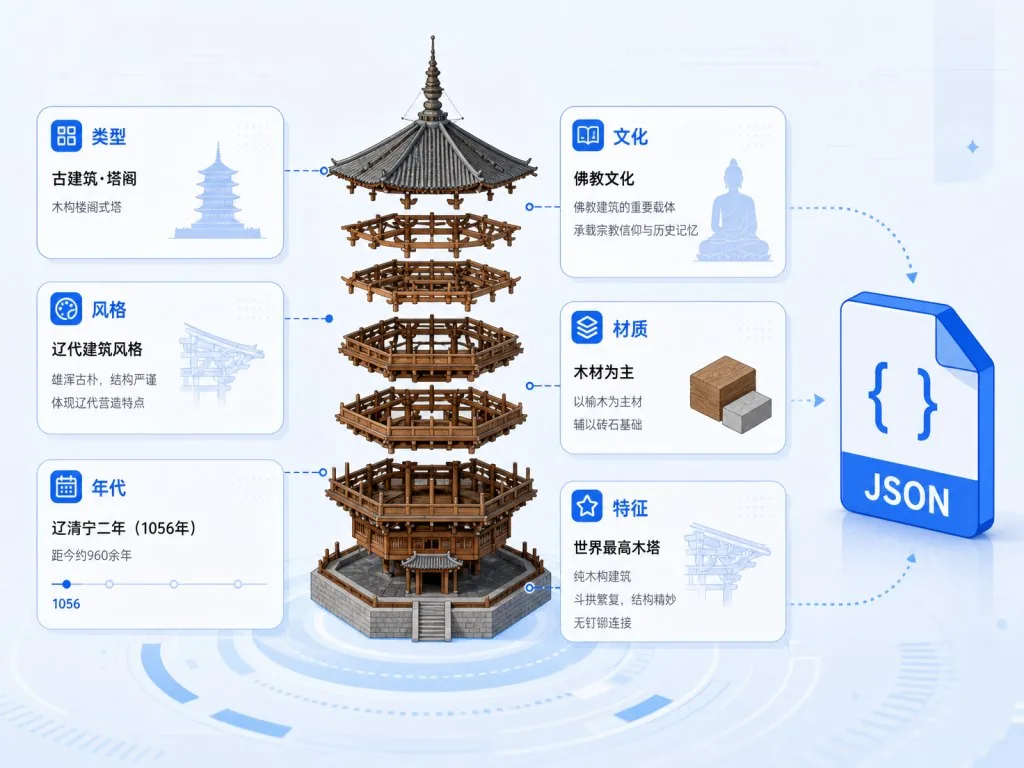
Core features in depth
1. Automatic architectural semantic analysis
Once the Skill receives "Yingxian Wooden Pagoda," the first step is to break out metadata across six dimensions: type, style, era, culture, materials and characteristic structure. It also forces a separation between four classes of information: confirmed fact, inference, simplification and uncertainty. That rule alone kills the AI's favorite bad habit — guessing data. Without an authoritative source, it would rather mark something "unknown" than invent a suspiciously precise count of dougong brackets.
2. A library of 10 fixed view types
Camera angles are no longer left to improvisation. Hero Perspective, the four elevations (front, back, left, right), Additional Perspective Views (at least two), top view, bottom view or internal structure, roof detail and ornament detail — 10 mandatory shot types in total, plus a unified rendering contract: white background, equal scale, orthographic projection, museum-grade reference board, PBR materials, soft studio lighting. This hard constraint makes multiple buildings naturally comparable, and keeps a researcher's plate-style layouts neatly aligned.
3. A self-contained JSON specification
Every building parameter goes into a single self-contained JSON file with an embedded Draft 2020-12 JSON Schema — even the full prompt lives inside a JSON field. The bundled validate_prompt_output.py validator checks the determinism of the prompt and the JSON, and fails loudly on missing keywords or wrong field types. That means the artifact can go into version control, be reprocessed, and be fed into any downstream rendering pipeline — no more relying on prompt mysticism every time.
4. Fault tolerance and scope control
What if the image service goes down? Keep the prompt and the JSON and continue with whatever still runs. Three-dimensional page verification requires all five checks to pass: production build, HTTP service, real pixels, interaction, and both desktop and mobile. It also supports six execution scopes: full pipeline, prompt-only, prompt+JSON, JSON-only, reference-board-only and Three.js-only — trim to what you need, no forced full run.
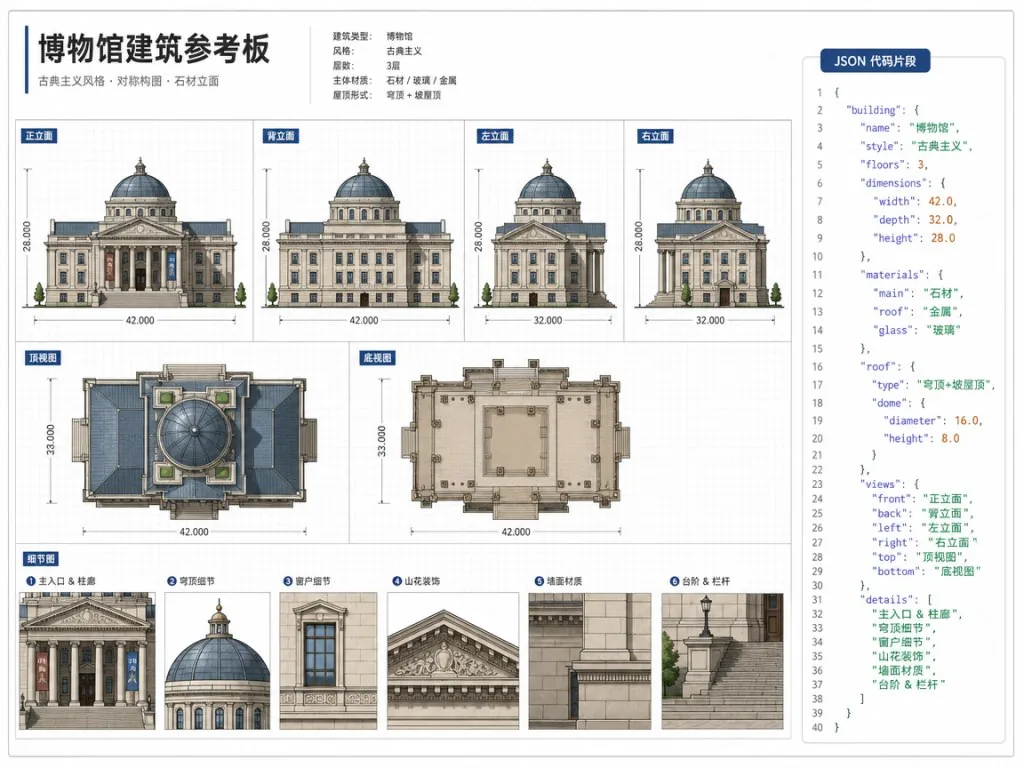
Technical highlights and performance data
The repo ships init_workspace.py to initialize a workspace, validate_repo.py for repo-level validation and validate_prompt_output.py for prompt/JSON validation. Artifacts are distributed as a .skill package, and the v1.1.1 SHA-256 is pinned (b97550fddb4eb62119faeea909f96019f1028ed3878034a2fc61094c035ce364), so distribution is traceable. The Three.js output is explicitly labeled an "interpretable procedural reconstruction," not a museum-grade CAD restoration — that boundary statement is more honest than most projects in this space.
Use cases and audience
Digital humanities and architectural history courses: generate reference boards of multiple historic buildings from a consistent set of angles in one go, and build comparison atlases. Museums and cultural heritage institutions: use the procedural Three.js pages as online exhibition halls without heavy modeling work. Game and film concept design: feed the fixed view library plus JSON spec straight into downstream art or procedural generation pipelines. AI Agent developers: treat it as a reference implementation of how a complete Skill chains generation, validation and QA into a pipeline. Who it's not for: engineering scenarios that need survey-grade reverse modeling, point-cloud precision or BIM output — this project explicitly does not replace conservation survey work.
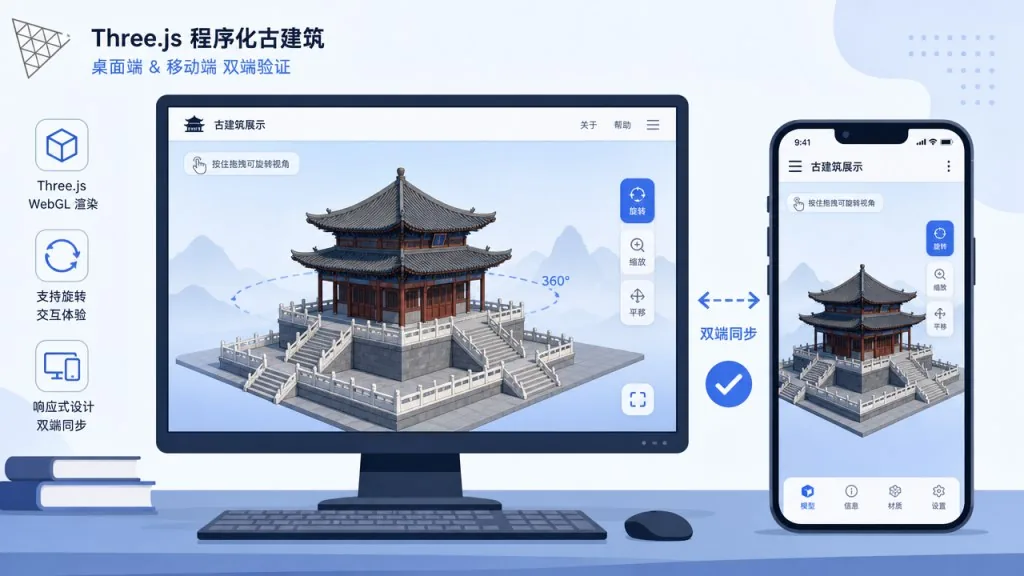
Competitor comparison
| Dimension | Heritage Architecture Studio | Generic AI image prompts | Traditional BIM / survey |
|---|---|---|---|
| View specification | 10 fixed view types, strictly constrained | Free-form | Free modeling |
| Data verifiability | JSON Schema + validator | Not verifiable | Strong validation |
| Web output | Three.js + desktop/mobile QA | Usually none | Requires separate development |
| Uncertainty handling | Mandatory four-tier labeling | Often packaged as "precise" | Data is precise |
| Onboarding cost | One-line install | Low | High |
Getting started quickly
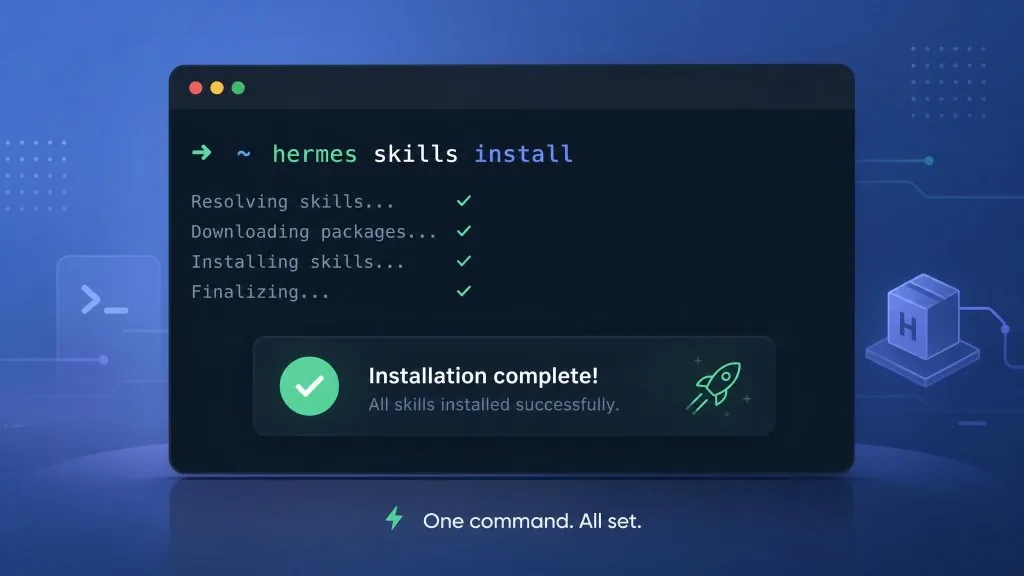
Install the Skill with one line:
hermes skills install thursdaycapital/heritage-architecture-studio/skills/heritage-architecture-studio --category creative --yes
Open a new session, run /reset, and type the building name. To limit the scope, put keywords such as "prompt only," "JSON only" or "reference board first" directly in the input. Run python3 scripts/validate_repo.py for local validation, and validate prompt/JSON instances with validate_prompt_output.py using the --prompt and --json arguments.
Summary and next steps
The core value of Heritage Architecture Studio is this: it turns a historic building from a prompt into a reproducible, verifiable, deliverable pipeline. The 10 fixed view types fix "messy drawings," the JSON Schema plus validator fixes "drifting fields," dual-platform QA fixes "the page won't run," and uncertainty tiering fixes "the AI makes things up." If your workflow needs historic architectural assets in bulk, comparable and further processable, run it once starting from "Lingpai Bangong" or the East Hall of Foguang Temple — the experience will be more direct than reading the README.
- GitHub: https://github.com/thursdaycapital/heritage-architecture-studio
- Releases (with
.skillpackage and SHA-256): https://github.com/thursdaycapital/heritage-architecture-studio/releases/latest
One-line pitch: type the name of a historic building, get back a visualization asset set that can go straight into a repo — that's what makes it worth bookmarking.
#heritage-architecture-studio #HeritageArchitectureStudio #thursdaycapital #FrontendDev #WebDev #OpenSource #GitHub