1. Intro: why you need this tool
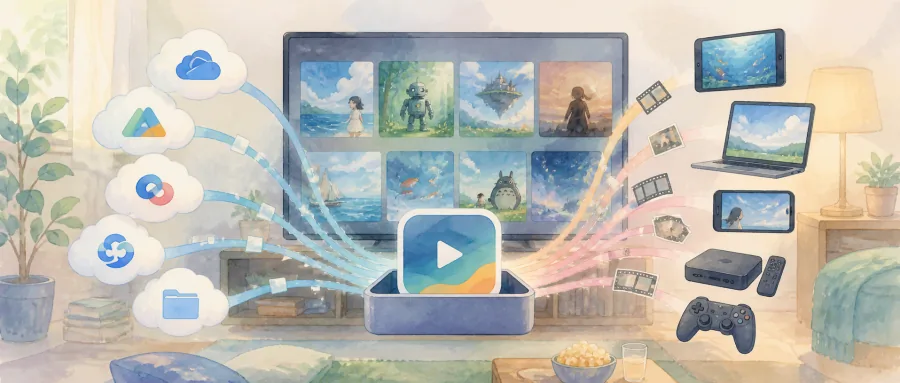
Three cloud drives, one Jellyfin box, and a pile of movies scattered across OneDrive and local disks. Following a single show means switching between four apps; hunting for an old film means searching its name in every drive. That is the most common pain point for home-theater fans and data hoarders: scattered resources, fragmented players, and AI organizing tools that are either paid or painful to use. BoxPlayer, with 6.8K stars on GitHub, answers with “cram cloud-drive management, a media library, a media server, an AI agent, music and ebooks into one desktop app.”
2. What it is in one sentence
BoxPlayer is a cross-platform personal media workbench built on Electron + Vue 3 + TypeScript. The keywords: unified management of multiple cloud drives, an AI workbench, a Jellyfin/Emby/Plex client, built-in video/music/ebook players, and full desktop + mobile coverage.
3. Core features in depth
1. Multi-drive file management
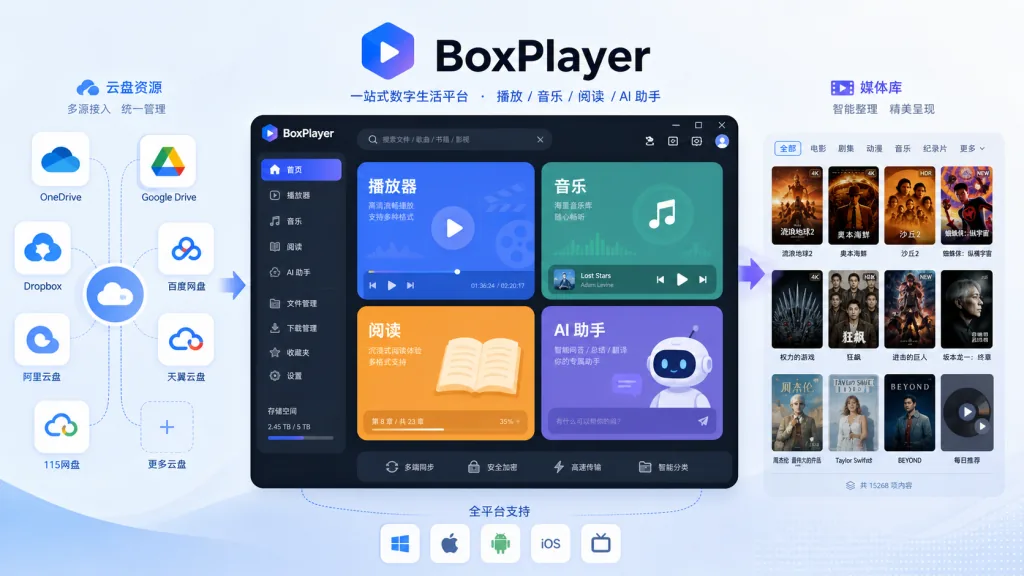
BoxPlayer supports unified login and sidebar management for 12 cloud drives: Aliyun Drive, Baidu Netdisk, 123, 115, Quark, PikPak, OneDrive, Dropbox, Box, China Mobile Cloud, China Telecom Cloud and Guangya Cloud. Differences in each drive's API are wrapped in the src/cloud*/ adapter layer, so unsupported operations never “pretend to succeed” or fall back incorrectly — steadier than many tools in the same class. Folder trees, favorites, trash, albums, full-drive search and batch drag-and-drop are all there.
2. Cloud media library + media server client
It can scan cloud drives, local directories, WebDAV and AList to build libraries for movies, shows, anime and documentaries, then pull TMDB / Douban metadata to generate a poster wall. It also embeds Jellyfin, Emby and Plex client home screens — continue watching, next episode, recently added, library sections, cross-server search, playback progress sync and multi-line switching are all integrated in the same window.
3. Video playback and downloads
The built-in web player handles HLS / DASH / direct links, and can hand off to MPV or IINA externally. External subtitles, dual subtitles, ASS/SSA, subtitle offset, traditional/simplified Chinese conversion, online subtitle search, danmaku and automatic intro/outro skipping are all included. On the download side it integrates aria2c, with HTTP/BT/magnet support, magnet:// protocol capture, tracker sync and UPnP port mapping.
4. AI workbench + clouddrive-cli
BoxPlayer ships an AI agent that can search cloud drives and public resources in natural language, detect duplicates, analyze space usage and plan media organization; write operations pop a confirmation first. The companion clouddrive-cli is both a command-line tool and an MCP server that Claude Desktop, Cursor and Windsurf can call, e.g. clouddrive-cli files search --provider aliyun --name "Inception". BYOK mode supports OpenAI / DeepSeek / OpenRouter / Ollama and other compatible services.
5. Music library + ebook reader
The music module goes for “immersive”: a particle stage, real-time spectrum, a 3D playlist shelf, cover-based color extraction, a 10-band EQ and floating desktop lyrics. The reader supports EPUB / PDF / TXT / MOBI / AZW3 / DOCX / Markdown, with a built-in AI reading assistant that summarizes, answers questions about and translates the current document — and the answers carry citations back to the source.
4. Technical highlights and performance data
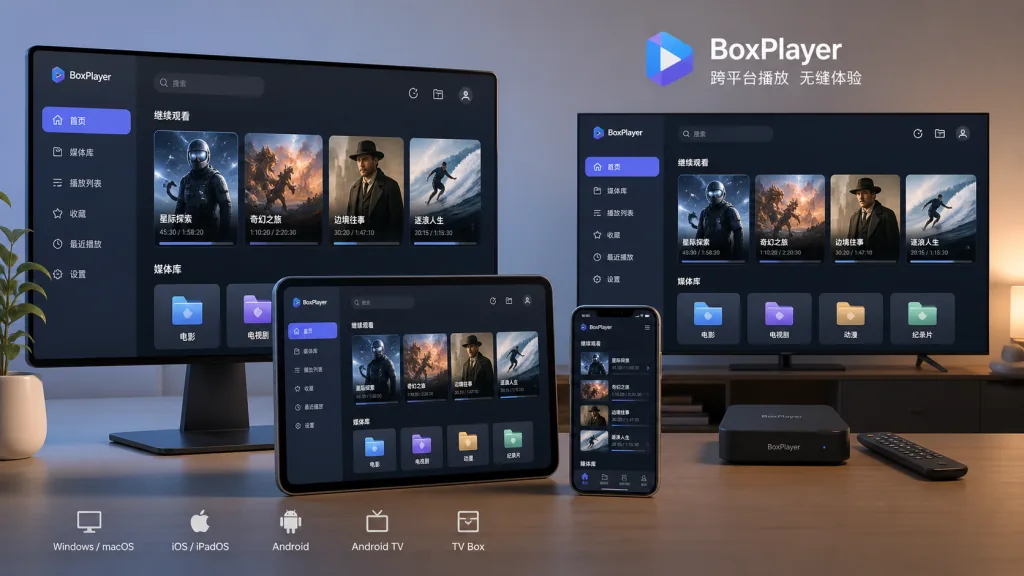
Stack: Electron 40 + Vue 3 + Vite + TypeScript + Arco Design Vue, with Dexie / SQLite / better-sqlite3 for local storage, ArtPlayer + MPV for the video layer and aria2c for downloads. Cross-platform coverage spans Windows / macOS / Linux desktops plus iOS / tvOS / Android (already live on the App Store). The AI layer runs on the AI SDK with OpenAI-compatible protocols. In terms of code organization, the main process, renderer and CLI share a shared/ directory so logic isn't duplicated.
5. Use cases and audience
- Users hoarding resources across cloud drives: people running Aliyun Drive + Quark + 115 at once get five clients' worth from one app.
- Self-hosting Jellyfin / Emby / Plex fans: those who don't want to bounce between the browser and their drives.
- Tinkerers and AI agent users: those who want to drive drive-cleanup from Claude Desktop / Cursor over MCP.
- Not for: light users who just want a simple cloud-drive client and don't need AI or a media library; and users who are extremely sensitive about account security and won't authorize a third-party client.
6. Comparison with alternatives
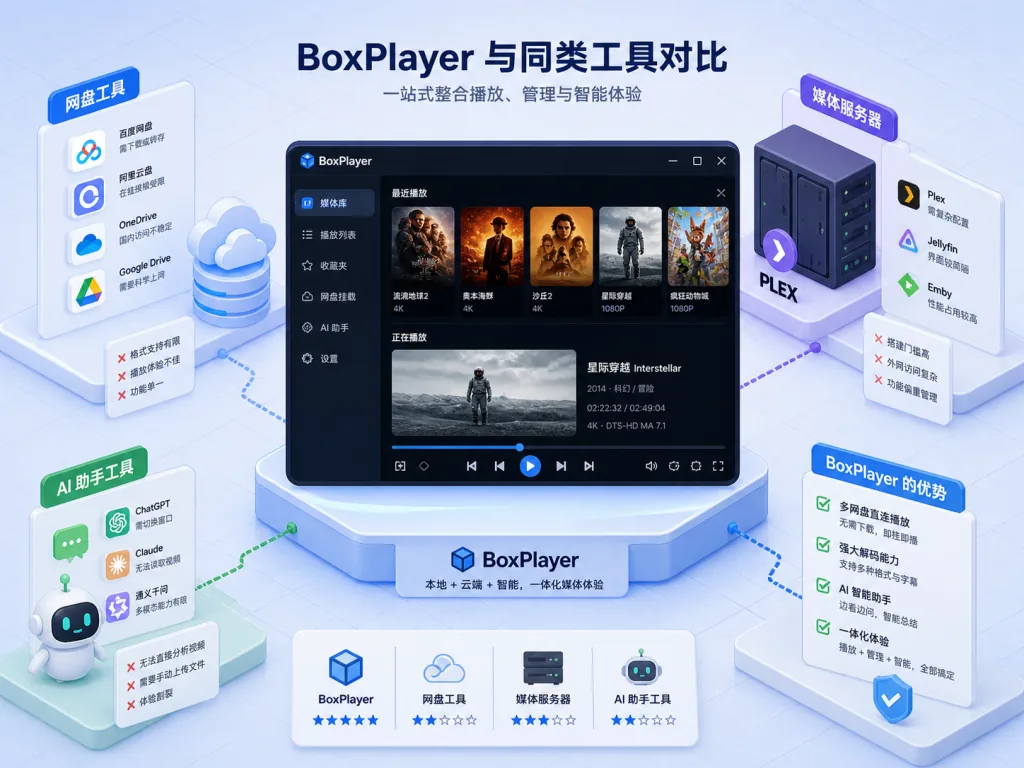
| Dimension | BoxPlayer | Xiaobaiyang (original) | CloudDrive2 | Plain Jellyfin client |
|---|---|---|---|---|
| Cloud drives supported | 12 | Aliyun-focused | Partial | Not supported |
| Media server client | Jellyfin/Emby/Plex | None | None | Single |
| Built-in player | Web + MPV + IINA | Basic | Basic | Strong |
| AI agent + MCP | ✅ | ❌ | ❌ | ❌ |
| Music/ebooks | ✅ | ❌ | ❌ | ❌ |
| Cross-platform | Desktop + iOS + tvOS + Android | Desktop mainly | Desktop | Multi-platform |
| Price | Core free / Pro optional | Free | Partial subscription | Free |
Compared with the original Xiaobaiyang, BoxPlayer isn't just a fork upgrade — it has grown into a desktop workbench that unifies cloud drives, the media library and AI.
7. Getting started quickly
Desktop: grab the installer for your platform from GitHub Releases (gaozhangmin/aliyunpan/releases) — on macOS Apple Silicon pick *-mac-arm64.dmg, on Windows *-win.exe, on Linux .deb or .AppImage. iOS / tvOS / macOS users can also search BoxPlayer on the App Store. On first launch it detects the system language; scan the QR code to log into your drives and you're ready to go.
CLI / MCP: inside the app, go to Settings → Install CLI, or run npm install -g clouddrive-cli standalone, then add a clouddrive-mcp entry to the MCP config in Claude Desktop / Cursor.
Developers: Node.js ≥ 22.12.0 + pnpm, pnpm install → pnpm dev for local development; CI=true pnpm exec vue-tsc --noEmit for type checking. npm/yarn are strictly forbidden in the repo.
8. Summary and next steps
The core value of BoxPlayer is that it turns “scattered cloud drives + a local media library + media servers + an AI assistant” into one cross-platform desktop console, saving you the time of switching between five clients. With 6.8K stars on GitHub, a modern Electron 40 + Vue 3 stack, and coverage of 12 cloud drives and 3 major media servers, it holds its own among comparable open-source projects.
A suggested path: start using it as a unified cloud-drive client, then turn on the AI agent for media organization, and finally hook up MCP to bring Claude / Cursor in for automation.
- GitHub: https://github.com/gaozhangmin/boxplayer
- Website: https://xbyvideohub.com
- Downloads: https://github.com/gaozhangmin/aliyunpan/releases
- App Store: https://apps.apple.com/us/app/boxplayer/id6739804060
If you run two or more cloud drives and self-host a media server, it's worth a try.