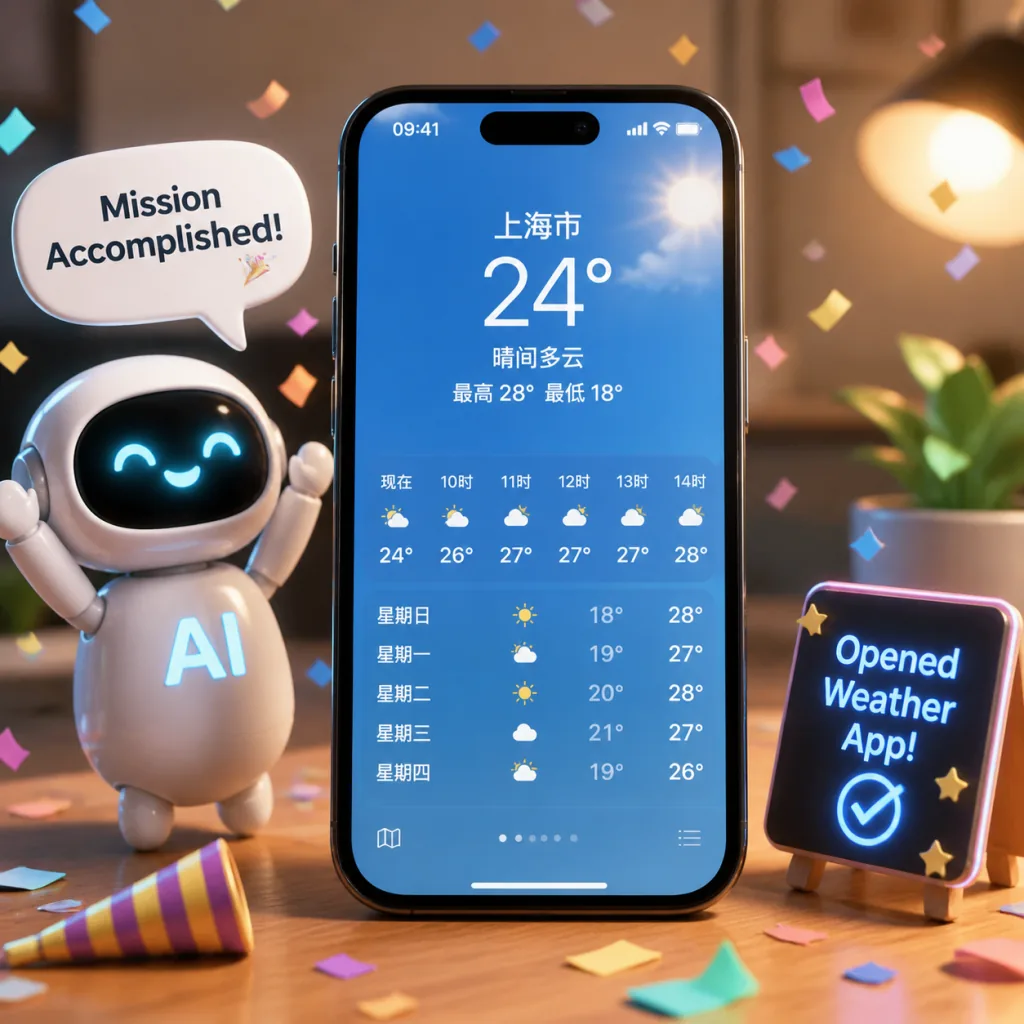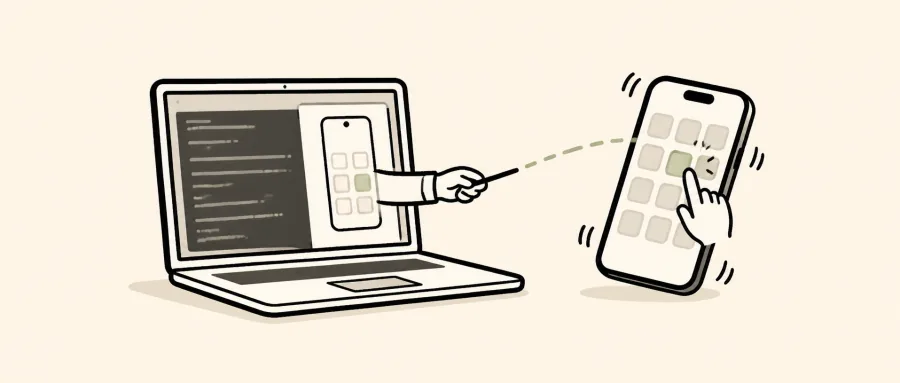
1. Intro: still stuck on this problem?
You want an AI to open the weather app, reply to a WeChat message or order a coffee on your phone — and then it turns out it can't even touch the device. Most phone automation options on the market either require a jailbreak, or force you through Xcode to install WebDriverAgent, or rely on a cloud simulator. Control of the real device always sits behind a wall. For indie developers and Agent tinkerers, "let an LLM operate my actual iPhone" has been an open pain point. The phone-harness project exists to knock that wall down.
2. In one sentence: what this project is
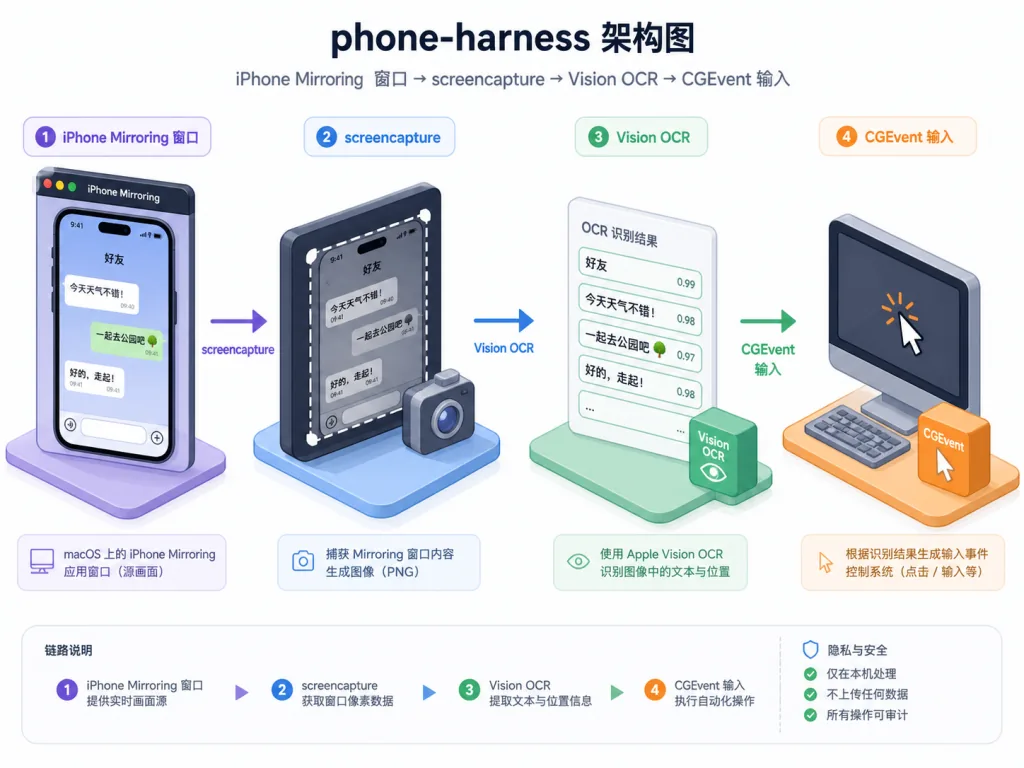
phone-harness is a Python project that lets an LLM Agent control your real iPhone directly. No jailbreak, no Xcode, no WebDriverAgent — it only borrows macOS's iPhone Mirroring window, treating the macOS screen as the transport channel: screencapture plus Vision framework OCR as the "eyes," HID-level CGEvents as the "hands." At the time of writing the repo has 1682 stars, making it a remarkably lightweight but clever presence in the Agent + real-device control space.
3. Core features in depth
1. Seeing the screen: Vision framework OCR extracts tappable coordinates
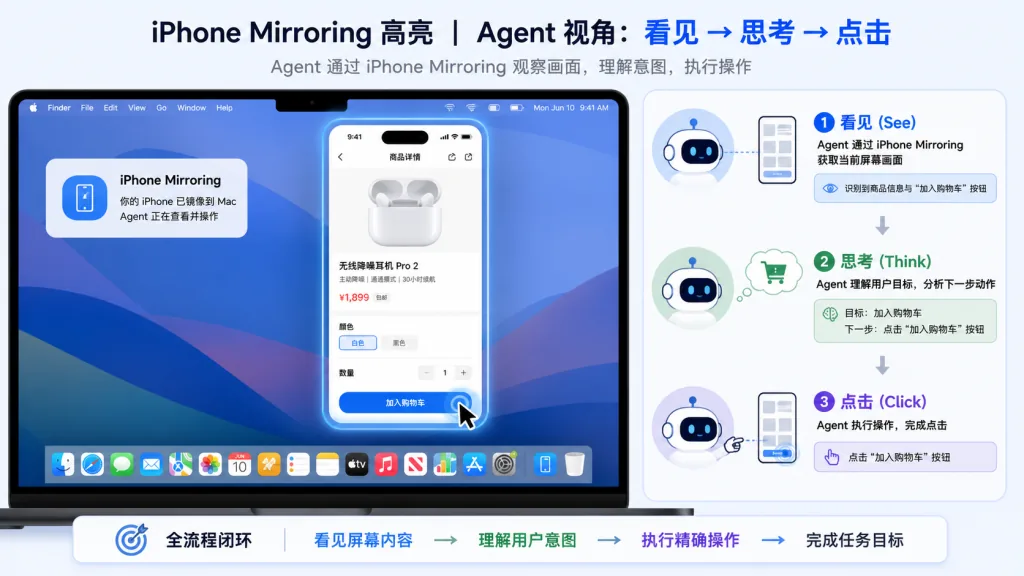
After capturing the iPhone Mirroring window, phone-harness calls Apple's Vision framework for text recognition and returns every string on screen along with its pixel coordinates. Think of it as a "poor man's DOM" for the Agent — no semantics, no structure, but every tappable element has an accurate position. With those coordinates in hand, the Agent can decide where to tap next.
2. Driving the phone: HID-level CGEvents inject input directly
The "hands" side uses macOS CGEvent to construct taps, clicks, long presses, drags, scrolls and swipes right at the HID layer, with support for Unicode input and forwarding macOS shortcuts (Cmd+1 to go home, Cmd+2 to switch apps, Cmd+3 to open Spotlight). This path bypasses the AppleScript click at trap (silently ignored) and the dropped-keystroke problem caused by "the input field isn't focused."
3. Self-verification: the screenshot is ground truth
iOS has no DOM, so the screenshot is Ground Truth. After each action the Agent captures and OCRs again to compare, confirming whether the action took effect. The whole flow naturally forms a "see → act → verify" loop.
4. No daemon: every call is self-contained
Mirroring transport is stateless; window bounds and screenshots are queried on demand, with no long-running daemon. Every ./phone-harness run is a clean start, which is extremely handy for debugging and scripting.
5. Agent-extensible: append freely to agent-workspace
The ~500 lines of core code are protected, but agent-workspace/agent_helpers.py is automatically injected into the namespace of each execution. If the Agent lacks a tool mid-run, it just adds one to that file — no need to touch the core.
4. Technical highlights and performance data
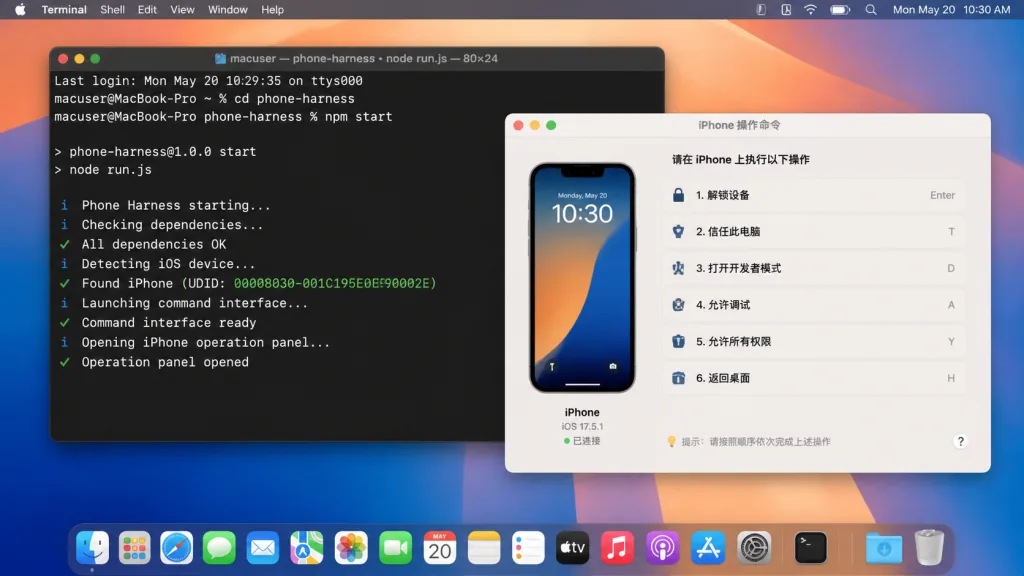
The architectural highlight of phone-harness is "assembling the minimal viable set out of native macOS capabilities": iPhone Mirroring rendering + screencapture + Vision OCR + CGEvent input. The whole chain is only ~500 lines of core code — no middle service, no protocol layer, no device driver. It supports macOS Sequoia and later, works seamlessly with Apple's own mirroring window, and costs essentially nothing in ecosystem terms. By design, every invocation is stateless with no daemon, and installation needs only a one-time permission grant (Accessibility + Screen Recording). The trade-offs are clear too: single device and single session only, no multi-touch gestures (pinch), no camera or Face ID flows, DRM video renders black, and OCR can't see unlabeled icons.
5. Use cases and audience
Use case one: Agent automation testing — have an LLM repeatedly open apps and exercise the UI on a real device, which is closer to real user experience than a simulator. Use case two: personal productivity scripts — let the Agent check the weather, send messages or order takeout for you with no manual input. Use case three: embodied Agent research — to study behavior loops for embodied Agents on a real mobile OS, phone-harness is the lowest-barrier test bench. Who it fits: Agent tinkerers, indie developers, and people researching GUI Agents. Who it doesn't: complex automation that needs multi-touch gestures or the camera, and anyone on Windows or Linux only.
6. Competitor comparison
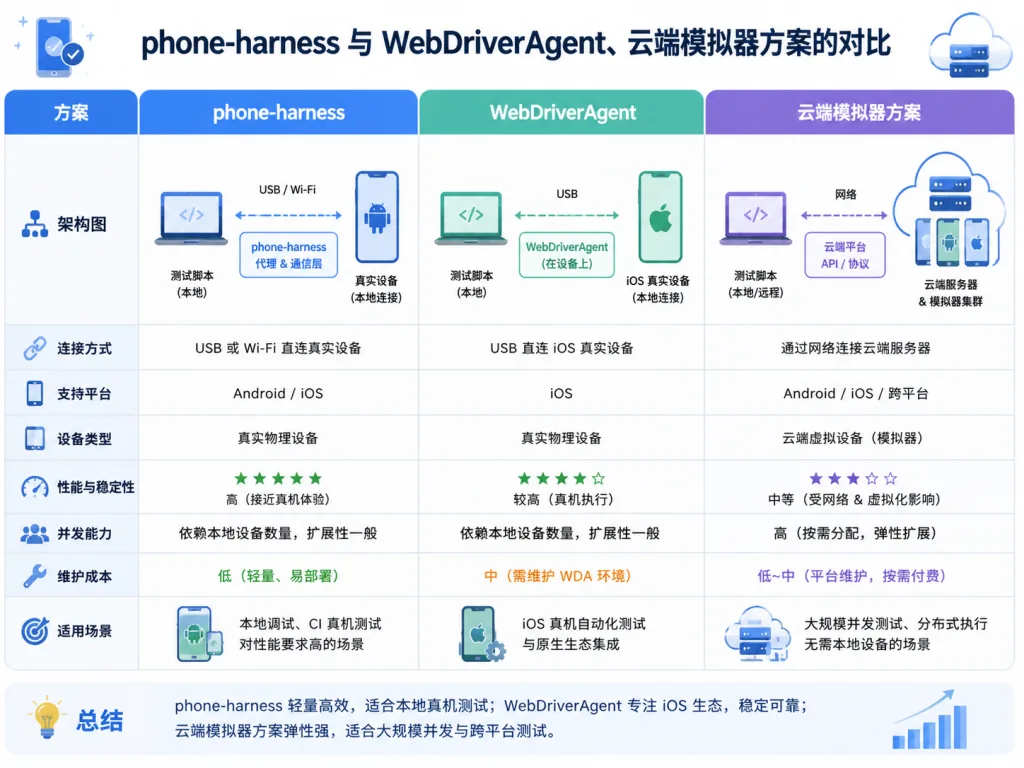
| Dimension | phone-harness | WebDriverAgent | Cloud simulator solutions |
|---|---|---|---|
| Needs jailbreak / Xcode | No | Requires Xcode | No |
| Real device control | Yes | Yes | No (simulator) |
| Deployment complexity | Low (macOS permissions only) | Medium | High (depends on cloud resources) |
| Core code size | ~500 lines | Thousands of lines + maintainer team | N/A |
| Multi-touch / camera | Not supported | Supported | Depends on the simulator |
The core reason to pick it: you want "let an LLM drive my real phone," not "build a full mobile testing platform." phone-harness uses native macOS capabilities to bypass all the scaffolding of traditional approaches, and the barrier is absurdly low.
7. Getting started quickly
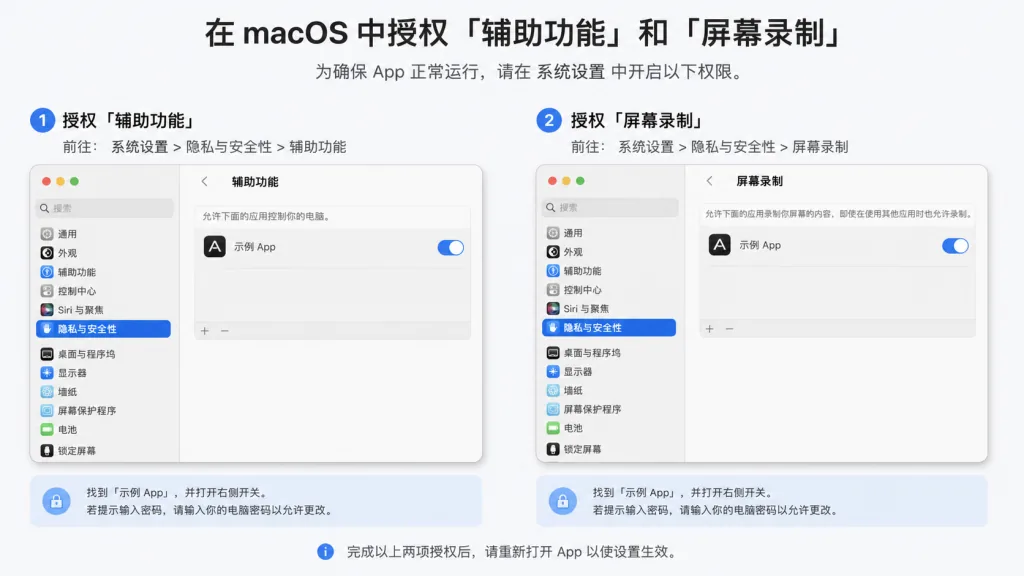
Just two steps. Step one: pair iPhone Mirroring with your phone once (you'll need the physical device to confirm the pairing prompt), then grant your terminal "Accessibility" and "Screen Recording" in System Settings → Privacy & Security. Step two: paste the Setup prompt from the README into Claude Code or Codex, and let the Agent clone the repo to ~/.phone-harness, read install.md to finish installation, and register it as the phone-harness skill. When that's done, run ./phone-harness --doctor to verify the chain. Minimal working example:
./phone-harness <<'PY'
open_app("Notes")
tap_text("New Note")
type_text("hello from the harness")
PY
Advanced tips: read SKILL.md as your everyday operating manual; when you need new capabilities, edit agent-workspace/agent_helpers.py — it gets injected automatically into every script execution; for icons OCR can't read, pair it with a vision-capable multimodal model on screenshots for a more reliable result.
8. Summary and next steps
The core value of phone-harness in one sentence: turn macOS iPhone Mirroring into the Agent's "hands and eyes," using ~500 lines of code to close the last stretch between an LLM and a real iPhone. It's not suited to industrial-grade mobile test automation, but it is absolutely the lowest-barrier entry point for Agent tinkerers, researchers and indie developers to experience a "real-device Agent." Project URL: https://github.com/ShawnPana/phone-harness. See install.md for detailed installation and troubleshooting, and SKILL.md for daily usage. If you've tried to get an Agent to operate your phone and kept getting scared off by jailbreaks, Xcode or cloud simulators, give it a shot — within half an hour you'll see the AI actually open the weather app on your phone.