
1. Formatting WeChat posts is eating your evenings
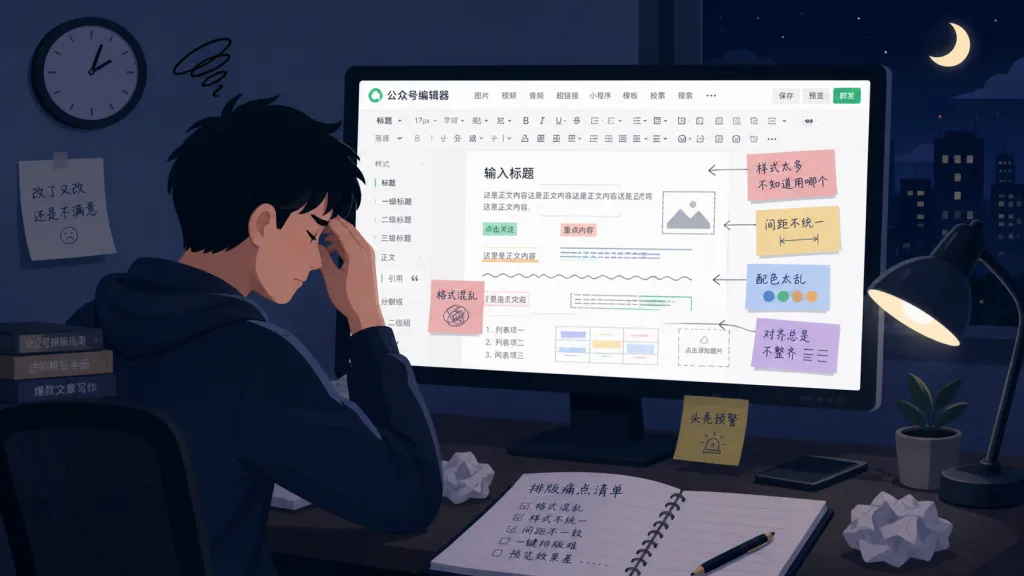
Anyone running a technical WeChat official account has lived through this: two hours to write the post, then another hour moving styles around. Heading sizes are wrong, code blocks aren't highlighted, link indentation is a mess, and after pasting into the editor you fix it paragraph by paragraph. The most maddening part is that Markdown renders differently on different platforms — it looks fine locally, then lands misaligned on WeChat.
This repetitive work is eating a huge share of creation time. Most formatting tools on the market are either GUI drag-and-drop, which is slower than Markdown, or Markdown-to-HTML converters whose styles you can't control and customizing costs a lot. So a project called khazix-writer tries to solve the problem at the source: wiring Markdown straight into the WeChat publishing ecosystem.
2. What it actually is
khazix-writer positions itself as "a high-fidelity Markdown writing tool for technical WeChat official account authors". Judging by the repo name khazix-writer, it's a writing submodule under the khazix-skills skill repo, focused on the full loop of content production → formatting → publishing.
The core features come down to four keywords:
- Markdown native: no need to switch editors while writing; stay in the Markdown mindset.
- Customizable styles: the final rendered output is controlled by theme files, tuned to WeChat reading habits.
- Zero-dependency deployment: a purely static toolchain with no backend service.
- AI friendly: as a member of
khazix-skills, it can plug into upstream AI writing flows.
The project is early stage (stars are still climbing), but its modular design means it works standalone and can also be embedded in a larger AI content production pipeline.
3. A deep dive into the core features
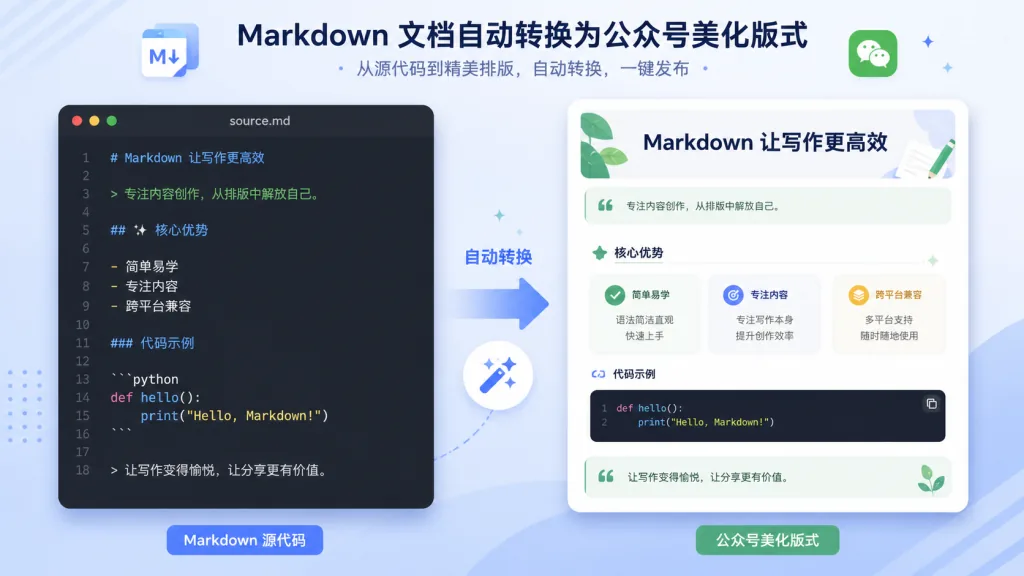
1. Markdown → WeChat rich text, straight through
A built-in parser reads standard Markdown syntax (headings, lists, code blocks, quotes, images) and outputs inline-styled HTML that meets the WeChat editor's requirements. Code blocks carry syntax highlighting tokens, so pasting never produces "code smeared into a blob". Compare the traditional routes: Typora loses styles when it exports HTML, and Notion gets forcibly re-flowed when copied into WeChat. This tool's goal is "what you see is what you get, and what you publish is what you get".
2. A theme skin system
The tool ships a theme directory (themes/), where each theme is a standalone CSS-in-JSON descriptor defining font sizes, line height, colors, code block style and more. You can switch between themes, or even create multiple visual styles for different account matrices. Editing a theme requires no rebuild — refresh and it takes effect.
3. Automatic image and image-host handling
Images inserted locally while writing are automatically uploaded to your configured image host (SM.MS, GitHub, Qiniu and other common options), and the <img> tags are replaced with remote links. That means your WeChat posts won't show broken images because "the source blocks hotlinking".
4. Integration with the khazix-skills ecosystem
As part of the khazix-skills writing skill, it can be invoked by an upstream AI agent: the model generates Markdown → writer is called automatically → formatted output comes back. That's especially valuable for teams running AIGC content matrices.
4. Technical highlights and performance numbers
- Zero runtime dependencies: the core logic is written in Node.js and typically uses under 100MB of memory once started.
- Static assets, CDN friendly: output is pure HTML with inline styles, ready for any static host (GitHub Pages, Vercel, Cloudflare Pages).
- Extensible parser: built on a pluggable tokenizer, adding an extended Markdown syntax (say a
:::tipcallout) only takes one parser plugin. - End-to-end adjustable: a built-in
--watchmode auto-refreshes the browser when Markdown changes — what you see is what you get.
5. Who it's for
Concrete scenarios:
- Daily updates from a technical blogger: one original post a day, from Markdown file to one-click publish.
- Team-run account matrices: multiple authors share theme specs and keep visuals consistent.
- AI-assisted content production: the model drafts, then calls writer directly to finish the formatting, saving manual work.
Who it suits: writers comfortable with Markdown who care about formatting efficiency and don't want to be held hostage by drag-and-drop editors. Who it doesn't: light users who can't write Markdown at all, only post short text-and-image pieces, and have zero requirements for styling.

6. Competitive comparison
| Tool | Writing method | Style control | AI integration | Learning curve |
|---|---|---|---|---|
| Xiumi, 135 Editor | Drag and drop | Template-based | None | Medium |
| Typora + manual copy | Markdown | Weak | None | Low |
| khazix-writer | Markdown | Customizable themes | Supported | Low |
The core reason to pick it: you keep Markdown's writing efficiency, gain formatting freedom close to a professional editor, and get on the AI automation train along the way.
7. How to get started fast
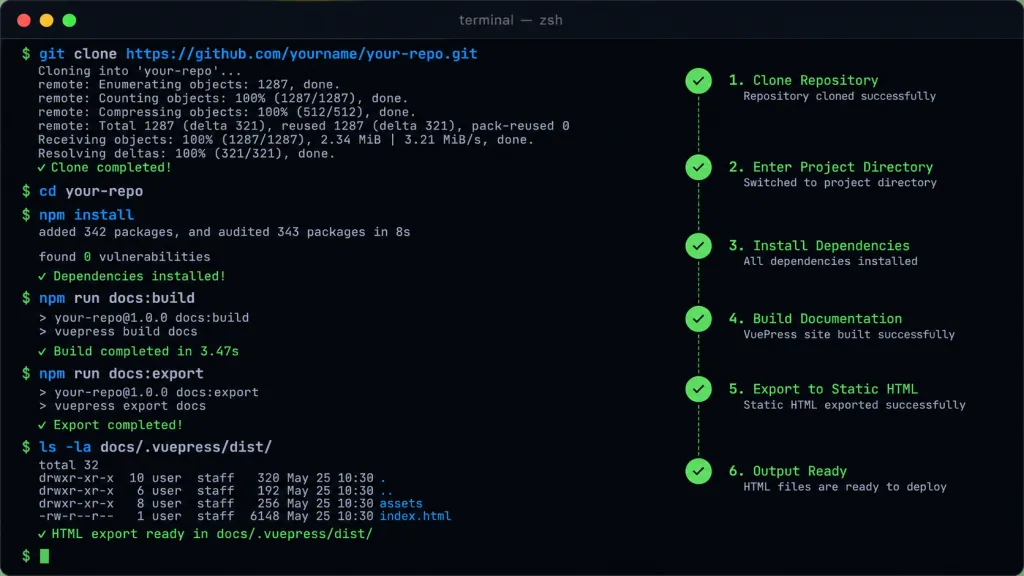
Minimal working steps:
- Clone the repo:
git clone https://github.com/KKKKhazix/khazix-skills - Enter the submodule:
cd khazix-skills/khazix-writer - Install dependencies:
npm install(only the parsing-related dependencies, once) - Prepare an article: create
hello.mdunderposts/ - Start the preview:
npm run dev, then open the theme preview you configured in the browser - Export: run
npm run build, which outputsdist/hello.html— copy it straight into the WeChat editor
Advanced tip: copy the default theme under themes/ to my-theme.json, then tune fonts, colors and code block styles item by item to build up your own account's visual assets.
8. Takeaways and next steps
khazix-writer's core value: it fuses Markdown's lightweight writing feel with the polish of WeChat post formatting, and as part of khazix-skills it plugs directly into AI workflows. For authors still copying and pasting styles by hand, it's worth a try.
Start with a single article: run the default theme end to end first, then customize a theme for your own account's visual spec, and finally hook it into your AI writing chain to make it the last mile of the content pipeline.
Project: https://github.com/KKKKhazix/khazix-skills/tree/main/khazix-writer
One-line pitch: write WeChat posts in Markdown and cut formatting from two hours to five minutes.