
Title options (pick 1 of 3)
A dusty old phone beats a new mic: MicYou turns an Android device into your desktop microphone
Turn an Android phone into a low-latency wireless mic in 5 minutes: a hands-on test of the MicYou open-source setup
No new microphone purchase — a 4K-star open-source project turned a phone into professional recording gear
Turn an old phone into a real microphone: this 4K-star open-source project lets an Android device replace your desktop mic
1. Opening: if only a tool could finish this one step for you…
Twitch streamer Xiao Li ran into an annoying problem lately: the condenser mic he bought for 800 yuan had been in use for two months, and the noise floor kept creeping up until every keystroke was clearly audible. Buy a better mic? Budget was tight. Use a headset mic? The quality was worse. While assessing what he actually needed, he realized it wasn't better hardware — it was a way to make the Android phone already sitting next to him act as the PC microphone.
He's not an outlier. In high-frequency voice scenarios — remote meetings, live co-streams, ASMR recording, gaming with friends — desktop microphones are either expensive, noisy, or impossible to move. Meanwhile the Android phone in your pocket usually ships with two or three high-SNR microphones, an active noise-cancelling chip and DSP headroom. It is, in fact, a severely underrated professional audio capture device.
All that's missing is a bridge between it and the PC.
2. In one sentence: what is this project
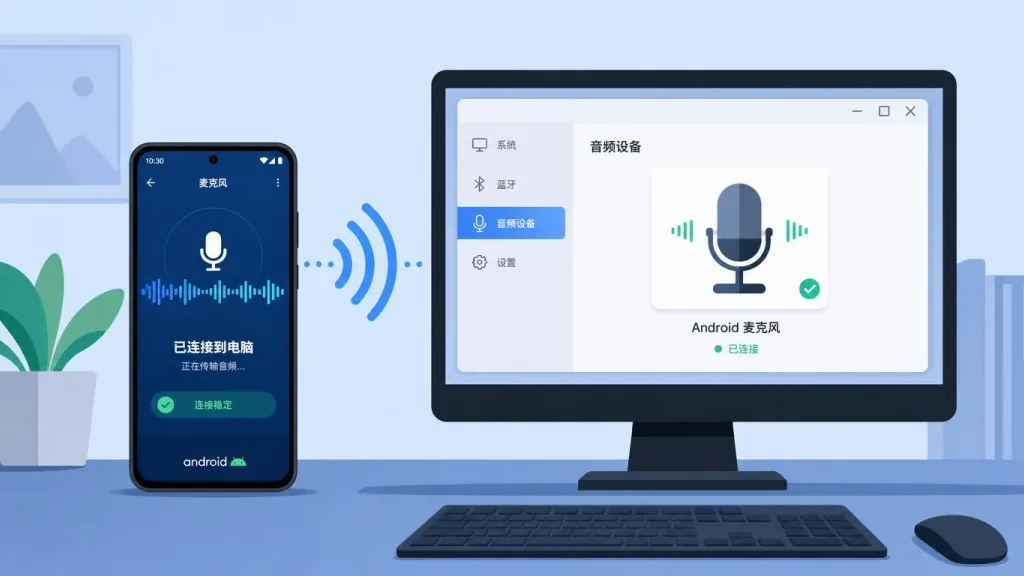
MicYou is an open-source tool that turns Android devices into high-quality PC microphones. It runs across Windows, Linux and macOS, supports Wi-Fi, USB and Web connections, ships a complete DSP chain including AI noise reduction and echo cancellation, and has passed 4253+ stars on GitHub.
Core keywords: phone as mic, cross-platform, AI noise reduction, low latency.
3. A deep dive into the core features
1. Three connection modes cover every scenario
MicYou doesn't force you to install a client, and it doesn't lock you into a single protocol. Wi-Fi mode suits setups where the phone and the computer share a network, with zero deployment cost. USB mode connects directly over ADB for lower latency and better stability — good for long streams. Web mode is the strangest one: the desktop app generates a QR code, the phone scans it in a browser and you're connected, no APK required. That is extremely convenient when you're borrowing a friend's phone on short notice.
2. A complete audio processing pipeline
This is not just a "record on the phone, forward to the PC" tool. MicYou builds in a professional-grade DSP pipeline: AI noise reduction plus conventional noise reduction working together (based on the open-source PureVox model), acoustic echo cancellation (AEC) to handle speaker feedback during hands-free calls, de-reverberation so the room acoustics stop giving you away, equalizer + gain + automatic gain control (AGC) for one-click tuning, and voice activity detection (VAD) that drops the bitrate during silence. Many thousand-yuan standalone microphones can't deliver this whole combination.
3. Real-time audio quality monitoring
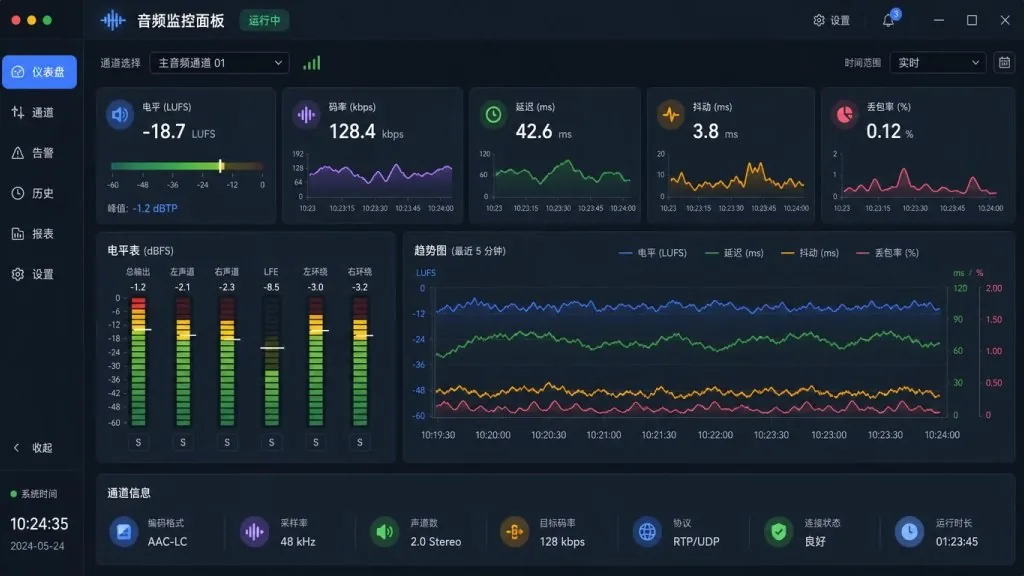
Once a connection is up, the interface shows six live metrics: audio level, bitrate, latency, jitter, packet loss and buffer state. You can see at a glance whether the link is "smooth (latency < 50ms)" or "stuttering (packet loss > 2%)", and you can mute or locally monitor incoming audio at any time. That kind of transparency is rare in closed-source alternatives.
4. Virtual microphone routing
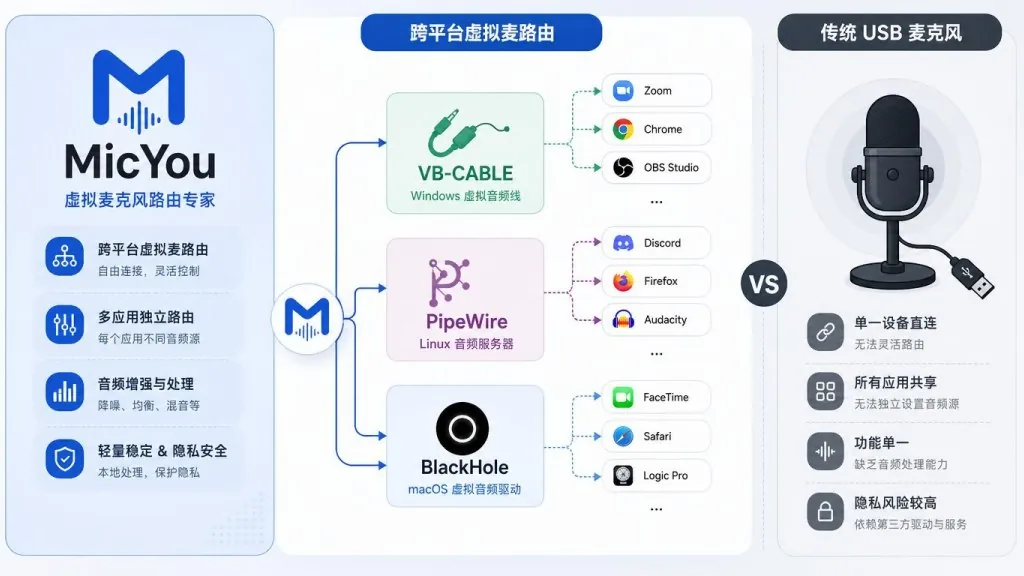
This is what lets MicYou slot into existing apps seamlessly: VB-CABLE on Windows, PipeWire on Linux, BlackHole on macOS. After configuration, Zoom, Discord, OBS, Steam Voice, Twitch Studio and any other app that wants a microphone sees a standard input device — without a single line of code changed.
4. Technical highlights and performance data
- Tech stack: Kotlin + Jetpack Compose + Material 3 on Android; Tauri 2 + Rust + Vue 3 + Vite + Tailwind CSS on desktop, with cross-platform bundles an order of magnitude smaller than Electron.
- Core crates: the transport, buffering, DSP and virtual audio device modules written in Rust are shared between Android and desktop, so both sides speak the same protocol and behave identically.
- Plugin system: a unique dual-runtime plugin system (Native + WASM) with a built-in marketplace for custom DSP nodes, sound panels and control widgets. This isn't a toy feature — it's a real interface for downstream development.
- Ecosystem: available on AUR (Arch Linux users can install it with a single
yay -S micyou-bin), featured by HelloGitHub and recommended by Trendshift. - Protocol stack: the monitoring panel shown in the README tracks latency and jitter live, and with Rust's zero-cost abstractions the WebCodec + Opus pipeline consistently delivers usable low latency on mid-range phones.
5. Use cases and who it's for
Who it fits:
- Heavy remote work / online meeting users who want to escape the muffled sound of a cheap headset mic;
- Streamers / content creators with an idle Android phone and a limited budget;
- ASMR / podcast recorders who need a portable, multi-device capture setup;
- Linux / tinkerer types who want to explore what a PipeWire virtual audio chain can do.
Who it doesn't fit: professional studios chasing absolute zero latency (use a proper audio interface), and users who only own an iPhone without an Android device (Android is the only supported platform for now).

6. Competitive comparison
| Dimension | MicYou | WO Mic | Standalone USB mic |
|---|---|---|---|
| Open source | ✅ GPLv3 + plugin exception | ❌ Closed-source free version | ❌ Closed hardware |
| AI noise reduction | ✅ Built in | ❌ Needs external setup | Depends on model |
| Connection modes | Wi-Fi / USB / Web | Wi-Fi / USB | USB only |
| Desktop platforms | Win / Linux / macOS | Win / Android | Universal |
| Plugin extensibility | ✅ Native + WASM | ❌ | ❌ |
| Cost | Free use of an idle phone | Free (limited features) | 200–2000 yuan |
The core reason to pick MicYou: it packages phone hardware + a full DSP chain + cross-platform virtual mic routing into one open-source whole, instead of solving only the "transport" segment.
7. How to get started fast
- Download: grab the Android APK and the desktop installer (Windows / Linux / macOS) from GitHub Releases. Arch users can just run
yay -S micyou-bin. - Set up the virtual microphone: follow the quick start docs to enable VB-CABLE / PipeWire / BlackHole in your system.
- Pick a connection mode:
- Wi-Fi: make sure the phone and PC are on the same LAN, then select Wi-Fi on both ends;
- USB: enable USB debugging on the phone, connect a data cable, and select USB on both ends;
- Web: select Web on the desktop app and scan the QR code with the phone browser — no APK install needed.
- Start streaming: select the configured virtual mic in the microphone device list of Zoom / OBS / Discord.
Minimal working example: start with Web mode and get your first stream running within 5 minutes; switch to USB mode later if you want lower latency.

8. Summary and recommended actions
With 4000+ stars and a complete engineering implementation, MicYou proves one thing: an Android phone is a badly underrated audio capture device on its own. It open-sources five things at once — hardware, DSP, transport, virtual device routing and plugin extensibility. For individuals that means a zero-cost microphone upgrade; for developers it means an audio middle layer they can customize deeply.
Recommended actions:
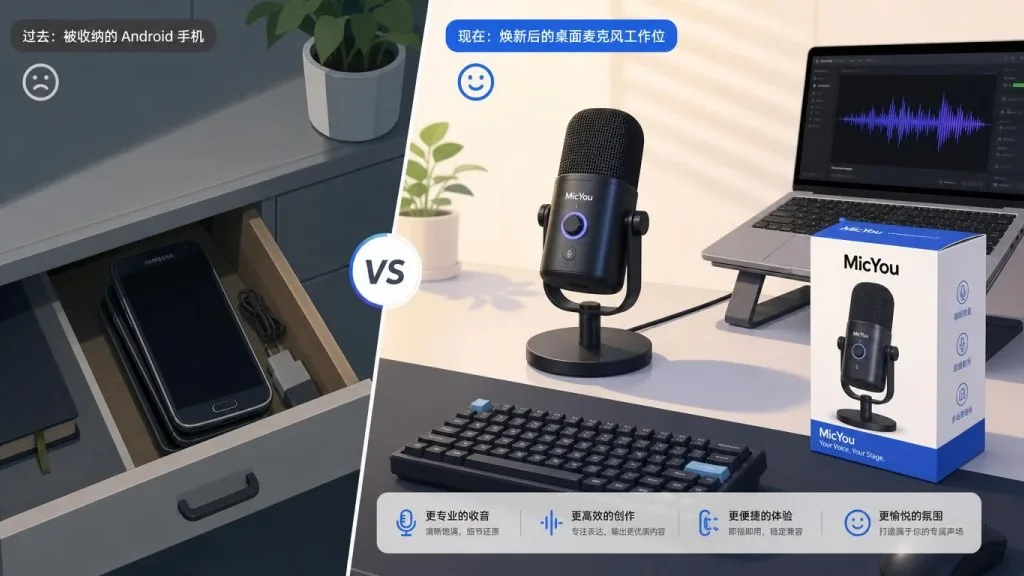
- Try it now: an old Android phone in a drawer + 5 minutes = a working wireless microphone;
- Use it long-term: dedicate one phone as your "stream mic position" and pair it with the desktop TUI monitoring panel while you stream;
- Contribute: the plugin marketplace is just getting started, and developers comfortable with Rust / WASM / DSP can start by building custom DSP nodes.
Project links:
- Repo: https://github.com/LanRhyme/MicYou
- Site / docs: https://micyou.top
- QQ group: 995452107
- Telegram: @MicYouChannel
There's only one reason to give it a try — you're already hunting for a solution to something you don't need to pay for.
#micyou #Micyou #lanrhyme #CLI #DevTools #OpenSource #GitHub