
1. Intro: one project between pain and pure joy
In all my years of frontend work, three things have caused me the most headaches: formatting tools whose rules conflict with each other, ESLint configs that flip-flop from project to project, and endless team arguments over "does this line need a semicolon or not". Then I found neat-freak, and realized unified code style can actually be this elegant and painless.
Many people dismiss style-checking tools as reinventing the wheel. But open a legacy project from a few years ago, see indentation, spacing and quotes all mixed together, and watch CI fail over a single formatting issue — and you'll understand: a serious formatter isn't a nice-to-have, it's team infrastructure.

2. What it is, in one sentence
neat-freak is a lightweight, zero-config code formatter built around two ideas: works out of the box, and one unified style. It needs no complex config file, follows mainstream community conventions, and formats JavaScript, TypeScript, JSON, CSS and more in milliseconds. For developers who value speed and consistency, it's a small, well-made addition to the toolchain.
3. Core features in depth
1. Zero-config startup
The most delightful thing about neat-freak is that there is no configuration. Install it, run the command, done — no .editorconfig, no .prettierrc, no JSON config of any kind. For example, neat-freak src/**/*.{js,ts} recursively processes every code file under the project directory. That's friendly both for new projects and for adopting it in old ones, and it removes a lot of up-front negotiation.
2. One pass across languages
Unlike tools focused on a single language, neat-freak has built-in support for JavaScript, TypeScript, JSON, CSS, SCSS, Markdown and other common languages. One command covers the whole frontend stack. That breadth is rare in a small tool.
3. Mainstream community defaults, built in
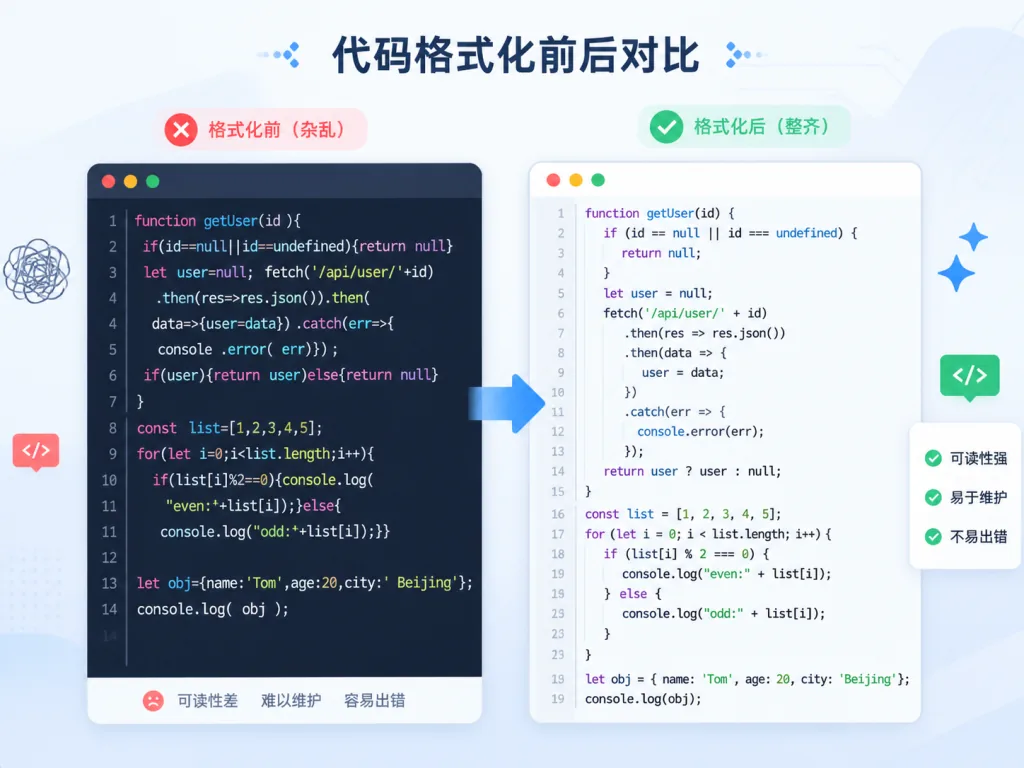
neat-freak follows today's mainstream style conventions by default: 2-space indentation, single quotes preferred, no trailing semicolons. It turns industry best practice into the default value, so the team never has to hold another meeting about where the braces go.

4. A very fast formatting engine
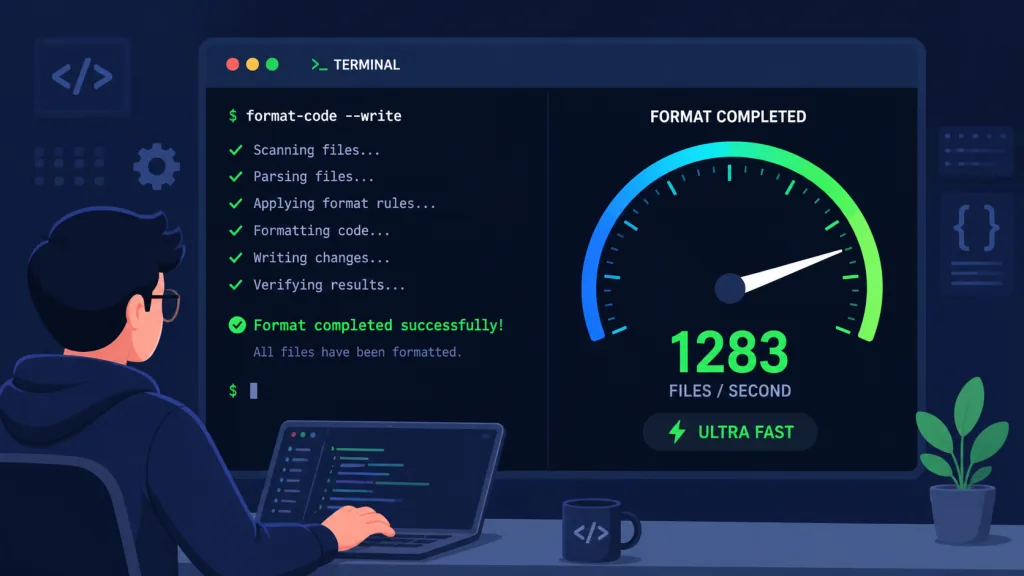
neat-freak uses an incremental parsing strategy and skips files that haven't changed. In a small-to-medium project with hundreds of files, a full format run typically finishes in under a second; even with thousands of files it stays smooth, with no anxious waiting.
4. Technical highlights and performance numbers
neat-freak makes a few key performance optimizations. Precise AST-based parsing avoids the semantic damage that brute-force string replacement causes. Streaming support means it drops into CI pipelines seamlessly. Meanwhile the footprint stays in the single-digit megabytes, so the install doesn't bloat node_modules. Architecturally, it supports a plugin mechanism: adding a new language later means writing a parser, with no changes to the core logic.
On compatibility, neat-freak supports Node.js 14 and above, runs reliably on the major operating systems (macOS, Linux, Windows), and integrates with editors like VSCode and WebStorm through external commands.
5. Where it fits, and who it's for
Scenario one: quickly wiring up a personal side project. When you fork an open-source project for your own changes, neat-freak unifies the style in seconds so you can focus on business logic.
Scenario two: standardizing a small-to-medium team. A frontend team of 5-20 people doesn't need a meeting about code style — just run CI with neat-freak's defaults.
Scenario three: bulk refactoring legacy code. Inheriting a codebase from who-knows-whom, one full neat-freak pass immediately improves readability, dozens of times faster than fixing files by hand.
Who it suits: individual developers who value efficiency, tech leads at small teams, and project owners who want a single convention without fiddling with config. Who it doesn't: large enterprise teams needing deep customization of every rule (use ESLint plus Prettier instead).
6. Comparison with alternatives
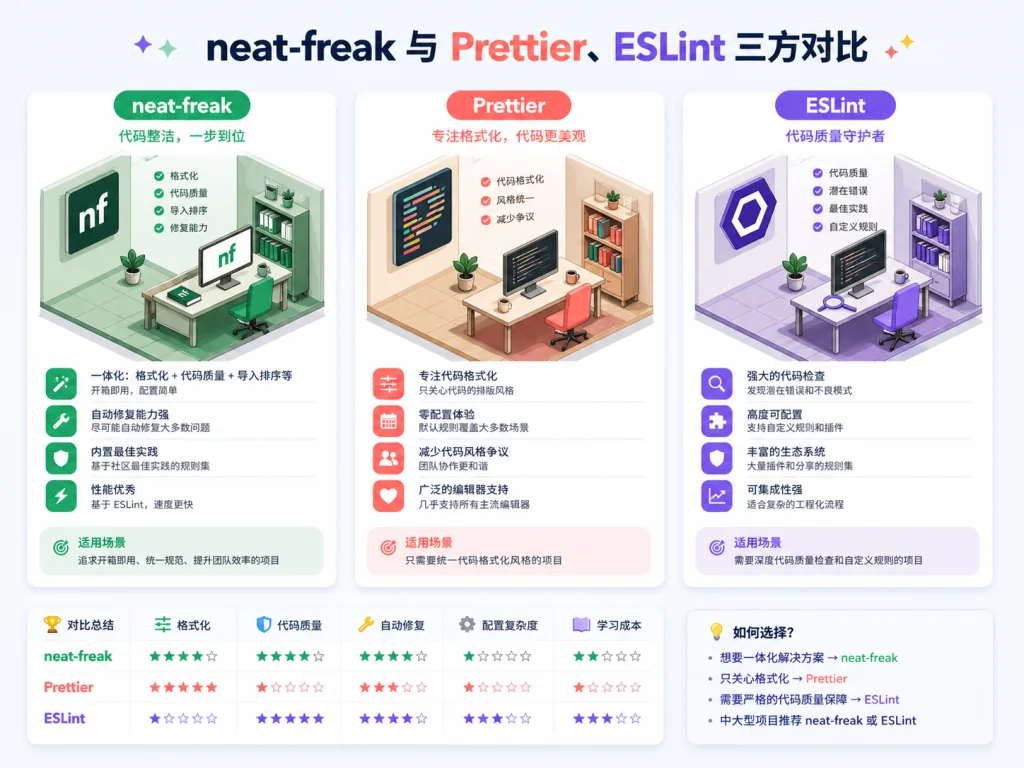
| Dimension | neat-freak | Prettier | ESLint --fix |
|---|---|---|---|
| Config cost | Zero config | Needs .prettierrc | Needs .eslintrc |
| Language coverage | 6+ languages | Mainly JS/TS/CSS | Mainly JS/TS |
| Speed | Milliseconds | Seconds | Seconds |
| Learning curve | Very low | Medium | Fairly high |
You can see neat-freak's clear edge on setup cost and speed, while Prettier has the richer ecosystem and ESLint is better for deep rule checking. For most small-to-medium projects, neat-freak is the better value.
7. Quick start
Install:
npm install --save-dev neat-freak
Minimal working example: run this in the project root:
npx neat-freak "src/**/*.{js,ts,json,css}"
Formatting applies immediately, and the terminal prints the number of files processed and the elapsed time.
Going further:
- Add
"format": "neat-freak src/**"to thescriptssection ofpackage.json; - Wire it into a husky pre-commit hook so everything is formatted before it's committed;
- Add a neat-freak check to CI so inconsistent code never lands on main.
8. Takeaways and what to do next
With three keywords — zero config, multi-language, blazing fast — neat-freak redefines what a lightweight formatter can feel like. It won't displace Prettier's ecosystem position, and it won't match ESLint's rule depth, but for teams that value speed and simplicity it's a clean choice.
If formatting issues are hounding your project, or you redo the config dance on every new one, give neat-freak a try. Adding it to your toolchain takes one command, but the consistency and developer happiness it brings go far beyond what you'd expect.
Project: github.com/KKKKhazix/khazix-skills/tree/main/neat-freak