
1. How many version managers is your project actually carrying?
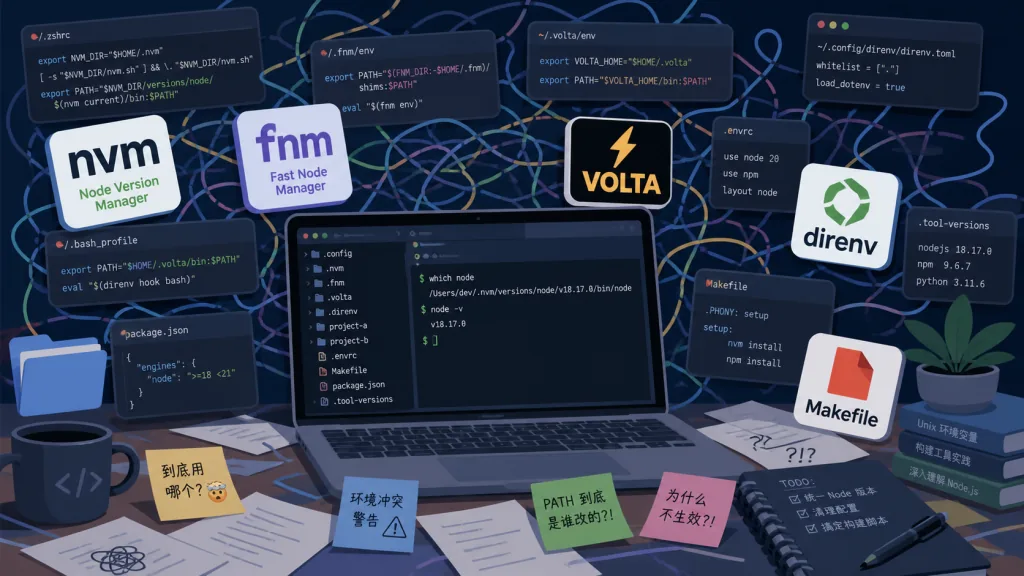
Every Node developer knows this scene: your laptop runs Node 20 via nvm, a new teammate runs Node 22 via fnm, and the CI image pins Node 18 with Volta. Just writing out how to install all these tools for the new-hire onboarding doc eats half a day. Environment variables are worse. .env.example hasn't been updated in three months, the README says DATABASE_URL=postgres://..., but locally you're connected to SQLite and Docker is running MySQL.
Task execution is what really drives people up the wall. The Makefile says make dev, but the new hire doesn't have make installed. The scripts in package.json can't run Python scripts. Want one entry point? You write yet another bin/dev script to string everything together. In the end every repo is full of half-broken glue code, and the thing that actually matters — unifying tools, environment and tasks — nobody ever does.
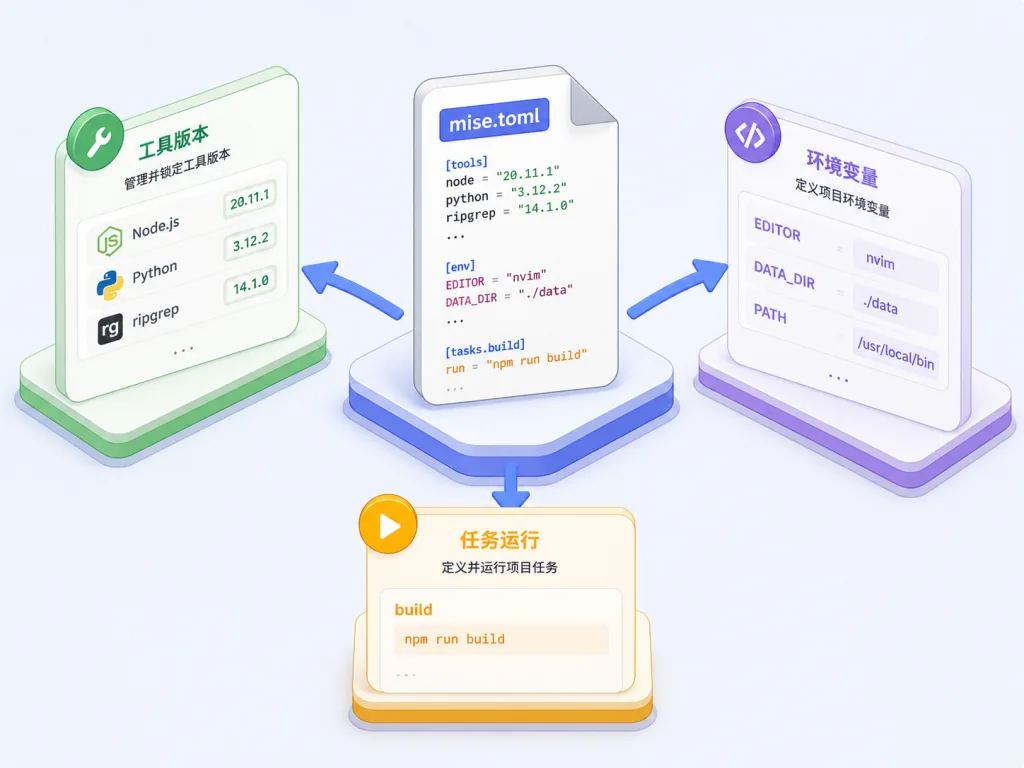
mise targets exactly that pain: one CLI that puts tool versions, environment variables and task running into the same mise.toml.
2. Project overview: what it is in one sentence
mise is an all-in-one development environment tool written in Rust, built around a dev tools, env vars, task runner three-in-one pitch. It has 32K+ stars on GitHub and is sponsored by companies including entire.io and 37signals. It's the successor to rtx, and its author @jdx also maintains the popular Node package manager aube, so the ecosystem ties in closely.
3. A deep dive into the core features
1. Multi-language tool version management
mise ships with version management for hundreds of development tools: Node, Python, Go, Rust, Terraform, jq, aws-cli and many more. The syntax is very direct:
[tools]
node = "20"
go = "1.22"
Run mise install and every tool is installed. Unlike nvm, mise doesn't create a shim layer that intercepts commands — it hands you the real executable path. which node returns /Users/.../mise/installs/node/20.x.x/bin/node. That means faster startup, and no middle layer getting in the way when you debug. Different Node versions across projects? Change one number in mise.toml, no manual switching.
2. Project-level environment variable management
Environment variables can be declared in the [env] section of mise.toml, loaded from .env files via the dotenv directive, or pulled from multiple sources such as inline (written straight into the toml) and path (from a PATH variable).
[env]
_.path = ["./node_modules/.bin"]
DATABASE_URL = { value = "postgres://localhost/dev", tools = true }
Enter the project directory and it activates automatically; leave and it deactivates. You never have to write "remember to source .envrc" in an onboarding doc again.
3. A unified task runner
mise's task system supports dependencies, concurrency, file watching, source-hash caching and other advanced features.
[tasks.deploy]
description = "Validate before deploying"
depends = ["validate", "plan"]
run = "terraform apply -auto-approve"
Need something more complex? Use run.wsl and run.windows to give each platform its own command, or write inline script fragments with run = 'echo "doing $1"'. mise watch build can even watch for file changes and rerun tasks automatically.
4. CI friendly
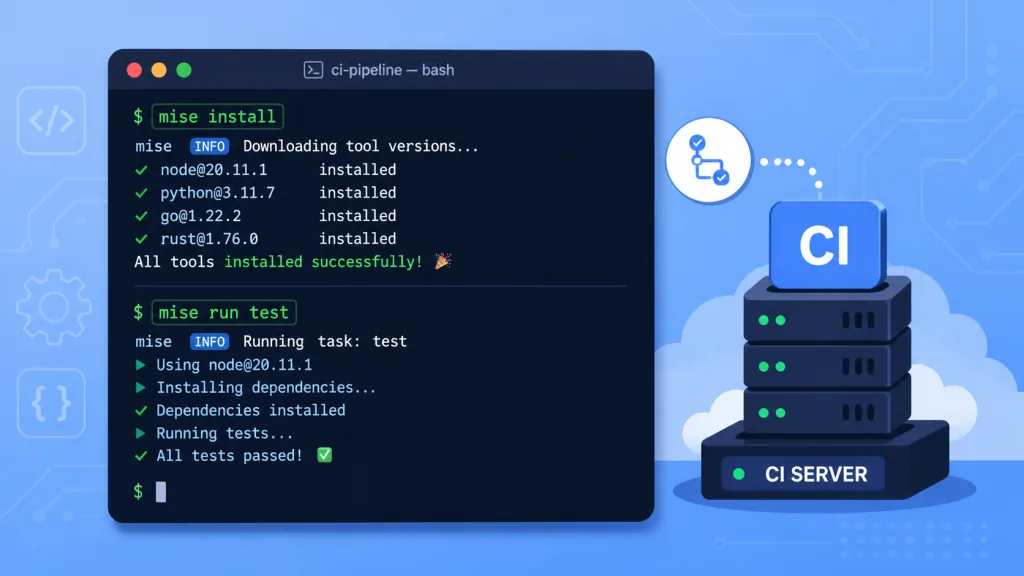
The most annoying thing in CI is "works locally, dies in production". In CI, mise installs and activates in one shot: curl https://mise.run | sh, then mise install, and the environment matches your machine exactly.
4. Technical highlights and performance numbers
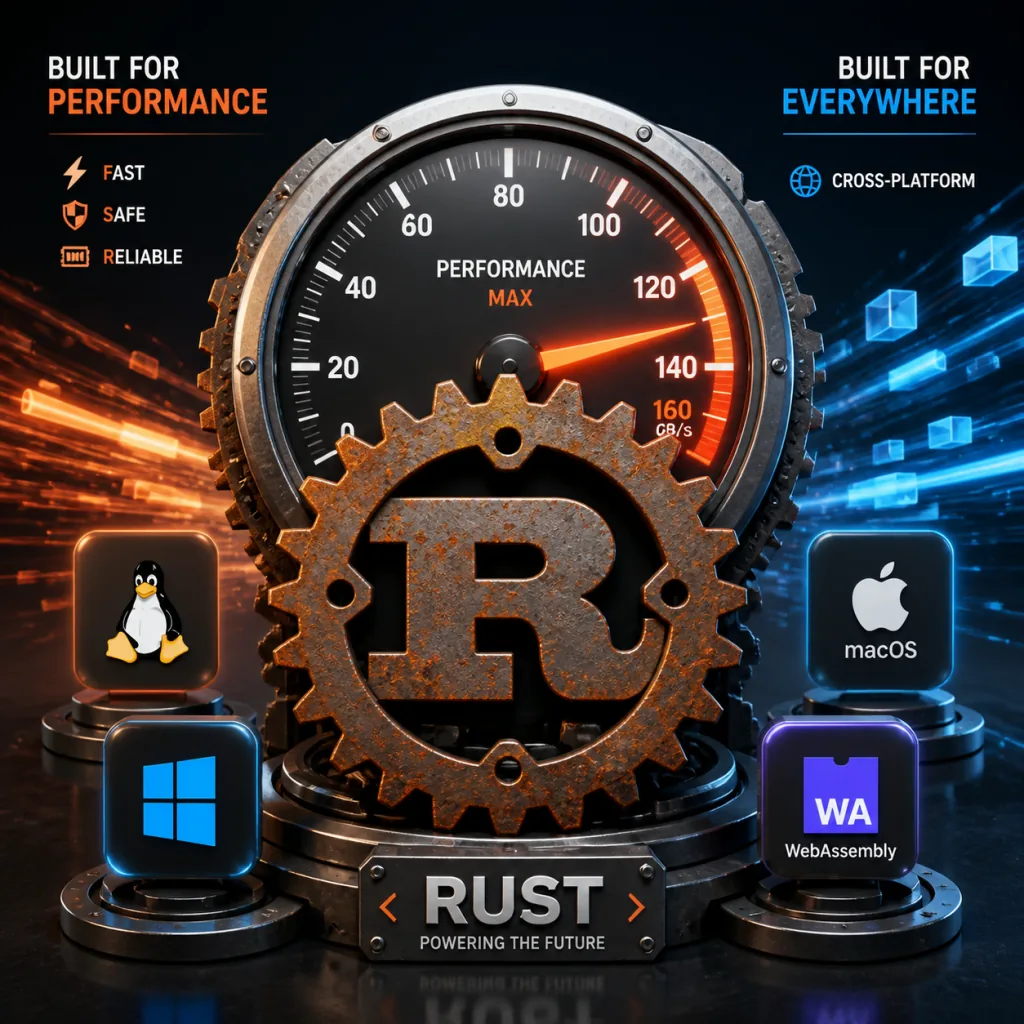
- A Rust CLI: cold start is measured in milliseconds, an order of magnitude faster than comparable Node-based tools (parts of
volta's logic, for example). - Real PATH injection: no shim interception. The PATH is assembled directly when spawning child processes, skipping the extra fork/exec overhead.
- Task caching: reruns are decided by hashing source files, with fine-grained control via flags like
mise run --skip-deps. - Ecosystem size: the registry indexes hundreds of tools, covering nearly every mainstream language and DevOps toolchain.
- Cross-platform: macOS, Linux and Windows (both WSL and native PowerShell) are covered, so the team can run whatever OS they like.
5. Where it fits, and who it's for
Good fit:
- Platform teams maintaining a multi-stack monorepo who need unified Node, Python and Go tool versions plus environment variables.
- Small and mid-sized teams that onboard new people often and want environment setup to move from oral tradition into a
mise.tomlin the repo. - DevOps engineers writing infrastructure code in Terraform/Pulumi/Claude, who need to switch AWS profiles and tool versions between project directories.
Not a great fit: small pure-frontend projects using a single language and a single version, or scenarios extremely sensitive to Docker image size where you don't even want a CLI installed.
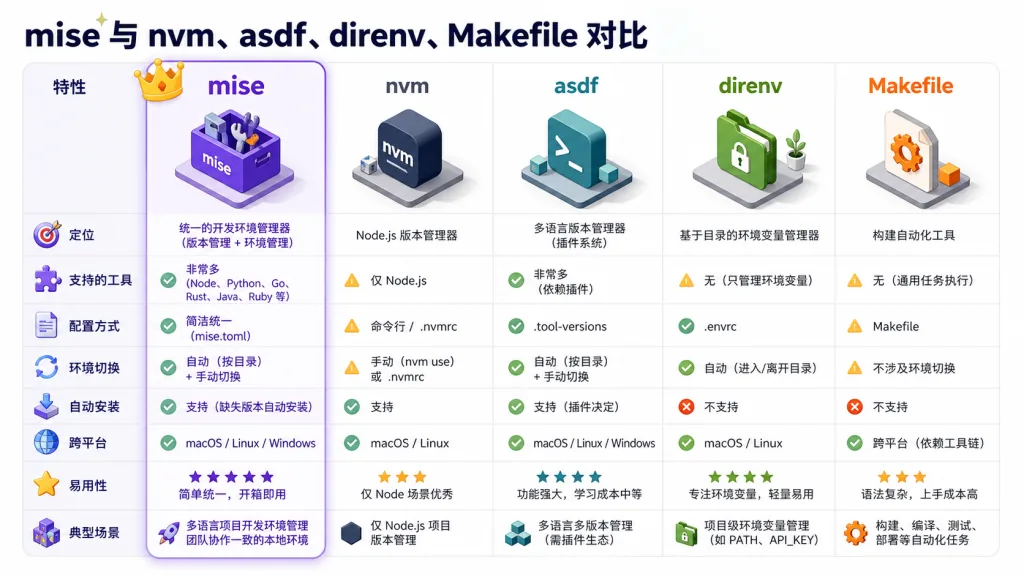
6. Comparison with alternatives
| Tool | Core capability | Strengths | Weaknesses |
|---|---|---|---|
| mise | Tools + env + tasks in one | Fast Rust performance; one config file; strong task system | Young project, docs and ecosystem still maturing |
| nvm/fnm | Pure Node version management | Mature community, easy to learn | Node only; env vars rely on direnv |
| asdf | Multi-language tool version management | Rich plugin ecosystem | Slow, written in Ruby; weak task support |
| direnv | Automatic env var loading | Deep shell integration | Doesn't handle tool versions |
| Makefile/npm scripts | Task execution | Almost everyone knows them | Poor cross-platform; tools/env need separate setup |
What sets mise apart: one mise.toml solves all three problems, and Rust keeps it fast.
7. How to get started fast
Install (one line on macOS/Linux):
curl https://mise.run | sh
Activate in your shell (pick one line):
echo 'eval "$(~/.local/bin/mise activate zsh)"' >> ~/.zshrc
echo 'eval "$(~/.local/bin/mise activate bash)"' >> ~/.bashrc
Minimal working example:
# mise.toml
[tools]
node = "20"

[env]
GREETING = "hello"

[tasks.hi]
run = "echo $GREETING from node $(node -v)"
Run mise install && mise run hi and you get hello from node v20.x.x. A new teammate clones the repo, runs those two commands, and is ready to develop.
Advanced tips: put one mise.toml at the monorepo root and let subprojects override local settings with the path directive in [env]; in CI, run mise --cd projects/foo run deploy to trigger a specific subproject's task flow.
8. Summary and what to do next
mise folds three previously scattered things — tool versions, environment variables, task execution — into one Rust CLI and one mise.toml. For teams that have been tortured by nvm + direnv + Makefile + word-of-mouth READMEs, it can cut 80% of the "environment setup" section out of the onboarding doc outright.
Why it's worth a try: 32K+ stars, Rust performance, cross-platform, one config for all three, and sponsors like 37signals — a veteran engineering team.
- GitHub: https://github.com/jdx/mise
- Site and docs: https://mise.jdx.dev
- Quick start: https://mise.jdx.dev/getting-started.html
- Community: GitHub Discussions and Discord
If you're planning a round of toolchain governance for your team, mise is currently one of the best return-on-effort choices out there.