Title options (pick 1 of 3)
OpenHiggsfield AI: the open-source antidote for anyone driven crazy by multi-platform subscriptions
38 image and video models in one prompt bar: OpenHiggsfield AI compresses the whole workbench to the limit
No more opening a separate account for every AI model: OpenHiggsfield AI, taken apart
1. Opening: one project between painful trial-and-error and genuine delight
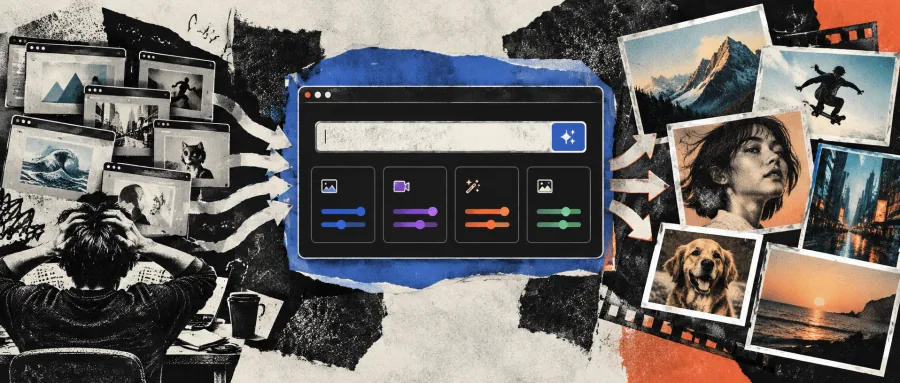
Almost every content team has lived through this breakdown: you want to try a new video generation model, and every platform means another UI, another login, another subscription. You finally get one clip out, screenshots pile up across a dozen folders, and next time you want the same parameters you can only rebuild them from memory. Worse, platforms reprice at will and retire models overnight — saved links to your work simply stop working. On one side, high subscription costs; on the other, a workflow that can evaporate at any moment. That is why so many people curse Higgsfield AI and still cannot leave it.
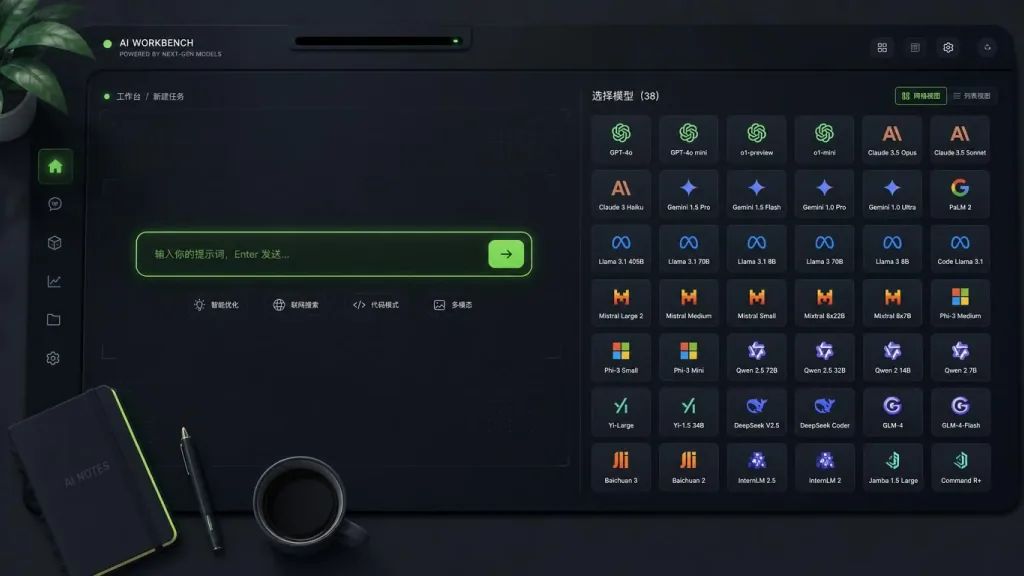
Then a 4.1K-star open-source replacement showed up on GitHub: OpenHiggsfield AI. It packs 38 image and video models into a single workbench, with one Gallery for archive, and it runs in the browser. The key part: free, self-hosted, and the key is yours.
2. Project overview: what it is in one sentence
OpenHiggsfield AI is an open-source studio for image and video generation, built around "one prompt bar, one model catalog, one work gallery." It has 4.1K stars on GitHub, is built on Next.js 16 App Router, React 19, Zustand and plain CSS, deploys on Vercel, and positions itself as "a free, open-source alternative to Higgsfield AI."
Three keywords sum up the core features:
- Unified workbench: image generation and video generation share the same prompt bar; the model you pick decides the modality.
- 38-model catalog: 8 image models plus 30 video models, including mainstream players such as Soul 2, Seedance 2.5, Kling 3, Wan, Flux, Ideogram, Recraft, LTX, MiniMax, PixVerse, Grok and Qwen.
- Work Gallery: every result is archived in a masonry layout at its native aspect ratio, with reuse, favorites, batch download and undo-delete.
3. Core features in depth
1. One prompt bar drives both images and video
The conventional approach builds separate interfaces for images and video. OpenHiggsfield merges them: the selected model decides whether you get a still or a clip, and ⌘/Ctrl + Enter submits. The catalog is searchable, and sub-versions such as Soul 2, Seedance 2.5 Edit/Extend, and Kling 3 Turbo/Std/Pro/4K/Motion are laid out clearly. This "model is the modality" design keeps creators focused on the prompt itself instead of on switching tools.
2. Every model carries its own settings panel
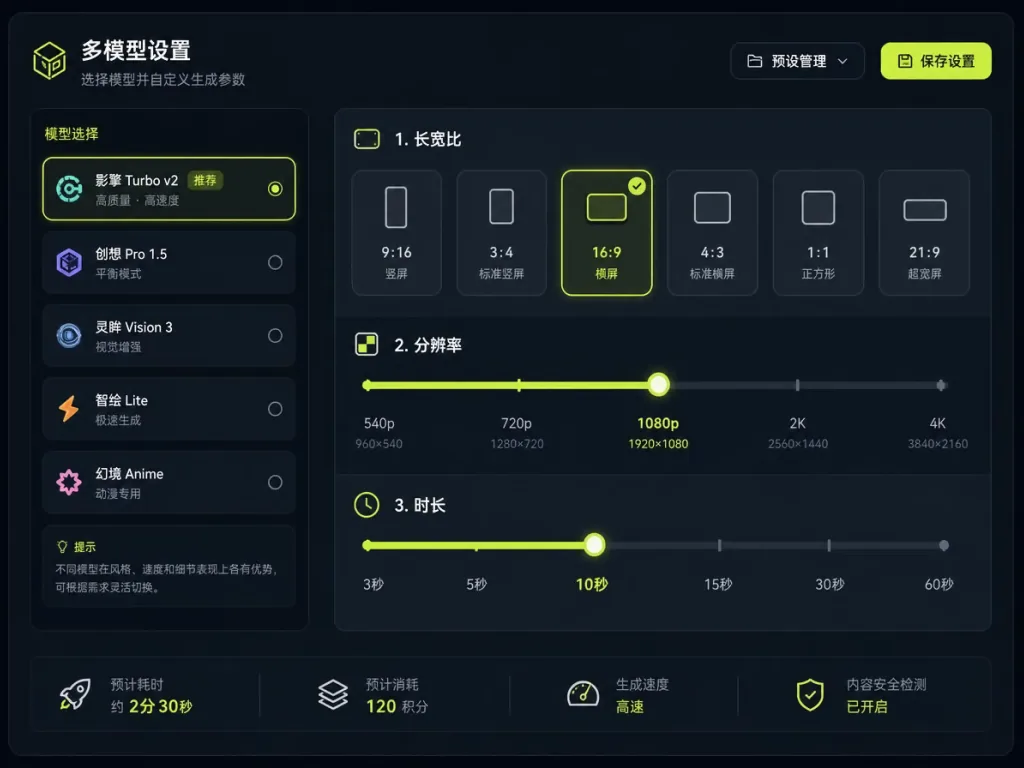
The pain point of most aggregators is misaligned settings: model A supports 4K, model B supports audio, and you end up hardcoding parallel lists in the UI. OpenHiggsfield gives that authority to the model itself — aspect ratio, resolution, duration, output format, audio, batch size, prompt enhancement. Each model declares its own allowlist, and the UI renders only the fields the model declares. Adding a model means adding one record under src/generation/catalog/, and its settings panel appears automatically.
3. Media inputs managed by role
Video models often need a start frame, an end frame, reference images, reference video and reference audio, and each role has its own count limit. OpenHiggsfield abstracts these roles into a uniform interface: uploads go to Vercel Blob to get a public URL, then get assembled into the generation request. History items and uploaded assets both land in a shared Asset Picker, so image and video modes draw from one library and filter by role. This design is especially friendly to models that need reference material, such as Kling's 4K Motion or Seedance's Extend.
4. Live run lifecycle
Once you submit, a skeleton placeholder opens in the grid immediately; the server polls state every 4 seconds, with a 10-minute timeout, and each result "blooms" into place on its own clock. Batches support up to 4 results, and failed/NSFW/cancelled states leave a trace with one-click retry. This attention to making async generation feel like a live process is clearly designed for people who iterate for hours.
5. The Gallery is not a folder, it is a database
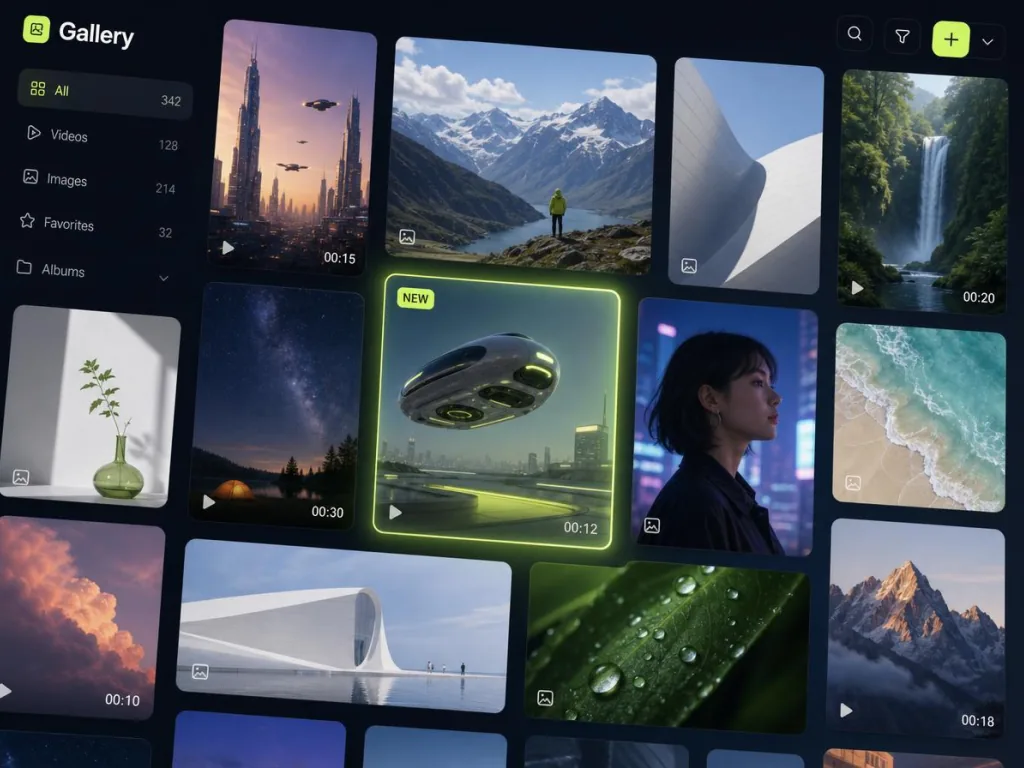
Four tabs: images, videos, assets (everything finished), favorites. The masonry layout renders at true aspect ratios with gradient placeholders while loading. Each tile supports reuse, favorite, delete and multi-select; clicking opens a Viewer with the full prompt, model, parameters and timestamp, plus one-click copy of the prompt or download. Deletion comes with a 6-second undo window and a progress bar draining like an hourglass — the kind of detail only someone who uses the thing daily would add.
4. Technical highlights and performance data
On the stack side, OpenHiggsfield runs Next.js 16 App Router on Vercel, uses React 19 for the view layer, plain CSS for styling (no utility-first frameworks like Tailwind), and Zustand for state. The architecture has a few notable choices:
- The catalog is the source of truth: the model catalog is the single source of truth, so adding a model requires no Studio code changes;
- Server Action isolation: the browser never talks to the generation API directly — everything goes through Server Actions, avoiding key leaks;
- Five Zustand stores: grouped by image/video prompt and media, plus
settings[modelId], so there is no explosion of "one store per model"; - IndexedDB persistence: history capped at 60 entries, favorites never expire;
- Direct Vercel Blob uploads: uploads go through
/api/blobto get a scoped token, keeping large files off the Server Action bandwidth.
On the design language side, the Studio uses a dark base with a single lemon-green accent #d1fe17, Inter throughout; the accent is reserved for status indication (selection, primary action, running) and never for decoration, letting generated content be the only color on screen. That restraint is very kind to people who stare at it for hours.
5. Use cases and audience
Who it fits:
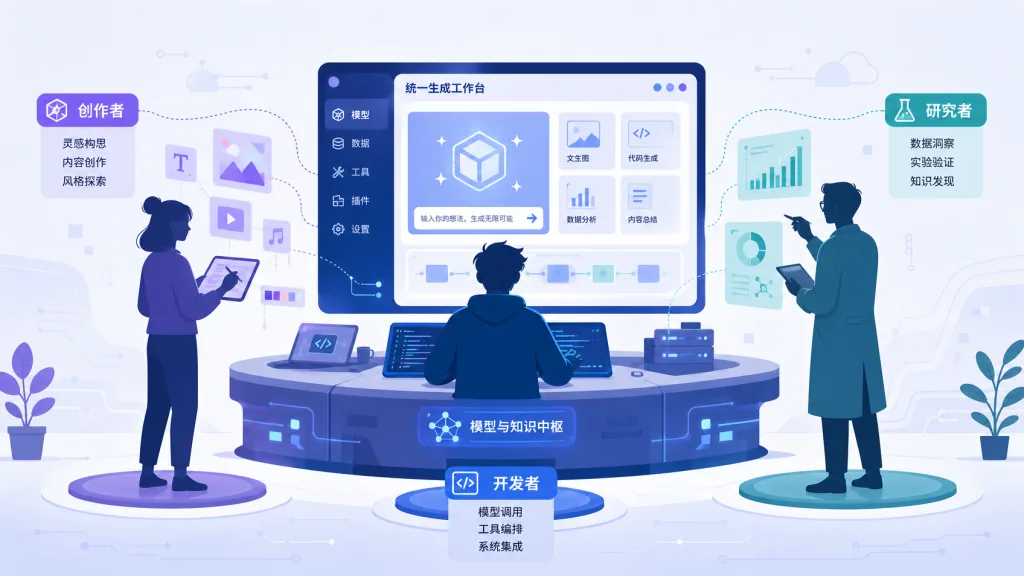
- Creators using several image/video models at once, who want one unified workflow instead of platform switching;
- Individual developers or small teams sensitive to subscription pricing, who want "integrate once, pay per use";
- Studios that care about data ownership and want their work history in their own browser rather than a vendor's servers;
- Early adopters who want to try new models quickly, since onboarding a model only means editing a catalog file.
Who it doesn't fit:
- Light users on a single model (say, Midjourney only) — a native client is enough;
- Teams that need offline deployment or private network environments — the hosted version runs on Vercel, and self-hosting means adapting the generation API yourself;
- People with strong UI customization requirements who don't want to touch source code.
6. Comparison with alternatives
| Dimension | OpenHiggsfield AI | Higgsfield AI (closed source) | ComfyUI / SD WebUI |
|---|---|---|---|
| Open source | ✅ MIT-friendly | ❌ Closed source | ✅ Open source |
| Model count | 38 (image + video) | Mostly its own models | Depends on local plugins |
| Deployment | Browser / Vercel | Official only | Mostly local |
| Learning curve | Low (one prompt bar) | Low | High (node graphs) |
| Best for | Side-by-side model comparison, batch output | Deep users of a single platform | Research, training, custom workflows |
| Key ownership | Bring your own | Platform account | No key needed for local inference |
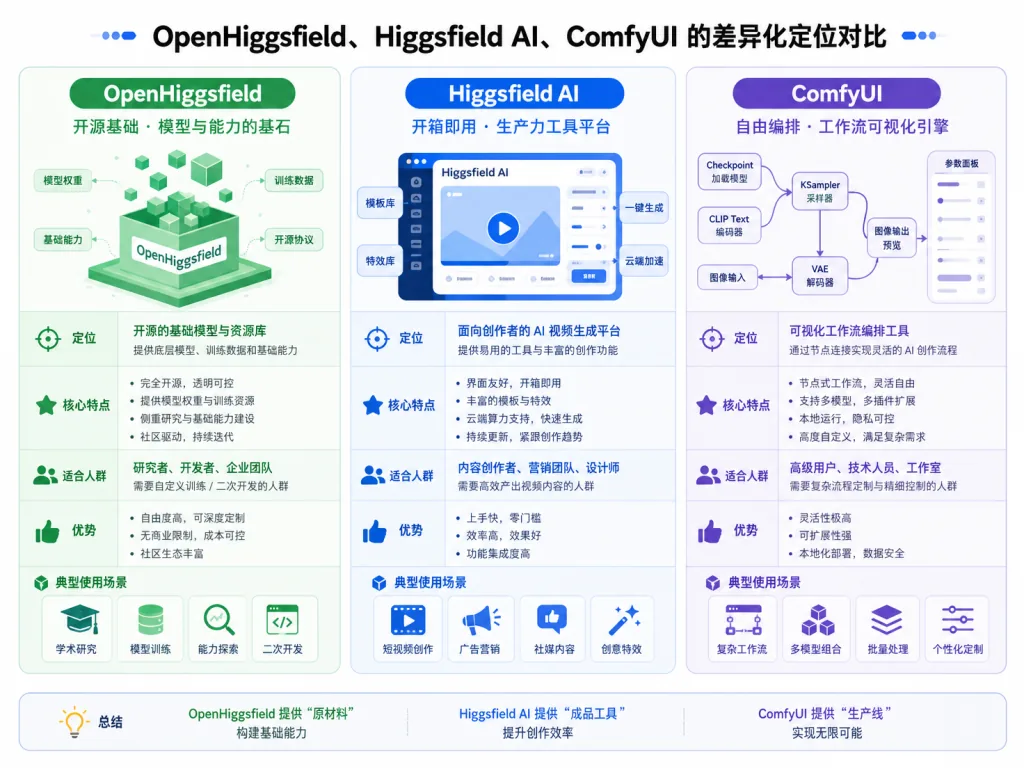
Put simply: OpenHiggsfield occupies the "multi-model aggregation plus low barrier" niche. ComfyUI leans toward research, Higgsfield AI leans toward locking you into its own models. It is not trying to replace either — it gives people who want to try everything at once a clean workbench.
7. Getting started fast
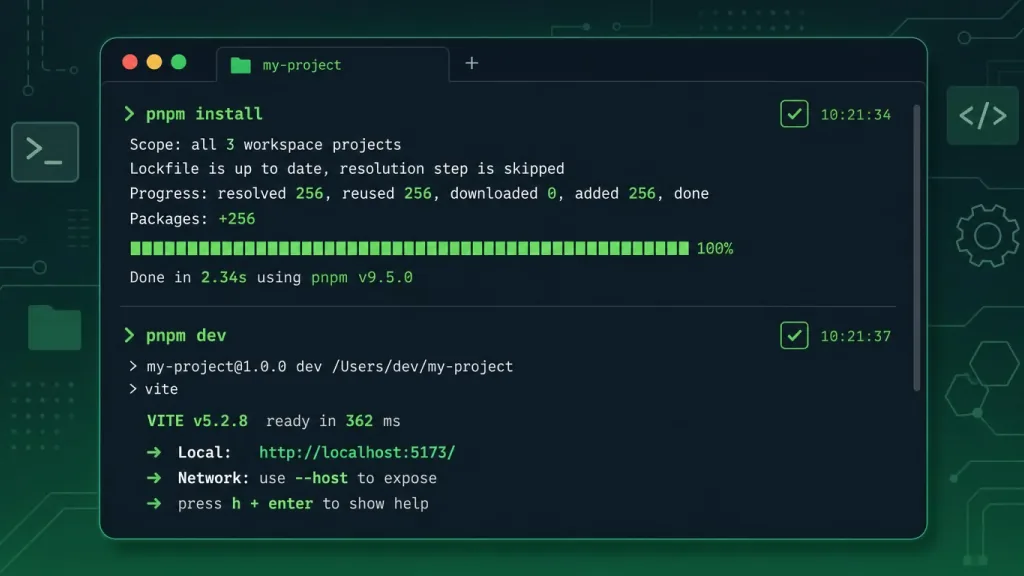
Three steps to run it locally:
pnpm install
pnpm dev            # http://localhost:3000
Open the Studio, click Add key in the top right, and paste your platform key in id:secret format. Only two environment variables are needed: HF_API_BASE_URL (the generation API origin) and OPEN_HIGGSFIELD_READ_WRITE_TOKEN (the Vercel Blob read/write token).
If you don't want to self-host, you can go straight to openhiggsfield.ai — the Studio itself is free, you just bring your own key. Common commands:
| Command | What it does |
|---|---|
pnpm dev | Dev server (port 3000) |
pnpm build | Production build |
pnpm start | Start the production server |
pnpm brand | Regenerate the icons and OG cards under public/ |
Advanced tips: browse a few Starter Prompts in the Gallery first to get a feel, then try a model that needs start and end frames, like Kling 3 Motion; for batch output, Shift+click to multi-select and download in one go.
8. Summary and next steps
The core value of OpenHiggsfield AI is that it folds "fragmented multi-model creation" into one unified workbench: one prompt bar, one model catalog, one work gallery — plus open source, self-hostable, and keys that stay yours. It suits people who have already paid the cost of switching between platforms and have started to think about workflow portability.
If you are tired of paying separately for each model, learning a separate UI for each, and backing up work in separate places, give it a try. Repository: wide-trace/open-higgsfield; hosted version: openhiggsfield.ai. One pnpm dev and you can start your next batch of output today.
#open-higgsfield #OpenHiggsfield #wide-trace #AIVideoEditing #ScriptedVideo #TalkingHeadVideo #OpenSource #GitHub