
Choose a title (pick 1 of 3)
Still hand-sifting dark web OSINT results? This 7.4k-star AI tool buys you back 4 hours
Robin: take a dark web investigation from 4 hours down to a few dozen minutes, with AI filtering and MCP integration in one step
No crawler of my own, yet a structured investigation report came out: how Robin does it
1. Opening: one project between pain and payoff
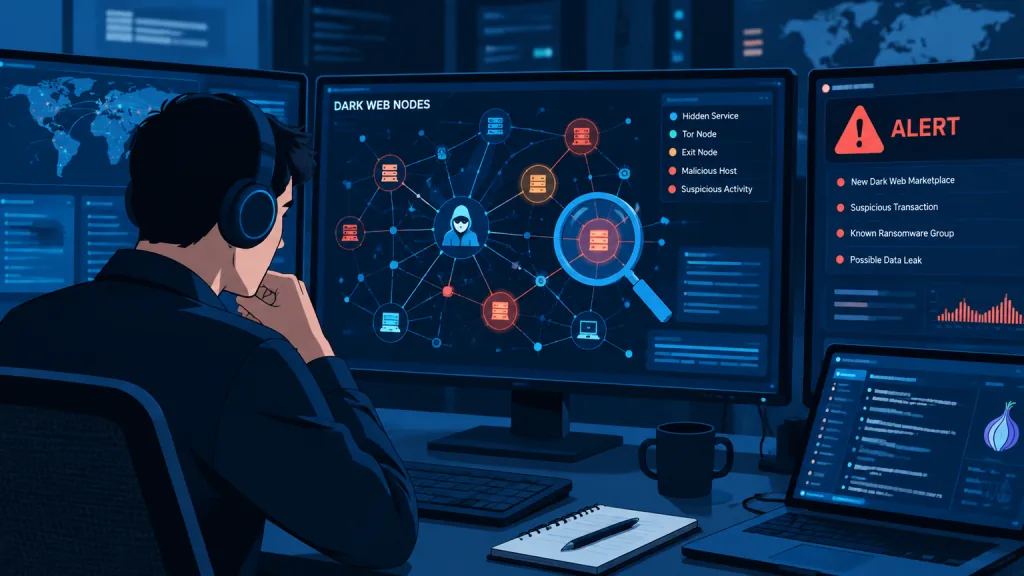
A colleague on threat intel has been complaining for a while. Every time he chases a dark web lead, he has to manually type queries into several dark web search engines, then filter out a pile of unrelated phishing sites and mirrors by hand, then put it all together into a report in a notebook. A moderately complex investigation takes 4 to 6 hours, and the output still often misses key nodes. Worse, new analysts don't know dark web syntax, so the same keywords return results of wildly varying quality, with almost zero reproducibility.
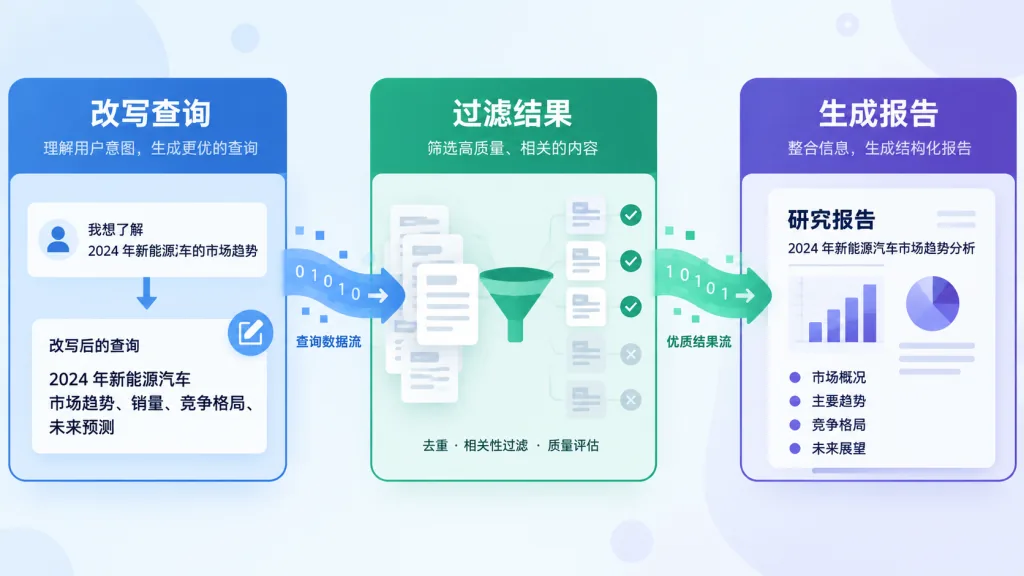
The OSINT world is not short on tools. But open source projects that string all three steps — LLM query rewriting, result filtering, investigation summaries — into one complete pipeline are rare. Robin fills exactly that gap.
2. Project overview: what it is in one sentence
Robin is an AI-driven dark web OSINT tool. It uses large language models to rewrite queries, filter what the dark web search engines return, and automatically generate readable investigation reports. It currently has 7.4k+ GitHub stars, the main repository is written in Python, a pullable Docker image is published, and it has been picked up by GitHub Trending as a repository of the day.
Core keywords: AI-driven, dark web OSINT, MCP protocol, multi-model support, Docker ready out of the box.
3. Core features in depth
1. Seamless switching between models
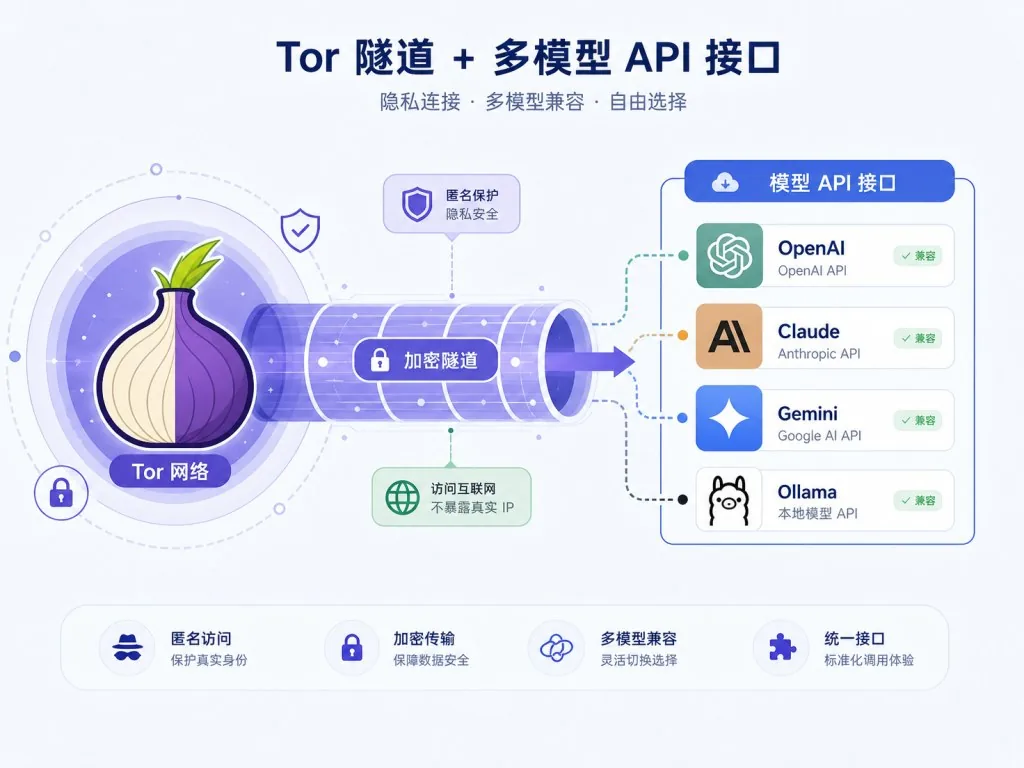
Robin natively supports OpenAI, Anthropic Claude, Google Gemini, Mistral, OpenRouter, Ollama, and any OpenAI-compatible API (LM Studio, llama.cpp, Groq and so on). Fill in any *_API_KEY in .env and the sidebar lists the available models automatically; with Ollama you don't even need a key. If you want to plug in a self-hosted or third-party remote model, just enter the Base URL and model name under "🔌 Custom API Provider" in the sidebar — no config file edits. In the real world, where a model gets rate limited one day and you want to switch to a local model for data privacy the next, this saves a lot of ad-hoc code patching.
2. Streamlit web UI with conversational follow-ups
The tool ships an interactive Streamlit web interface: start it locally and open http://localhost:8501. After an investigation finishes, you can ask grounded follow-up questions about the results — meaning answers come only from the data captured in that investigation and never trigger a new dark web search. That matters a lot to investigators: you keep the LLM's summarization ability without letting hallucinations contaminate the intelligence.
3. One-click pivot
Robin suggests several follow-up queries based on what it just found, and one click launches the next round. This discover, suggest, re-investigate loop means analysts no longer have to keep guessing what to search next — especially useful for complex multi-hop investigations.
4. Native MCP protocol support
Robin also provides an MCP server implementation, so it can plug into Claude Code, Codex, Claude Desktop, Hermes, OpenClaw, or any MCP-capable agent and reuse the host's own model. A typical one-line claude mcp add registers it, effectively giving Claude, Codex and friends dark web OSINT capabilities directly.
4. Technical highlights and performance data
- Tor traffic isolation: every dark web search, page fetch and search engine health check goes through Tor. The local app never requests dark web pages directly, so the investigator's IP is not exposed.
- Safe handling of data: fetched text is wrapped in "untrusted-data" delimiters and stripped of control characters, zero-width characters and bidirectional control characters before it reaches the model. Untrusted content is therefore read as evidence, not instructions, which reduces prompt injection risk at the source.
- Minimal write strategy: the only write operation dumps the investigation report into
investigations/, and Robin names the path itself — the agent cannot specify one, which rules out arbitrary file writes. - One-command Docker start: the official image is a reasonable size and starts with a single
docker run; history can be persisted via a named volume or a local directory. - Broad ecosystem compatibility: supports both local (Ollama, llama.cpp) and cloud (OpenAI, Claude, Gemini, Mistral, Groq, OpenRouter) models, so teams with different compliance requirements can each find a fit.
5. Use cases and audience
Typical scenarios:
- Threat intel analysts tracking leaked data, ransomware claims and dark web market activity.
- Corporate security teams running periodic checks on their brand, domains and employee emails exposed on the dark web.
- Academic research or law enforcement training that needs to reproduce dark web investigation workflows under compliance rules.
- Investigative journalists doing initial verification of anonymous sources.
Who it fits: OSINT analysts, corporate blue teams, threat intel teams, and developers interested in LLM agents plus MCP. Who it doesn't fit: people with no Tor environment at all; and anyone hoping a one-click script will bypass compliance review — the tool states explicitly that it is for lawful investigation only.

6. Comparison with alternatives
| Dimension | Robin | Traditional dark web search scripts | Generic LLM + browser setup |
|---|---|---|---|
| Query rewriting | LLM generates multiple variants automatically | None, keywords tuned by hand | Manual prompting required |
| Result filtering | LLM deduplicates, classifies and scores | Keyword regex | Uncontrollable |
| Investigation summary | Structured report generated automatically | None | Needs a second pass |
| Conversational follow-up | Grounded in this investigation's data, no hallucination | Not supported | Prone to hallucination |
| Model choice | 7+ vendors, switchable | Not applicable | Depends on the agent |
| Deployment | One Docker command | Depends on the project | Several services stitched together |
Compared with generic setups, Robin turns dark web search, LLM filtering and report generation into one complete chain, and it locks you into neither a model nor a data source.

7. Getting started quickly
Prerequisites: Tor installed on the machine (Linux/WSL: apt install tor, macOS: brew install tor), and confirmed to be running in the background.
One-command Docker start (recommended):
- Pull the image:
docker pull apurvsg/robin:latest - Create
.envand fill in at least one API key:touch .env && echo "OPENAI_API_KEY=your_key" >> .env - Start the container:
docker run --rm -v "$(pwd)/.env:/app/.env" --add-host=host.docker.internal:host-gateway -p 8501:8501 apurvsg/robin:latest - Open
http://localhost:8501in your browser
Advanced tips:
- To persist investigation reports, add
-v robin-investigations:/app/investigations. - To use a local model, set Ollama's
OLLAMA_HOSTto0.0.0.0and Robin will discover it automatically. - To give Claude or Codex dark web capabilities, register it with the official one-liner
claude mcp add robin -- docker run -i --rm -v robin-investigations:/app/investigations apurvsg/robin mcp, and raise the timeout above 600 seconds.
8. Conclusion and next steps
Robin stitches dark web search, LLM filtering, report generation and MCP integration into a pipeline that works out of the box. For analysts who deal with dark web leads every day, it compresses a single investigation from hours to a few dozen minutes, and conversational follow-ups plus one-click pivots close the loop.
Compliance note: use it only within the scope of lawful authorization, and mind your upstream LLM provider's own compliance requirements for sensitive queries.
Project: https://github.com/apurvsinghgautam/robin Docker image: apurvsg/robin Troubleshooting: TROUBLESHOOTING.md in the repository
#robin #Robin #apurvsinghgautam #CLI #DevTools #Frontend #OpenSource #GitHub