1. Intro: from pain to payoff, one project apart
You stayed late to finish a contract. The other side sends back a scanned PDF, and you need to change the client's name inside it. You open a "free" editor and get a popup: "Subscribe to Pro to edit text." You switch to another — it forces a watermark on export. One more — the installer is 800 MB and halfway through it throws five bundled apps at you.
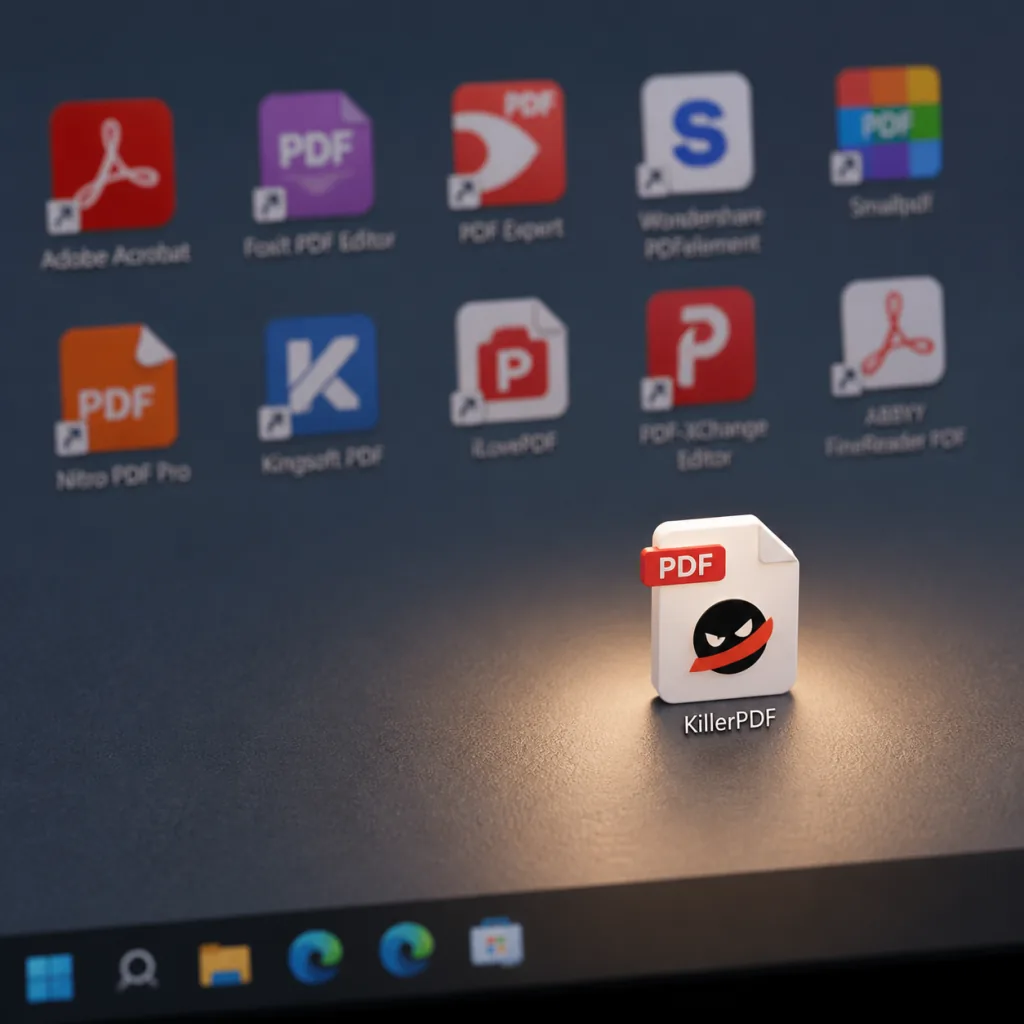
This is the loop plenty of people have been through with PDFs: one app to read, another to edit, a third for OCR, a fourth to merge and split. Four or five PDF tools permanently installed on one machine: slow boot, wasted RAM, and they fight each other. What KillerPDF wants to do is stuff that entire toolbox into a single 15.9 MB EXE.
2. What the project is: which problem it solves
KillerPDF is an open-source PDF editor for Windows built around one promise: free, single-file, no ads, no account. It has 3322 stars on GitHub, is written mainly in C#, uses PDFium for rendering, PdfSharpCore for writing and Tesseract for OCR, and ships under GPLv3.
Four keywords:
- Free and open source: GPLv3, free for commercial use too — but forks or modifications must be open-sourced.
- Single-file portable: one EXE at just 15.9 MB, 11.4 MB compressed, runs without installation.
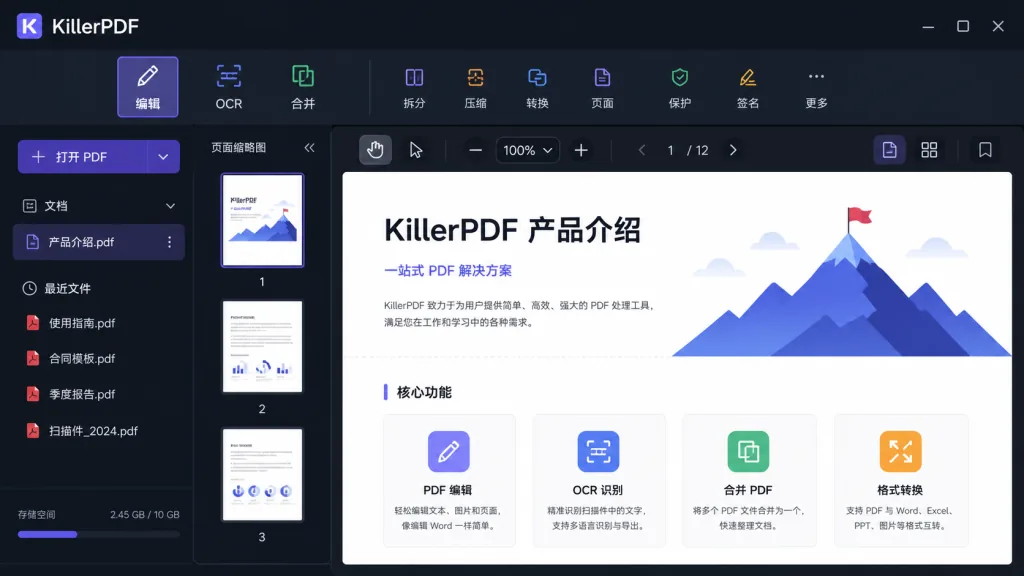
- Feature-complete: viewing, annotation, OCR, merge, split, text editing, drawing, signatures, form filling, printing, flattening, password cracking — the full range.
- Local and offline: no account, no telemetry, no uploads, everything processed locally.
3. Core features, in depth
1. Built-in OCR and searchable PDFs
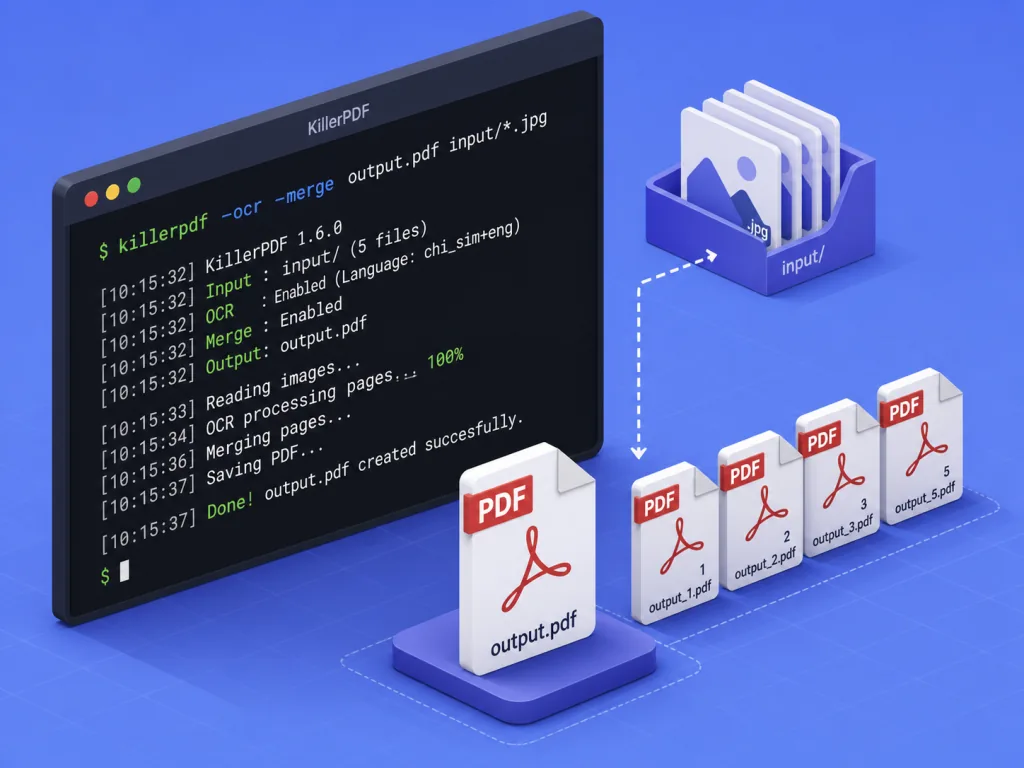
KillerPDF packs the Tesseract engine straight into the EXE — no network, no plugins. Select a region on the page and the OCR result goes to the clipboard; pick "Make Searchable PDF" from the menu and it lays an invisible text layer over the scan, keeping the layout intact while making it copyable and searchable. For batch work, --ocr scan.pdf searchable.pdf --lang eng does it in one command, downloading language packs automatically on first use.
2. Text and annotation editing
The editor supports inline edits to PDF text and automatically matches the original document's fonts, which looks far more natural than a plain white box with new text on top. The draw, line and highlight tools each support colour, opacity and line width; the colour picker comes with an eyedropper and a hex input field. Undo/redo is tracked per tab, and Ctrl+Z walks back through annotations, text, stamps and document-level operations alike.
3. Page organization and transforms
Merge, split, drag to reorder, insert blank pages, rotate, extract, delete multi-page selections, right-click in the sidebar — all in one flow. Cropping supports corner dragging. The most interesting transform is "draw a line to straighten": draw a horizontal line across a skewed scan and the document snaps upright in real time, with annotations rotating along with it. Drag a folder or a .zip into the window and it merges the PDFs and images inside automatically, or opens them one by one.
4. Forms and digital signatures
AcroForm fields (text boxes, checkboxes, radio buttons) are filled as live controls, and the fields stay editable after saving. Digital signing works with Certum SimplySign cloud certificates, and you can click a form field to sign; if you'd rather not use a certificate, hand-draw or import a PNG/JPG/BMP as a signature stamp.
5. Command-line batch processing
Every GUI feature has a command-line counterpart, with proper exit codes (0 success, 1 failure, 2 bad arguments), and it works fine while the app is running. Common commands:
KillerPDF.exe --merge out.pdf a.pdf b.pdf scan.jpg
KillerPDF.exe --extract-pages in.pdf 1-3,5 out.pdf
KillerPDF.exe --to-image in.pdf imgs\ --dpi 300 --format jpg
KillerPDF.exe --batch-resave inDir\ outDir\ --log report.csv
Write one PowerShell script and you have a pipeline for "OCR a batch of scans, make them searchable, merge and archive."
4. Technical highlights and performance data
- Render quality: PDFium under the hood, with high fidelity on complex layouts and embedded fonts.
- Conformance validation: every release runs veraPDF, holding a "zero regression" bar against a 2900-sample conformance corpus — see
validation/RESULTS.md. - Size control: Costura packs the .NET Framework 4.8 runtime and Tesseract together, so the single EXE is only 15.9 MB, and Windows 10/11 runs it out of the box on its built-in 4.8.
- Standards patches: the bundled PdfSharpCore carries 6 standards-conformance patches, marked
KillerPDF patchin the source, with provenance recorded inthird_party/PdfSharpCore/VENDORED.txt. - Multilingual UI: 10 languages — English, Spanish, Traditional and Simplified Chinese, German, French, Turkish, Bengali, Japanese, Czech — and 6 themes (Dark, Light, Black, Blood, Greed, Cyanotic).
- Install modes: per-user install into
%LOCALAPPDATA%without UAC, or machine-wide into Program Files; a/silentflag makes enterprise deployment easy.
5. Use cases and who it's for
Good fit:
- Office workers dealing with contracts, invoices and scans day to day;
- Ops and document admins who need batch OCR, merging and conversion into archives;
- Legal, medical and research users who care about privacy and won't upload files to the cloud;
- Anyone who refuses a subscription but still needs a real commercial-grade tool.
Not a great fit:
- macOS and Linux users — only Windows x64 builds are published right now;
- Enterprises needing shared collaboration, version control and review workflows — this is a single-user, single-machine tool, closer to a local Swiss Army knife than a SaaS platform.
6. Competitor comparison
| Tool | Price | Size | OCR | CLI | Offline | Open source |
|---|---|---|---|---|---|---|
| KillerPDF | Free | 15.9 MB | Built-in Tesseract | Yes | Fully offline | GPLv3 |
| Adobe Acrobat | Subscription | Hundreds of MB | Requires network | Paid tier | Partial | No |
| Foxit Reader/Editor | Paid for personal use | Hundreds of MB | Sold separately | Limited | Partial | No |
| PDFsam Basic | Free | ~50 MB | None | Partial | Offline | GPL |
| SumatraPDF | Free | ~6 MB | None | None | Offline | GPLv3 |
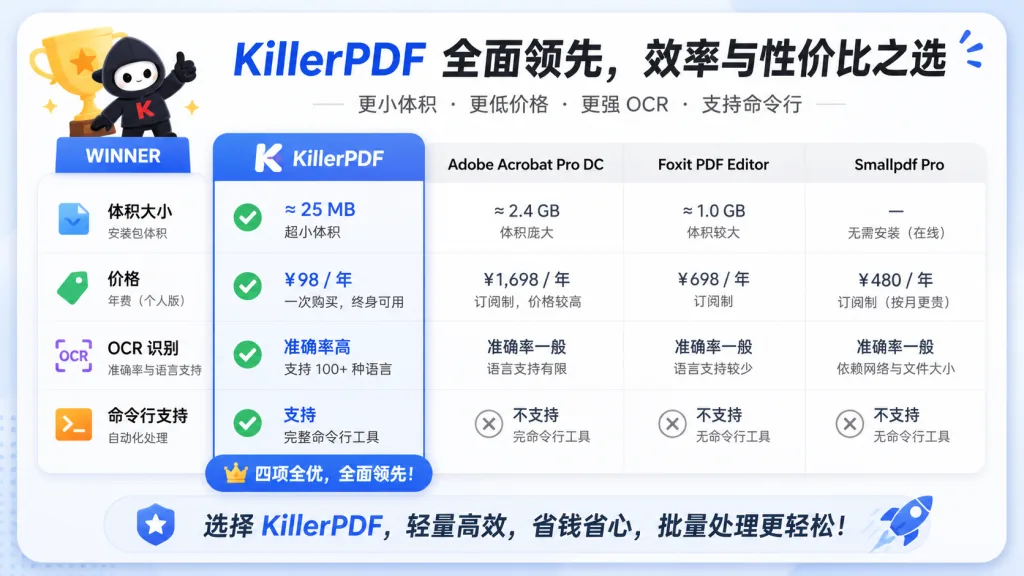
KillerPDF's differentiation: single-file size with function depth close to a commercial editor, and first-class treatment for OCR, the command line and signing — capabilities that used to cost money or need add-ons.
7. Getting started fast
One-command install via WinGet:
winget install killerpdf
Chocolatey channel: choco install killerpdf.
You can also grab the standalone EXE directly: https://github.com/SteveTheKiller/KillerPDF/releases/latest/download/KillerPDF.exe.
It's portable, no install needed — download and double-click.
Minimal example: open a scanned contract PDF → press F10 for split view to check the original side by side → select the body region and click "OCR to Clipboard" → use "Make Searchable PDF" to produce a searchable version → Ctrl+S to save.
Further tips:
- Need scheduled cleanup of scans? Loop
--ocrplus--mergein PowerShell and you have an archiving pipeline. - Want another UI language? Switch it from the menu — Simplified Chinese is built in.
- Want to contribute a translation?
TRANSLATING.mdat the repo root explains the process.
Building from source needs the .NET 8 SDK or newer, with output in bin/Release/net48/publish/:
dotnet publish -c Release
8. Takeaways and next steps
The core value of KillerPDF: one 15.9 MB portable single file covering nearly every step of everyday PDF work — view, edit, annotate, merge, OCR, sign, batch CLI — and entirely offline, with zero subscription and zero ads.
How to use it: start with the Portable build from the official site to validate the features; prefer the CLI for batch scenarios; for scanned archives, go with the "Make Searchable PDF" + --batch-resave pipeline; for internal deployment, use the /silent install flag.
Project links:
- GitHub: https://github.com/SteveTheKiller/KillerPDF
- Website: https://KillerPDF.net
- CLI docs: https://killerpdf.net/help.html
If subscription PDF software has been billing you over and over, spamming popups and bundling junk, give KillerPDF a try — under GPLv3 you can fork it and keep changing it, and that room for further development is exactly what open source is about.