Title options (pick 1 of 3)
Short-form video burning you out? Pixelle-Video runs the whole pipeline from a single sentence
From topic to finished cut in one click: Pixelle-Video squeezes editing time down to minutes
No editor, no Premiere — yet Pixelle-Video ships ten short videos a day
Generate a short video from one sentence: Pixelle-Video puts AI in charge of the whole pipeline
1. Opening: from pain to payoff, one project away
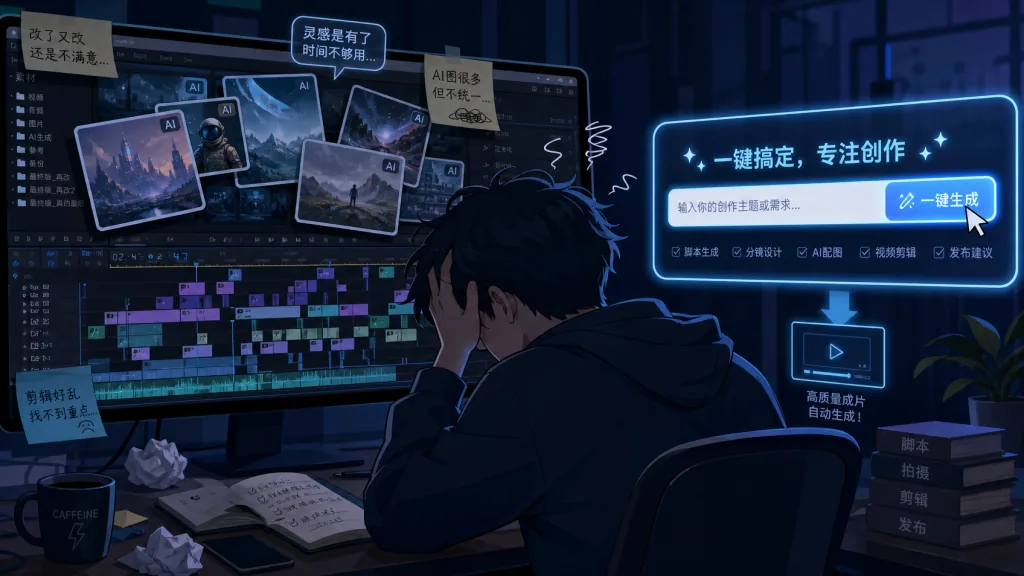
The most time-consuming part of making short videos isn't shooting — it's the pipeline of writing the script, sourcing visuals, recording voiceover and cutting it together. A 60-second talking-head video often takes 3-5 hours from picking a topic to exporting. Anyone running a batch of accounts, a distribution matrix, or 10+ videos a day is basically stuck inside their editing software.
The bigger headache is how fragmented the whole flow is: the script lives in ChatGPT, images get rolled in Midjourney, TTS is yet another tool, and editing goes back into CapCut. Assets get copy-pasted everywhere, the visual style never lines up, and the final cut always feels a beat short.
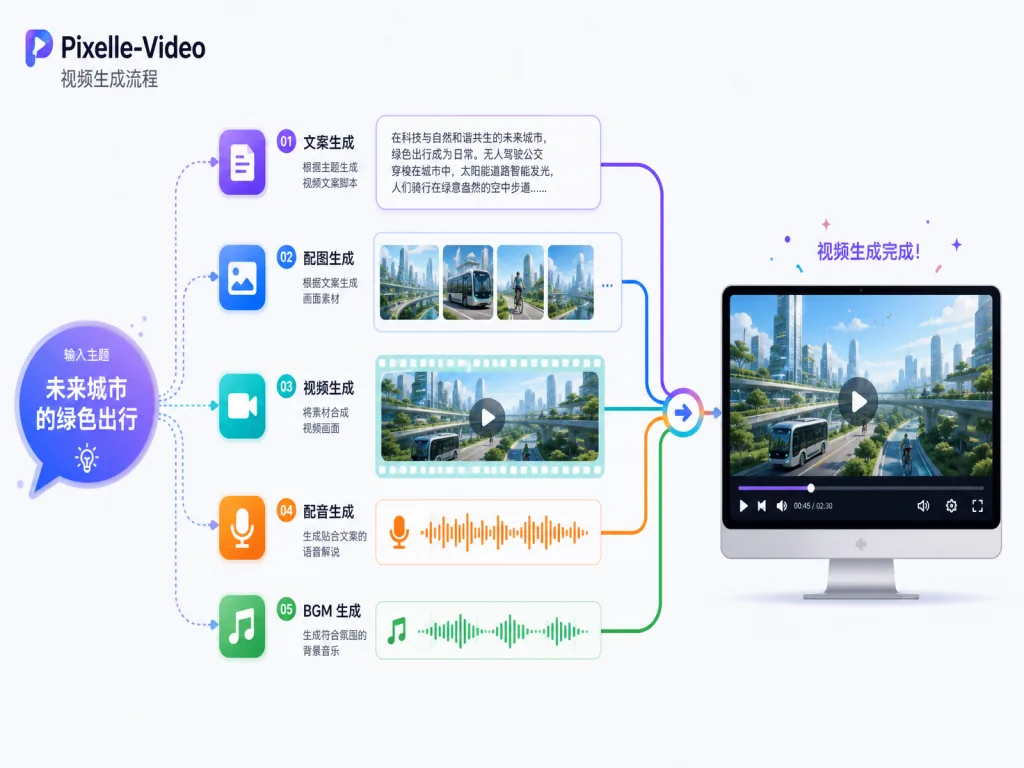
If you're looking for "one entry point, one sentence, a complete video", Pixelle-Video was built for exactly that. Feed it a topic and it runs script, images, video, voiceover, BGM and compositing in one pass — kicking manual editing out of the process entirely.
2. Project overview: in one sentence
Pixelle-Video positions itself as a "fully automated AI short-video engine". It's open-sourced by Alibaba's AIDC team, has picked up 28,803 stars on GitHub, is written mainly in Python, and ships bilingual Chinese/English docs.
Four keywords sum it up: fully automated pipeline, AI script + visuals + voiceover, modular and swappable, zero editing barrier. The project is still iterating fast — in January 2026 it shipped a run of extension modules including motion transfer, digital-human presenting and image-to-video. Activity is high.
3. Core features in depth
1. Topic → script → storyboard: fully automated LLM creation
Pixelle-Video starts with the script. The web UI takes a topic (say "why you should build a reading habit") and hands it to GPT, Qwen, DeepSeek, Ollama or another model to generate a structured script — title, paragraphs, shot timings and visual descriptions.
That means creators no longer hand-write scripts. If you already have copy, a "fixed script mode" skips AI creation and jumps straight to the next stage. The system also splits scripts by paragraph, line or sentence so you can control the pacing of each shot.
2. Visual and video generation: pluggable models
The visual layer is where Pixelle-Video shines. It supports two paths:
- ComfyUI workflow path: run ComfyUI locally, then load Flux, Wan 2.1 or other models to generate stills or motion clips. Maximum flexibility;
- Direct API path: call DashScope, Seedream, Kling, Seedance and other vendors directly. Zero deployment barrier.
Users can switch image/video providers at any time in the web UI, and configure the Base URL plus a proxy toggle. A prompt prefix keeps the visual style consistent — for example "minimal black-and-white line illustration" applied to every shot in one click.
3. Voice and BGM: free-form TTS combinations
Once the script is set, the system calls a TTS workflow to synthesize narration. Edge-TTS is supported out of the box with multilingual voices; advanced users can load Index-TTS or similar voice-cloning setups and reuse a specific voice by uploading a reference clip.
Background music can come from the built-in library or your own MP3/WAV files, with automatic ducking between music and voice. The middle panel also has a "preview voice" button — type any text and audition the result first, so you're not generating blind.
4. Template compositing and multi-aspect output
The last step is template compositing. Pixelle-Video offers three kinds of HTML templates: static_* (text-only styles), image_* (AI image backgrounds) and video_* (AI video backgrounds). They're grouped by aspect ratio, with one-click switching between vertical (9:16), landscape (16:9) and square (1:1), covering Douyin, Bilibili, YouTube, Xiaohongshu and other platforms.
4. Technical highlights and performance data
Modular atomic capabilities are the design Pixelle-Video most deserves credit for. Script, visuals, video, TTS and VLM — every stage is a swappable "atomic capability" that works with ComfyUI / RunningHub workflows as well as direct API models. Users are never locked into one vendor and can swap on demand.
On concurrency and stability, the December 2025 update made RunningHub concurrency limits configurable and improved the LLM's structured-data return logic, so a JSON parse failure no longer forces the whole pipeline to rerun.
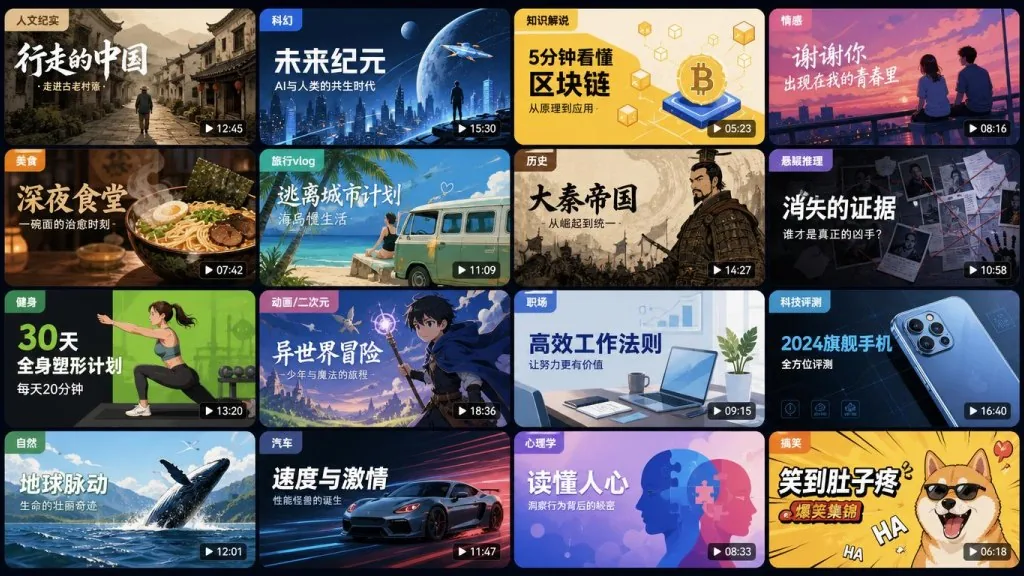
On ecosystem compatibility, the project integrates mainstream models and tools including Flux, Wan 2.1, Seedream, Seedance, Kling, Edge-TTS and Index-TTS — covering nearly every major generation stack from the second half of 2025 into early 2026. The docs site also showcases 11 sample categories filmed for real: 9 vertical genres (humanist documentary, cultural deconstruction, scientific reasoning, personal growth, deep thinking, history and culture, emotion, novel commentary, knowledge explainers) and 2 landscape genres (side-hustle income, historical commentary).
On cost control, the project is explicit: LLM on local Ollama + local ComfyUI deployment = zero cost; Qwen + local ComfyUI = the recommended best value-for-money combo.
5. Use cases and audience
Matrix account operators: need to produce a large volume of differentiated content daily. Input a topic, generate multiple video versions in batch, distribute across platforms.
Knowledge explainer creators: can't be bothered to write scripts or hunt for visuals, and want to skip voiceover too. Pixelle-Video connects "topic → complete explainer video" end to end.
Corporate content marketing: needs product intros and brand story videos fast, without maintaining an editing team. One sentence, one finished cut — 10x+ efficiency.
Not a great fit: professional film teams chasing cinematic effects or fine roto work with human talent on camera; and illustrators who want strong artistic control over every single frame.
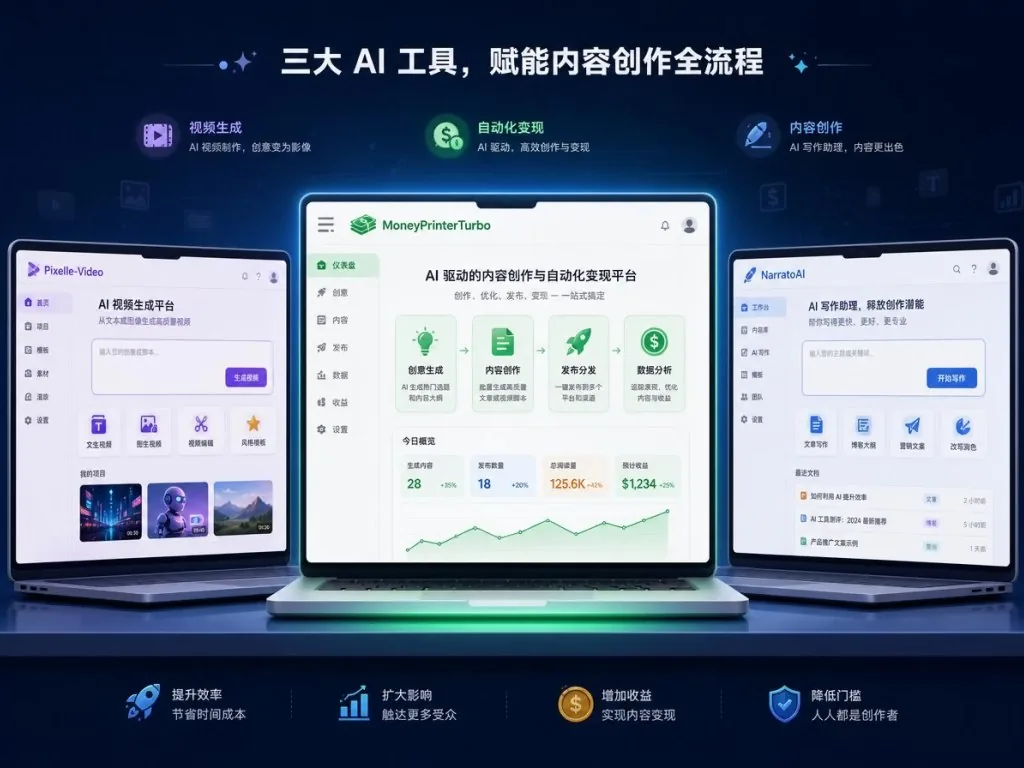
6. Competitor comparison
| Dimension | Pixelle-Video | MoneyPrinterTurbo | NarratoAI |
|---|---|---|---|
| End-to-end automation | ✅ Full pipeline from one sentence | ⚠️ Leans on asset stitching | ⚠️ Leans on narration scripts |
| Swappable modules | ✅ Atomic capabilities freely combined | ❌ Fairly tightly coupled | ❌ Fixed pipeline |
| Model coverage | ✅ GPT/Qwen/DeepSeek + Flux/Wan/Seedance/Kling | ⚠️ Mainstream but limited | ⚠️ Tied to specific vendors |
| Web UI | ✅ Streamlit three-column interface | ✅ Yes | ⚠️ Basic |
| Digital human / motion transfer | ✅ Continuously expanding | ❌ None | ❌ None |
The core reason to pick Pixelle-Video is modularity: you don't want to be held hostage by one vendor, but you still want end-to-end automation.
7. Getting started fast
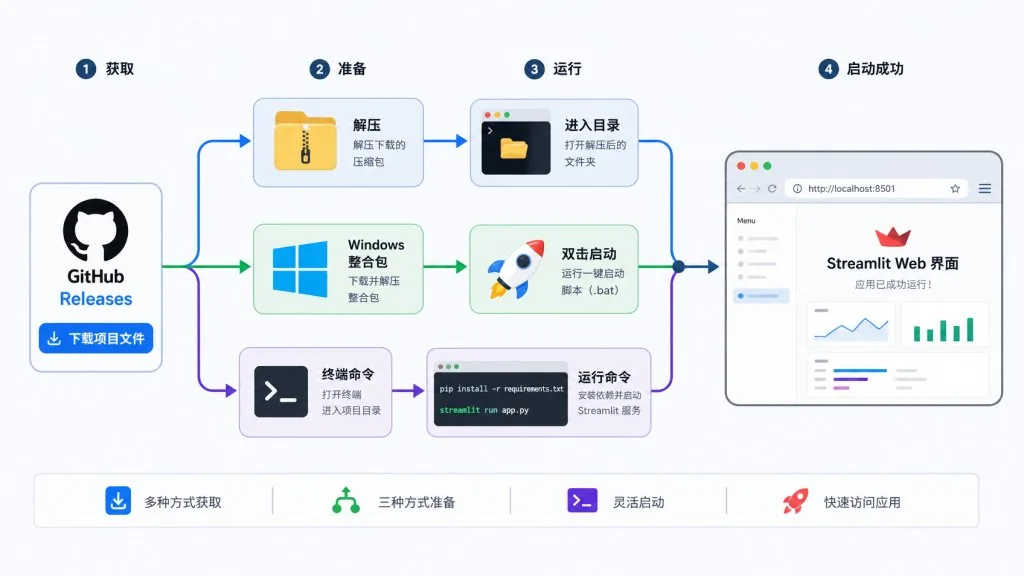
Windows users (fastest path)
- Go to the Releases page and download the Windows all-in-one package;
- Unzip it and double-click
start.bat; the browser opens http://localhost:8501 automatically; - In "⚙️ System Config", enter the LLM API Key (e.g. Qwen) and image model settings;
- Type a topic in the left panel, click "🎬 Generate Video", and wait a few minutes for the finished cut.
The all-in-one package bundles Python, ffmpeg and every dependency — zero environment setup.
macOS / Linux users (from source)
Prerequisites: install uv (Python package manager) and ffmpeg (video tooling). On macOS use brew install ffmpeg; on Ubuntu/Debian use sudo apt install ffmpeg.
Run:
git clone https://github.com/AIDC-AI/Pixelle-Video.git cd Pixelle-Video uv run streamlit run web/app.py
After the first launch, configure the LLM and your ComfyUI / RunningHub or direct-API media models in the web UI, save, and you're ready.
Tips for going further
- Want a different look: adjust the "prompt prefix", e.g. "watercolor illustration, warm tones, vintage film grain";
- Want a different voice: upload a reference clip to the "reference audio" field and pick an Index-TTS cloned voice;
- Want custom templates: users who know HTML can create their own
image_*.htmlorvideo_*.htmlin thetemplates/directory.
8. Takeaways and next steps
Pixelle-Video breaks short-video production into a four-stage pipeline — script → visuals → voiceover → compositing — where every stage is replaceable and every stage is previewable. For content matrices, independent media teams and knowledge creators, this is currently the most end-to-end automated open-source option on GitHub.
How to use it: get the flow working with the Windows package first, then switch to local ComfyUI or cloud RunningHub as needed, and finally decide by cost whether to run the free Ollama setup or the best-value Qwen setup.
- GitHub repo: https://github.com/AIDC-AI/Pixelle-Video
- Docs (Chinese): https://aidc-ai.github.io/Pixelle-Video/zh
- Releases (including the Windows package): https://github.com/AIDC-AI/Pixelle-Video/releases
One-line recommendation: if you want "type a topic, get a video", Pixelle-Video is the AI video open-source project most worth a star in 2026.

#pixelle-video #PixelleVideo #ath-maas #AIVideoEditing #ScriptedVideo #TalkingHeadVideo #OpenSource #GitHub