
Title options (pick 1 of 3)
Five open-source video tools I keep to myself — bookmark this if you make content
Reddit shorts, whiteboard animation, paper-collage video: five open-source tools, one list
These 5 open-source projects cut my daily video-making time in half
1. Opening: stop fiddling with it by hand
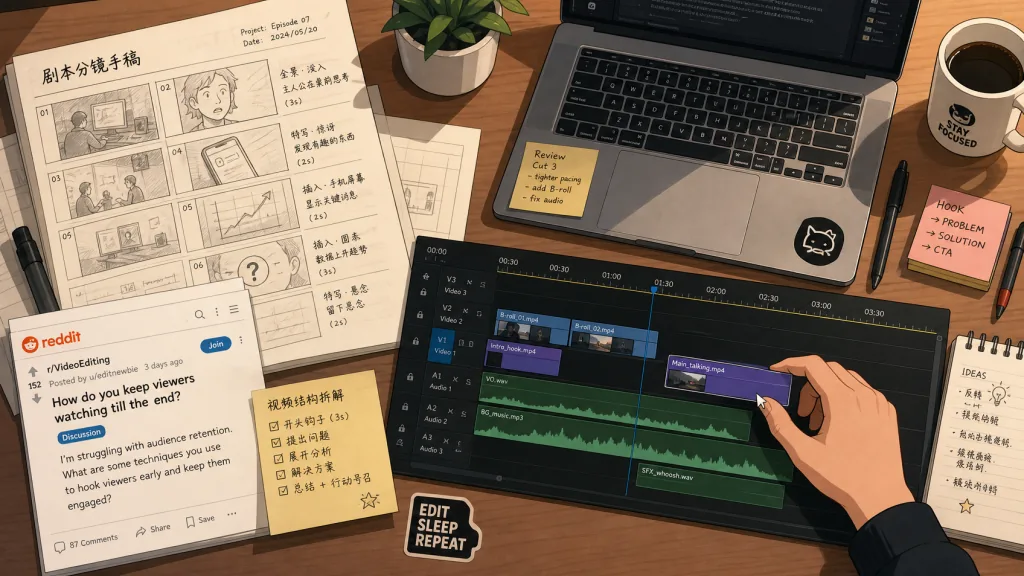
A friend wanted to make English short videos on TikTok. Pull posts from Reddit, cut the video, add subtitles, lay in background music — running that pipeline by hand, he couldn't get two videos out in a night. Then he switched to a Python script: one command, one finished video. The time he saved went into picking topics and distribution. Another friend makes product-recommendation videos for Xiaohongshu. Every time he wanted a more "cinematic" look he'd sit in an editor nudging keyframes and transitions for an entire afternoon and never quite land it — until he had Claude Code drive a Recipe of 152 shot cards, assembling shots by card and producing a finished cut in ten minutes.
The hard part of short video isn't the copywriting. It's running the same loop over and over: fetch footage → edit → subtitle → unify the style. The 5 open-source projects below are the labor-saving tools I use at different stages of that loop, introduced one scenario at a time.
2. Projects at a glance
| Repository | Stars | Main language | One-line pitch |
|---|---|---|---|
| elebumm/RedditVideoMakerBot | 12.5k | Python | One command turns a Reddit post into a short video |
| Vincentwei1021/video-shotcraft | 9.1k | TypeScript | A cinematic product-video Skill for Claude Code / Codex |
| cyberlesterr/paper-collage-video | 235 | JavaScript | A layered paper-cut video pipeline with human approval and resume |
| gnipbao/story-to-handdrawn-video | 2k | JavaScript | Chinese story to hand-drawn diary animation, 20 built-in styles |
| geeklee/srt-whiteboard-animation | 3.4k | Python | SRT subtitles to whiteboard animation, drawn element by element |
3. Project breakdown
elebumm/RedditVideoMakerBot — a Reddit shorts bot that runs on one command
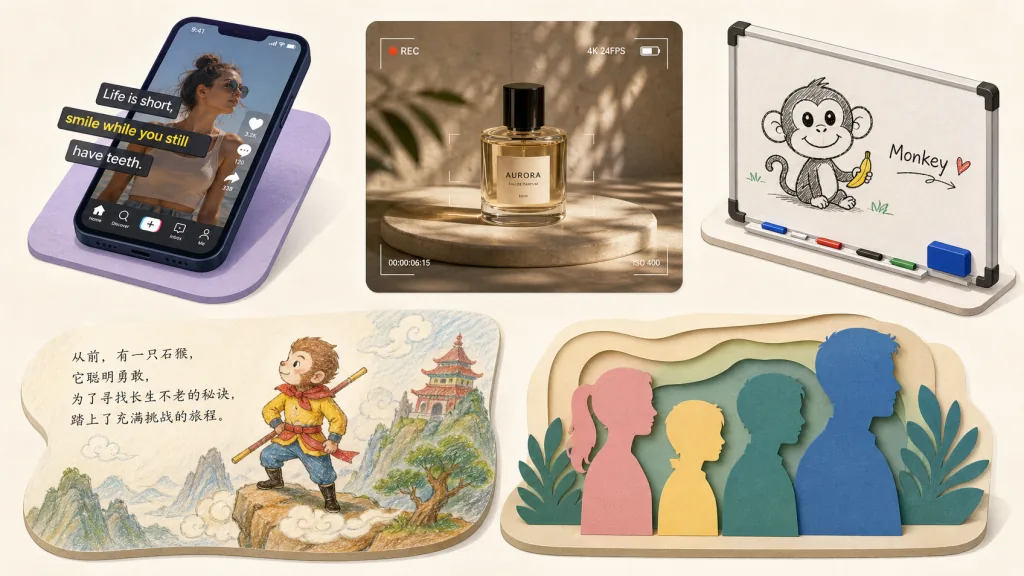
This is a Python project that generates a Reddit short video with a single command. It handles post scraping, image sourcing, TTS voiceover, subtitles and background stitching automatically, and outputs an MP4 you can upload as is. 12.5k stars on GitHub, and it's handy for reposting English short-form content and A/B testing which topics land.
- Who it's for: solo creators who want to batch out English content for TikTok / Reels / Shorts
- Who it's not for: teams that need fine-grained brand customization, or copyright-sensitive shops that review every clip by hand
- Technical highlights: content scraping via Playwright,
ffmpegcompositing, any subreddit plus custom backgrounds and voiceover
Minimal setup
Clone the repo and install dependencies:
git clone https://github.com/elebumm/RedditVideoMakerBot.git
cd RedditVideoMakerBot
pip install -r requirements.txt
python -m playwright install
Start the bot:
python main.py
The first run walks you through the Reddit API credentials. After that it produces videos on its own.
Repo: https://github.com/elebumm/RedditVideoMakerBot
Vincentwei1021/video-shotcraft — let Claude Code shoot cinematic product videos
This is an Agent Skill you drop into Claude Code or Codex. Hand it product screenshots and it uses Remotion to generate a promo video with camera movement, beat-matched cuts and cinematic sound design. It ships 152 shot Recipe cards, 209 motion previews and a Motion Workbench for re-editing. 9.1k stars, and people are already using it to mass-produce product launch videos.
- Who it's for: SaaS and indie developers who need a product intro, marketing clip or launch short fast
- Who it's not for: anyone with no product assets at all, or who wants a talking-head video with a real person on camera
Minimal setup
Tell the Agent to install the skill:
Install this skill for me: https://github.com/Vincentwei1021/video-shotcraft
Or do it by hand:
npx skills add Vincentwei1021/video-shotcraft
Once installed, just say:
Make me a 30-second launch video from my product screenshots, with cinematic camera moves and beat-matched cuts
Repo: https://github.com/Vincentwei1021/video-shotcraft
cyberlesterr/paper-collage-video — a layered paper-cut video pipeline for Codex
This is a local illustrated-video production Skill for Codex, built for explainer videos in a paper-cut layered style. It supports human approval gates, checkpoint resume, preview rendering and technical acceptance checks. Content intent, visual direction, paid-call ceilings and the final cut stay with the human; the Skill only executes and verifies. Currently at version 0.19.0 — the schema is still moving, but the pipeline runs end to end.
- Who it's for: people who want Codex to run long illustrated-video jobs without the Agent going rogue and burning money
- Who it's not for: casual users who just want a one- or two-minute clip and don't want to wire up provider authorization
Minimal setup
Tell Codex to install the plugin:
Install this Codex plugin and complete the initialization checks:
https://github.com/cyberlesterr/paper-collage-video
Or use the CLI:
codex plugin marketplace add cyberlesterr/paper-collage-video
codex plugin add paper-collage-video@paper-collage-video
Once installed, start a new task:
Use $make-paper-collage-video to make a roughly 30-second paper-cut layered video about Xuanzang's journey west
To resume after an interruption:
npm run project:resume -- <slug>
Repo: https://github.com/cyberlesterr/paper-collage-video
gnipbao/story-to-handdrawn-video — a Chinese story, one click, hand-drawn diary animation
This Skill turns Chinese story copy or an ordered set of hand-drawn images into a 3:4 vertical hand-drawn story animation. It ships 20 built-in styles — colored-pencil diary, kids' crayon, ink wash, watercolor, whiteboard explainer and more — and defaults to the colored-pencil diary comic look. Rendering is built on Remotion, and it outputs a voice-free H.264 picture track that is easy to dub later. 2k stars, a good fit for knowledge channels, picture-book channels and emotional-story channels.
- Who it's for: Chinese content creators who want to turn a WeChat article or a Xiaohongshu story into a hand-drawn video fast
- Who it's not for: projects that need a realistic photographic look, or demand extremely consistent character design
Minimal setup
Install the Skill into the Agent's skills directory:
git clone https://github.com/gnipbao/story-to-handdrawn-video.git
cd story-to-handdrawn-video
npm ci
cp -R skill-package/story-to-handdrawn-video ~/.codex/skills/
Once installed, tell the Agent directly:
Use $story-to-handdrawn-video to turn this story into a hand-drawn animation I can dub later.

Once upon a time there was a mountain, and in that mountain there was a temple...
Or generate a 720×960 preview first:
Use $story-to-handdrawn-video to generate a preview of this story first.
Repo: https://github.com/gnipbao/story-to-handdrawn-video
geeklee/srt-whiteboard-animation — whiteboard animation driven by SRT subtitles
This Skill turns SRT subtitles into a whiteboard animation drawn in narrative order, combining region-masked staging with streaming stroke drawing: each element enters in step with the subtitles, the pen tip lays down ink continuously inside its region, then color fills in. The background is a warm cream paper tone and the output is ready to publish. 3.4k stars, a good match for explainers, course voiceovers and short-video scripts.
- Who it's for: instructors and talking-head creators who already have SRT subtitles and need a whiteboard animation quickly
- Who it's not for: anyone who wants a colorful cartoon look, or videos with complex 3D camera movement
Minimal setup
Prepare a standalone Python environment first:
python scripts/prepare_env.py
Once it succeeds, note ENV_PY=<path> and use it to parse the subtitles:
$ENV_PY scripts/parse_srt.py subtitles.srt --target-sec 30 --min-sec 25 --max-sec 35
Open assets/preview.html to adjust regions and timing, then render a single scene:
$ENV_PY scripts/render_stream_whiteboard.py scene.png scene.annotation.json output.mp4 assets/drawing-hand.png --ink-path grid --color-fill contour-wipe
Finally, merge the scenes:
$ENV_PY scripts/merge_scenes.py --inputs act1.mp4 act2.mp4 act3.mp4 --output final.mp4
Repo: https://github.com/geeklee/srt-whiteboard-animation
4. Wrap-up and what to do next
If you only want to install two and try them: for English shorts, run RedditVideoMakerBot first and you'll immediately see how much faster you can validate topics; for Chinese product videos, install video-shotcraft into Claude Code and you have a finished cut in ten minutes. If you need a long pipeline with human review at multiple stages, add paper-collage-video. Hand-drawn story videos go through story-to-handdrawn-video. And if you already have a pile of SRT subtitles, hand them straight to srt-whiteboard-animation.
#AIVideoEditing #ScriptedVideo #TalkingHeadVideo #Redditvideomakerbot #VideoShotcraft #PaperCollageVideo #StoryToHanddrawnVideo #SrtWhiteboardAnimation #video-shotcraft #paper-collage-video