Pick a title (1 of 3)
A hundred RSS feeds and you can't get through three items? Radar RSS uses AI to merge and dedupe them
Radar RSS: one read per event across three sources, with AI summaries cutting reading time to a third
One React repo that ships both a Windows desktop app and a native Android app — how Radar RSS does it
1. Opening: what RSS power users are missing in the flood
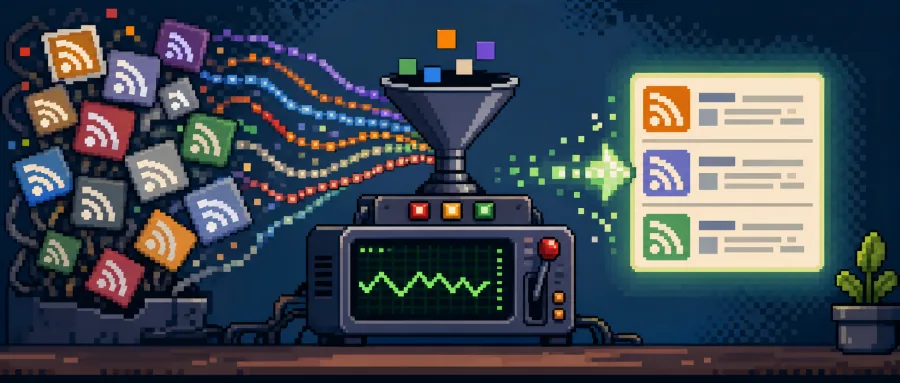
Open Feedly or Inoreader every morning and stare at a screen of unread dots — that suffocating feeling of "a hundred feeds subscribed, three articles read". The same event gets covered by The Verge, then TechCrunch, then Reuters, and three duplicate entries crowd your list. Chinese, English and Portuguese sources all mixed together, so getting the gist means switching languages constantly. You want to read properly at your desk and skim on the phone during the commute, and you end up migrating reading progress between two apps.
That's what Radar RSS sets out to fix: real-time aggregation, AI summaries, cross-source deduplication, and unified desktop plus mobile reading — four things in one repository.

2. The one-sentence version
Radar RSS is a real-time intelligent RSS aggregator built on React 19 + TypeScript + Electron. It integrates Google Gemini AI for summaries, breaking-news detection and multilingual translation, and uses Capacitor to output a native Android app. Four core keywords: real-time aggregation, cross-source deduplication, AI curation, multi-platform isomorphism. The project is open source under MIT, with a stack spanning Vite, Express, rss-parser, Tailwind CSS 4 and electron-updater.
3. Core features in depth
1. Cross-source event clustering and deduplication
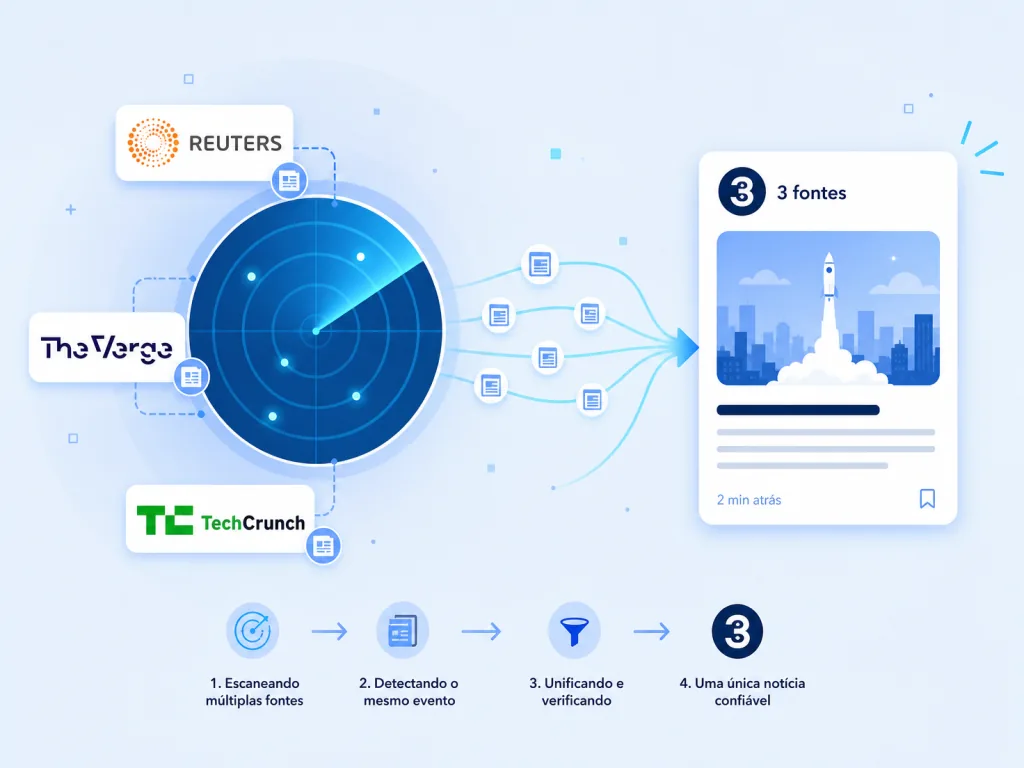
Radar RSS's killer feature is "cross-source event clustering". When Reuters and TechCrunch both cover the same launch event, the system merges them into a single story carrying a "3 fontes" badge, based on token overlap, n-gram similarity, named entities and numeric matching. The algorithm also adds "action divergence protection" — "Apple launches a new iPhone" and "Apple raises iPhone prices" look similar on the surface but describe different actions, so they aren't wrongly merged. In settings you can switch between Balanced / Conservative / Aggressive strategies to control how aggressive clustering is.
2. Google Gemini AI curation
Every topic or article can call Gemini for a bullet-point executive summary; a context-urgency assessment automatically slaps a "Breaking News" badge on breaking stories and triggers a sound alert; foreign-language sources are translated and then synthesized into a single briefing. The AI summary isn't decorative and optional — it's tightly coupled to deduplication, producing a briefing that combines multiple source perspectives right after clustering, so you don't read the same thing twice.
3. Smart image extraction with SafeImage
Image fields in RSS are a mess: media:content, media:thumbnail, enclosure, <img> embedded in HTML, plus a pile of relative paths and 1x1 tracking pixels. SafeImage handles all of it: relative URLs become absolute, tracking pixels get filtered, and failed loads fall back to a placeholder. The reader ends up with a stable, consistent cover experience instead of a screen full of broken images.
4. Windows + Android from one codebase
The desktop app is packaged with Electron, shipping an NSIS installer and a single-file Portable build, with titlebar integration, shortcuts and a system tray built in. The mobile app uses Capacitor to sync web assets into a native APK, complete with pull-to-refresh, haptic feedback, TTS read-aloud and theme sync. GitHub Releases drives auto-update: to ship a new version you only bump package.json and tag vX.Y.Z, and CI builds the packages.
4. Technical highlights and performance numbers
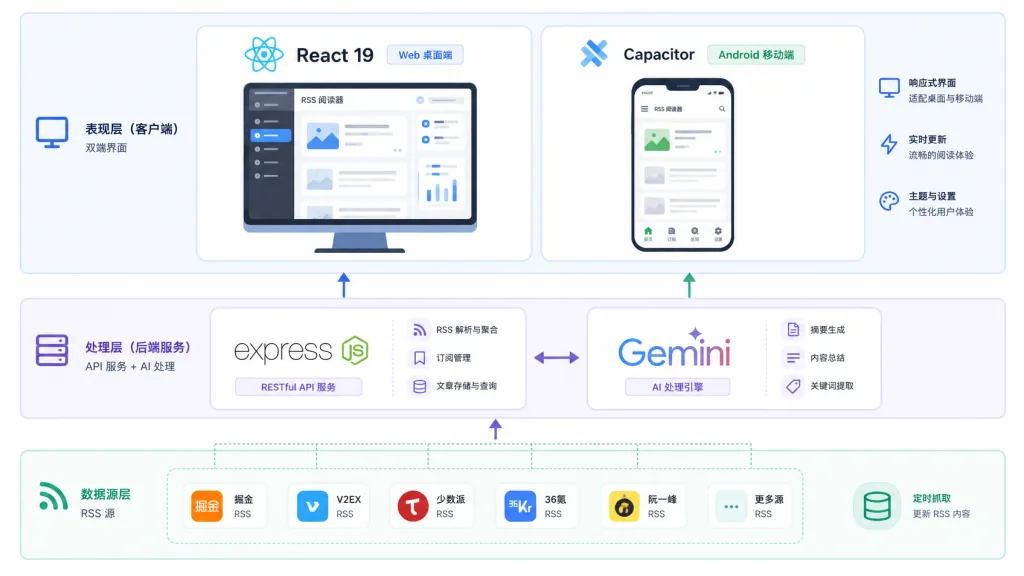
The technical highlights sit at three layers. The frontend uses React 19 + Vite + Tailwind CSS 4, so HMR starts fast; the local service uses Node.js + Express + rss-parser for high-throughput async fetching; on the AI side the official @google/genai SDK connects to Gemini. The Electron build watches GitHub Releases through electron-updater, downloads installers silently in the background, and completes a hot update with one click. Capacitor compiles the same web assets into a native Android APK, so one codebase covers desktop and mobile.
One engineering tradeoff worth noting: without a Gemini API key configured, core RSS fetching, deduplication, subscription management and filtering all keep working, and the AI summary badge degrades gracefully instead of crashing.
5. Where it fits, and who it's for
Scenario one: cross-language journalists. Subscribing to English, Chinese and Portuguese sources at once, and needing AI to translate in real time and merge the reporting angles.
Scenario two: heavy tech and finance readers. Wanting to pull the main thread of events out of The Verge, Bloomberg, TechCrunch and dozens of other sources, without re-reading duplicated coverage.
Scenario three: Windows + Android users. A window open for long reading sessions on the desktop, TTS news on the commute, with progress and topics in sync.
It suits advanced users willing to configure their own Gemini API key and to accept the footprint of an Electron desktop app. It doesn't suit readers who want something that just works out of the box, have no need for AI summaries, and are already deeply tied to a commercial RSS service.
6. How it compares
| Project | AI summaries | Cross-source dedup | Desktop | Mobile | License |
|---|---|---|---|---|---|
| Radar RSS | Gemini integration | Multi-signal clustering + adjustable strategy | Native Electron | Capacitor Android APK | MIT |
| Feedly | Only on paid Pro | Basic | No official desktop | iOS/Android | Commercial closed source |
| Inoreader | Paid feature | Rule-based filtering | No official desktop | iOS/Android | Commercial closed source |
| FreshRSS | None | Simple dedup | Self-hosted web | Third-party clients | AGPL |
| Miniflux | None | None | Self-hosted web | Third-party clients | Apache |
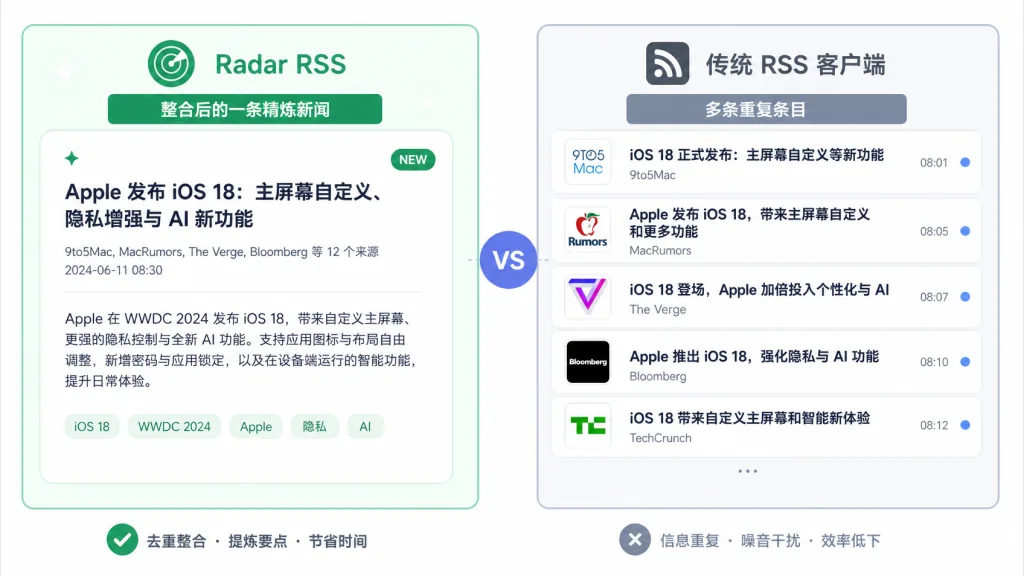
Radar RSS differentiates itself by wiring AI summaries and cross-source clustering together natively, sharing one codebase across desktop and mobile, and being fully open source and self-hostable under MIT. The cost: the project is still early, and its stars and ecosystem maturity trail the commercial products.
7. Getting started fast
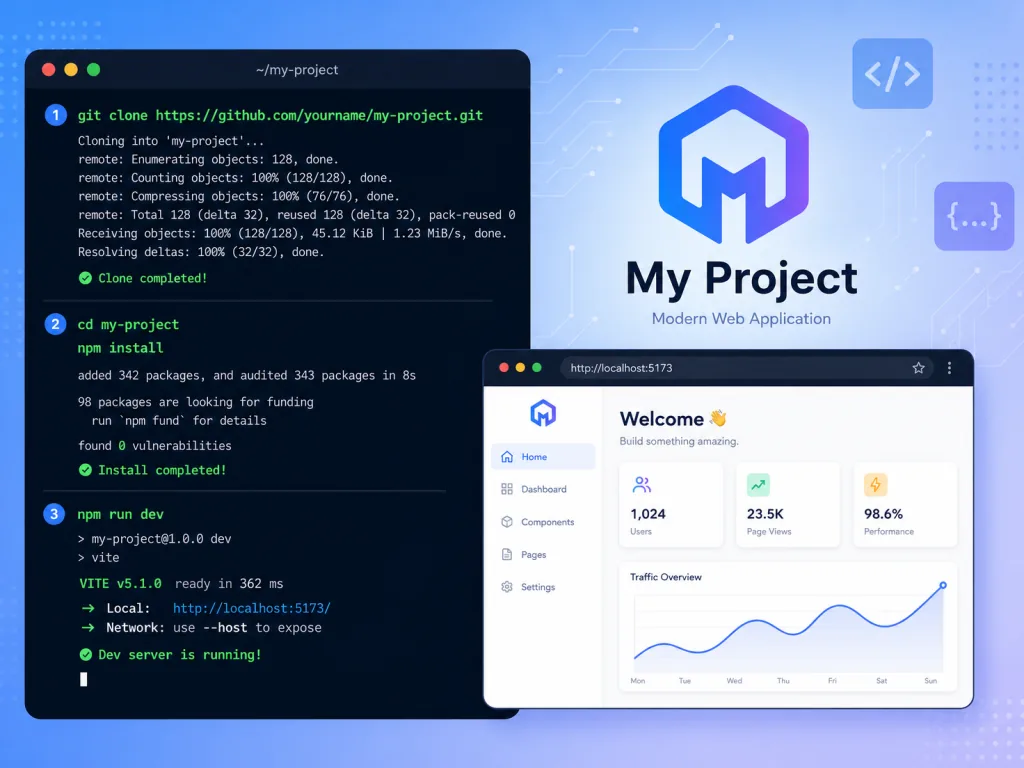
Prerequisites: Node.js ≥ 18, npm, and optionally Android Studio (only needed to build an APK locally).
Minimal setup:
git clone https://github.com/dznass-cmd/RadarRSS.gitcd RadarRSS && npm install- Create
.env.localin the root and addGEMINI_API_KEY=your_key(skipping this still runs — the AI features just grey out) npm run devand openhttp://localhost:3000npm run desktopto launch the Electron window- To build Android, run
npm run build:android && npm run open:android
Advanced tips: first set the clustering strategy to Conservative and watch for a few days to see whether the "3 fontes" badge matches your expectations, then loosen it toward Aggressive; Google AI Studio hands out free Gemini API keys that are enough for everyday summaries.
8. Wrap-up and what to do next
Radar RSS compresses "real-time aggregation + cross-source deduplication + Gemini AI curation + desktop/mobile isomorphism" into one MIT-licensed repository, which is directly useful to heavy RSS users drowning in the information flood. It isn't a ready-to-read product; it's a self-hostable, modifiable skeleton for a news hub.
Repo: https://github.com/dznass-cmd/RadarRSS . Start by running the web version locally with npm run dev, configure a Gemini key to try AI summaries and breaking-news detection, then package a Windows installer or Android APK as needed. The one-line pitch: instead of stitching one news story together by hand across ten sources, let Radar RSS merge it first and summarize it second.
#radarrss #Radarrss #dznass-cmd #OpenSource #GitHub