1. Intro: still stuck on this?
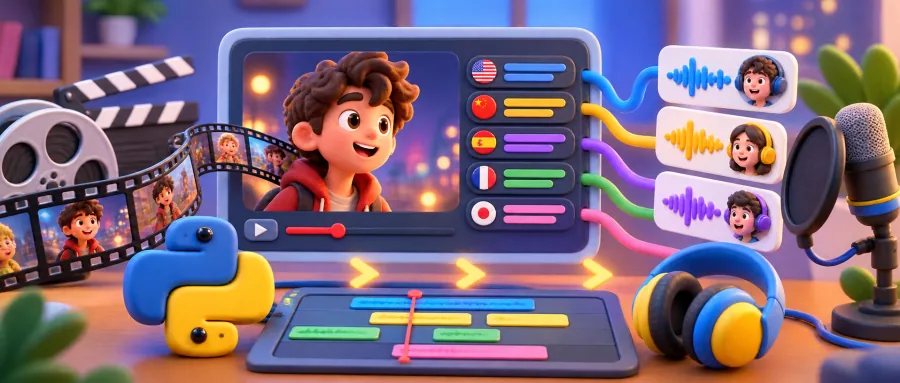
Anyone who reuploads YouTube videos, remixes educational content or distributes content across languages has hit the same wall. The source subtitles don't match the lip movement, or they're chopped into fragments, or the machine-translation smell hits you immediately — and that's before you even think about a decent dub. The traditional workflow means installing Whisper, running alignment, tuning translation prompts, then wiring up TTS. Environment setup alone can eat half a day. And when the final cut comes out, it still carries the "amateur fansub" label.
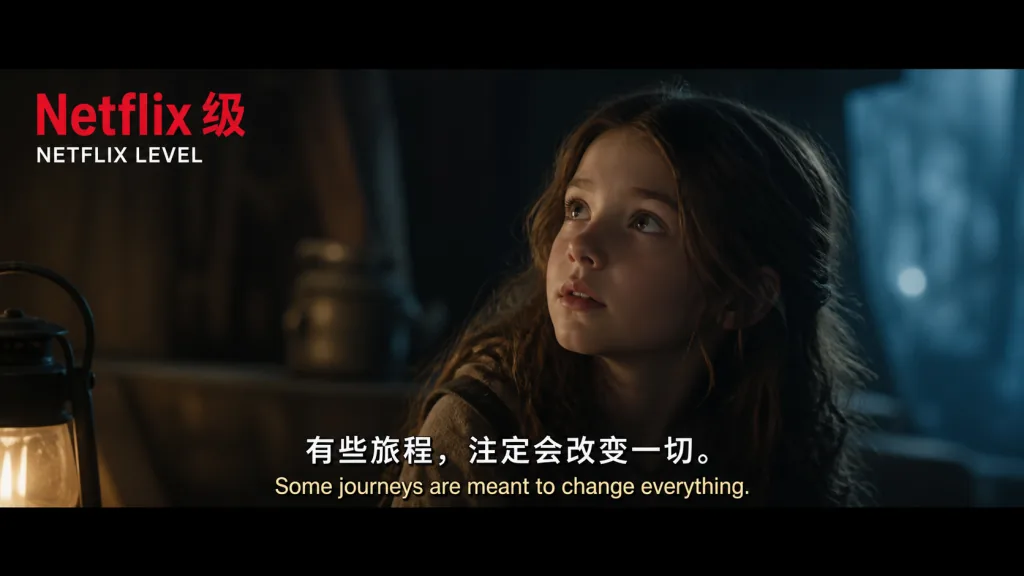
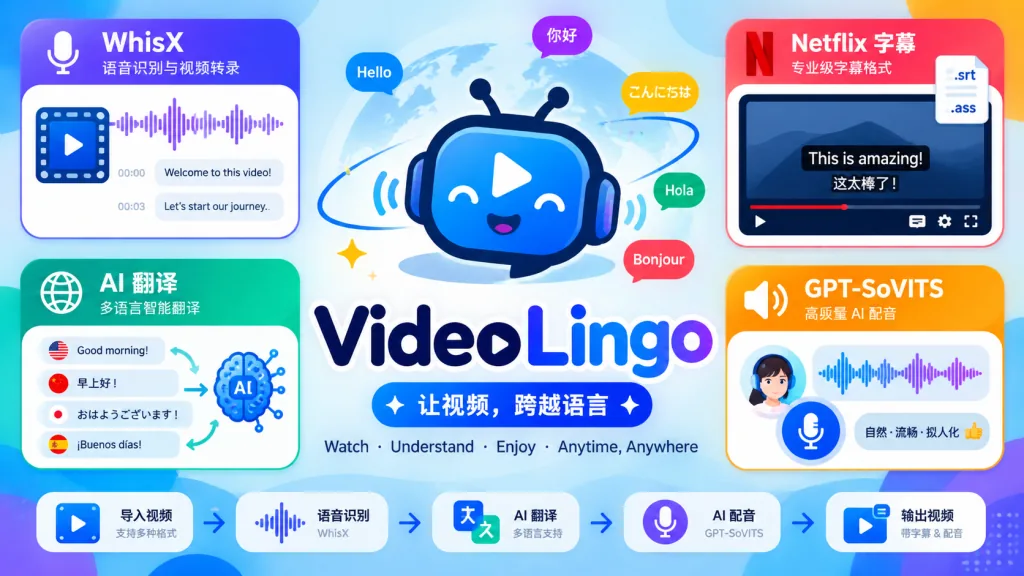
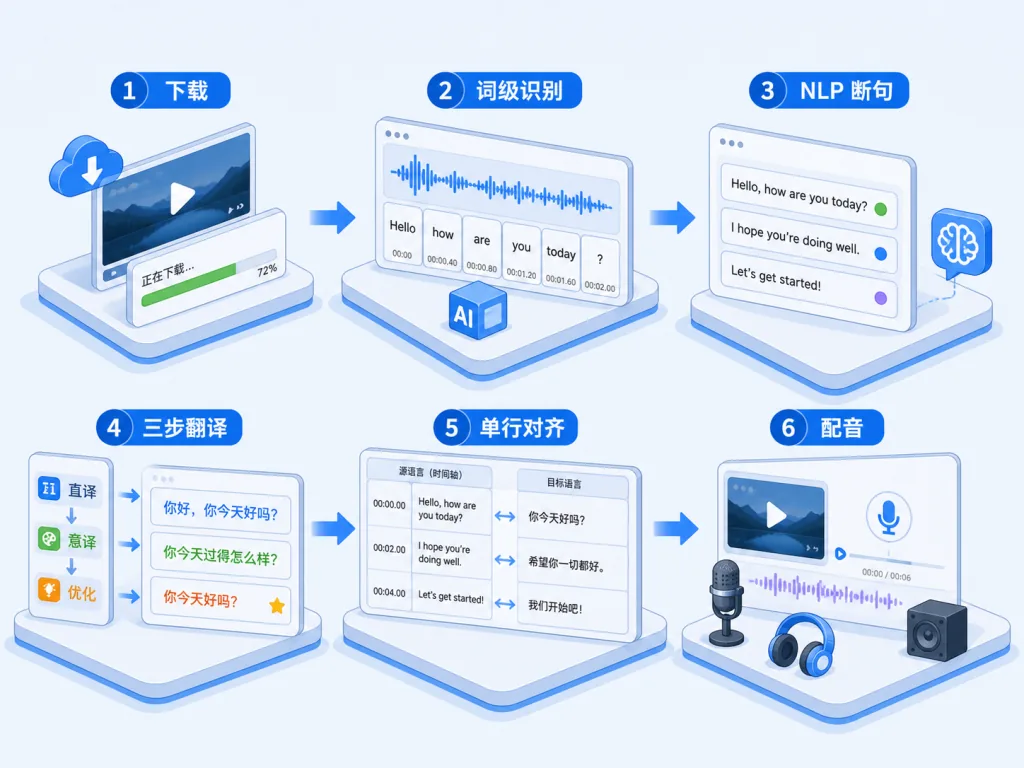
VideoLingo, with 18.1k stars on GitHub, connects the whole pipeline: download the video, recognize speech, split sentences with NLP, translate with AI, align single-line subtitles, and dub with GPT-SoVITS — all inside one Streamlit app, aimed squarely at Netflix-grade subtitle quality.
2. Project overview: one sentence
VideoLingo is an all-in-one AI video subtitling and localization tool built for the "global knowledge sharing" use case, based on three ideas: single-line subtitles, cinema-grade translation, optional dubbing. Four keywords define it: WhisperX word-level recognition, NLP sentence splitting, three-step translation reflection, GPT-SoVITS dubbing. It has 18.1k stars and ships a UI in Chinese, English, Japanese, Russian, French and more.
3. Core features in depth
1. WhisperX word-level subtitle recognition
Vanilla Whisper outputs whole sentences with timestamps, which means imprecise breaks and drifting alignment. VideoLingo bundles WhisperX: it transcribes the audio with the large-v3 model, then runs wav2vec word-level forced alignment to get a start and end timestamp for every word. Everything downstream depends on this step.
2. NLP + AI sentence splitting
With word-level timestamps in hand, VideoLingo uses NLP to detect semantic boundaries and then has the LLM double-check them, so each subtitle line has a sensible length and a complete meaning. Compared with cutting by character count, this gets much closer to the "breathing point" principle Netflix subtitlers use.
3. Three-step translation: Translate → Reflect → Adaptation
Translation isn't a single throw at GPT. It runs in three stages:
- Translate: a literal pass with context;
- Reflect: check terminology consistency and how colloquial the line sounds;
- Adaptation: localize and polish so the result reads like dialogue written by a native speaker, not translationese.
Custom glossaries are supported too, so proper nouns stay consistent.
4. Forced alignment to single-line subtitle standards
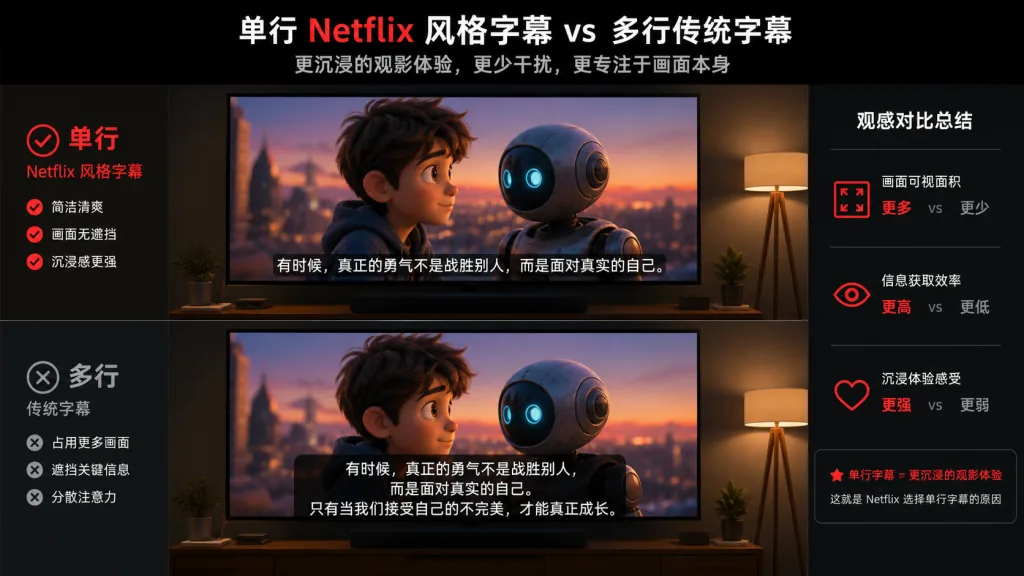
VideoLingo enforces single-line subtitles only, and does a final pass against Netflix standards (character count, display duration) so you never get the amateur look of two lines filling the screen.
5. All-in-one dubbing (optional)
Supports GPT-SoVITS, Azure TTS, OpenAI TTS, FishTTS, Edge TTS and more. GPT-SoVITS can clone your own voice, producing multilingual dubs with a distinctly personal sound.
4. Technical highlights and performance data
- Word-level alignment: using wav2vec, word-level timestamp precision is far better than native Whisper output.
- Flexible models: on the LLM side you can pick
claude-sonnet-4.6,gpt-5.4,gemini-3.1-pro,deepseek-v3and others; on a tight budget,gemini-3-flashorgpt-5.4-minican run the full pipeline. - Runs locally: WhisperX large-v3 supports local inference, and paired with Ollama + Edge-TTS you get a completely free setup with no API key.
- One-click setup:
python setup_env.pyinstalls uv, Python 3.10 and all dependencies; Windows users can just double-clickOneKeyStart.bat. - Resumable: every step is checkpointed to disk with detailed logs, so a crash or power loss doesn't cost you the run.
- Ecosystem compatible: first-class support for a single 302.ai key (LLM + WhisperX + TTS), and it can talk to any OpenAI-compatible endpoint.
5. Use cases and who it's for
Good fit:
- Educational YouTube remixers: turn English tutorials into Chinese subtitles plus a Chinese dub automatically.
- Cross-border content teams: localize foreign-language videos into multiple languages in batch.
- Fansub groups and translators: let AI produce the first draft, then polish by hand — double the throughput.
- Self-learners: put native-language subtitles and dubbing on the English talks you love and actually absorb them.
Not a great fit:
- Complex narrative films that need precise per-character dubbing tracks (the project doesn't separate speakers yet).
- Footage with very loud music burying the vocals (you'll need to enable "vocal separation boost" manually).
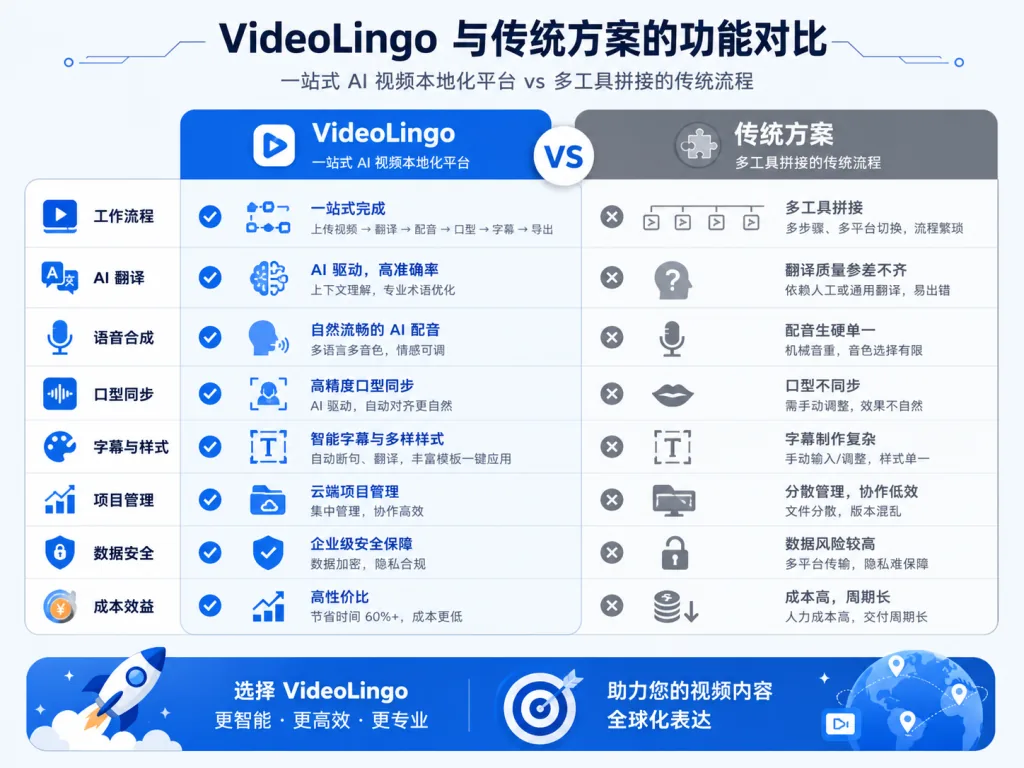
6. Competitor comparison
| Dimension | VideoLingo | Classic Whisper + GPT assembly | Commercial subtitle software |
|---|---|---|---|
| Subtitle granularity | Word-level alignment | Sentence-level alignment | Sentence-level alignment |
| Translation flow | Translate → reflect → localize | One-shot literal translation | One-shot literal translation |
| Single-line subtitles | Enforced Netflix standard | Manual tuning required | Partially supported |
| Dubbing | Built-in GPT-SoVITS and other TTS | Extra TTS wiring needed | Mostly unsupported |
| One-click start | Streamlit one-click + resumable | Many tools stitched together | GUI, but closed |
| Runs locally | Yes (WhisperX + Ollama) | Partly cloud-dependent | Usually subscription-only |
In one sentence: VideoLingo is one of the few open-source projects that connects recognition, translation, subtitling and dubbing end to end while holding the single-line Netflix standard.
7. Getting started fast
Option A: uv (recommended, no Anaconda needed)
git clone https://github.com/Huanshere/VideoLingo.git
cd VideoLingo
python setup_env.py
.venv/bin/streamlit run st.py   # macOS / Linux
.venv\Scripts\streamlit run st.py # Windows
Option B: Docker (needs CUDA 12.4 + NVIDIA driver >550)
docker build -t videolingo .
docker run -d -p 8501:8501 --gpus all videolingo
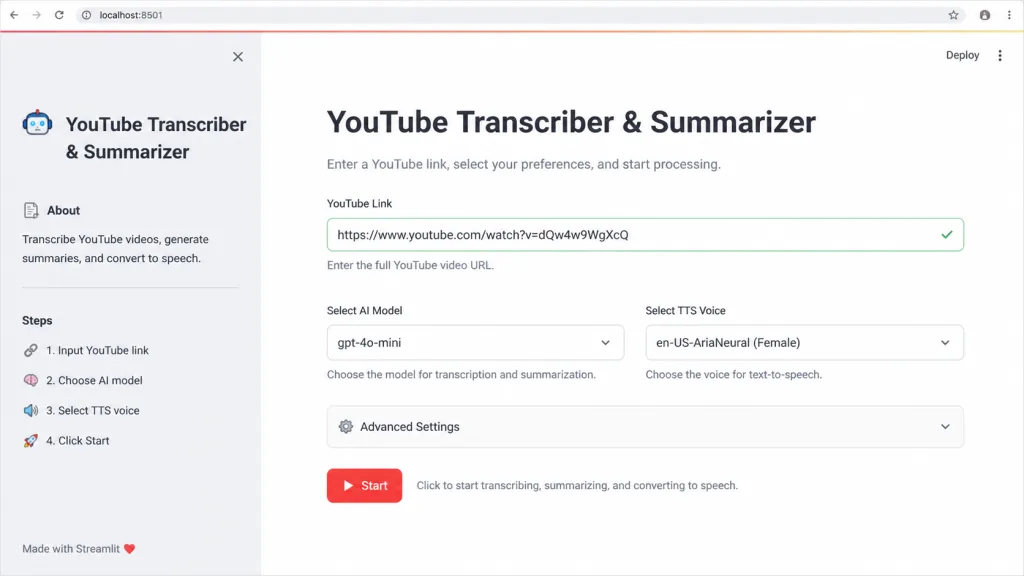
Minimal working flow: paste a YouTube link into the web UI → pick the input and target languages → choose the LLM and TTS → hit Start, and in a few dozen minutes you have a finished video with single-line subtitles (and possibly a dub). Windows users with NVIDIA GPUs should install CUDA 12.6 + CUDNN 9.3.0 and set PATH first.
Going further:
- Want it free: run the LLM locally with Ollama and use Edge-TTS for dubbing.
- Want it reliable: just use 302.ai and be done.
- Want to clone your own voice: use GPT-SoVITS, record a few minutes of reference audio for training, then plug it into VideoLingo.
8. Summary and next steps
VideoLingo doesn't solve a single point problem. It turns the entire video localization pipeline from a stitched-together toolchain into a one-click pipeline: WhisperX guarantees alignment, NLP plus three-step translation guarantees quality, enforced single-line Netflix standards guarantee how it looks, and GPT-SoVITS and other TTS options guarantee dubbing is available. If you're producing cross-language video content, it compresses work that took a day or two into a few dozen minutes.
- GitHub: https://github.com/Huanshere/VideoLingo
- Live demo: https://videolingo.io
- Docs: https://docs.videolingo.io
One-line pitch: if you want your videos to look like a Netflix production, start with VideoLingo.