Title options (pick 1 of 3)
Voicebox: the reason you keep renewing ElevenLabs every month may be gone
7 TTS engines + global dictation + agent speech: Voicebox moves the whole voice I/O path back to your machine
Not a single line of backend code, yet Claude Code actually talks and reports back — here's how Voicebox does it
1. Intro: your voice is locked inside someone else's server
Anyone who makes short videos knows the pain: if you want a stable voice for your narration, you either record yourself until your throat gives out, or you pay ElevenLabs tens of dollars every month. Podcasters know it too: switching voices between characters means bouncing between cloud platforms, switching accounts, uploading audio, and waiting for renders. And for developers who want Claude Code to "say out loud" that the tests passed — sorry, there is simply no tool on the market that does this locally.
For the past three years, the voice I/O path has been artificially cut in half: cloud TTS made output expensive, cloud STT made input slow. Neither end belongs to you. Audio uploads, cloning data, paid subscriptions — every link in the chain is friction. What Voicebox wants to do is move that entire chain back onto your own computer.
2. What problem it actually solves
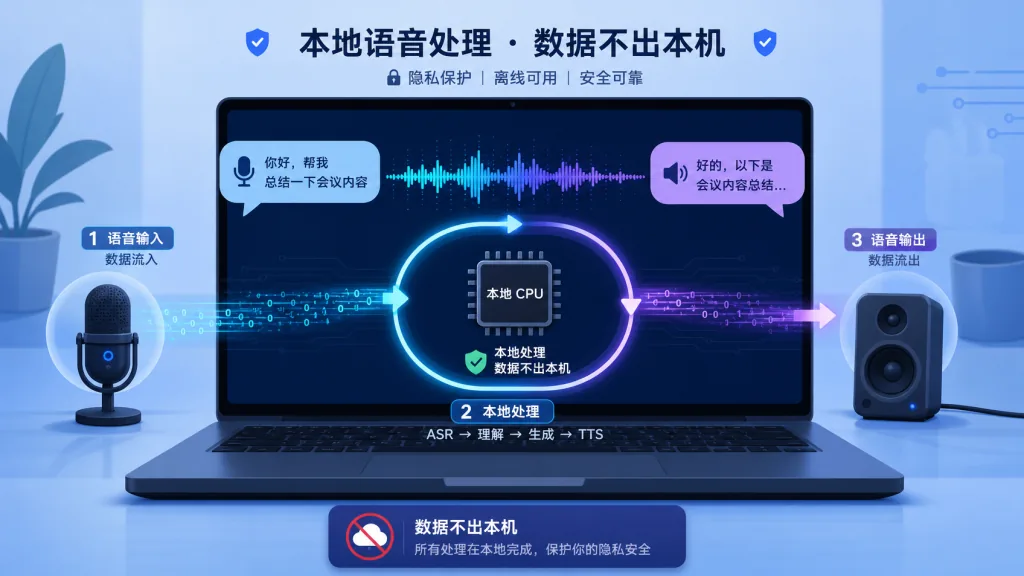
Voicebox (jamiepine/voicebox) is a local-first, open-source AI voice studio. In one sentence: ElevenLabs + WisprFlow combined, all running on your machine. It merges TTS (text-to-speech), STT (speech-to-text), global dictation, and AI agent speech into a single desktop app — zero cloud dependency, zero subscription fees.
Four keywords capture the project: local (models, voice data and recordings never leave your machine), multi-engine (7 TTS engines covering 23 languages), full chain (input dictation + output synthesis + agent speech in one place), and agent-friendly (a built-in MCP server, so Claude Code and Cursor can speak the moment you install it).
The repo currently shows 0 stars, but judging by the maturity of its docs, the completeness of its platform packaging and the discipline of its API design, this is a project that has already moved past the early PoC stage and is shipping to real users.
3. Core features in depth
1. A TTS architecture with seven engines side by side
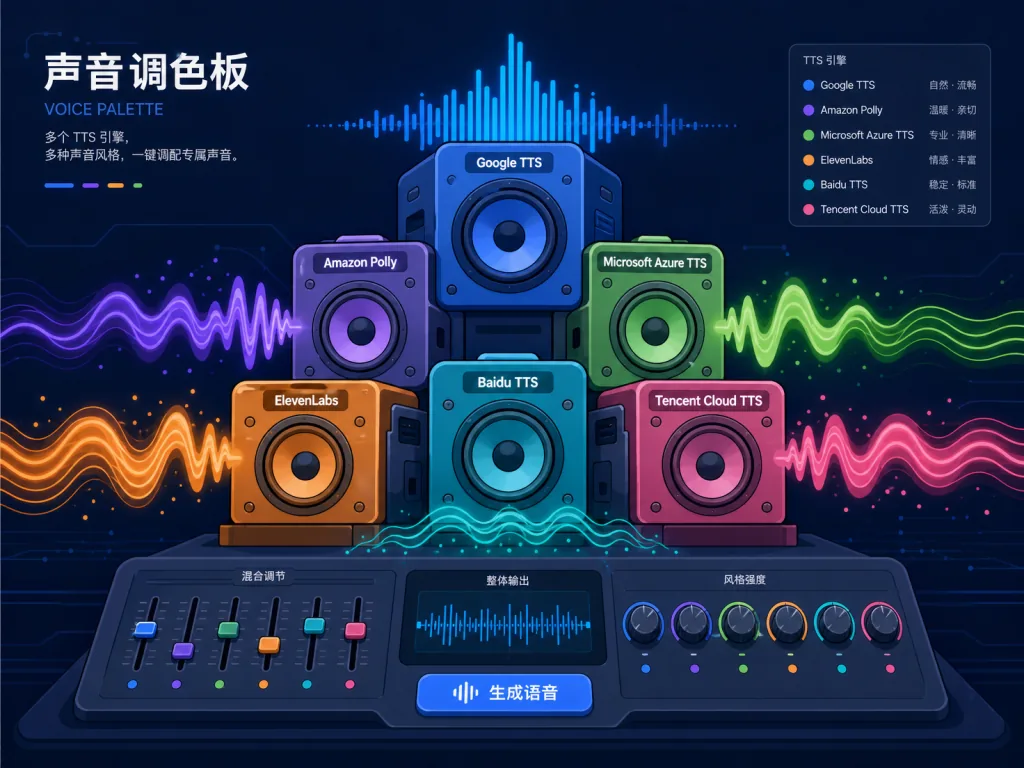
Voicebox doesn't bet on a single model. It puts 7 TTS engines together and lets you switch per generation task. Qwen3-TTS is good at multilingual cloning and natural-language style instructions ("speak slower", "use a whisper"); Qwen CustomVoice offers 9 preset voices that need no reference audio; Chatterbox Multilingual covers 23 languages and carries dialects and low-resource languages; Chatterbox Turbo is currently the only engine that can parse paralinguistic tags like [laugh], [sigh] and [gasp]; LuxTTS needs only about 1GB of VRAM and reaches 150x realtime on CPU; Kokoro has just 82M parameters but ships 50 curated preset voices; TADA (from HumeAI) can generate coherent long audio of 700 seconds and more.
This "one app, seven engines" design frees users from switching platforms per scenario — pick Chatterbox Turbo for podcasts, Qwen3-TTS when you need to clone a specific voice, and fall back to Kokoro or LuxTTS when your machine can't keep up.
2. Global dictation: wiring your mouth into any input box
Hold a global hotkey, speak, release — the text lands directly in whichever input box has focus. On macOS, Voicebox verifies accessibility-level injection and pairs it with atomic clipboard save and restore, so whatever you copied doesn't get clobbered. On Windows and Linux it goes through SendInput and uinput / AT-SPI respectively.
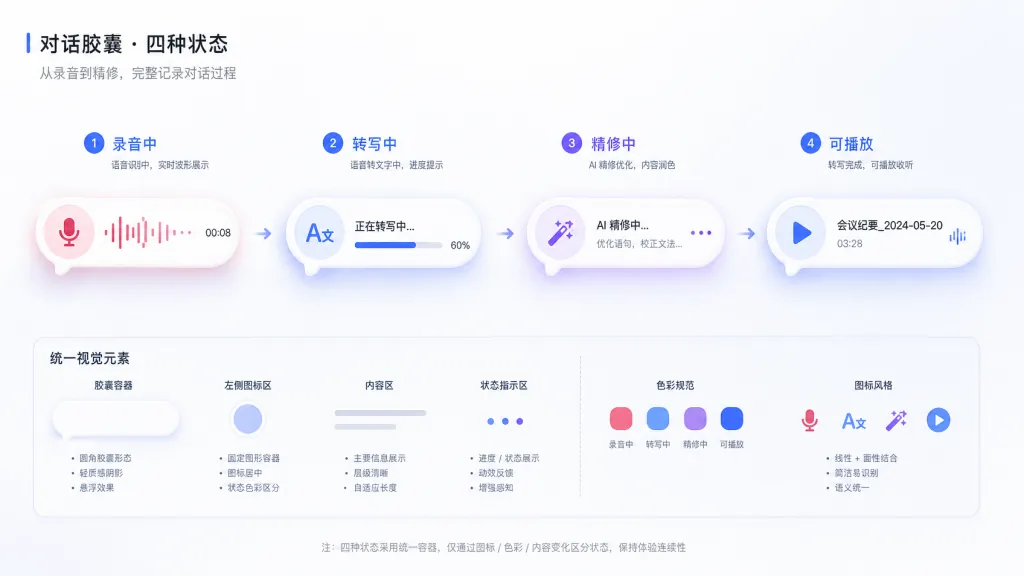
Dictated content is first transcribed by Whisper, then polished by a local Qwen3 LLM — filler words like "um", "uh" and "like" are stripped automatically, with an option to keep technical terms. The state of the whole pipeline (recording, transcribing, polishing, playing) is presented through a single floating capsule component, and agent speech uses that same capsule, so the UI mental model stays consistent.
3. Agent speech: making Claude Code actually talk
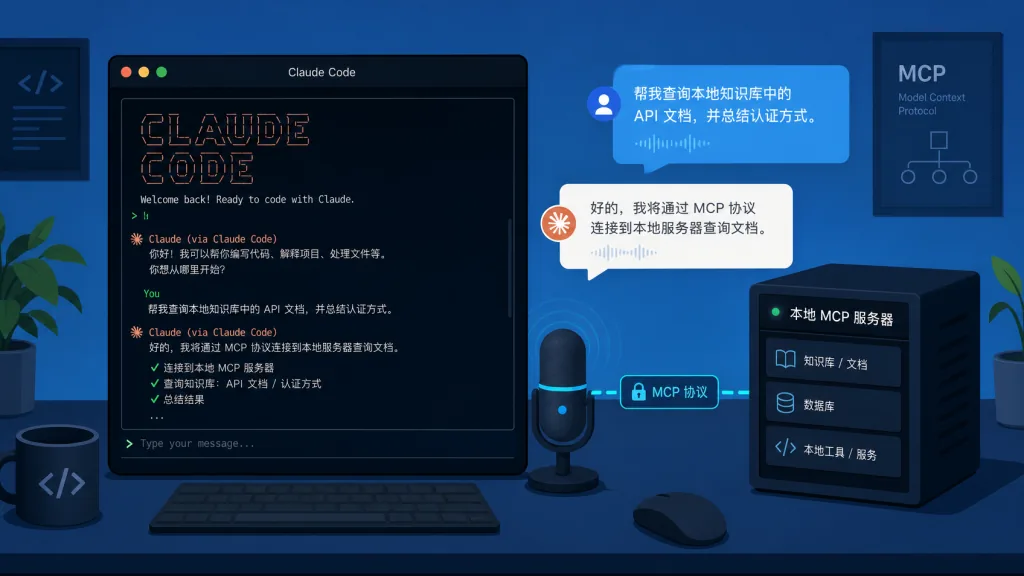
This is Voicebox's most differentiated piece. It ships a built-in MCP (Model Context Protocol) server. Any MCP-capable agent (Claude Code, Cursor, Windsurf, Cline, the VS Code MCP extension) can install the voicebox.speak tool with one line of config.
await voicebox.speak({
  text: "Deploy complete.",
  profile: "Morgan",
  personality: true
});
You can also bind a separate voice to each agent: Claude Code speaks as Morgan, Cline speaks as Scarlett — you can tell who finished the task just by listening. For developers running long tasks, this means no more switching back to the terminal to babysit logs. You just listen to the agent report back.
4. Voice personality: turning a voice into a character
Every voice profile can carry a free-text "personality description" — who they are, how they speak, what they care about. Flip the switch on and Voicebox rewrites the input text through a local Qwen3 LLM in that persona first, then feeds it to TTS. When an agent calls it over MCP, passing personality: true triggers the same chain. That upgrades Voicebox from a "speech synthesizer" to a "character dialogue engine", which is useful for game dialogue, podcast storytelling and accessibility scenarios.
4. Technical highlights and performance numbers
- Native performance: the desktop shell is built with Tauri (Rust) + React + TypeScript, not Electron, so memory usage is markedly lower than comparable tools.
- Backend: a Python FastAPI service exposes a REST interface on port 17493 by default, with a built-in
/docsSwagger page. - Inference acceleration: macOS Apple Silicon goes through MLX + Metal, 4-5x faster than plain PyTorch; Windows with NVIDIA downloads the CUDA binary automatically; Linux supports CUDA and ROCm, with
HSA_OVERRIDE_GFX_VERSIONconfigured automatically for AMD cards; Intel Arc goes through IPEX/XPU; and any machine can fall back to CPU. - Long-form generation: text is split by sentence (respecting CJK punctuation, abbreviations and
[tags]), generated chunk by chunk with crossfades between them, supporting scripts up to 50,000 characters. - Audio post-processing: 8 effects built on Spotify's open-source
pedalboardlibrary (pitch shift, reverb, delay, chorus, compression, gain, high/low-pass filtering), with 4 presets (Robotic, Radio, Echo Chamber, Deep Voice). Effect chains can be saved as per-profile defaults. - Audio timeline: a built-in Stories editor with multi-track dragging, inline trimming and auto playback sync — you don't need to open a DAW for podcasts and multi-speaker dialogue.
- Version lineage: every generation keeps an Original; applying an effect chain keeps an Effects version; regenerating with a new seed keeps a Takes version. All versions record parent-child lineage.
5. Where it fits and who it's for
Scenario one: solo creators making audio content. You make short videos, podcasts or audiobooks and need a stable Chinese or English narration, without being locked into per-character cloud TTS billing. Voicebox's local cloning + 50,000-character scripts + 8 audio effects cover the whole path from script to finished cut.
Scenario two: developers running long agent tasks. You ask Claude Code to refactor a large project and have to wait ten-plus minutes, often longer. Install the Voicebox MCP, go make coffee, and come back to the agent reporting "refactor done, 12 files changed, tests pass". The workflow shifts from watching logs to listening to a report.
Scenario three: interactive characters in games and narrative tools. You build text adventures, indie games or interactive fiction and need NPCs speaking with different voices and personalities. Voicebox's persona LLM + multiple engines + MCP exposure plug straight into your content pipeline.
Who it doesn't fit: teams that need cloud collaboration and real-time multi-user editing (Voicebox is a local, single-machine tool); commercial projects that need a fully licensed royalty-free music and voice library (open-source voice cloning involves your own compliance homework); macOS Intel users outside Apple Silicon, whose features are limited (some engines only run on MLX).
6. Competitive comparison
| Dimension | Voicebox | ElevenLabs | WisprFlow | Coqui TTS |
|---|---|---|---|---|
| Deployment | Local desktop app | Cloud SaaS | Cloud SaaS | Local library |
| TTS engines | 7 | 1 (in-house) | None | Multiple |
| STT / global dictation | Yes | No | Core feature | No |
| MCP / agent integration | Built-in MCP + REST | No | No | No |
| Pricing | Free, open source | Subscription | Subscription | Free, open source |
| Where data lives | Your machine | Cloud | Cloud | Your machine |
Voicebox's differentiation: it's not an ElevenLabs clone and not a WisprFlow clone. It combines "output + input + agent" into one local tool — and no second project is doing that today.
7. Getting started fast
Grab the installer (recommended):
- macOS Apple Silicon: DMG from voicebox.sh/download/mac-arm
- macOS Intel: DMG from voicebox.sh/download/mac-intel
- Windows: MSI from voicebox.sh/download/windows
- Docker:
docker compose up - Linux: currently requires building from source, see voicebox.sh/linux-install
Develop from source:
git clone https://github.com/jamiepine/voicebox.git
cd voicebox
just setup
just dev
Prerequisites: Bun, Rust, Python 3.11+, the Tauri prerequisites for your platform, plus Xcode on macOS. Install the just CLI tool and you're one command away.
Minimal working example (MCP integration with Claude Code):
claude mcp add voicebox \
  --transport http \
  --url http://127.0.0.1:17493/mcp \
  --header "X-Voicebox-Client-Id: claude-code"
Once installed, just say "tell me the test results in Morgan's voice" inside Claude Code. The agent calls voicebox.speak, and your computer really does start talking.
8. Summary and next steps
Voicebox's core value: it hands the "voice in + voice out + agent speech" path — a path cloud vendors have fragmented and re-billed for three years — back to developers in one piece. With 7 TTS engines, Whisper STT, a local Qwen3 LLM and a built-in MCP server, it builds a local voice workstation that really is ready on boot and keeps working offline.
If you're tired of cloud TTS subscription bills, or you want your agent to report out loud while it grinds through long tasks, or you just want a tool that clones voices locally and produces a full podcast, Voicebox is worth an evening of your time.
Links:
- Repo: https://github.com/jamiepine/voicebox
- Website: https://voicebox.sh
- Docs: https://docs.voicebox.sh
- Troubleshooting: docs/content/docs/overview/troubleshooting.mdx
- License: MIT
One-line pitch: while ElevenLabs and WisprFlow still bill you monthly, Voicebox has already packed them both into a local app.
#voicebox #Voicebox #jamiepine #OpenSource #GitHub