1. Opening: why you need this tool
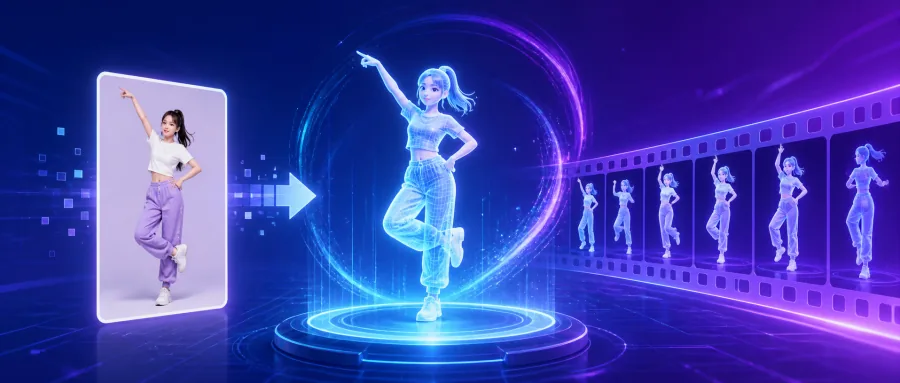
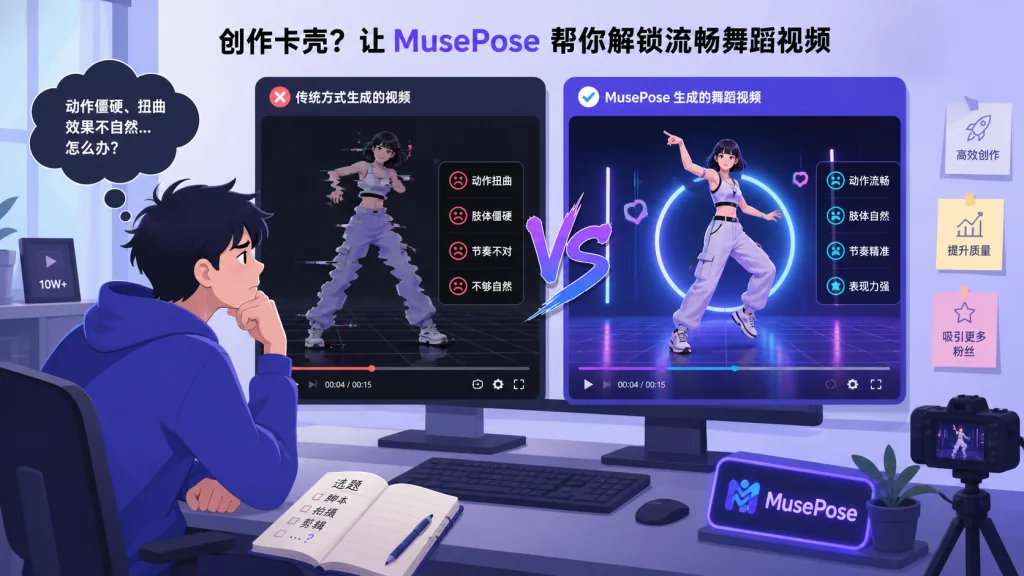
Short-video creators often face a dilemma: they want to generate a continuous video from a single character photo plus a given motion, but they get stuck on the old problems — severe character deformation, blurry faces, jittery backgrounds. The AnimateAnyone-style options that have appeared in the open-source community generally suffer from three pain points: warped shapes, collapsing facial consistency and high VRAM requirements. MusePose breaks each of them. With just one reference image and a pose sequence it generates dance video while keeping the character's identity highly stable. The project comes from Tencent Music Entertainment's Lyra Lab and picked up 2.7K stars on GitHub shortly after launch, making it a breakout open-source option in the virtual-human video generation space.
2. Project overview: what it is in one sentence
MusePose is an image-to-video framework built on diffusion models with pose as the guiding signal. It focuses on virtual-human video generation, and its keywords are: diffusion architecture, pose-driven, reference-image consistency, Pose Align algorithm. It is an optimised implementation of Moore-AnimateAnyone and the final piece of Tencent's Muse open-source series (MuseV + MuseTalk + MusePose), aimed at end-to-end virtual-human video generation.

3. Core features in depth
1. Pose-driven image-to-video generation
Based on diffusion models, MusePose jointly models the reference image, the pose sequence and the noise latent space. Users only need to supply one character image and one target pose video, and the model outputs coherent video frames of that character in those poses. Generation quality beats most current open-source work on the same theme — motion naturalness and identity preservation both reach a usable level.
2. The Pose Align algorithm
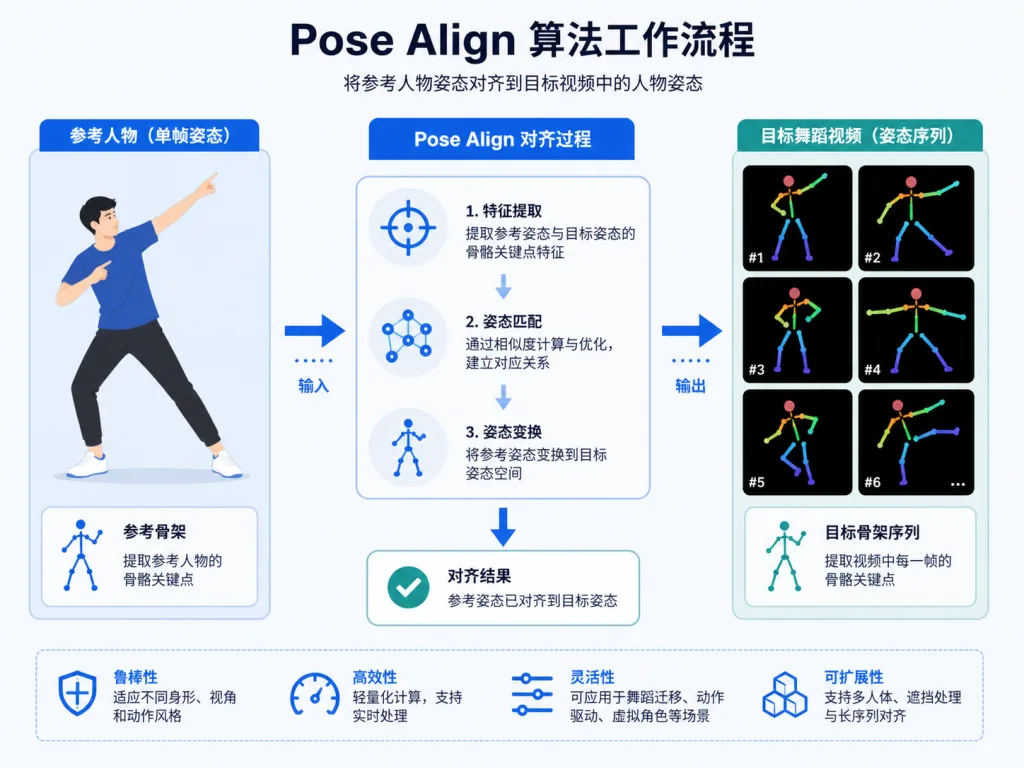
This is MusePose's killer feature. Pose alignment between an arbitrary reference image and an arbitrary dance video has always been hard: differences in body proportions and mismatched initial poses cause inference to fail. The built-in Pose Align algorithm automatically adapts the dance video's pose sequence to the character in the reference image, greatly improving the inference success rate and lowering the barrier for users. Developers just run one command to finish the alignment.
3. Fully open-sourced training code
In March 2025 MusePose officially open-sourced its training code, with stage 1 and stage 2 training scripts supporting accelerate + DeepSpeed ZeRO-2 distributed training. That means developers can fine-tune the model on their own data to generate custom characters or specific styles, instead of only calling pretrained weights.
4. VRAM optimisation and multi-resolution support
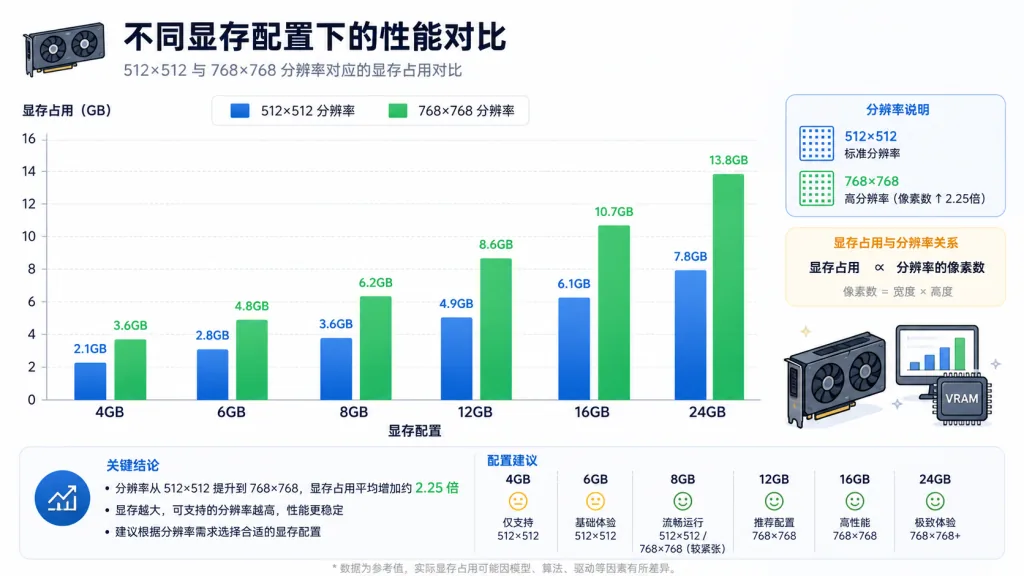
MusePose outputs high-resolution video by default, but the -W 512 -H 512 flags switch it to low-resolution generation with a later upscale, dropping VRAM from 28GB (768×768×48 frames) to 16GB (512×512×48 frames) — enough for consumer graphics cards.
4. Technical highlights and performance numbers
Architecturally, MusePose consists of four components: a reference UNet, a denoising UNet, a motion module and a pose guider, combining open-source pieces such as Stable Diffusion, AnimateDiff and DWPose. On performance: 48 frames at 512×512 needs 16GB of VRAM, while 768×768 needs 28GB. On ecosystem compatibility, it already supports a ComfyUI plugin (Comfyui-MusePose) for direct use in visual workflows; the models are MIT-licensed and commercially friendly, the training code is fully open, and the docs are detailed.
5. Where it fits, and who it's for
Use case 1: short-video content creation — dance and narrative short-video creators can generate virtual-human dance clips in one shot, skipping motion capture or 3D modelling costs. Use case 2: AIGC virtual idol operations — agencies and MCNs can build custom avatars and get the idol "moving". Use case 3: academic research and fine-tuning — AI researchers can fine-tune on private data with the full training code, reproducing and improving on the paper's results. Good for: AI video generation developers, virtual-human project teams, short-video creators. Not for: scenarios that need millisecond-level real-time generation (it is still offline rendering) or commercial-grade film VFX that demand extreme fidelity to character detail.
6. Comparison with alternatives
| Project | Pose-driven | Pose Align | Training code | VRAM requirement | Stars |
|---|---|---|---|---|---|
| MusePose | ✅ | ✅ Built in | ✅ Fully open | 16GB | 2.7K |
| Moore-AnimateAnyone | ✅ | ❌ | Partial | 24GB+ | - |
| AnimateAnyone (official) | ✅ | ❌ | ❌ Not open | High | - |
Compared with similar projects, MusePose's advantages are: the built-in alignment algorithm solves the "reference image doesn't match the pose video" pain point, the VRAM requirement drops sharply, the training code is fully open with clear docs, and generation quality sits in the top tier of open-source work on this theme.

7. Getting started fast
Environment: Python ≥ 3.10, CUDA 11.7; install requirements.txt and pull mmcv, mmdet, mmpose and other dependencies via mim.
Download the weights: get the MusePose weights and companion components from HuggingFace (sd-image-variations-diffusers, dwpose, sd-vae-ft-mse, image_encoder, yolox and so on) and lay them out in the pretrained_weights directory as the docs describe.
Minimal inference example: put the reference image at ./assets/images/ref.png and the dance video at ./assets/videos/dance.mp4, run python pose_align.py to complete pose alignment, then run python test_stage_2.py --config ./configs/test_stage_2.yaml and the result lands in ./output/. Low-VRAM users just add -W 512 -H 512.
Going further: for stronger facial consistency, pair it with FaceFusion for face-swap; to customise a character, fine-tune the stage 2 model on your own dance videos with the training code.

8. Summary and what to do next
With one image, one pose sequence and one command, MusePose brings virtual-human video generation within reach of consumer graphics cards. It's worth trying right away: creators can run the demo to feel the results, developers can customise on top of the open training code, and companies can plug the ComfyUI integration into their production pipeline. Project links: GitHub (https://github.com/TMElyralab/MusePose), HuggingFace (https://huggingface.co/TMElyralab/MusePose). One-line recommendation: if you want to get a virtual human "moving" at the lowest cost, MusePose is the open-source project most worth a star right now.