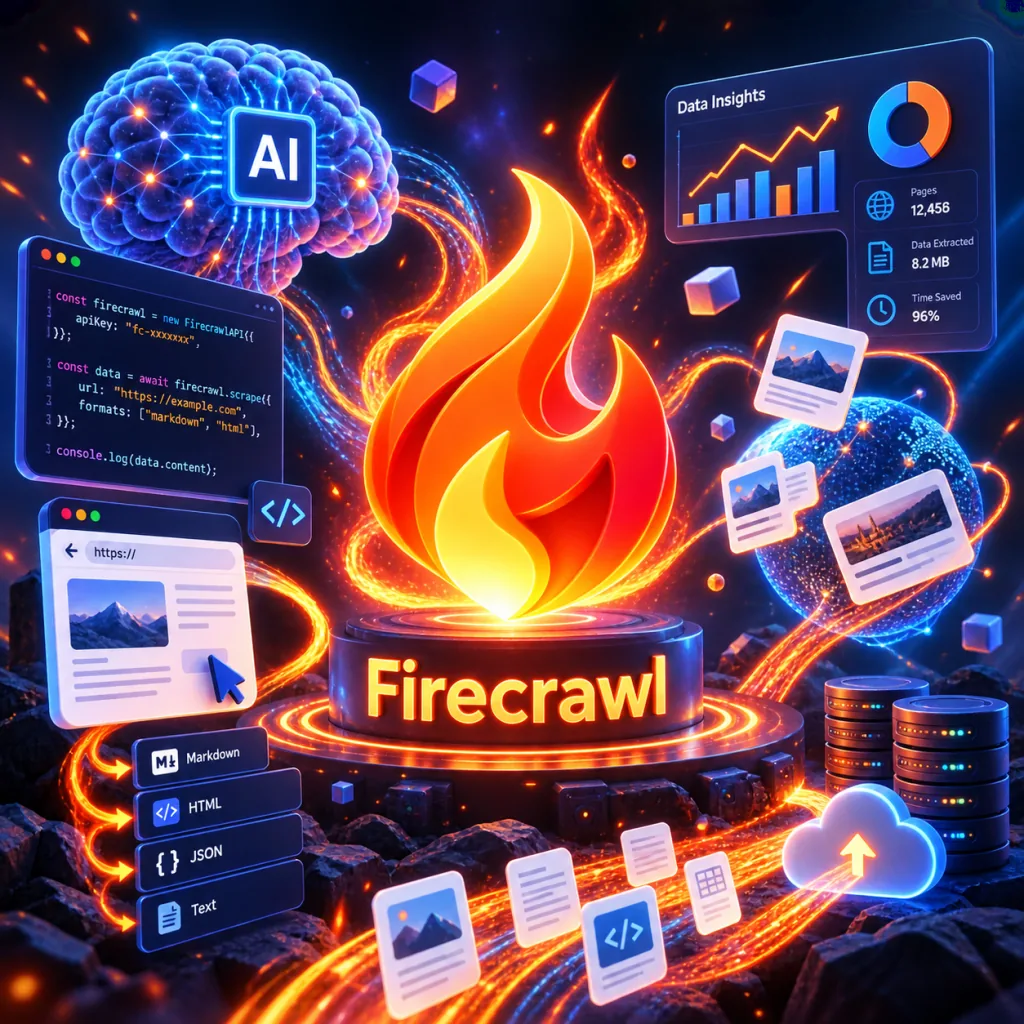
1. Opening: why you need this tool
Anyone building AI agents has hit the same wall: before you hand a web page to an LLM, you have to wash it first.
Traditional scraping has no answer for JavaScript-rendered pages — blocked IPs, missing content and mangled structure are the norm. Industry surveys report that over 60% of modern sites depend on JS rendering, while traditional crawlers succeed on less than 30% of those pages. Worse, LLMs eat tokens, and HTML ads, navigation and comments are all dead noise; every 1MB of noise you clean up costs hundreds more tokens.
The bigger headache comes when you want to plug a crawler into an AI coding assistant like Claude Code, Cursor or Cline: proxy configuration, scheduling and anti-bot bypass can easily run to a thousand lines. You haven't written the agent's core business logic yet and all your time has gone into infrastructure.
If a tool could pack "search + scrape + interact + parse" into one API call and natively support the MCP protocol for direct connection to any AI agent, would that interest you? Firecrawl was built for exactly these problems.

2. Project overview: what it is in one sentence
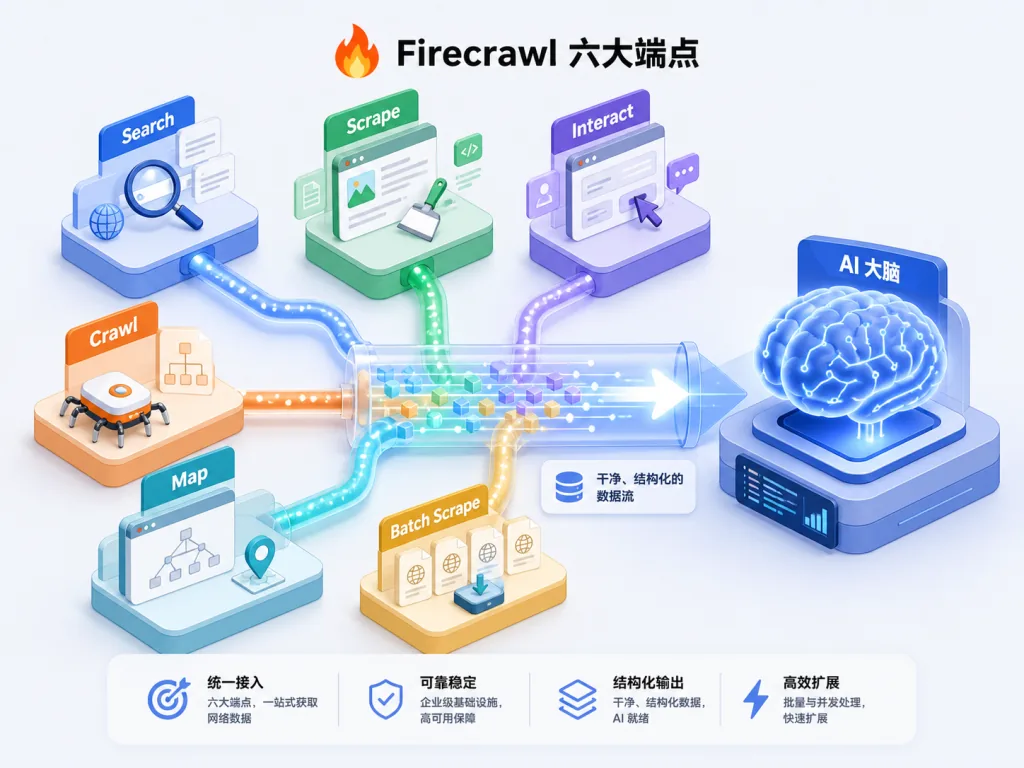
Firecrawl is an open-source web data API with more than 166,000 stars on GitHub, written in TypeScript, offering six core endpoints — Search, Scrape, Interact, Crawl, Map and Batch Scrape — and covering 96% of web pages (including heavily JS-rendered ones).
Its positioning is "The context API to search, scrape, and interact with the web at scale" — clean, ready-to-use, structured web context for AI agents. It ships SDKs for nine languages (Python, Node.js, Go, Java, Rust, Ruby, .NET, PHP, Elixir) and supports both cloud SaaS (firecrawl.dev) and self-hosting.
3. A deep dive into the core features
1. Scrape: turn any URL into LLM-ready data
Scrape is Firecrawl's foundational endpoint. After you call app.scrape('firecrawl.dev'), the engine handles proxy rotation, JS rendering and anti-bot bypass automatically, then returns Markdown, HTML, a screenshot or structured JSON — your choice of format.
Unlike traditional crawlers, it has a built-in content-cleaning pipeline: navigation, ads and footers are stripped automatically, and the Markdown it outputs can go straight into GPT-4 or Claude. P95 latency is 3.4 seconds across millions of measured requests, far more stable than a homegrown setup.
2. Search + full page content: results are no longer just links
Traditional search APIs return only URLs and snippets, leaving developers to scrape a second time. Firecrawl's Search endpoint returns titles, links and full-page Markdown in one shot, saving you from gluing two services together. Call app.search('firecrawl', limit=5) and you get a structured array you can feed to RAG directly.
3. Interact: let the agent click, scroll and type like a human
This is the killer feature that separates Firecrawl from its peers. After a Scrape, the system returns a scrape_id; the agent can call interact(scrape_id, prompt='search for mechanical keyboards') with that ID, Firecrawl performs clicks, scrolling, typing and waits in a browser instance, then returns the page content afterwards.
That means AI can operate complex sites that require login, form submission or pagination — e-commerce price scraping, exporting backend data and the like — work that used to take hundreds of lines of Selenium/Puppeteer code and now takes one prompt.
4. Agent: autonomous data collection driven by natural language
If you don't even want to supply URLs, the Agent endpoint is the endgame. Just pass prompt='find Notion's pricing plans' and Firecrawl's Spark model searches, navigates, scrapes and summarizes on its own, returning a structured answer with source links.
It supports two models: spark-1-mini (60% cheaper, enough for most tasks) and spark-1-pro (for complex research and multi-site comparisons). Developers can also pass a Pydantic Schema so results come back as strongly typed objects, with no field mapping needed downstream.
5. Crawl / Map / Batch Scrape: the batch trio
- Crawl: crawl an entire site in one request, returning an async job with a Job ID that the SDK polls until completion.
- Map: list every URL on a site in milliseconds — an X-ray of the website — with an optional
searchparameter to filter by keyword. - Batch Scrape: scrape thousands of URLs concurrently, ideal for building knowledge bases offline.
4. Technical highlights and performance data
| Metric | Data |
|---|---|
| Web coverage | 96% (including heavily JS-rendered pages) |
| P95 latency | 3.4 seconds (millions of measured requests) |
| Stars | 166,200+ |
| License | AGPL-3.0 (core) / MIT (SDKs) |
| Language SDKs | 9 (Python/Node.js/Go/Java/Rust/Ruby/.NET/PHP/Elixir) |
At the architecture level, Firecrawl includes a rotating proxy pool, a JS rendering engine, rate-limit management and a media parser (supporting PDF, DOCX and other web documents). Developers never touch anti-bot details — it goes live with zero configuration. On the ecosystem side, it natively supports mainstream AI coding assistants such as Claude Code, Antigravity, OpenCode and Cline through one-click MCP integration, and also works with no-code platforms like Lovable, Zapier and n8n.
5. Where it fits and who it's for
Who it's for:
- AI agent developers: anyone who needs a real-time web data source for RAG, tool use or autonomous agents.
- AI coding assistant users: anyone who wants to pull real network data into Cursor or Claude Code instead of relying on model memory.
- Data teams: building automated pipelines for competitor monitoring, pricing intelligence or industry research.
- Indie developers / startups: teams with no bandwidth to build scraping infrastructure who need a turnkey API.
Concrete scenarios:
- RAG knowledge base construction: batch-crawl company sites, docs sites and blogs, clean them automatically and load them into the store.
- Competitor price monitoring: use the Interact endpoint to simulate a real user on an e-commerce backend and track SKU prices in real time.
- Industry research agents: use the Agent endpoint to have the model research "compare the enterprise plans of Firecrawl, Apify and ScrapingBee" and output a sourced report.
- SEO content audits: use Map + Crawl to scan a whole site and automatically detect dead links, missing meta tags and duplicate content.
Who it's not for: enterprise scraping projects that need strict compliance auditing, guaranteed 100% self-hosted data residency, or that target sites which explicitly forbid crawling (those should go with a custom solution).

6. How it compares
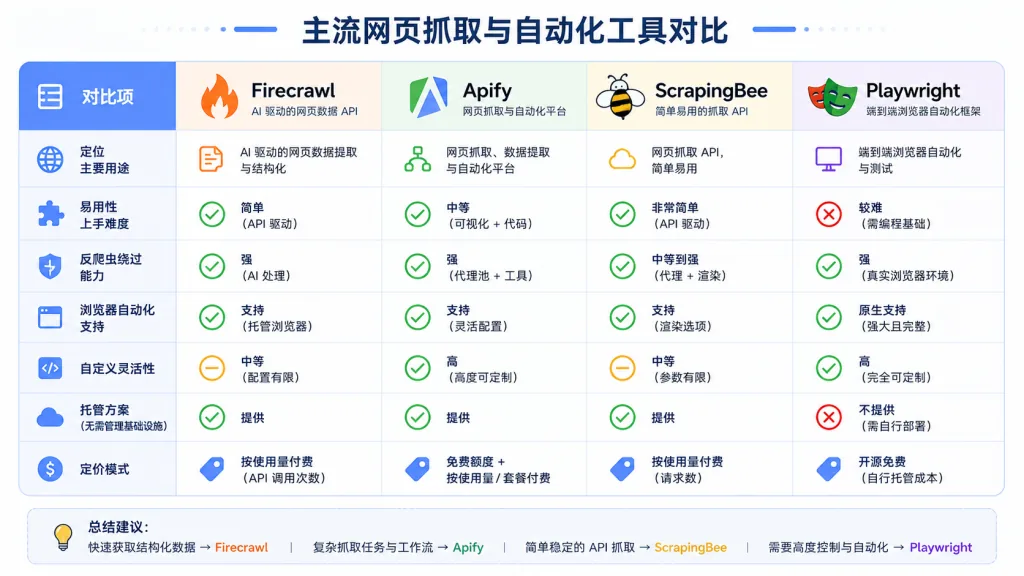
| Project | Type | JS rendering | Interaction | AI-native | MCP support | Open source |
|---|---|---|---|---|---|---|
| Firecrawl | SaaS + self-hosted API | ✅ Automatic | ✅ Interact endpoint | ✅ Agent / Spark | ✅ One command | ✅ AGPL-3.0 |
| Apify | Platform (Actor marketplace) | ✅ | ⚠️ You write the Actor | ⚠️ Weak | ❌ | Partial |
| ScrapingBee | SaaS API | ✅ | ❌ | ❌ | ❌ | ❌ |
| Playwright/Puppeteer | Browser automation library | ✅ | ✅ | ❌ Integrate it yourself | ❌ | ✅ |
Firecrawl's differentiation: it wraps all three layers — scraping, interaction and autonomous AI decision-making — into one API and deeply integrates into AI agent workflows through MCP. Against Apify's "building-block Actors" it is far cheaper to learn; against ScrapingBee it adds interaction; against Playwright it is maintenance-free and highly available.
7. How to get started fast
Step one: get an API key
Sign up at firecrawl.dev; the free tier is enough to try out a personal project. You can also test it online in the playground.
Step two: install the SDK (Python shown here)
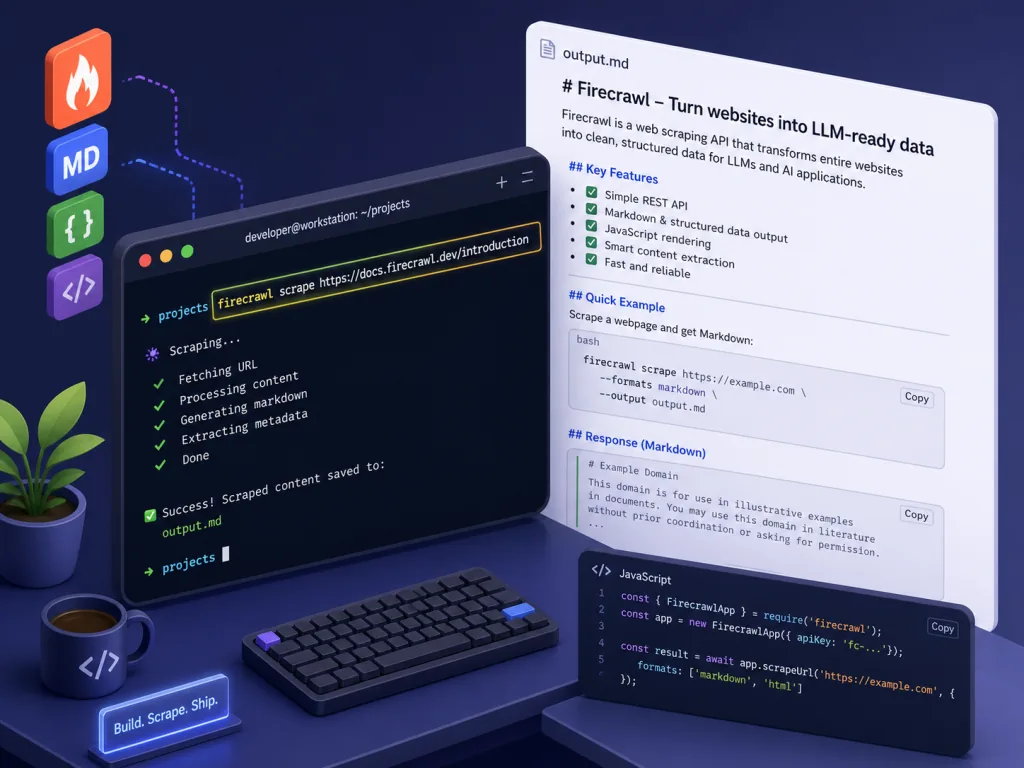
pip install firecrawl-py
Step three: first scrape in three lines of code
from firecrawl import Firecrawl

app = Firecrawl(api_key="fc-YOUR_API_KEY")
result = app.scrape('https://firecrawl.dev', formats=['markdown'])
print(result.markdown)
Step four: wire it into an AI agent (MCP mode)
Just add this to your MCP config:
{
  "mcpServers": {
    "firecrawl-mcp": {
      "command": "npx",
      "args": ["-y", "firecrawl-mcp"],
      "env": { "FIRECRAWL_API_KEY": "fc-YOUR_API_KEY" }
    }
  }
}
Advanced tips: in production always pass only_main_content=True to save tokens; run batch jobs asynchronously with batch_scrape; for self-hosting, see the official Self-Hosting Guide.
8. Wrap-up and what to do next
Firecrawl's core value: it upgrades web data collection from "infrastructure grunt work" to "one API call", and it natively fits the workflows of the AI agent era. 166,000 stars, P95 of 3.4 seconds, 96% web coverage — behind those numbers is an open-source tool that is genuinely production-ready.
If you're an agent developer, go grab a key at firecrawl.dev right now and your agent can have real network access within ten minutes. If you're on a data team, start with Crawl + Map and you'll have an enterprise-grade data pipeline in half a day.
Project links:
- GitHub: https://github.com/firecrawl/firecrawl
- Website: https://firecrawl.dev
- Docs: https://docs.firecrawl.dev
- MCP server: https://github.com/firecrawl/firecrawl-mcp-server
One-line pitch: when your AI agent needs to "see" the real world, Firecrawl is currently the least painful data layer.