1. Why you need this tool
If you've built RAG, you've almost certainly hit this trap: a client sends over a 200-page PDF, a deck full of charts, a scanned contract, and the model misreads all of it. Text won't extract, headings vanish, tables turn into garbage, and what you feed in is malnourished corpus. The real kicker is that just converting a PDF into clean text can eat half your day. That's exactly what MarkItDown does: crush a pile of miscellaneous files into one uniform Markdown format that LLMs love to eat.
2. What it is
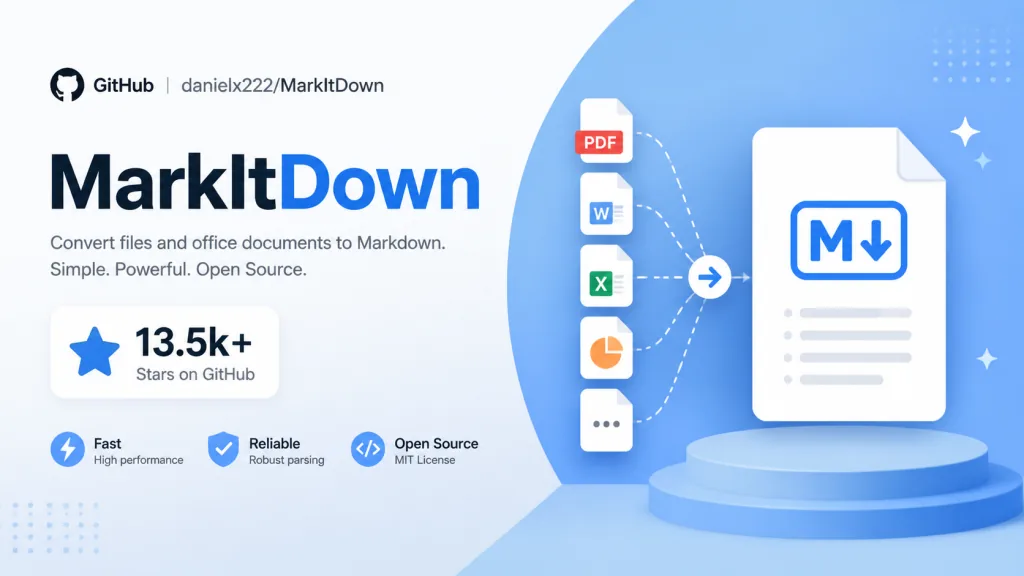
MarkItDown is a Python tool open-sourced by Microsoft's AutoGen team, built to convert PDF, Word, PPT, Excel, images, audio and web pages into structured Markdown. It has passed 170K+ stars on GitHub and leads with "built for LLMs": the output is naturally friendly to models like GPT-4o, and token consumption is far lower than HTML.
3. Core features in depth
1. Every format covered — 20+ converted in one command
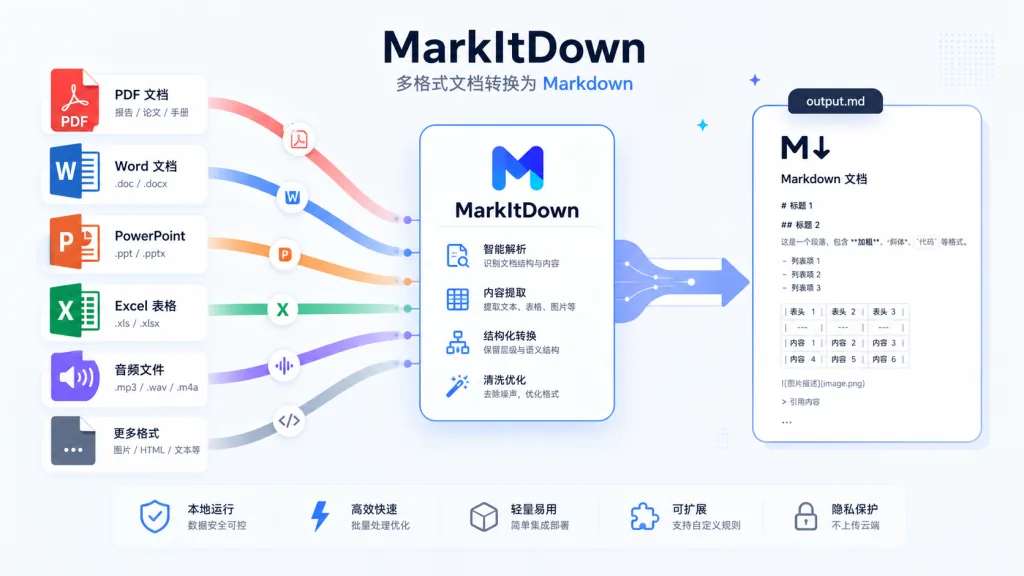
MarkItDown supports PDF, PowerPoint, Word, Excel, images (EXIF + OCR), audio (transcription), HTML, CSV/JSON/XML, ZIP, YouTube links, EPUB and more. One command does it:
markitdown report.pdf -o report.md
Compared with textract, MarkItDown doesn't just pull raw text — it preserves key structure like headings, lists, tables and links wherever possible, so downstream models can actually "understand" the semantics.
2. Multimodal capabilities: image descriptions, OCR, audio and video transcription
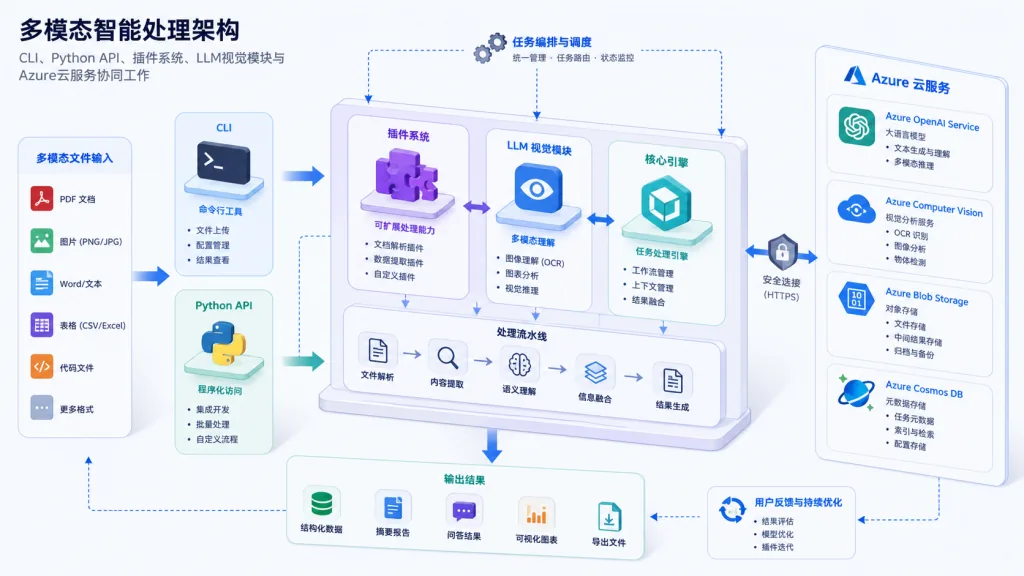
Pass in llm_client and llm_model and MarkItDown can have GPT-4o write alt text for images or auto-generate captions for pictures inside a PPT. With the markitdown-ocr plugin, scanned images embedded in PDFs, Word docs and PPTs can be OCR'd too, no pile of extra ML dependencies required. Audio files go through EXIF + speech transcription, and YouTube links pull subtitles directly.
3. Azure cloud enhancements: Document Intelligence & Content Understanding
- Document Intelligence: cloud layout analysis, more reliable on scanned PDFs and complex tables.
- Content Understanding: handles documents, images, audio and video uniformly, and can pull structured fields with a custom analyzer, emitting them automatically as YAML front matter in the Markdown. So fields like "VendorName" or "InvoiceDate" on an invoice come out as metadata directly.
4. Pluggable architecture
MarkItDown natively supports third-party plugins. List available ones with markitdown --list-plugins and enable them with --use-plugins. The community has already shipped extensions for OCR, EPUB and more; search #markitdown-plugin on GitHub to find the rest.
4. Technical highlights and performance numbers
MarkItDown requires Python ≥ 3.10 and installs in one command: pip install 'markitdown[all]'. If you only need PDF/Word/PPT, trimming to pip install 'markitdown[pdf, docx, pptx]' works fine and halves the dependency footprint. Under the hood each format goes through a dedicated converter: pdfminer for PDF, python-pptx for PPT, openpyxl for Excel — so structure survives.
Ecosystem compatibility is equally complete: CLI, Python API and Docker are all available; it supports OpenAI-compatible LLM clients and both Azure cloud services. On security, the official docs repeat one warning: never run convert() directly on untrusted input — use narrow interfaces like convert_local() and convert_stream() to restrict the access path.
5. Where it fits and who it's for
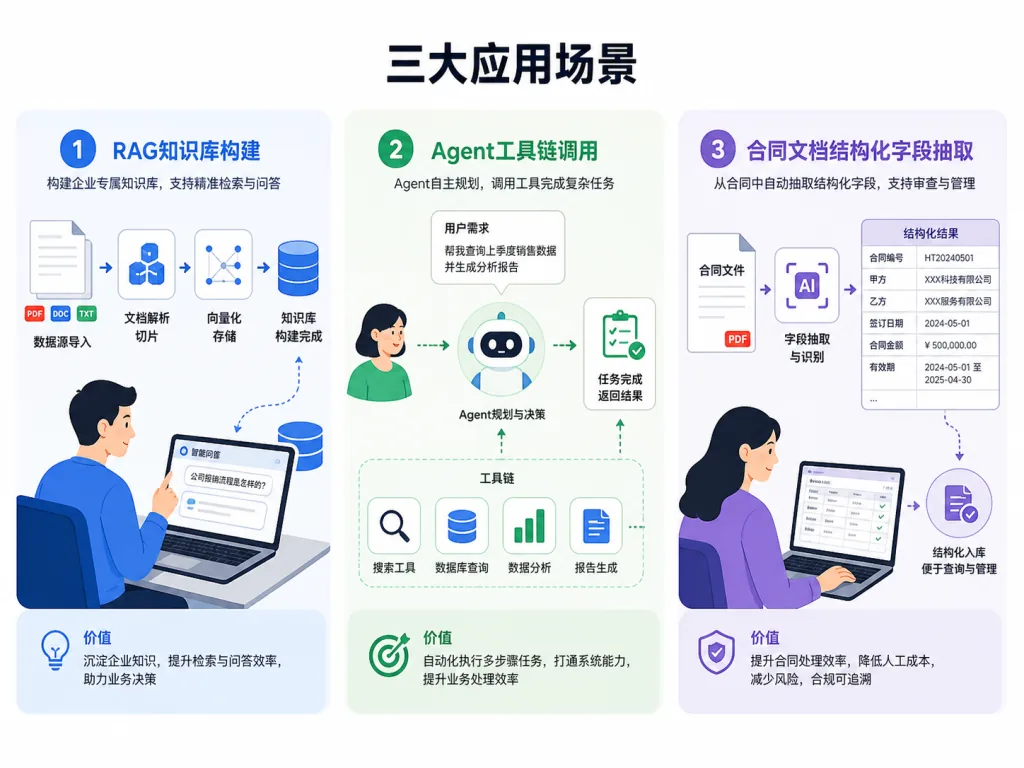
Scenario 1: RAG knowledge base preprocessing
Convert internal PDF manuals, PPT training material and Excel rosters into Markdown uniformly, then load them into the vector store.
Scenario 2: LLM agent toolchains
Let agents call MarkItDown on attachments themselves — e.g. take a contract PDF and extract the clauses automatically.
Scenario 3: content understanding and summarization
Use Content Understanding to turn invoices, resumes and contracts into Markdown with structured fields, then feed that to a model for Q&A.
Good fit: RAG engineers, AI application developers, data teams handling large document piles. Not a good fit: designers who want high-fidelity document presentation — MarkItDown aims at "machine-friendly", not "pretty to the human eye".
6. Comparison with alternatives
| Tool | Core focus | Markdown Preservation | Multimodal | Cloud enhancements |
|---|---|---|---|---|
| MarkItDown | LLM corpus preprocessing | Strong (headings/lists/tables/links) | Image OCR, audio and video transcription, LLM descriptions | Azure Doc Intel + Content Understanding |
| textract | Plain text extraction | Weak, structure almost entirely lost | Basic text only | None |
| Pandoc | Converting between document formats | Moderate | Weak | None |
| Unstructured | ETL data processing | Moderate | Yes | Yes |
Why pick MarkItDown: it's the "last mile" tool built for LLMs — it understands Markdown better than textract, understands AI needs better than Pandoc, and is lighter than Unstructured.
7. Getting started fast
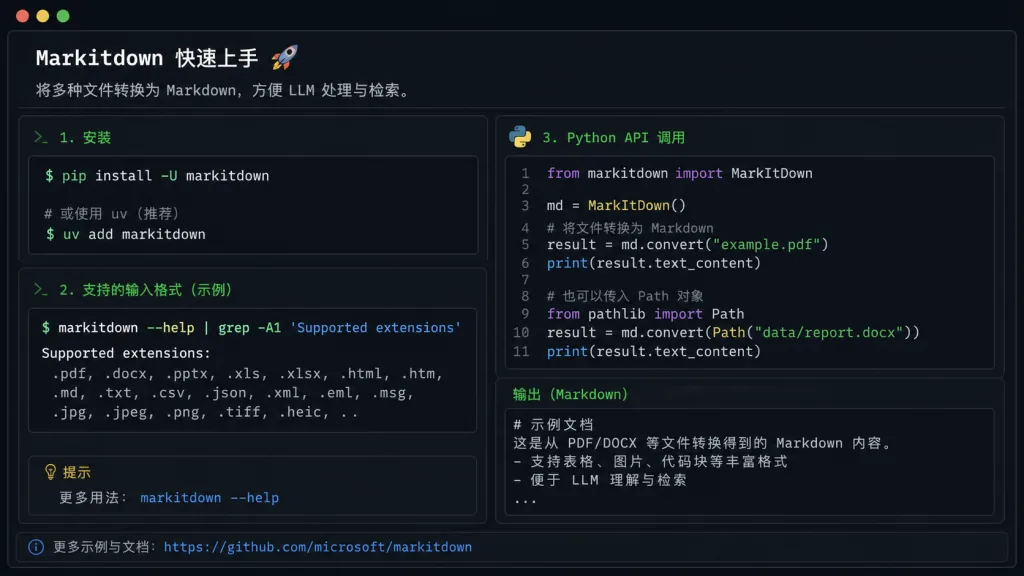
1. Install
After creating a fresh virtual environment:
pip install 'markitdown[all]'
2. Try the CLI
markitdown test.pdf -o test.md
3. Python API
from markitdown import MarkItDown
md = MarkItDown()
result = md.convert("test.xlsx")
print(result.text_content)
4. Going further: hooking up an LLM for image descriptions
from openai import OpenAI
md = MarkItDown(llm_client=OpenAI(), llm_model="gpt-4o")
result = md.convert("slides.pptx")
Going-further tip: in production, always constrain paths with convert_local(), enable plugins on demand, and don't start with pip install [all] and drag in every dependency.
8. Summary and next steps
MarkItDown standardizes the job of "feeding the world to an LLM": 20+ formats, preserved structure, cloud OCR integration, and GPT-4o writing captions for images. Behind those 170K+ stars is a collective vote from RAG, agent and document-Q&A work.
- GitHub: https://github.com/microsoft/markitdown
- PyPI: https://pypi.org/project/markitdown/
- Docs:
README.mdin the repo andpackages/markitdown-ocr/README.md
One-line recommendation: build an LLM app? Run your corpus through MarkItDown first, then worry about downstream.